

Your crypto wallet address is actually pretty easy to find. Just look for a button in your app that says "Receive," "Deposit," or maybe "Account." Tapping it will show you a long string of characters and a QR code—that's your public address. You can copy it and share it with anyone who needs to send you crypto.
Why Your Crypto Wallet Address Matters
Think of your crypto wallet address like a bank account number, but for the crypto world. It's a unique string of letters and numbers that points directly to your wallet on the blockchain.
When someone wants to send you Bitcoin, Ethereum, or any other digital coin, this is the address you give them. It's literally the only way for you to receive funds.
Getting comfortable with your address is a huge first step in managing your own crypto. You’ll need it for a few key things:
- Getting Paid: This is the big one. You share your address to get crypto sent to you.
- Using dApps: Many decentralized apps need to connect to your wallet, and they use your public address to identify you on the network.
- Checking Transactions: You can pop your address into a block explorer anytime to see the history of all incoming and outgoing transactions.
The Most Important Distinction: Public vs. Private
It is absolutely critical that you understand the difference between your public address and your private key.
Your public address is meant to be shared. It's safe—no one can touch your funds with just that address. Your private key (or seed phrase), on the other hand, is the master key to your digital vault. It gives anyone who has it total control over your crypto and must never be shared with anyone, for any reason.
Your public address is for receiving. Your private key is for signing and spending. Confusing the two is one of the costliest mistakes you can make in crypto.
Finding an address wasn't always so simple. Back in the early Bitcoin days, from around 2009 to 2013, you had to run a full desktop client just to generate a 26–35 character address on your screen. Fast forward to 2017, and a flood of new users pushed wallets to get much simpler. Mobile and web wallets made the whole process as easy as tapping a button to show a QR code. This shift was a huge part of crypto's growth, as you can see in research about the growth of crypto users.
Finding Your Address in Software and Mobile Wallets
Software wallets, often called "hot wallets," are just apps you install on your computer or phone. They've become incredibly popular for a good reason: they hit that sweet spot between convenience and user control, which makes them the perfect starting point for most people diving into crypto.
Thankfully, finding your address in these apps is usually dead simple. The developers built these interfaces with one main goal in mind—making it easy to send and receive crypto. Because of that, the "Receive" or "Deposit" button is almost always front and center, ready for you to click.
A Quick Look at Popular Wallets
While the exact menus might have slightly different names, the core logic is universal. You just tell the wallet which cryptocurrency you want to receive, and it serves up the correct public address for that specific asset.
Here's a quick rundown of where to look in some of the most common wallets out there:
- MetaMask: This one's easy. On the main screen, your wallet address is shown right under your account name (e.g., "Account 1"). It’s shortened, but a single click on it copies the full address straight to your clipboard. Making this one-click copy a habit is a huge time-saver and a critical security step.
- Trust Wallet: From the main wallet screen, tap the crypto you want to receive (like Bitcoin or Ethereum). Then, just hit the "Receive" button. This pops up a new screen with your full address and a handy QR code for easy sharing.
- Exodus Wallet: Inside the Exodus app, just find and click on the specific asset you're waiting for. You'll see "Send" and "Receive" buttons—clicking "Receive" shows you the unique address for that coin. Exodus is known for supporting a ton of different assets, and this simple process works the same for all of them.
My Two Cents: Never, ever try to type out a wallet address by hand. It's a recipe for disaster. One wrong character, and your funds could be gone forever. Always use the built-in "Copy" button or the QR code function. It’s a simple habit that removes almost all risk of human error.
This diagram helps visualize how it all works: your public address is just a location for receiving funds, while your private key is the only thing that can actually open that "mailbox."
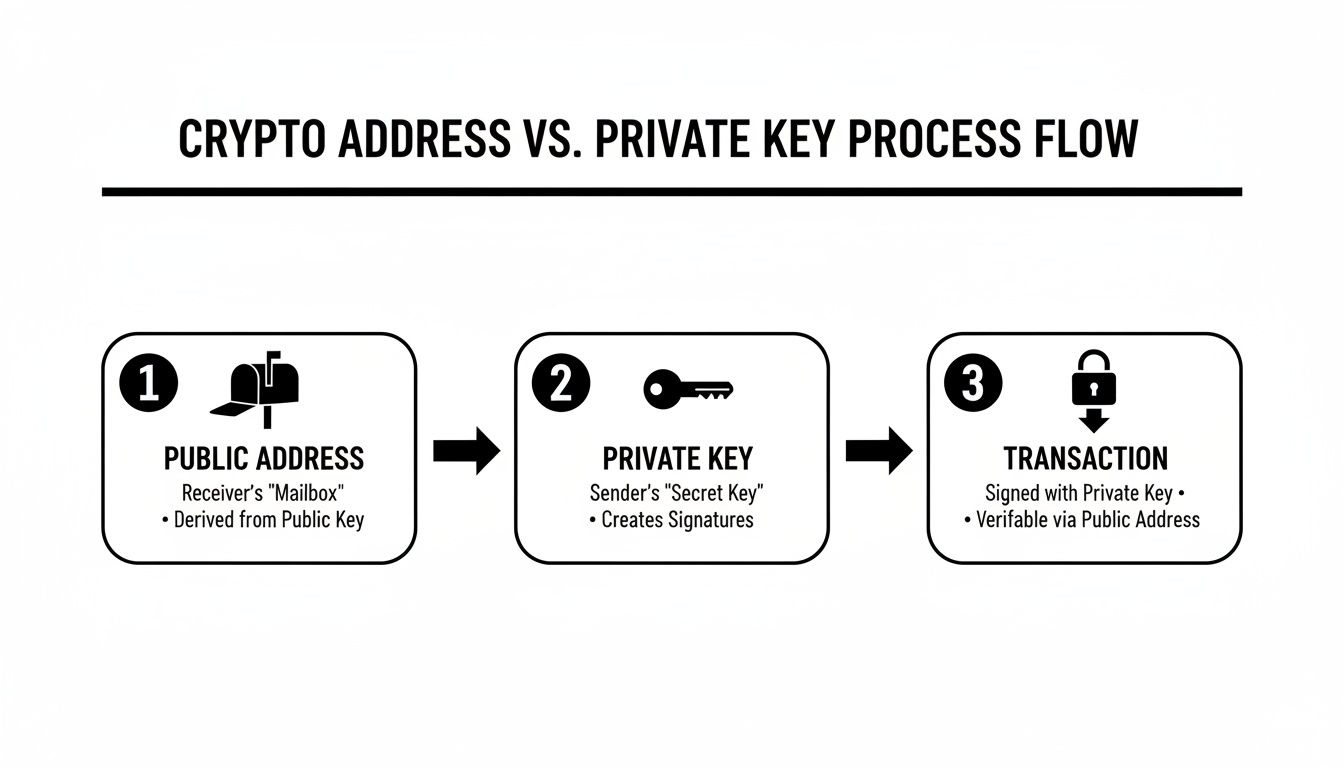
This is the most important concept in wallet security. You can share your public address with anyone, but your private key should never be seen by another soul.
For a quick reference, here's a table summarizing how to find your address in some of the top software wallets.
Quick Guide to Finding Your Address in Top Software Wallets
This table breaks down the direct action you need to take to get your receiving address in the most popular software and mobile wallets.
| Wallet Type | Primary Action to Find Address | Best For |
|---|---|---|
| MetaMask | Click account name at the top of the main screen to copy. | Ethereum & EVM-compatible chains |
| Trust Wallet | Select a crypto, then tap the "Receive" button. | Multi-coin mobile users |
| Exodus | Select an asset, then click the "Receive" button. | Desktop users managing a diverse portfolio |
| Electrum | Go to the "Receive" tab to view or generate an address. | Bitcoin-only users needing advanced features |
| MyEtherWallet | Find your address displayed prominently on the main dashboard. | Web-based Ethereum & token management |
Keep this handy, as it covers the most common scenarios you'll run into.
Beyond the Basics: Address Variations
One thing that often trips people up is seeing new addresses appear in their wallet for the same coin. This is a feature, not a bug!
It’s most common with Bitcoin, where wallets often generate a fresh address for every single transaction as a privacy measure. Don't panic—all your old addresses still work and will direct funds to your wallet.
On the other hand, networks like Ethereum and its tokens (like ERC-20s) keep things simple. Your address, the one starting with "0x…", is your single receiving point for ETH and every token on that blockchain. This makes life a lot easier, as you only need to manage one address for a huge ecosystem of assets.
Finally, always remember that different blockchains have different address formats. A Bitcoin address looks completely different from an Ethereum one. Sending crypto to the wrong type of address is an irreversible mistake, so always double-check you’re providing the correct address for the specific coin you're about to receive.
Verifying Your Address on a Hardware Wallet
If you're serious about long-term, secure storage, hardware wallets are the way to go. They introduce a crucial physical separation between your private keys and the internet. Because of this, finding your address involves a few more steps than on a software wallet, but this deliberate process is exactly what keeps your crypto safe.
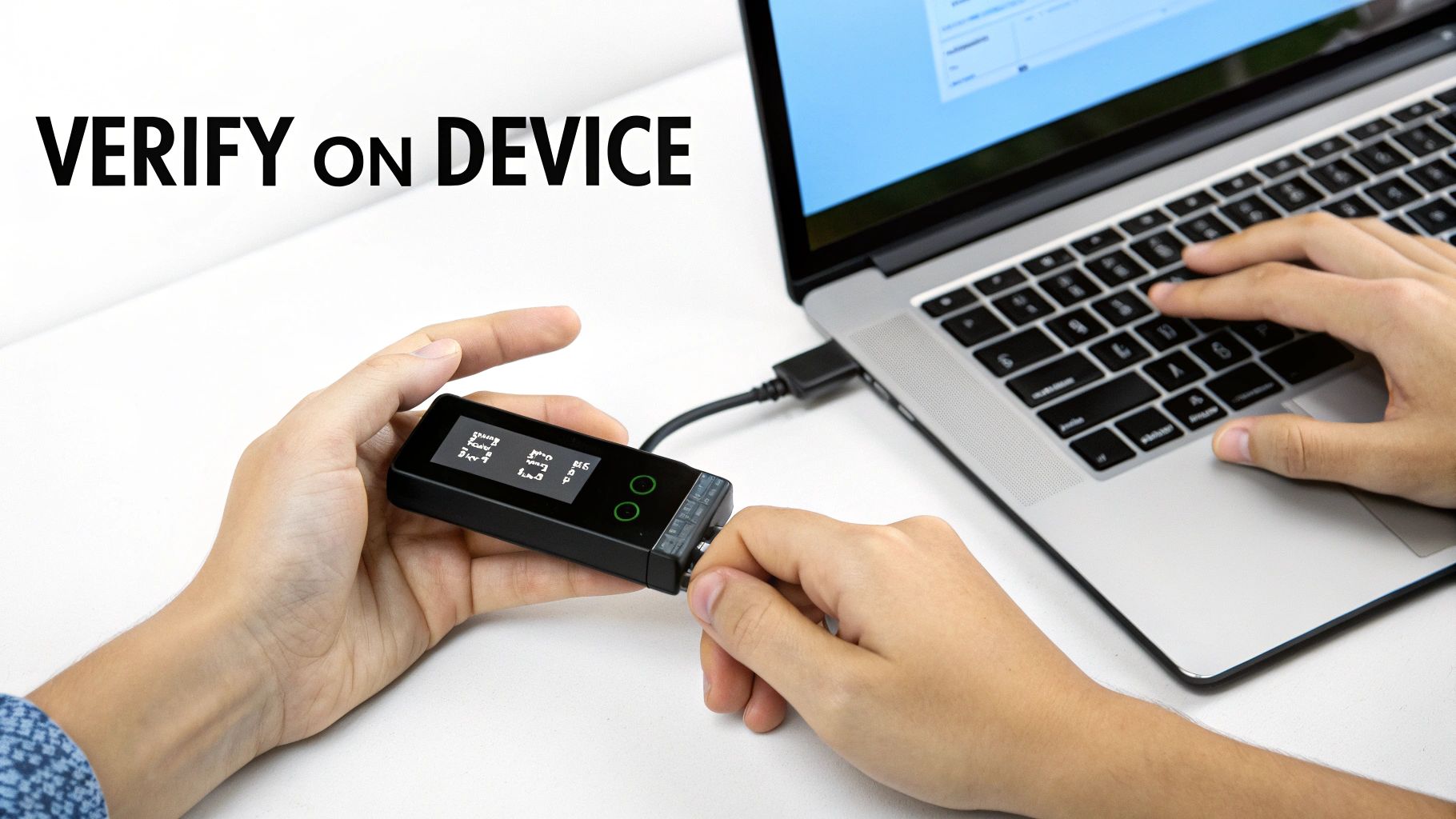
Unlike a mobile app where everything lives on one screen, a hardware wallet needs a companion app on your computer—think Ledger Live or Trezor Suite. This application acts as the bridge to your physical device, letting it generate addresses and sign transactions. You'll always need to connect your hardware wallet and unlock it with your PIN before you can get started.
The Most Important Step: On-Device Verification
Once your device is connected and unlocked, the process inside the companion app should feel pretty familiar. You'll pick the crypto you want to receive and click a button like "Receive" or "Show Address." The app will then show a public address right there on your computer screen.
But this is where the single most important step comes in—a step you absolutely cannot skip.
The exact same address should now be displayed on your hardware wallet’s physical screen. Your job is to meticulously compare the long string of characters on your computer monitor to the one shown on your little device. They have to match, one-for-one.
Crucial Tip: Always, always trust what your physical device says. If the address on your computer screen is even one character different from what's on your hardware wallet's screen, stop immediately. It's a massive red flag for malware.
This physical cross-check is your best defense against some pretty sophisticated attacks. It's the whole reason hardware wallets like Ledger and Trezor, which have sold millions of units, are built this way. They force this on-device confirmation to protect you from clipboard-hijacking malware that can silently swap your address with an attacker's.
Why This Extra Check Is Non-Negotiable
Let's walk through a real-world scenario. Imagine a piece of malware is hiding on your computer, just waiting to steal your funds. When you ask your wallet app for a receiving address, this malware intercepts the request and slaps a fake address—one belonging to a scammer—onto your computer screen.
If you just blindly copy that address from your monitor and send your crypto to it, those funds are gone. Forever.
The on-device display completely bypasses your potentially compromised computer. It shows you the true, correct address that was generated securely inside the hardware wallet itself. Only after you've confirmed the addresses match should you physically approve the action on your device, usually by clicking a button.
- PC Screen: Shows the address the app thinks it generated.
- Device Screen: Shows the address the secure chip actually generated.
- Your Job: Confirm they are identical before you share that address with anyone.
This design is a fundamental security principle for these devices. If you're interested in the nuts and bolts of how they work, you should check out our deep-dive explaining what is a hardware wallet. By making this physical check an unbreakable habit, you neutralize one of the most common and dangerous threats out there.
Essential Safety Checks Before You Share Your Address
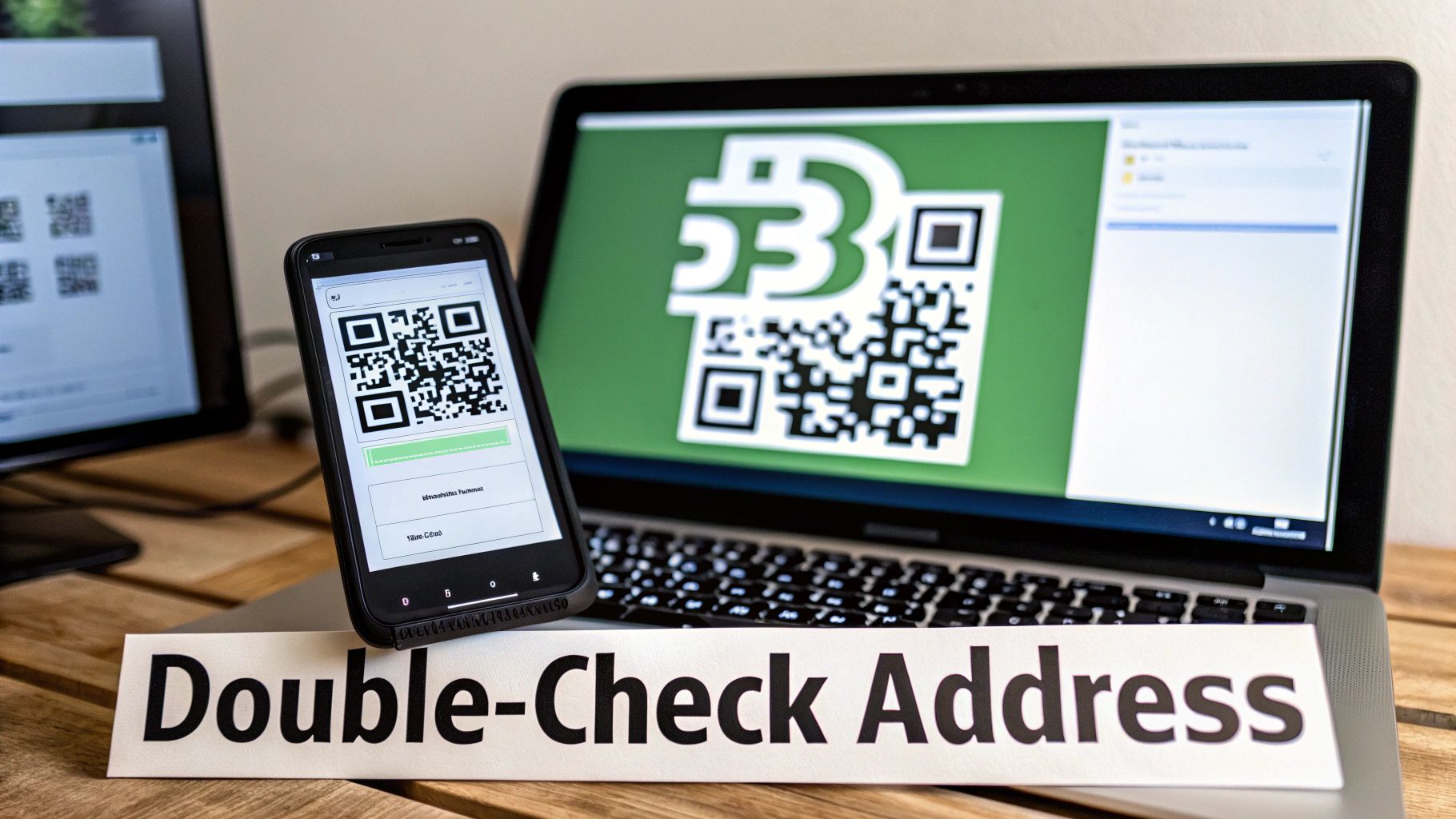
Knowing where to find your crypto address is one thing. Knowing how to share it safely is a completely different skill, and it's where most of the risk lies. Before you ever hit send or show someone a QR code, you need to pause. A few simple checks can be the difference between a successful transaction and losing your funds for good.
The biggest threat you'll face is clipboard hijacking. This nasty piece of malware runs silently on your device, just waiting. The moment you copy a crypto address, it instantly swaps it with the attacker's address in your clipboard. You paste it, think everything looks fine, and send your crypto straight to a scammer.
Then there's the more recent and clever address poisoning scam. A fraudster sends a tiny amount of crypto to your wallet. The trick? Their address is designed to look almost identical to one you've used before, often matching the first and last few characters. They're betting that next time you need to send funds, you'll carelessly copy their address from your transaction history instead of the correct one.
Your Pre-Flight Safety Checklist
To beat these scams, you need a solid routine. These aren't suggestions; they are non-negotiable habits that take seconds but offer powerful protection against the most common ways people get rekt.
Here’s what I do every single time, without exception:
- The "First and Last Four" Check: After you paste an address, always visually compare the first four and last four characters with the original. This one simple habit defeats the vast majority of clipboard attacks.
- Use the QR Code When Possible: If you're doing an in-person transaction, the QR code is your best friend. It removes any chance of a copy-paste error or malware getting in the way.
- Send a Small Test Transaction: This is crucial for large amounts. Send a tiny, dust-sized amount first. Wait for the other person to confirm they've received it. Only then do you send the full amount.
The most secure habits are often the simplest. Double-checking an address before you send funds is the crypto equivalent of looking both ways before crossing the street. It’s a basic action that prevents a world of trouble.
Confirm Your Address on a Block Explorer
For ultimate peace of mind, there's one final verification step. Copy your public address and paste it into a blockchain explorer—think Etherscan for Ethereum or Blockchain.com for Bitcoin. This lets you see every transaction tied to that address right on the public ledger.
Doing this confirms your address is active and valid on the network. For newcomers, seeing your address on an explorer makes the whole abstract concept feel much more real and secure. You can get a better handle on these tools by learning what is a blockchain explorer.
By making these checks part of your muscle memory, you'll move from just knowing where your address is to understanding how to use it with confidence.
Troubleshooting Common Wallet Access Issues
So far, we’ve walked through finding your address when everything is working smoothly. But what happens when it's not? Let's be honest, sometimes the real challenge isn't just tapping a "Receive" button—it's getting into your wallet in the first place.
Maybe you've forgotten a password, the app is glitching out, or worse, your hardware wallet took a tumble. It's a stressful situation, I've been there. But before you panic, remember this: nearly every non-custodial wallet is built around the ultimate failsafe: your seed phrase.
That little sequence of 12 to 24 words is the master key to all your crypto. If you can't get into your wallet, that phrase is your lifeline for restoring access on a new device or a fresh install of the app.
Your First Steps in Recovery
If you're locked out, resist the urge to guess your password a hundred times. That rarely ends well. Instead, let's work through a logical troubleshooting checklist. Your immediate goal is to figure out if you can solve this yourself with your recovery phrase.
Start by asking these questions:
- Is the problem the app or the device? Before you do anything drastic, try a simple reinstall of the software wallet. If you're using a hardware wallet, try its companion app on a different computer. You'd be surprised how often a simple software bug is the real culprit.
- Do you have your seed phrase? If the answer is yes, you're in a great position. You can almost always import this phrase into a new wallet and get everything back.
- Is your hardware wallet physically busted? If the device itself is broken but you have that all-important seed phrase, you're still okay. Just buy a new device from the same company (or even a compatible one) and use the phrase to restore your funds. Easy.
Critical Takeaway: Let me be crystal clear: Your seed phrase is more important than your password, your PIN, or even the physical wallet itself. It is the raw proof of your ownership on the blockchain. Without it, recovering your funds on your own is next to impossible.
When to Call in the Pros
But what if you've tried all that and you're still stuck? Maybe you have a corrupted wallet file, only a partial memory of the password, or some other technical nightmare that’s way over your head. This is the point where messing with it yourself can do more harm than good.
In these tough situations, specialized recovery services can be a legitimate, secure option. I'm not talking about generic IT support here; these are specialists who live and breathe complex crypto access problems.
If your assets are significant and you’ve hit a wall with self-recovery, bringing in a professional service like Wallet Recovery AI might be the most responsible next step. They have advanced tools and the right experience to handle sensitive cases discreetly, giving you the best possible shot at getting your funds back without risking your security. Knowing when to ask for help is a crucial part of being a savvy crypto owner.
A Few Common Questions About Wallet Addresses
Once you get the hang of finding your crypto wallet address, a few more questions almost always come up. Getting clear on these points is crucial for handling your crypto confidently and, more importantly, safely.
Is It Safe to Give Someone My Crypto Wallet Address?
Absolutely. Sharing your public wallet address is not only safe, it's necessary. It’s the only way for someone to send you cryptocurrency.
Think of it like your home mailing address or your email address. People can send things to you, but that address alone gives them zero access to what's inside.
The real danger lies in sharing your private keys or your seed phrase. Never, ever give those out. They're the master keys to your entire crypto vault.
Does My Wallet Address Change?
It can, and it often does for privacy reasons. Some wallets, particularly for Bitcoin, are designed to generate a fresh, new address for every single transaction you receive. Don't let that throw you off, though—all of your old addresses still work and will direct funds to your wallet.
On the other hand, for Ethereum and most other tokens, your public address (the one starting with 0x) generally stays the same. This makes life a bit simpler, giving you one consistent address for a whole ecosystem of assets.
The Bottom Line: Reusing an address is a personal choice. Using a new one for each transaction makes your financial activity harder to track on a public ledger, but sticking to a single, static address is often just more convenient.
What's the Difference Between a Bitcoin and an Ethereum Address?
This is one of the most important things to get right. They look different, they work on completely different networks, and they are not interchangeable.
- Bitcoin addresses usually start with a "1", a "3", or "bc1".
- Ethereum addresses always start with "0x".
Sending crypto to the wrong type of address—like sending Bitcoin to an Ethereum address—will cause you to lose those funds forever. There’s no "undo" button on the blockchain. Always take a few extra seconds to double-check that you're using the right address for the specific coin you're receiving. It’s a simple habit that can prevent a very expensive mistake.
If you've lost your password or have a corrupted file and can't find your address, that's a different problem altogether. At Wallet Recovery AI, we provide specialized, secure services to help you get back into your wallet and regain control of your assets. Find out more at https://walletrecovery.ai.
Leave a Reply