
Ontrack EasyRecovery is a go-to tool for anyone who's ever felt that sinking feeling of losing an important file. It’s designed to dig deep into your storage devices and bring back files you thought were gone for good, whether they were accidentally deleted, wiped out by formatting, or lost to corruption.
What Is EasyRecovery and How Does It Work?
Ever wonder what really happens when you delete a file? Your computer doesn't immediately shred it. Instead, it just marks the space that file occupied as "available." The data itself lingers, invisible, until your system needs that space to write something new.

Think of EasyRecovery as a forensic investigator for your hard drive. It ignores the official "map" (the file system) and goes straight to the source, scanning the entire drive sector by sector to find the raw, leftover pieces of your lost files. This is the heart of easyrecovery data recovery.
The Tech That Makes It Possible
At its core, EasyRecovery relies on a powerful method called file signature scanning. Every file type—a JPEG, a PDF, an MP4 video—has a unique digital "fingerprint" at the beginning and end, known as its header and footer.
The software scours your drive looking for these specific markers. When it finds a known header, it starts reading the data until it hits the matching footer, effectively rebuilding the file even when the file system has no record of it anymore.
To handle different situations, EasyRecovery offers two main approaches:
- Quick Scan: This is for those "oops, I shouldn't have deleted that" moments. It's a fast scan that looks for recently deleted files where the file system pointers are mostly still around.
- Deep Scan: When you've formatted a drive or dealt with corruption, this is your best bet. It’s a much more thorough process that bypasses the file system completely, relying on signature scanning to find file fragments scattered all over the drive.
Putting Fragmented Files Back Together
Files aren't always stored in a single, neat block on your drive. A large video file, for example, might be broken up into hundreds of tiny pieces spread across different physical locations—a process called fragmentation.
A deep scan doesn't just find these pieces; it uses sophisticated algorithms to figure out how they fit back together. It's like reassembling a complex jigsaw puzzle with no picture on the box, but EasyRecovery knows exactly how to match up the edges and rebuild the original file.
Ontrack EasyRecovery has been a staple in the data recovery world for years, and for good reason. It's known for its incredible speed and high success rates, largely thanks to advanced pattern recognition that can reconstruct fragmented data and even build a virtual file system in memory to show you what can be recovered.
In fact, the software has been benchmarked to complete a deep scan of a massive 500 GB partition in under 5 minutes—a performance that leaves many competitors in the dust. When you're facing a data disaster, that kind of speed is exactly what you need. For a closer look at its performance, you can check out this detailed technical review.
Alright, let's get into the nitty-gritty of how EasyRecovery works for everyday file recovery. Forget the theory for a moment; this is where the rubber meets the road. The software is at its best when you’re trying to rescue common files—think photos, documents, and videos. It’s designed to turn that sinking feeling of data loss into a sigh of relief.
We’ve all been there. You accidentally format an SD card packed with years of family photos. Or you empty the Recycle Bin, only to realize a critical work presentation was still in there. These are the exact scenarios where a tool like EasyRecovery becomes your best friend. The whole process is built to be intuitive, guiding you from panic back to calm.
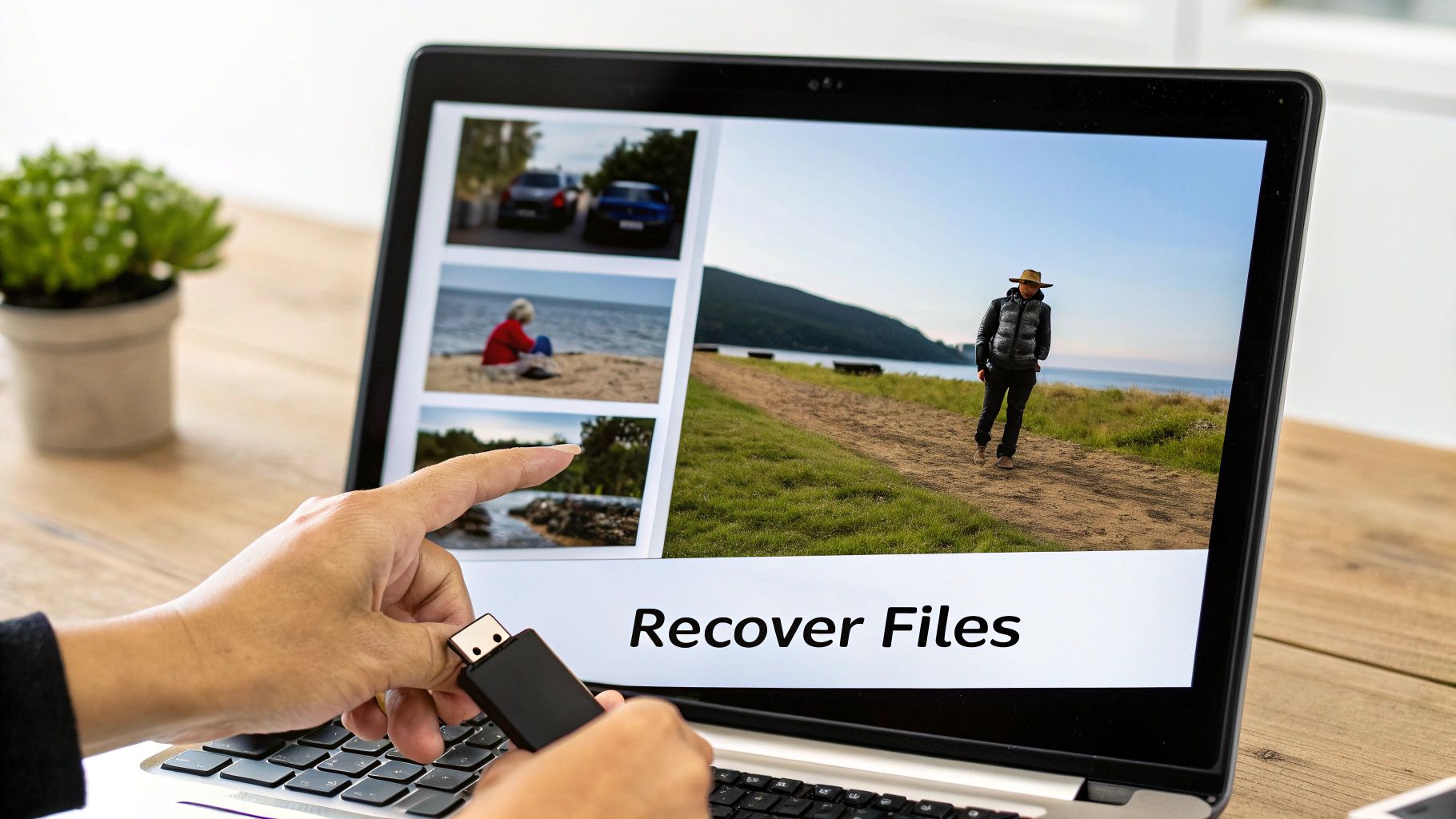
The interface lays out a simple, step-by-step workflow. It asks what you're looking for and where to look. Behind this simplicity is a complex technical operation, but you'd never know it.
The Standard Recovery Workflow
While no two data loss situations are identical, the basic steps for getting your files back are surprisingly consistent. This straightforward path is what makes the tool accessible, even if you’re not a tech wizard.
- Select What to Recover: First, you tell the software what kind of files you've lost. Photos? Documents? Videos? This helps narrow the search and gets you relevant results much faster.
- Choose the Location: Next, you point EasyRecovery to the drive where the files used to live. It could be your main C: drive, an external hard drive, a USB stick, or an SD card.
- Run the Scan: Now the software gets to work. A Quick Scan is great for recently deleted files, but for more serious situations like a formatted drive, you'll need the Deep Scan. This method meticulously scours the entire drive for file signatures. We cover this in more detail in our guide on how to recover data from a formatted hard disk.
- Preview and Save: Once the scan finishes, you'll see a list of everything the software found. This is where the preview function becomes absolutely essential.
Being able to preview a file before you hit "restore" is a game-changer. It lets you see with your own eyes that a photo isn't corrupted or that a document is complete before you save it. This verification step is a crucial habit in any data recovery attempt, but it becomes exponentially more important when you're dealing with something as valuable as a crypto wallet.
Performance and User Experience
Ontrack EasyRecovery has earned its spot among the top data recovery tools because it’s both powerful and user-friendly. Its interface makes a daunting task feel manageable. The performance speaks for itself, with benchmarks showing an impressive 98% success rate on 10 GB of photos and 85% from formatted partitions, often running scans faster than its competitors. It’s also smart enough to skip corrupt files or those with bad dates to speed things up, all while giving you real-time progress updates.
By getting comfortable with recovering simple files, you build a solid understanding of what this software can do—and more importantly, what it can't. That knowledge is critical before you even think about pointing it at something as sensitive and complex as a cryptocurrency wallet file.
Why Crypto Wallet Recovery Is a Different Beast Altogether
Look, bringing back deleted photos or documents with a tool like EasyRecovery is one thing. That's standard data recovery. But hunting for lost crypto? That's a completely different ball game. The skills you might have for restoring a folder of vacation pics just don't translate to the high-stakes, high-security world of digital wallets.
This is exactly where general-purpose recovery software hits a wall, and a hard one at that.

Think of it this way. A JPEG or a Word doc is like a book on a library shelf with a big, bright, easy-to-read cover. Its file signature acts like a clear signpost. A crypto wallet file, on the other hand, is like an unmarked key hidden inside one of ten thousand identical, locked metal boxes in a massive warehouse. The real challenge isn't just finding a box; it's knowing which one actually holds the key you need.
The Unique Nature of Wallet Files
Unlike a simple image file, a crypto wallet is designed from the ground up for security and obscurity, not for easy identification. These files—things like a wallet.dat file or a keystore backup—are often intentionally generic. They don't have the distinct, standardized file headers that easyrecovery data recovery tools depend on to recognize what they're looking at.
This is a security feature, not a bug. It’s designed to stop hackers from easily scanning your hard drive for valuable wallet files. But that same feature makes your own legitimate recovery efforts a nightmare for non-specialized software.
On top of that, these files are almost always heavily encrypted. So even if a tool like EasyRecovery manages to find and piece together the file's container, the data inside is still just a scrambled, useless block of text without the right password. This leads to a really common and frustrating dead end: the false positive.
The Heartbreak of False Positives
A standard data recovery tool might tell you it found a file that looks like a wallet. It can flag a file that's the right size or has a similar name, giving you a huge surge of hope. But this is often deeply misleading. The software has absolutely no way to verify if that file is intact, uncorrupted, or even the right wallet you're looking for.
Recovering the file's container is just step one. For crypto assets, the real work is validating the file's integrity and then cracking open its contents—a job that's way beyond what general recovery software can do.
You could sink hours, even days, trying to restore dozens of these "potential" wallet files, only to discover every single one is corrupted, an old empty wallet, or just the wrong file entirely. Each failed attempt not only burns time but also puts you at risk of overwriting the very data you’re trying to save. This is where specialized knowledge is non-negotiable. For instance, if you're working with a text backup, knowing how to handle a wallet seed phrase is a completely different skillset from typical file restoration.
It's More Than Just File Signatures
The limits of these traditional methods show exactly why you need a different playbook for crypto. A successful wallet recovery demands more than just finding files; it requires a deep, practical understanding of blockchain data structures and encryption protocols.
Here’s what truly sets crypto recovery apart:
- Non-Standard Structures: Many wallet files don't follow predictable patterns, which makes the signature-based scanning used by most tools completely ineffective.
- Heavy Encryption: The value is locked behind serious encryption that general tools can't even begin to analyze, let alone bypass.
- Corruption Headaches: It’s incredibly hard to tell if a recovered wallet file is complete or just partially corrupted, which could render it useless forever.
- Chain-Specific Knowledge: Different cryptocurrencies use entirely different wallet formats, and each one comes with its own unique recovery quirks and challenges.
An easyrecovery data recovery scan is a fantastic tool for bringing back your photos from a formatted camera card. But for this job, it's just not equipped. It's like bringing a metal detector to a diamond mine—sure, it might find some scrap metal, but it's going to miss the real treasure every time.
Navigating the Treacherous Waters of DIY Wallet Recovery
Trying to recover your own crypto is incredibly tempting, but it’s a minefield for the unprepared. The stakes are immense. We’re not talking about recovering a few vacation photos here; a single wrong move can permanently lock you out of your assets. Think of it less like running a simple software utility and more like performing microsurgery on a live system where one slip is game over.
The absolute worst mistake you can make is working directly on the original drive. Every single action—installing a recovery tool, running a scan, even just booting up the operating system—writes new data. That new data can land directly on top of the fragmented wallet file you’re trying to rescue, effectively wiping it off the face of the earth.
The Unbreakable Rule of Data Recovery
Before you even think about running a scan, you have to embrace the single most important rule in all of data recovery: always, always work on a clone or an image of the drive, never the original.
Creating a bit-for-bit clone (a perfect copy to another drive) or a sector-by-sector image (a file that's an exact replica) is your safety net. It preserves the original drive in its current, fragile state. If your recovery attempt on the clone goes sideways, no big deal. You can just make another clone and try a different approach. Without this vital step, every failed attempt just digs the hole deeper.
Treat the original storage device like a crime scene. You wouldn't let a bunch of people trample through, contaminating the evidence. The same exact logic applies here—preserve the source at all costs.
Once you have a safe working copy, you can start thinking about the recovery itself. But the risks don't end there. The software you choose and the environment you work in are just as critical for keeping your assets safe from prying eyes.
A Safer Checklist for Any DIY Attempt
If you're dead set on trying this yourself with a tool like easyrecovery data recovery, you absolutely must follow a strict safety protocol. This isn't just about boosting your odds; it's about preventing a total catastrophe.
Here's what you need to do:
- Go Offline Immediately: Disconnect the computer from the internet entirely. Pull the ethernet cable, turn off the Wi-Fi. This stops any hidden malware from phoning home with your data and prevents any pesky automatic updates from writing over your files.
- Only Use Reputable Software: Download recovery tools directly from their official websites. Never use third-party download portals or torrents—they are notorious for bundling malware, spyware, or even ransomware that preys on people in your exact situation.
- Install on a Separate Drive: Never, ever install the recovery software onto the same drive you're recovering from. That's a guaranteed way to overwrite the very data you're trying to find. Install it on a completely different, healthy drive.
Each botched DIY attempt can corrupt file structures and partially overwrite key data, making it exponentially harder for a professional to succeed later on. This brings us to a crucial point about the risks you're taking on.
The table below breaks down the dangers of going it alone versus the protections offered by a dedicated service.
DIY Recovery Risks vs Professional Service Safeguards
| Risk Factor | DIY Recovery Attempt | Professional Service (e.g., Wallet Recovery AI) |
|---|---|---|
| Data Overwriting | High risk of accidentally overwriting wallet files by working on the original drive or installing software incorrectly. | Works exclusively on a forensically-sound clone of your drive, ensuring the original is never altered. |
| Malware & Security | Risk of downloading malware-infected tools from untrusted sources or exposing data on an internet-connected PC. | Uses a secure, air-gapped, offline environment for all recovery attempts, eliminating any online threats. |
| Inexperience | Misinterpreting scan results or using the wrong recovery techniques can lead to permanent file corruption. | Employs forensic experts who understand file system structures and wallet-specific data patterns. |
| Privacy Exposure | Sensitive data (keys, seeds) could be exposed to malware or inadvertently uploaded to the cloud if the PC is compromised. | Strict privacy protocols, non-disclosure agreements, and secure data handling are standard practice. |
| Failed Attempts | Each failed attempt degrades the data, making subsequent professional recovery more difficult and less likely to succeed. | Uses non-destructive methods from the start, maximizing the chances of a successful recovery on the first try. |
Ultimately, when you're dealing with high-value assets, the smartest move is often knowing when to stop and call in a specialist. A professional service like Wallet Recovery AI has the forensic tools, clean-room environments, and deep expertise to tackle these complex cases without putting your funds in even greater jeopardy.
Knowing When to Call a Crypto Recovery Specialist
Trying a DIY recovery on a lost crypto wallet is tempting, I get it. There's a certain satisfaction in solving a problem yourself. But with crypto, there’s a hard line between a smart attempt and a costly mistake. Knowing when to stop and call in an expert is probably the most critical decision you'll make in this whole process. Pushing a general tool like EasyRecovery data recovery past its limits can quickly turn a recoverable wallet into a permanently lost one.
The signs to stop are usually pretty obvious if you know what to look for. Is the hard drive making clicking or grinding noises? Does your computer fail to even recognize it? Stop. Immediately. That's no longer a software problem you can fix—it's a hardware emergency. Continuing to power it on risks destroying the drive platters, and your crypto along with them. This is clean-room territory, period.
When Software Solutions Hit a Wall
Even if your drive seems perfectly healthy, software-based recovery has its breaking point, especially when you're dealing with encrypted crypto files. The second you find a wallet file but realize you don't have the password, general recovery tools are out of their league. They can see the container, but they have absolutely no way to unlock what's inside.
It's time to escalate to a specialist if:
- The Wallet File is Corrupted: EasyRecovery might pull back a file, but if the data inside is scrambled, it’s completely useless. A specialist uses forensic methods to actually rebuild the corrupted data structures specific to wallets from networks like Ethereum or Bitcoin.
- A Deep Scan Comes Up Empty: You ran a full, thorough deep scan and found… nothing. No
wallet.datfiles, no UTC/JSON keystores. This often means the data is fragmented or has been partially overwritten, and you'll need much more advanced tools to piece it back together. - You're In Over Your Head: Be honest with yourself. If you’re not 100% confident in what you’re doing, from cloning the drive to making sense of the scan results, it's safer to pause. One wrong click can overwrite the very data you’re trying to save.
The infographic below shows the basic, non-negotiable steps for any safe DIY attempt. Think of this as the foundation before you hit any of the serious roadblocks mentioned above.
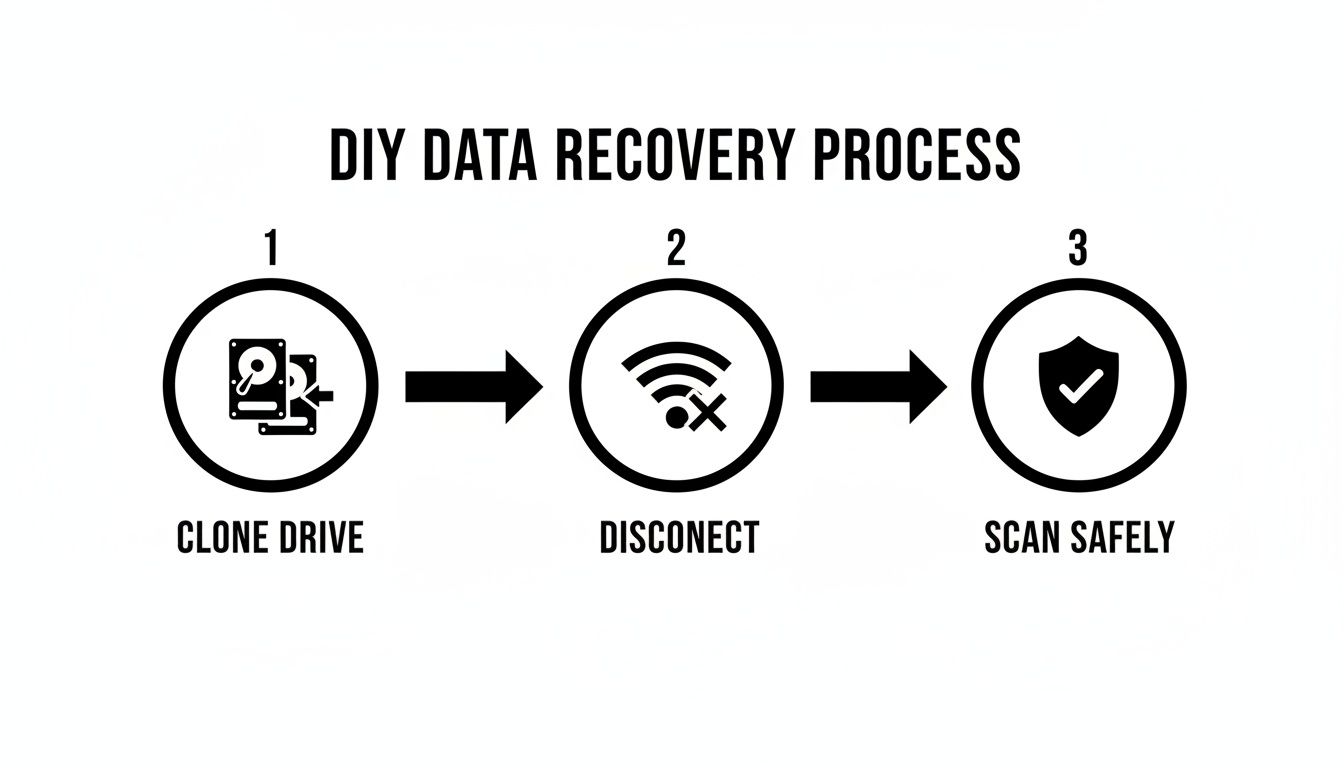
This process—clone, disconnect, and scan safely—is the gold standard for not making things worse. But for complex crypto cases, it's just the beginning of the story.
The Power of Specialized Forensic Services
This shift from general tools to specialized services isn't unique to crypto; it’s happening across the entire data world. The global data recovery software market, where tools like Ontrack EasyRecovery operate, is booming. It grew from USD 5.4 billion in 2023 and is projected to hit USD 11.2 billion in the coming years, more than doubling as our reliance on digital data grows. This trend is a perfect mirror for the access crises in the crypto space, which is where services like Wallet Recovery AI step in for wallets from MetaMask to Ledger. For a deeper dive into these market numbers, you can check out the full industry analysis.
A service like Wallet Recovery AI doesn't just find files; it decrypts them. It goes way beyond simple retrieval, using proprietary AI algorithms and forensic methods to crack lost passwords, repair corrupted files, and overcome the complex hurdles that stop general tools dead in their tracks.
These specialist services have a much higher success rate for a simple reason: their entire process is purpose-built for the unique challenges of crypto assets. They know the file structures for wallets from Trezor, Trust Wallet, and countless others inside and out. Their whole approach is built around security, privacy, and most importantly, getting your funds back. They're the logical and safest next step when an easyrecovery data recovery attempt just isn't enough.
Common Questions About Data Recovery and Crypto Wallets
When you're dealing with data recovery, a lot of questions pop up, especially when crypto is involved. Let's clear up some of the most common ones.
Is EasyRecovery a Sure Thing for Finding My Files?
No recovery tool on the market can give you a 100% guarantee. Think of it this way: when a file is "deleted," its space on the drive is just marked as available. If you keep using the computer, new data can get written over that exact spot, permanently erasing the old file.
A quick scan might spot things you just deleted, but for bigger messes like a reformatted drive, you'll need a deep scan. Even then, you might get a file back that's corrupted and completely unusable. The golden rule? Stop using the drive the second you realize something is missing.
Is It Safe to Use EasyRecovery for My Crypto Wallet?
Technically, EasyRecovery might be able to spot the container file, like a wallet.dat, but it's really not the right tool for the job. It's like using a regular hammer for a delicate watch repair—you might get lucky, but you're more likely to cause more damage.
The software has no idea what a valid wallet file looks like. It can't tell you if the file is intact, corrupted, or if it's even the right one.
The biggest danger here is getting a false positive. The software says it found your file, you get your hopes up, and you waste days trying to work with a useless, corrupted piece of data. For anything of real value, you need a specialist.
What's the Single Most Important Thing to Do in a DIY Recovery?
Simple: never work directly on the original drive. Ever. Before you even think about installing or running any recovery software, your first and only move should be to create a bit-for-bit clone (or a sector-by-sector image) of the drive.
This gives you a perfect, safe copy to experiment on. If you mess up, or the software fails, your original data is still safe and sound. It preserves your one shot at getting things right, whether you try another tool or hand it over to a professional.
When Should I Throw in the Towel and Call a Pro?
You need to stop all DIY attempts and call in an expert the moment you encounter any of these red flags:
- Physical Damage: The drive is making weird noises like clicking or grinding, or your computer won't even recognize it.
- Failed Scans: You've run a deep scan with a good tool and come up empty, or everything you recover is corrupted.
- Lost Password: You found the wallet file, but you still can't get past the encryption to access your crypto.
- High Value at Stake: If the crypto in that wallet could change your life, the risk of a DIY mistake is just too high.
Pushing past these signs is how recoverable data becomes permanently lost.
When you hit a wall, especially with something as complex as a crypto wallet, it's time to bring in the specialists. Wallet Recovery AI uses advanced forensic techniques built specifically for these situations, giving you the best possible chance of success where general tools fall short. Contact us today to securely restore access to your digital assets.
Leave a Reply