

That gut-wrenching moment you realize your keystore password is gone is a feeling many in the crypto space know all too well. It’s a digital lockdown. The first, most important thing to grasp is that keystores are secure by design—there's no "forgot password" link to click. We're not talking about a reset; this is a recovery mission.
Panic is the natural reaction, but it's also your worst enemy. A calm, methodical approach is what will get you through this. Instead of jumping straight to complex tools, we need to focus on damage control and gathering intelligence. Let's turn that moment of panic into a structured investigation.
This initial phase is about creating a safe environment to work in. It's the groundwork that makes a successful recovery possible.
Secure Your Keystore File Immediately
Before you do anything else—before you try a single password—back up your keystore file. I can't stress this enough. Many recovery tools can accidentally corrupt a file during the process, and you can't afford to lose your only copy.
It’s simple. Just copy the keystore file (whether it's a keystore.jks, a JSON file, or something else) to a totally separate, secure location. A USB stick or an external hard drive is perfect. From this moment on, you only work with this backup copy. Never, ever touch the original. This is your safety net.
Key Takeaway: Your original keystore file is sacred. All password recovery attempts must be performed on a duplicate copy to prevent accidental data loss or corruption. There are no second chances if the original file is damaged.
Begin Your Password Investigation
With your file safely duplicated, it’s time to play detective. Your brain is surprisingly good at storing bits and pieces of information. The goal here is to coax out every fragment you can possibly recall about that password.
Grab a text editor and start a brain dump. Write down absolutely everything, no matter how small or silly it seems. Think about these angles:
- Core words or phrases: Did you use a pet's name, a favorite quote, or a significant date?
- Your usual patterns: Do you always add the year at the end? Do you always capitalize the second letter? Maybe you have a go-to special character like
!or#. - Muscle memory: Try typing on your keyboard. Sometimes your fingers remember the patterns even when your conscious mind doesn't.
- Password fragments: Even a piece of the password—the first three characters, the last two numbers—is a hugely valuable clue.
This list is the ammunition you'll use for more advanced recovery methods later. Every tiny detail you can remember drastically cuts down the complexity and time needed to crack the code.
Before we dive deeper, it's worth having an immediate action plan. I've put together a quick table outlining the first critical steps you should take the moment you realize a password is lost.
Immediate Action Plan for a Lost Keystore Password
| Action Item | Reasoning & Best Practice |
|---|---|
| Stop & Isolate | Do not make any more failed login attempts. Some wallets have anti-brute-force measures that could lock you out permanently. |
| Create a Secure Backup | Immediately copy the keystore file to an offline device (like a USB drive). You will only work with this copy. |
| Start a "Brain Dump" File | Open a text file and write down every possible password fragment, pattern, or clue you can remember. Don't filter anything. |
| Document Everything | Note the wallet version, operating system, and any recent changes you made to your system. Details matter. |
Following these first steps shifts you from a state of panic to one of control, setting you up for a much better chance at successful recovery.
Losing access to a keystore can be a catastrophic financial event. And you're not alone. It's a leading cause of loss in crypto, with a recent report showing that these kinds of access issues are financial disasters hitting one in six crypto owners. A full 16% are fighting battles with forgotten passwords or lost keys. You can read more about these crypto recovery challenges and what to expect from top services.
This simple flowchart breaks down the initial crossroad you're at.
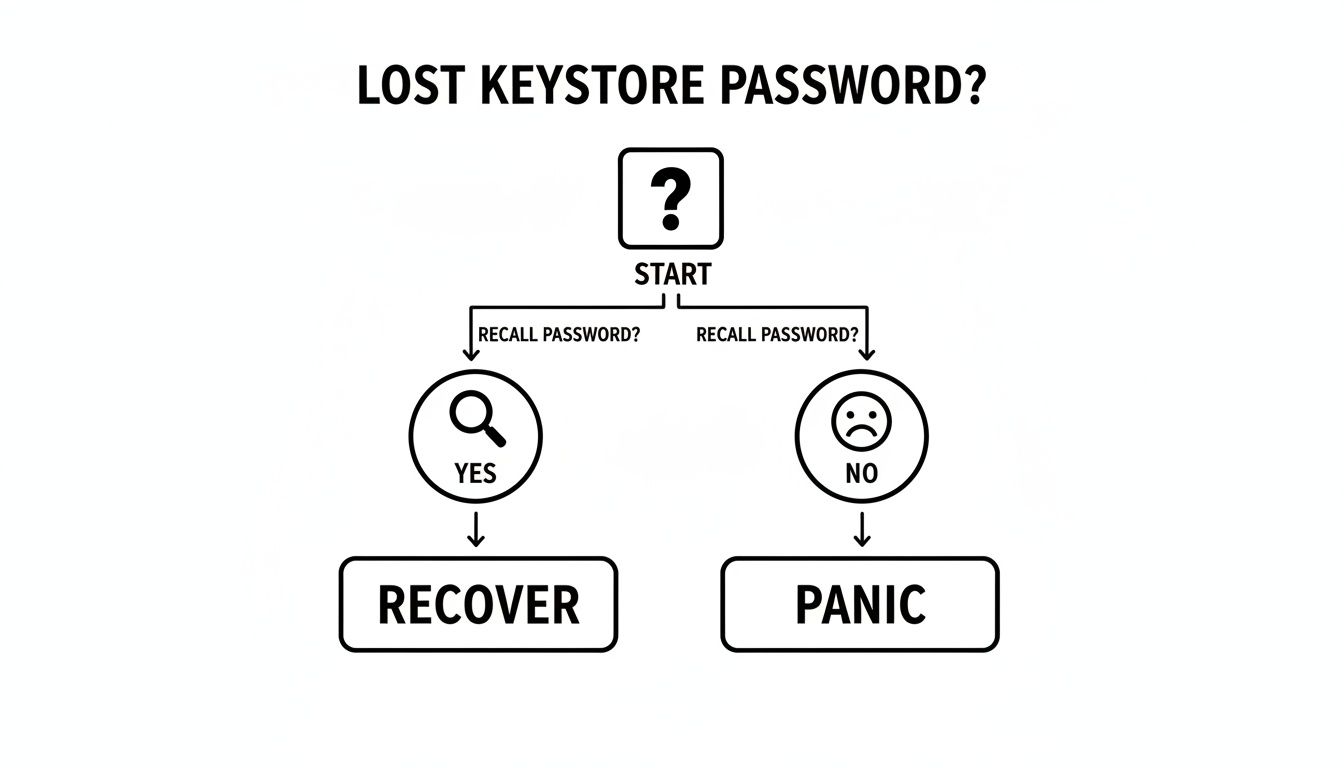
As you can see, the path forward depends on your ability to shift from panic to a structured process of recollection. The prep work you're doing right now is what puts you on the path to "Recover."
How to Identify Your Keystore and Its Recovery Potential

Before you can even think about recovery, you have to know exactly what you're dealing with. Not all keystores are the same, and the file type you have dictates everything—the tools you can use, the methods that will work, and your ultimate chance of success.
Think of it this way: you wouldn't use a car key to open your front door. The same principle applies here. The first and most critical step is identifying your keystore file.
Common Keystore Types by File Extension
The first clue I always look for is the file extension. That little suffix at the end of a filename (like .jks or .json) is your best starting point for figuring out what you have.
Here are the most common ones you'll run into:
- Java KeyStore (
.jks,.keystore): This is a classic, heavily used in the Java world for everything from Android apps to enterprise servers. If you're a developer who has been locked out, there's a good chance you're staring at a.jksfile. - PKCS#12 (
.p12,.pfx): This is essentially the modern, standardized successor to JKS. It's designed for portability, letting you bundle private keys and certificates into a single encrypted file that works across different systems. - UTC / JSON Keystore (
.json): If you're in the crypto space, this is your file. Wallets like Geth and older versions of MetaMask use these JSON files to store your password-encrypted private key. They have a very specific structure that recovery tools are built to recognize.
The extension gets you in the ballpark, but to confirm, you need to look inside.
Safely Peeking Inside the File
You can open most keystore files with a basic text editor like Notepad++, VS Code, or even the built-in Notepad. But here's the most important rule: never, ever save any changes. You are only looking. Open it, inspect it, and close it without saving.
What are you looking for? Telltale signs, usually in the header or the overall structure of the file. A .jks file is binary, so it will mostly look like gibberish. A JSON keystore, however, is a different story.
A JSON keystore is completely human-readable. When you open it, you'll see structured text with labels like
kdf(key derivation function),salt, andiv(initialization vector). This isn't just technical noise; these are the exact ingredients a recovery tool needs to even attempt a password crack.
Finding these parameters is a huge win. It confirms you have a valid crypto keystore and tells you that powerful tools like Hashcat or John the Ripper can get to work. If you're dealing with a Geth wallet, our guide on Geth Ethereum keystore JSON recovery explains what this structure means for getting your funds back.
How File Type Determines Your Recovery Strategy
Knowing your file type isn't just trivia—it's the core of your recovery strategy. Different formats require different tools and techniques.
| Keystore Type | Typical Use Case | Primary Recovery Tools | Key Insight for Recovery |
|---|---|---|---|
| JKS | Java Applications, Android Apps | keytool, John the Ripper |
Recovery usually involves extracting a password hash for offline cracking. |
| PKCS#12 | Cross-platform Certificate Storage | OpenSSL, John the Ripper, Hashcat | A well-supported standard, compatible with many recovery tools. |
| UTC/JSON | Ethereum Wallets (Geth, MyEtherWallet) | Hashcat, John the Ripper | The file’s internal metadata (kdf, salt) is essential for configuring the recovery tool. |
Trying to use a tool designed for a JSON file on a JKS keystore will fail immediately—they're fundamentally incompatible.
By taking the time to identify your file first, you avoid wasting hours on dead ends and can focus your energy on the methods that actually have a shot. This initial investigation is the single most important part of the entire process.
Manual Password Recovery Methods You Can Try Right Now
Before you jump to specialized cracking software, there are a few hands-on methods worth trying. These first steps are all about using what you already know—your memory, your habits, and some built-in tools—to make an educated guess at the password.
The key here is to be methodical. And safe.
I can't stress this enough: all of these attempts must be done on a backup copy of your keystore file. Never, ever work on the original. Make a duplicate, move it to a secure spot, and point all your recovery efforts there. This one simple habit is the difference between a failed attempt and a total disaster.
Using Command-Line Tools to Test Passwords
If you're dealing with a common keystore like a Java KeyStore (.jks), you might already have a tool that can help. The Java Development Kit (JDK) comes with a utility called keytool, which is the standard for managing these files. While it wasn't built for password recovery, we can use its -list command to test our password guesses one by one.
It’s a straightforward way to see if a password you think is right actually is. If you have the JDK on your machine, you don't need to install anything else.
Here’s the command you’d run in a terminal or command prompt:
keytool -list -keystore your_keystore_backup.jks
Run that, and it will prompt you for the keystore password. If you get it right, it will show you the keystore's contents. If you’re wrong, you’ll get an error like java.io.IOException: Keystore was tampered with, or password was incorrect. This instant feedback is perfect for quickly working through a short list of potential passwords.
Crafting a Targeted Dictionary Attack
The keytool method works for a handful of guesses, but what if you have a few hundred ideas? That's where a dictionary attack comes in. This isn't a brute-force attack trying every combination under the sun. Instead, it uses a custom wordlist of likely passwords.
Your best dictionary is one you make yourself, using that "brain dump" we talked about earlier. You'll build a password list based on your own patterns:
- Core Words: Names of people, pets, places, or important dates.
- Common Patterns: Do you always add a year at the end? Do you swap letters for numbers (like
efor3orafor4)? Is there a special character you always use, like!or*? - Variations: Start combining them. If your list has "buddy" and "2024", your dictionary file should include
buddy2024,Buddy2024!,buddy!2024, and so on.
The idea is to create a simple text file with one password guess per line. The more this list reflects your personal habits, the better your chances.
A brute-force attack is like trying every key on a giant key ring. A dictionary attack is knowing the key is probably one of the five silver ones you use every day.
The stakes with this kind of recovery can be enormous. In a notable 2025 case, a Dutch firm managed to recover over $2.5 million in locked crypto assets. One wallet alone, worth around $1.5 million, took two months of deep analysis and custom-built software to crack. You can read more about these high-value crypto recovery efforts that restored millions.
Semi-Automating with Scripts and Tools
Once you have your dictionary file (we'll call it passwords.txt), typing each guess into keytool is a non-starter. You can automate this with a simple shell script (on Linux/macOS) or a batch file (on Windows). The script just reads each line from passwords.txt and feeds it to the keytool command, checking the result each time.
For those with a bit more technical skill, a tool like Hashcat takes this to a professional level. It’s a powerhouse designed specifically for running optimized dictionary attacks against password hashes—exactly what we're doing here.
The project's constant activity and community support show why it's a go-to solution for this kind of work.
These manual and semi-automated methods should always be your first line of attack. They are low-risk (on a backup!), require very little technical overhead, and give your own knowledge the best shot at a quick win. If you strike out here, then it's time to move on to the heavy-duty tools.
Using Specialized Tools for Advanced Password Recovery

When you’ve tried every password variation you can think of and the command-line tricks haven't worked, it’s time to escalate. This is where you move from manual guesswork to raw computational power.
We're talking about specialized password recovery tools, and in this field, two names reign supreme: Hashcat and John the Ripper. These aren't your typical apps. They’re built to leverage your computer’s hardware—especially the GPU—to hammer through millions, or even billions, of password combinations per second. It sounds intense, but it's more accessible than you'd imagine.
The whole process works by first pulling a password "hash" from your keystore file. This hash is just a cryptographic fingerprint of your password. Once you have it, you can run these tools entirely offline on your own machine, so your actual keystore file never has to be exposed.
Extracting the Hash from Your Keystore
Before you can fire up a tool like Hashcat, you need to feed it the right data. You can't just point it at a .jks or .json file and hope for the best. You need to use a small utility script to isolate the hash—the specific piece of encrypted data that represents your password.
Luckily, the community has built plenty of these scripts, often called "2john" or "2hashcat" helpers. For a Java KeyStore, a script like keytool2john.py is what you’d look for. If you're dealing with an Ethereum JSON file, you'll need something like ethereum2john.py.
Getting the hash is a straightforward terminal process. You'll find the right script for your keystore type, run it against your backup file, and it will spit out a long string of text. That string is your hash.
This text contains everything the recovery tool needs to know: the encrypted data, the salt, and other parameters required for the attack. Just copy this entire string, save it into a new text file, and you're ready for the next phase.
Expert Tip: That hash string doesn't contain your private key or the password itself. It's the result of a one-way cryptographic function. While it's best to keep it private, sharing the hash is infinitely safer than sharing the full keystore file.
Configuring Hashcat for a Targeted Attack
Now, with your hash file ready, you can set up the attack. This is where all those password hints you jotted down earlier become incredibly powerful. We're not going to attempt a blind brute-force attack—that could take centuries. We’re going to be much smarter.
Let's say you're trying to crack a MetaMask vault password. You vaguely remember it was something like MyCryptoWallet2021, but maybe you added a symbol at the end. Instead of trying every character manually, you can tell Hashcat to use MyCryptoWallet2021 as the base and then apply a set of rules.
You can instruct Hashcat to perform very specific mutations, such as:
- Appending numbers (e.g.,
MyCryptoWallet20211,MyCryptoWallet20212…) - Adding common special characters to the end (e.g.,
MyCryptoWallet2021!,MyCryptoWallet2021@…) - Trying different capitalizations
- Combining all of the above and more
This rule-based approach is what makes these tools so effective. It focuses your computer’s horsepower on the most probable candidates first, dramatically cutting down the search time.
The stakes are undeniably high. The crypto world has seen staggering losses, with one report citing $3.4 billion stolen and over 158,000 wallet compromises in a single year. Personal mistakes, like forgetting a password, contribute to a third of these losses, and with 16% of non-custodial wallet owners facing access issues, it's a sobering problem. You can dig deeper into the rising urgency of crypto wallet security on ainvest.com.
Comparing Popular Password Recovery Tools
When you're ready to start cracking, you’ll likely be looking at either Hashcat or John the Ripper. Both are fantastic, but they have different strengths.
| Feature | Hashcat | John the Ripper |
|---|---|---|
| Primary Strength | GPU-based speed. It’s engineered to unleash the power of modern graphics cards for incredible performance. | CPU-based flexibility. Excellent at auto-detecting hash types and works great on almost any machine. |
| Best Use Case | When you have a decent GPU and need maximum velocity for tough passwords, like those on Ethereum JSON files. | A perfect starting point for beginners or for use on systems without a powerful GPU. It's a versatile all-rounder. |
| Learning Curve | Steeper. You need to be precise with commands for hash types, attack modes, and rule files. | More user-friendly. Its auto-detection feature simplifies the initial setup considerably. |
| Platform Support | Windows, macOS, Linux. | Runs on almost everything: Windows, macOS, Linux, and various other UNIX-based systems. |
Ultimately, your choice depends on your hardware and how comfortable you are with the command line. Hashcat is the speed demon for those with powerful GPUs, while John the Ripper is the reliable and versatile workhorse. For a really stubborn password, you might even try both.
Be warned: this is a game of patience. A recovery attempt can take hours, days, or even weeks, all depending on your password's complexity and your computer's power. Set your expectations, use smart, targeted rules, and let the software run. If even these beasts come up empty, it might be time to call in the professionals.
When to Hire a Professional Wallet Recovery Service
You’ve hit a wall. After running through every password variation you can think of, building custom dictionaries, and even letting tools like Hashcat churn away for days, your wallet is still locked. It’s an incredibly frustrating place to be.
This is the point where you have to stop and ask a tough question: is it time to call in the experts?
For many, this is where the DIY approach runs out of steam. Trying to crack a complex password on a home computer can feel like an impossible task. This is exactly why professional wallet recovery services exist—they bring a level of computational power and specialized knowledge that’s simply not available to most individuals.
Gauging When DIY Is No Longer Viable
Deciding to hire a service isn’t giving up; it’s making a strategic decision. When you hit certain roadblocks, it’s a clear sign you’ve exhausted your own resources. Pushing forward alone could do more harm than good.
Here are the clearest signs that it’s time to escalate:
- The Wallet Holds High Value: If the locked crypto is worth a significant amount, the cost of a professional service is a small price to pay to protect a much larger asset. You don't want to risk a five or six-figure sum on a guess.
- You Suspect File Corruption: Are you getting strange errors from your recovery tools that don't just say "wrong password"? Your keystore file itself might be damaged. Professionals have methods to repair corrupted files before even starting the recovery attempt.
- The Password Is Long and Complex: If you have absolutely no memory of the password or know it was long (10+ characters) with mixed symbols, a home PC could take years—or even centuries—to crack it.
- You've Exhausted Your Technical Skills: If you're getting lost in command-line interfaces, scripts, and hash extraction, you've reached your limit. Forcing it from here can lead to mistakes that make recovery impossible.
A reputable recovery service usually works on a success-based fee, typically between 8-20% of the recovered value. This means you only pay if they get your funds back, which perfectly aligns their goals with yours.
What to Expect from a Professional Service
Working with a professional service takes the immense pressure off your shoulders. These services use AI-driven platforms and massive-scale hardware to run intelligent, targeted attacks that are exponentially more powerful than a home setup. They can test trillions of password combinations in the time your laptop would take to test a few million.
The whole process is built around security and confidentiality.
- Initial Consultation: You’ll start by explaining your situation, providing the same password hints and file details you gathered earlier.
- Secure File Transfer: You will securely upload a copy of your keystore file—never your private keys or seed phrase.
- Massive-Scale Attack: The service then unleashes its hardware, using advanced AI to intelligently adapt its attack based on password patterns and your hints.
- Success and Handover: If they're successful, they will give you the recovered password once you’ve confirmed access and the agreed-upon fee is settled.
By taking this route, you dramatically improve your chances of success while keeping your assets secure. For anyone who has reached a dead end, exploring a professional option is the most logical next step. You can learn more about how a dedicated wallet recovery service works and what to expect from the process.
Frequently Asked Questions About Keystore Password Recovery
When you're locked out of a keystore, a lot of questions come to mind—especially when your funds are stuck. The whole situation can be incredibly stressful. Here are the straight answers to the questions we hear most often from people trying to get their crypto back.
Can't I Just Reset a Keystore Password Like My Email?
No, you can't, and this is the single most important thing to understand. A crypto keystore isn't like your Gmail account. There's no central company with a "forgot password" button.
The password is baked directly into the file's encryption. It's a core security feature designed to give you, and only you, control. The only way in is to recover the exact original password. This is what makes self-custody so powerful, but also unforgiving if you lose your credentials.
Is It Safe to Use Those Online Password Recovery Tools?
Be extremely careful here. Any online tool that asks you to upload your keystore file is almost certainly a scam. Their goal is to steal your file and, if they manage to crack it, your funds. Never, ever upload your keystore to an untrusted website.
Crucial Safety Tip: A reputable service will never ask you to upload your keystore file through a public web form. Real password recovery happens offline on your own machine (using tools like Hashcat) or through a verified professional service that has a transparent and secure process.
How Long Does It Actually Take to Crack a Keystore Password?
The answer can be anything from a few seconds to longer than a human lifetime. It all comes down to the password's complexity and how much information you can remember about it.
- A simple, 6-character password with only lowercase letters might be found in moments.
- A complex 12-character password with mixed cases, numbers, and symbols could be practically impossible for a home computer to break.
This is where professional services come in. We use huge amounts of computing power to test billions of combinations, cutting down a process that might take you years into something manageable.
What Happens If I Can't Ever Recover the Password?
Unfortunately, if the password is lost for good and you don't have a backup (like a seed phrase or private key), the crypto associated with that keystore is gone forever. The funds still exist on the blockchain, but they are completely inaccessible to anyone.
This is why we can't stress this enough: back up your keystore file, your password, and your recovery phrase. Keep them in multiple, secure, offline locations. A lost password without any kind of backup is a total loss.
If you've tried everything you can on your own and your assets are still locked up, don't give up. Wallet Recovery AI provides a professional, secure service that uses advanced techniques to give you the best possible chance of getting back in. Contact Wallet Recovery AI today to see how we can help.
Leave a Reply