

When your hard drive stops working—not because of a forgotten password, but because of a physical, mechanical failure—you've entered a whole different world of data recovery. This is where the clean room comes in.
Think of it less like a computer repair and more like emergency surgery for your data. It's the last line of defense when software-based fixes are useless because the hardware itself is broken.
Why Your Drive Needs a Surgical Suite
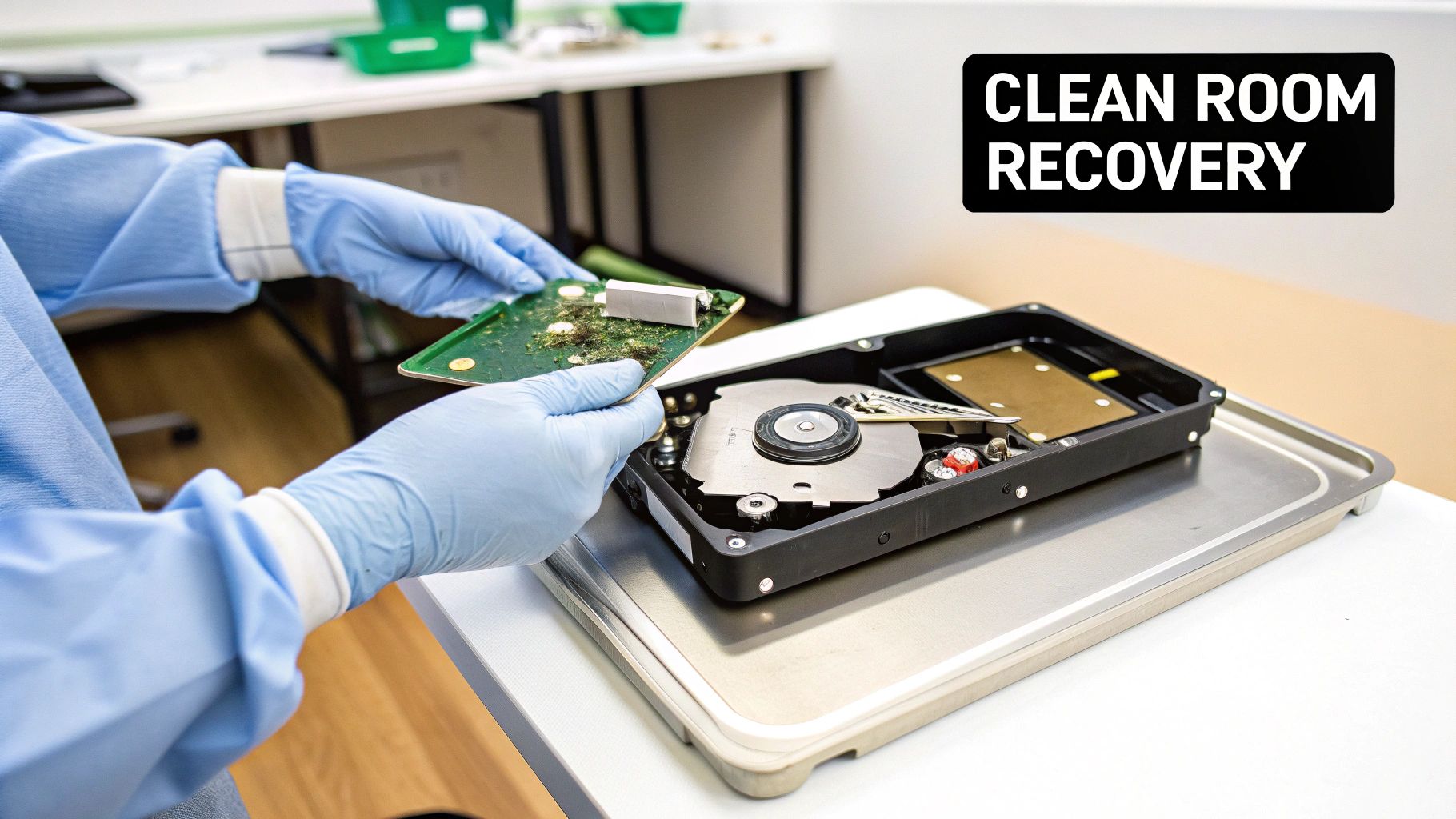
When a traditional hard disk drive (HDD) gets dropped, soaked, or just gives up the ghost internally, its most delicate components are at risk. Cracking open that drive in your office or at home is a surefire way to turn a recoverable problem into a permanent one. Why? The air.
The air all around us is a soup of microscopic particles—dust, skin cells, pollen—that are totally harmless to us but absolutely lethal to the inner workings of a hard drive.
Inside an HDD, the read/write heads float on a cushion of air just nanometers above the spinning platters that hold your data. That gap is so unimaginably small that a single speck of dust is like a giant boulder smashing into a bullet train. This impact instantly scores the platter's surface, a disaster known as a "head crash," which obliterates your data on contact.
This is precisely why clean room data recovery is the only option for physical damage. It's not a suggestion; it's a requirement.
The Role of a Certified Clean Room
A professional data recovery lab isn't just a workshop with a few extra tools. It contains a certified clean room, an environment engineered from the ground up to scrub the air of those killer contaminants.
These rooms are rated using ISO standards, and for this kind of work, a Class 100 (ISO 5) clean room is the industry benchmark. What does that mean? It means there are fewer than 100 particles larger than 0.5 microns in an entire cubic foot of air. To put that in perspective, a typical office environment has over 500,000 of those same particles floating around.
Inside this ultra-sterile space, expert technicians can safely perform the delicate operations needed to get a drive running again, including:
- Replacing mangled read/write heads.
- Swapping out a seized spindle motor that's stopped the platters from spinning.
- Carefully transplanting the data platters into a perfectly matched donor drive.
A clean room doesn't magically recover the data. Instead, it provides a safe, sterile operating theater where technicians can physically repair the drive just long enough to clone its contents.
Trying to do any of this outside a proper clean room is a guaranteed recipe for failure. The second the drive's seal is broken in a normal room, contamination begins, and the odds of a successful recovery drop to virtually zero. It's the critical first step in pulling your files back from the brink.
Here's the rewritten section, designed to sound like an experienced human expert.
Recognizing the Signs of Physical Drive Failure
Think of your hard drive like a car engine. Before it completely breaks down, it usually starts making strange noises or acting up. Learning to spot these warning signs is the most important thing you can do, because what you do next can mean the difference between getting your data back and losing it for good.
Unlike a software issue, which can happen without a peep, a physical failure is often something you can hear. Those sounds are the drive’s delicate internal parts literally grinding against each other. If you keep running a drive that's making these noises, you're essentially turning a solvable problem into a permanent one.
Audible Warning Signs
The most infamous sound is the "click of death"—that rhythmic, repetitive clicking sound. It’s the sound of the read/write heads desperately trying, and failing, to locate your data on the spinning platters. They just keep snapping back to their starting position over and over again.
A few other terrifying sounds you might hear include:
- Grinding or Scraping: This is the worst-case scenario. It almost always means the heads have crashed directly onto the platters, physically scraping away the magnetic layer that holds your data.
- High-Pitched Whirring or Screeching: This usually points a finger at the spindle motor, which is responsible for spinning the platters at thousands of RPMs. If that motor is failing or has seized up, your data is stuck in park.
If you hear any of these sounds, there's only one right move: shut down the device immediately. Every second it stays on, you risk more damage and drastically lower the chances of a successful clean room data recovery.
Silent But Deadly Symptoms
Not every dying drive screams for help. Some fail quietly, but the symptoms are just as serious and demand the same immediate attention. Don't let the silence fool you; these issues are just as destructive.
One of the most common silent signs is when the drive simply doesn't spin up. You power on your computer and hear… nothing. No faint hum, no subtle vibration. This often means the Printed Circuit Board (PCB) is fried or the spindle motor has completely seized.
Another classic symptom is when your computer's BIOS can't even see the drive anymore. It's getting power, but as far as your operating system is concerned, it doesn't exist. This could be anything from a major electronic failure inside the drive to corrupted firmware, which is like the drive's own mini-operating system.
And of course, there’s the obvious. If you've dropped your laptop or your machine has been damaged by fire or water, you have to assume the internal components are compromised. Even if it seems to work for a bit afterward, you're playing with fire. Pushing it could cause a complete failure at any moment, making a professional clean room data recovery your only safe option.
Inside the Clean Room Data Recovery Process
So, your damaged drive has landed in the hands of a professional lab. What happens next isn't a quick fix; it's more like a delicate surgical procedure, a meticulous, multi-stage journey to give your data the absolute best shot at survival. Each step is critical, carefully building on the last to piece your digital life back together.
It all kicks off with a comprehensive, risk-free diagnosis. Before anything else, technicians will take your drive into a controlled environment to figure out the exact nature and extent of the physical damage. Crucially, they do this without powering it on, as that could easily make a bad situation much worse. This initial assessment is the blueprint for the entire recovery strategy.
The Search for a Perfect Match
Once the problem is diagnosed, one of the most painstaking steps begins: sourcing a donor drive. This isn't just about finding a similar model; it has to be a near-identical twin to your failed drive. We're talking details like the manufacturing date, the specific firmware version, and even the factory it rolled out of. All these factors are non-negotiable for ensuring compatibility.
The goal here is to find a perfectly healthy drive from which to harvest components, like the fragile read/write heads or the controller board, for a transplant. This meticulous hunt can sometimes take days, or even weeks, especially if your drive model is rare. It’s a step you simply can't skip if you want a successful recovery.
The success of a physical recovery often hinges on the quality and compatibility of the donor parts. Using incorrect components is like performing surgery with the wrong tools—it guarantees failure and can lead to permanent data loss.
Performing Drive Surgery
With a matching donor finally secured, the real "surgery" can begin. A highly trained technician takes both your drive and the donor into a certified Class 100 (ISO 5) clean room. Working under powerful microscopes and with a set of specialized tools, they carefully open the drive casing to perform the transplant.
This is where the magic really happens. The damaged read/write head assembly might get swapped out, or a seized motor could be replaced. Every single movement has to be incredibly precise. One tiny slip could scratch the platters and instantly destroy the data stored on them.
This infographic shows the critical first actions you should take the moment you suspect drive failure—the essential first aid before it ever gets to this professional stage.
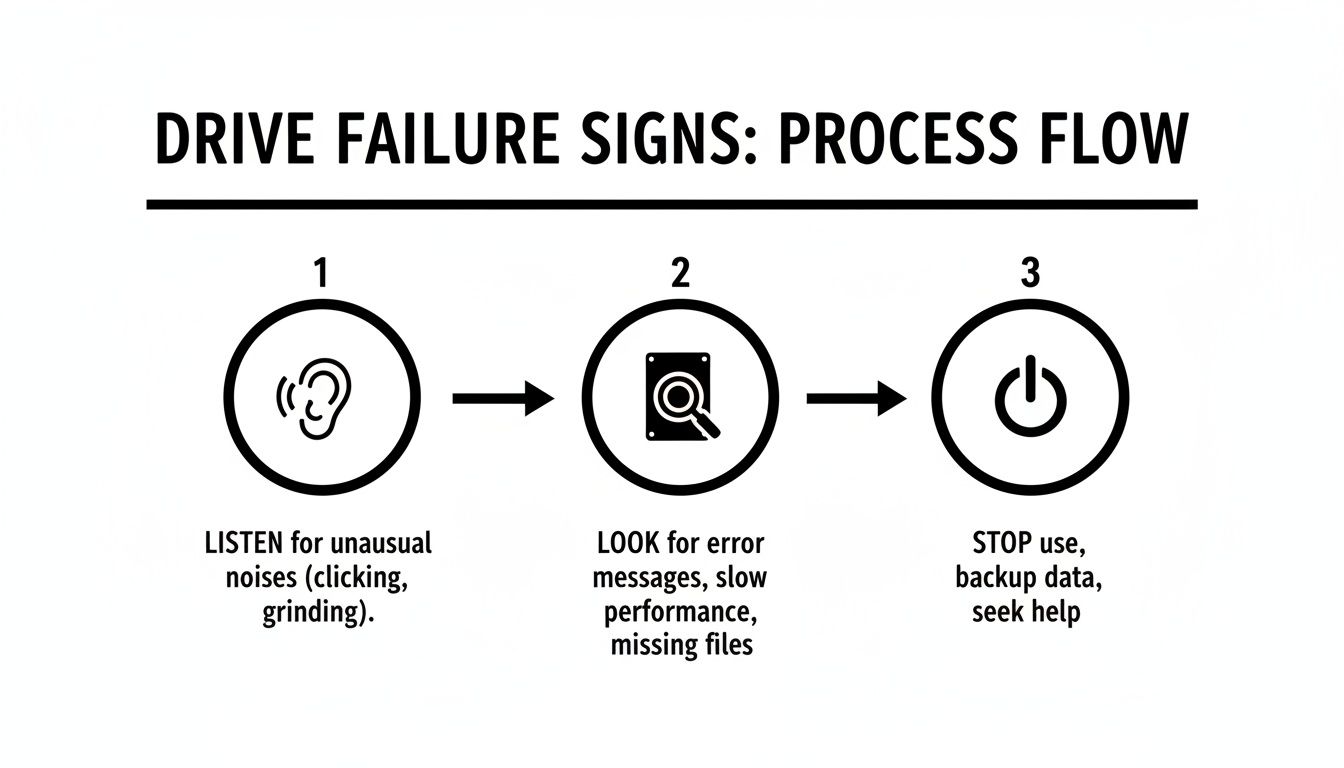
That simple flow—listen for odd noises, look for warning signs, and immediately cut the power—is the best thing you can do before sending a device off for professional clean room data recovery.
Cloning and Data Extraction
Once the drive is temporarily functional again, it's still far too fragile to be used like a normal disk. The next step is to create a perfect, sector-by-sector clone of the entire drive onto a stable, healthy one. This process, known as imaging, uses specialized hardware that can intelligently read around damaged areas and handle a failing drive without causing more stress.
This new image becomes a safe working copy, protecting your original, delicate drive from any further wear and tear. From this point on, all recovery work is done on the clone. Engineers then use advanced software to parse the raw data from the image, reconstruct the file system, and finally pull out your files. For a deeper dive into this phase, you can learn more about how to recover data from hard disk failure and what it entails.
Finally, every bit of recovered data is verified for integrity before being copied to a brand-new, healthy external drive and sent back to you.
Recovering Crypto Wallets from Damaged Drives
Losing data from a failed drive is always a gut-wrenching experience. But when that dead drive is the only thing standing between you and your crypto wallet, the stakes are astronomically higher. A lost family photo is a tragedy of memory; a lost wallet file can wipe out your financial future in an instant. This is a unique crisis that demands a specialized blend of surgical hardware repair and deep blockchain expertise.
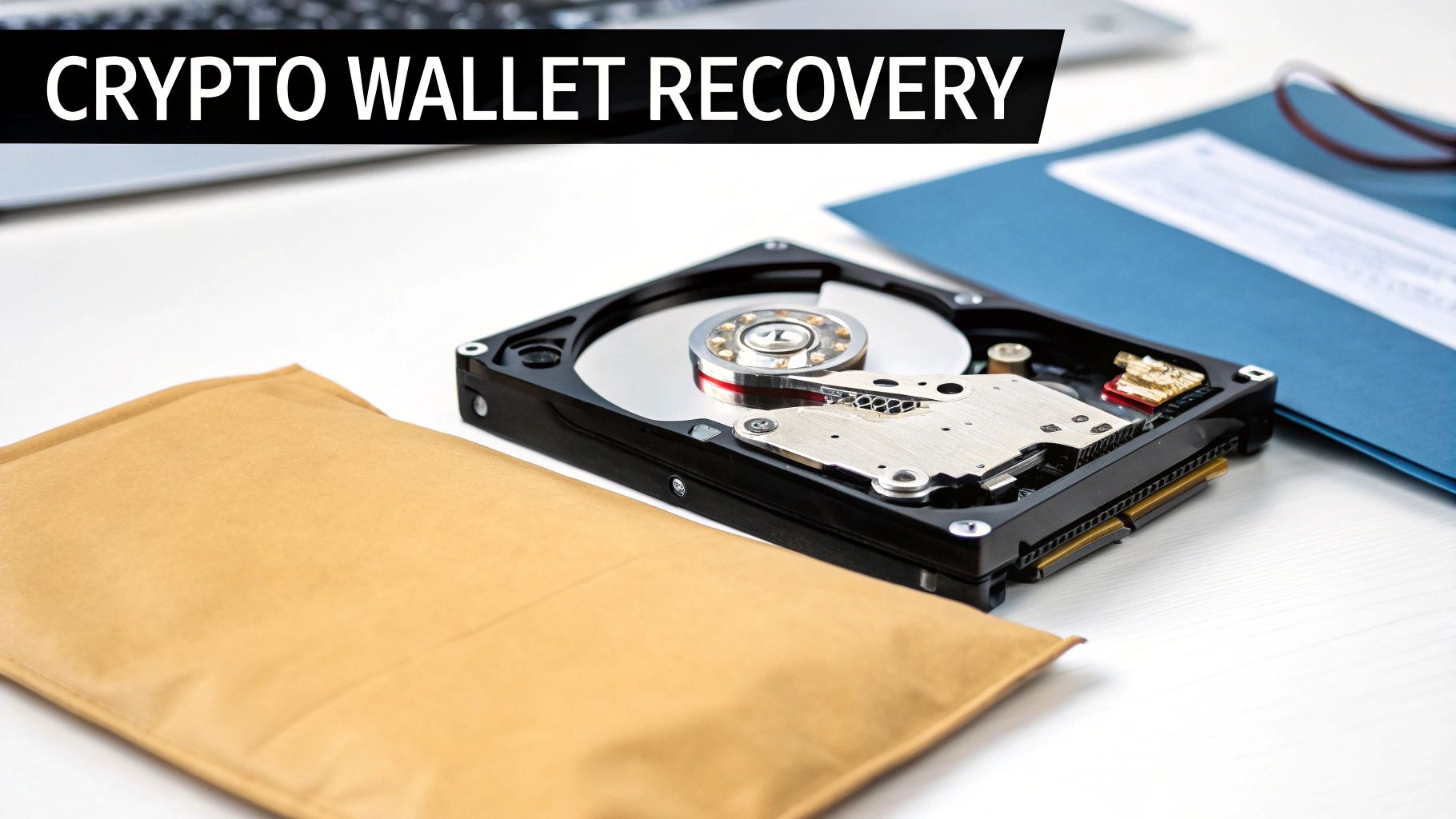
Unlike recovering a Word document, the goal here isn't just getting some data back—it's about retrieving it with absolute, bit-for-bit integrity. Even a single corrupted byte in a critical wallet.dat file could lock you out of your Bitcoin forever. There are no second chances.
The Dual Challenge of Crypto Recovery
Bringing crypto back from a physically damaged drive is a two-front battle. First, our technicians have to perform incredibly delicate hardware repairs inside a certified clean room to create a perfect, sector-by-sector clone of the drive. That's the standard, essential first step for any serious clean room data recovery.
But the second challenge is where things get really specialized. Once that drive is cloned, the real forensic work begins. Our experts have to meticulously comb through raw data, hunting for the specific digital fingerprints of wallet files. This requires an intimate understanding of the file structures for everything from Electrum and MetaMask to the backup files created by Trezor or Ledger hardware wallets. It's not a generic file search; it's a targeted manhunt.
This entire process hinges on absolute confidentiality. We're not just handling files; we're handling private keys and seed phrases. That means a rock-solid chain of custody and airtight security protocols are non-negotiable from the moment we receive your drive until your funds are safely back in your control.
Locating and Verifying Wallet Integrity
With a stable clone of the damaged drive in hand, the digital forensics can start. Specialists deploy advanced tools to scan for known wallet filenames, extensions, and the unique hexadecimal patterns that act as their calling cards.
Once a potential wallet file is flagged, it goes through a rigorous integrity check. We cross-reference it against known file structures to confirm it's complete and hasn't been corrupted. If it passes muster, the final step is to use that recovered file—along with the password only you know—to restore access to your assets.
The need for these skills is exploding. One recovery firm successfully brought back over $2.5 million in previously inaccessible crypto, with Bitcoin making up about 70% of that value. These numbers aren't just statistics; they represent lives changed and fortunes restored, highlighting just how critical professional intervention can be.
This is a high-stakes game that demands a partner with proven expertise in both worlds. You can learn more about what goes into a professional crypto wallet recovery service to see the level of security and technical skill required.
When your data is on the line, picking the right recovery partner is easily the most important decision you'll make. It’s a field where not all services are created equal, and a bad choice can mean your data is gone for good, you’re hit with surprise costs, or your private information gets exposed. Before you hand over a failed drive, you absolutely have to vet the provider.
Your first move? Confirm they have a real, certified clean room. Ask them to show you proof of their ISO Class 5 (Class 100) certification. Any company worth its salt will be upfront about their lab standards because that's the foundation of any successful physical recovery. If they get dodgy or can't provide it, they simply aren't equipped for the job. Walk away.
Vet Their Process and Pricing
A true professional service will never toss out a flat-rate quote over the phone without seeing the drive first. The whole process should kick off with a free, no-strings-attached diagnostic evaluation. Only after they’ve assessed the damage should they give you a firm, detailed quote breaking down the costs for parts and labor.
And look for a clear "no data, no fee" policy. This is the industry standard and your best insurance policy. It means if they can't get back the specific files you need, you don't owe them a dime for the attempt. Be very suspicious of any service demanding payment upfront or charging for that initial look-see—those are massive red flags.
The most trustworthy data recovery companies build confidence through transparency. They should be able to clearly explain what they found, the game plan for recovery, and exactly what it will cost before you agree to anything.
Security and Expertise Are Non-Negotiable
Beyond the fancy lab equipment, you have to dig into their experience and security protocols. This becomes mission-critical when you're dealing with sensitive business files or crypto wallets, where a security slip-up can be catastrophic.
Think about it: personal cryptocurrency wallet hacks have exploded into a major threat. In just one year, individual wallet attacks shot up to 158,000 incidents, leading to a staggering $713 million in stolen crypto. That statistic alone underscores why you need a provider with Fort Knox-level security. You can get a deeper look at these trends and the risks involved in Chainalysis's comprehensive analysis.
When you talk to a potential provider, hit them with these questions:
- What’s your track record with my specific drive model and this type of failure?
- Can you walk me through your chain-of-custody and data handling procedures?
- How, exactly, do you keep my recovered data private and secure?
A real pro will have confident, straightforward answers. Choosing a partner for clean room data recovery is about trusting them with your digital life, so take the time to make sure they've earned it.
Got Questions? Here’s What You Need to Know
Even once you understand the "how" of clean room recovery, the practical questions start bubbling up. What's this actually going to cost? How long will I have to wait? And is my data safe? These are the real-world concerns we hear all the time, and getting straight answers is the only way to feel confident when your most important files are hanging in the balance.
Let's tackle the most common questions head-on.
How Much Is This Going to Cost Me?
There’s no single price tag for clean room recovery. The cost can swing from a few hundred dollars to several thousand, and it all boils down to a few key things: how bad the physical damage is, what kind of drive you have (HDD, SSD, or a complex RAID setup), and whether the donor parts needed for the repair are easy to find.
Any reputable lab will offer a free, no-strings-attached evaluation to diagnose the problem first. After that, you should get a firm, itemized quote. Be very skeptical of anyone advertising super-low flat rates—that's often a red flag that they can't or won't cover the real labor and expensive parts needed for a true physical recovery.
When you're dealing with high-stakes data like business ledgers or a crypto wallet, the price also reflects the heavy-duty security and specialized know-how needed to handle that kind of sensitive information.
How Long Does Clean Room Recovery Usually Take?
The timeline can be anywhere from a few days to several weeks. A more straightforward job—say, a common drive failure where the parts are in stock—might be turned around in 3-7 business days.
But things can get complicated. Severe platter damage, a drive that’s been through a fire or flood, or needing to hunt down a rare donor drive from overseas will definitely stretch the timeline. A professional service will give you a realistic ETA after their initial check-up and keep you in the loop as they make progress.
Most established companies also offer expedited or emergency service options for urgent situations, though these services come at a premium cost.
Is My Data Kept Private and Secure?
Absolutely. This is non-negotiable. Professional data recovery labs operate under strict confidentiality agreements and have rigorous security protocols baked into their process. From the moment your device arrives, it's tracked through a secure chain-of-custody system.
Technicians only access the bare minimum of data needed to confirm the recovery was a success. The crypto world has shown us that scams and fraud can hit harder than any traditional hack—Chainalysis reports that schemes stole around $17 billion. But there's good news: professional recovery offers a real lifeline, with some crypto specialists reporting success rates averaging 70%.
What Should I Do Before I Send My Drive In?
The single most important thing you can do is power it down. Immediately. Continuing to run a drive that's physically failing is the fastest way to turn a recoverable situation into a permanent data loss.
Before you ship it out, follow these critical steps:
- Don't Run Software: Never, ever try to use a data recovery program on a drive that's making clicking or grinding noises, or isn't being detected by your computer.
- Don't Open It: Fight the urge to peek inside. The moment you open the casing, you contaminate the sensitive internal parts with dust, and it's game over.
- Package It Like a Pro: If you can, remove the drive, pop it into an anti-static bag, and nestle it in a sturdy box with at least two inches of padding on all sides.
- Get Instructions First: Before you ship anything, contact the recovery service. They'll give you a case number and specific instructions on how to package and send it to them safely.
When your crypto assets are on the line, you need more than just data recovery—you need a specialist who speaks the language of the blockchain. Wallet Recovery AI blends advanced recovery techniques with a deep understanding of crypto technology to securely get you back into your lost or inaccessible wallets. Contact us today for a confidential consultation.
Leave a Reply