
Think of your crypto wallet address as your personal account number on the blockchain. It’s the public information you can safely give out whenever you want to receive crypto. You'll typically find it hiding in plain sight behind a "Receive" or "Deposit" button in your wallet app.
The most important thing to remember is to always match the address to the correct cryptocurrency. One address for Bitcoin, another for Ethereum, and so on.
Your Crypto Address Explained in 60 Seconds
So, what exactly is this long string of letters and numbers? It's a public identifier that lets people send you digital assets. Think of it like an email address or a bank account number, but for a specific type of crypto. You can share it with anyone without worrying about your funds being stolen.
This is completely different from your private key or recovery phrase. Those are your secret credentials—the keys to the castle—and you should never share them with anyone, for any reason. Your public address is designed for sharing.
Sending the wrong kind of crypto to an address is a recipe for disaster. If you send Bitcoin to an Ethereum address, for instance, those funds are almost always lost for good. It's like trying to mail a letter to an address that doesn't exist on that country's map.
Why Addresses Look Different
You’ll quickly notice that your addresses for different coins look distinct. That’s by design. The unique format of an address is a dead giveaway for which blockchain it belongs to.
For example, Bitcoin addresses often start with a '1', a '3', or 'bc1'. Ethereum addresses, on the other hand, will always begin with '0x'. This built-in difference is a safety feature that helps prevent you from sending funds to the wrong network. As global crypto adoption continues to rise, understanding these small details becomes even more crucial, a trend highlighted in this Chainalysis report.
Don't worry, we'll walk through exactly how to find your address on all the popular platforms so you can send and receive with confidence.
Key Takeaway: Your wallet address is the public information you share to receive crypto. Your private key and recovery phrase are the secret information you use to access and control your funds. Never mix them up.
Finding Your Address on Popular Software Wallets
Software wallets, often called "hot wallets," are just apps on your phone or computer that make crypto easy to manage. They're connected to the internet, which makes them perfect for everyday transactions, giving you a great mix of convenience and control.
Finding your public address is usually pretty simple, but the exact clicks can differ from one wallet to another. Let's walk through the most common ones so you know exactly where to look every single time.
Navigating MetaMask
If you've spent any time with Ethereum or its many related chains, you've run into MetaMask. Its browser extension is practically the standard for getting started in Web3.
Thankfully, they make finding your address incredibly obvious.
- It's right at the top. After you unlock your wallet, your public address is sitting directly under your account name (like "Account 1"). You can't miss it.
- Just click to copy. No need to drag and highlight. A single click on that long string of characters copies it to your clipboard. A little "Copied!" message will pop up to let you know it worked.
- Need a QR code? Click the three-dot menu next to your address and choose "Account details." That will pull up the full address along with a scannable QR code.
MetaMask's popularity is partly due to this smart design choice—your most needed piece of information is always front and center.
Locating Your Address in Trust Wallet
Trust Wallet is a mobile-first powerhouse known for supporting a massive number of coins across tons of different blockchains. The whole interface is built for speed.
To find your address, you'll start right from the main screen.
- Look for the Receive button. It’s usually one of the main action buttons at the top of your wallet dashboard.
- From there, you'll see a list of all your crypto assets. Tap the specific one you want to receive, whether it's Bitcoin, Ethereum, or something else.
- The next screen shows you everything you need: your unique address for that coin and its QR code. Just hit the Copy button.
A Word of Caution: Trust Wallet juggles a lot of blockchains. Always double-check that you've selected the correct asset and the correct network. Sending crypto to the wrong network (like sending BEP-20 tokens to a standard Ethereum address) is a classic mistake that can lead to your funds being lost for good.
Finding Your Address in Exodus and Electrum
These two wallets serve slightly different crowds but share a commitment to user control. Exodus is a beautiful multi-currency wallet for both desktop and mobile, while Electrum is a long-standing, no-frills wallet focused purely on Bitcoin.
-
In Exodus: Once you're in the wallet, click the "Wallet" icon on the left. Find and click the cryptocurrency you want to receive from your list. As soon as you select it, a big Receive button will appear on the right side of the screen. Clicking it brings up your address and QR code.
-
In Electrum: The logic is almost identical. From the main screen, just click on the "Receive" tab. Your next "Receiving address" will be displayed in a field near the bottom. You can click the copy icon right next to it or the QR code icon to see the scannable version.
While each of these wallets looks different, the core idea is the same: choose your asset, then look for "Receive." This pattern holds true for most software wallets, including those built into exchanges. For more on how those specific platforms work, our guide on how Coinbase wallets work explains their unique features.
Locating Addresses on Hardware Wallets and Exchanges
Hardware wallets and centralized exchanges each have their own quirks when it comes to finding your public address. On one hand, devices like Ledger and Trezor keep your keys offline—ensuring maximum security. On the other, exchanges prioritize speed and user-friendliness, at the cost of handing control to a third party.
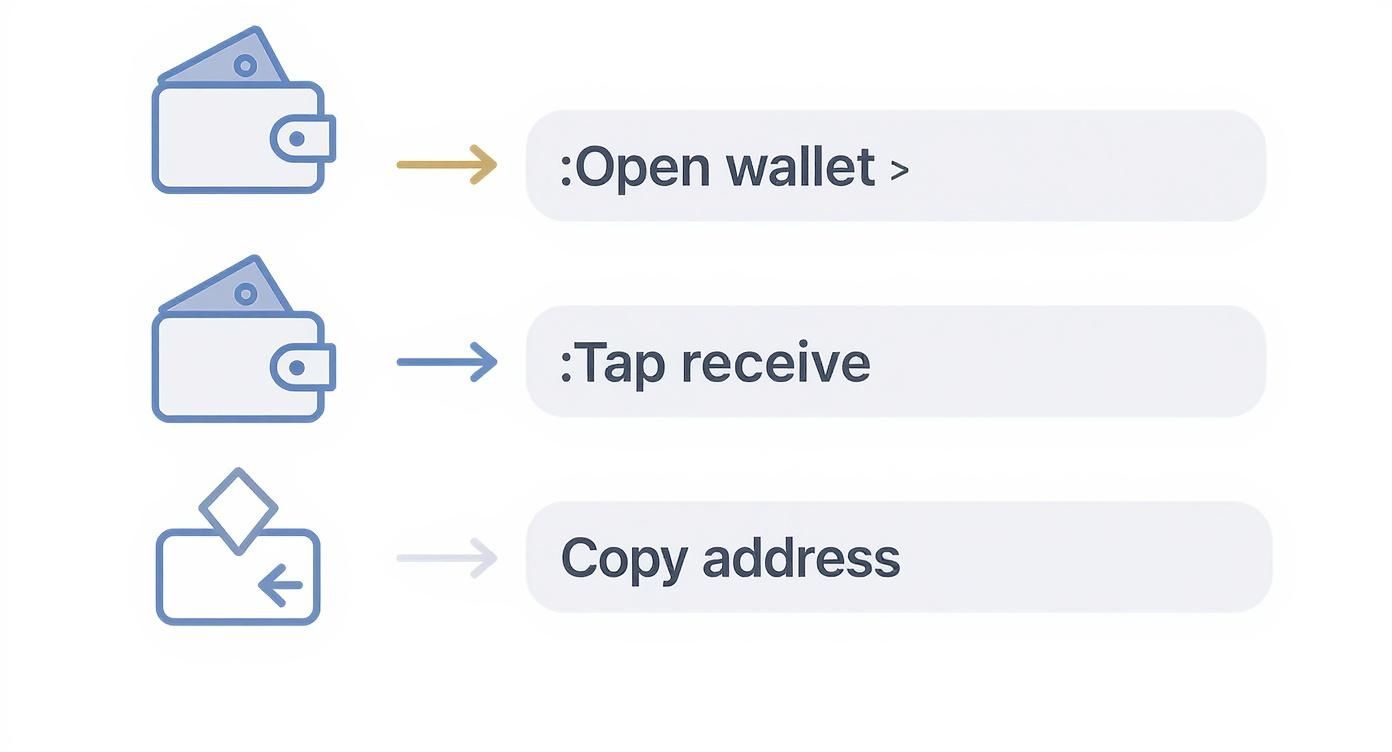
Although every platform labels the process differently—often as Receive or Deposit—the basic flow remains the same: open your wallet interface, request an address, and copy it safely.
Securing Your Address With A Hardware Wallet
When you reach for a hardware wallet, you’re choosing a model where private keys never touch the internet. You’ll need its desktop companion—think Ledger Live for Ledger or Trezor Suite for Trezor.
- Connect and Unlock: Plug the device into your computer and enter your PIN.
- Open the App: The software will automatically detect your wallet.
- Go to Receive: Pick the specific account (e.g., Bitcoin 1 or Ethereum Main).
- Compare Addresses: A receiving address appears on both your screen and the device display.
- Approve on the Device: Confirm only if both strings match exactly.
Always perform this on your hardware’s screen to avoid clipboard hijackers. If the letters and numbers line up, you can confidently copy and share the address.
Finding Your Deposit Address On An Exchange
Most exchanges (for example, Coinbase or Binance) guide you straight to a Deposit button in your Wallet or Assets page. It’s designed for speed.
- Click Deposit and choose your crypto.
- Select the right network (ERC-20 vs. TRC-20 vs. Solana).
- Copy the alphanumeric address or scan the generated QR code.
Key Distinction: Exchange addresses are controlled by the platform, not you. They work fine for trading but aren’t a substitute for a self-custody wallet if you want true ownership.
Finding a wallet address has never been easier. What used to feel like a chore is now an everyday task you can handle on mobile apps or even at physical crypto ATMs. For more context, check out the global growth of cryptocurrency users at Statista.
Ever noticed that a Bitcoin address looks absolutely nothing like an Ethereum one? That's not a coincidence—it’s a fundamental security feature. Getting it wrong is one of the easiest and most costly mistakes you can make in crypto.
Think of it like trying to use an American zip code in the UK postal system. It just won't work. The same logic applies here. You absolutely have to match the address format to the correct blockchain. If you try to send Bitcoin to an Ethereum address, those funds are gone. Poof. Lost in the digital ether forever.
Recognizing Different Address Formats
Luckily, there are some dead giveaways. The visual differences are your first and best clue.
An Ethereum address is easy to spot. It will always start with "0x," followed by a string of 40 characters.
Bitcoin, on the other hand, has a few different looks you might run into:
- Legacy Addresses: The old-school format. These start with a '1'.
- SegWit Addresses: The most common and modern format, which begins with 'bc1'.
Just knowing these simple prefixes can save you a world of hurt. It's a quick mental check to confirm you're dealing with the right type of asset before you even think about sending.
Why Do They Look So Different?
So what's behind the different styles? Each blockchain uses its own set of cryptographic rules to generate these public addresses. Bitcoin's formats have actually evolved over the years, with newer versions designed to lower transaction fees and improve efficiency—that's why you see a few different kinds floating around.
Ethereum and other smart contract platforms standardized around the "0x" format to clearly signal an address on their networks.
The scale here is massive. We're talking about 270,000 Bitcoin transactions on an average day, bouncing between nearly a million active addresses. With stablecoins now making up about 30% of all on-chain transaction volume, knowing your address format is more critical than ever for receiving assets like USDT and USDC. You can dive deeper into these trends in the 2025 State of Crypto Report.
This is where QR codes are an absolute lifesaver. Instead of trying to type out a 42-character alphanumeric string and praying you didn't make a typo, a QR code does the work for you. One quick scan and the entire address is copied perfectly. It's simply the safest and most efficient way to share your address.
Pro Tip: The Four-Character Check
Make this a non-negotiable habit. Before you ever hit 'Send,' visually confirm the first four and last four characters of the address you pasted. Does it match the original? This simple, two-second check is your best defense against clipboard hijacking malware, which sneakily replaces a copied address with a scammer's. It's a tiny bit of effort for a massive amount of protection.
Essential Safety Habits When Sharing Your Address
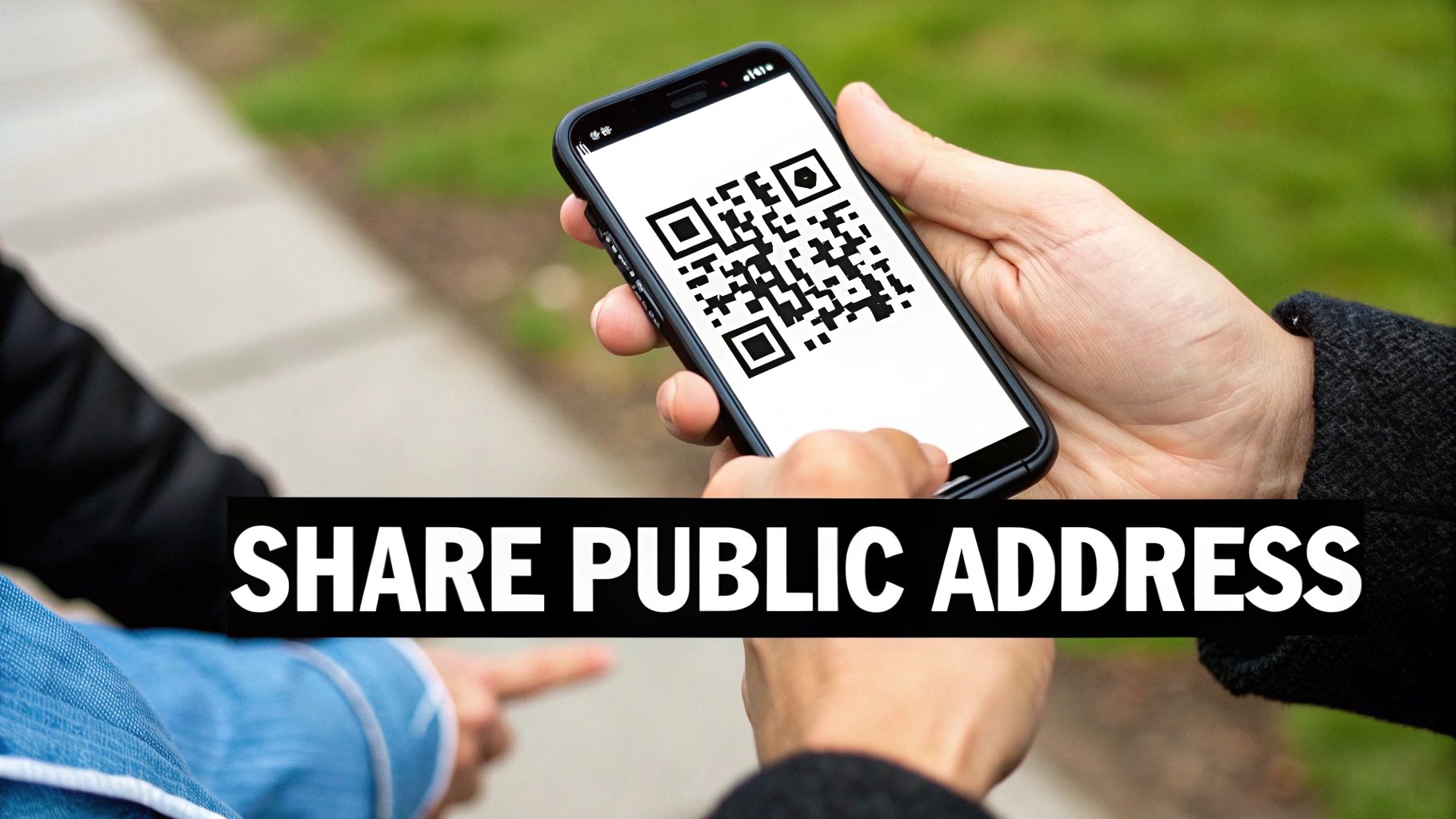
Your public wallet address is meant to be out there—but treating it like an invite on a billboard is asking for trouble. In practice, sharing with precision and caution is all it takes to keep your funds safe without living in fear.
Imagine giving your home address to a friend versus plastering it across every corner of the internet. A few smart habits will help you guard your crypto just as deliberately.
Beware Of Clipboard Hijacking
Malware that watches your clipboard can swap out the real address for a scammer’s in an instant. You hit “paste,” think you’re sending to your wallet, and your coins vanish. It works silently on both desktop and mobile, which is why blind copy-and-paste is a major red flag.
That said, a quick visual spot-check stops most attacks in their tracks.
Practical Safety Tips
• Double-Verify Addresses – Always match the first four and last four characters after pasting.
• Prefer QR Scanning – A QR code scan removes manual errors and clipboard swaps.
• Question Unsolicited Messages – If an address shows up out of the blue (especially in a DM), pause. Scammers love fake support or “founder” profiles.
Integrate these steps into your routine. They add seconds to each transaction but block off the easiest scams.
Public Address Safety Checklist
Use this table as a quick reference before you hit “Send.”
| Action | Why It's Important | Risk if Ignored |
|---|---|---|
| Double-check first/last characters | Catches clipboard swaps immediately | Funds sent to a scammer’s wallet |
| Scan QR codes | Eliminates typing mistakes | Typos lead to irreversible losses |
| Verify official website links | Ensures you’re on the correct domain | Phishing sites can harvest your keys |
| Never share private key or seed | Keeps full control of your assets | Total loss if someone else gains access |
| Keep wallet software up to date | Patches security holes | Vulnerabilities remain exploitable |
Refer back to this checklist whenever you share or receive an address. It’s a simple way to stay two steps ahead of fraudsters.
The Golden Rule: Your public address is for receiving funds. Your private key and recovery phrase are for accessing them. NEVER share your private keys or seed phrase with anyone, for any reason. No legitimate service, support agent, or giveaway will ever ask for them.
Understanding this distinction is the bedrock of crypto security. Think of your public address as your mailbox slot—safe to hand out. Your private key is the master key to that entire building: guard it with everything you’ve got. If access ever slips away, tools like Wallet Recovery AI specialize in restoring control without ever touching your private keys.
Common Questions About Wallet Addresses
When you're trying to figure out how to find your wallet address, you'll inevitably run into a few common sticking points. Real-world situations often bring up little details that most basic guides just gloss over. Let's tackle some of those practical questions so you can handle your crypto with confidence.
For instance, did you know that using the same address for every single deposit can be a privacy nightmare? Or that sharing your address on Twitter might expose more about your financial habits than you'd like? We'll cover all that.
You’ve also probably noticed that different wallets use different terms like 'Receive,' 'Deposit,' or just 'Account.' It’s easy to get confused. We'll break down exactly what to look for on the most popular platforms.
And if you want to get your hands dirty and actually see your transactions on the blockchain, our guide on what is a blockchain explorer is the perfect place to start.
Handling Addresses: Best Practices
1. Can I reuse the same wallet address for every transaction?
You certainly can, but I wouldn't recommend it. Think of it like giving out your bank statement to everyone you transact with. Reusing an address makes it incredibly easy for anyone to link all of your on-chain activity directly to you. For better privacy, it's a good habit to generate a fresh address for each new deposit you receive.
2. What happens if I send Bitcoin to an Ethereum address?
This is one of the most painful mistakes in crypto, and unfortunately, it almost always means those funds are gone for good. Bitcoin and Ethereum are completely different networks. They don't speak the same language. Sending coins to the wrong type of address is like mailing a letter to an address that doesn't exist—it either gets rejected or ends up lost forever in a digital void.
Key Insight: Always, always double-check the address format and the network you're sending on. A simple check can save you from an irreversible loss.
Privacy, Security, and Peace of Mind
3. Is it safe to post my wallet address publicly?
Sharing your public address doesn't put your funds at direct risk. No one can steal your crypto with just the public address. However, it does open up your entire transaction history to public scrutiny. Anyone with that address can see your balance, who you've transacted with, and when. It’s a privacy concern that could reveal personal information or make you a target.
4. If I lose my phone, is my wallet address lost too?
Not at all! This is a huge relief for many people. Your funds and your address don't actually live on your phone; they live on the blockchain. As long as you have your recovery phrase (that 12 or 24-word seed phrase), you can restore full access to your wallet on a brand-new device and pick up right where you left off.
What to Do If You Lose Access
The single most important thing you can do is secure your recovery phrase. Keep it in multiple, safe, offline locations. If you ever forget a password or a file gets corrupted, that phrase is your lifeline.
Here are a few pro tips to keep your assets safe:
- Store your seed phrase offline, maybe in a fireproof safe or a safety deposit box.
- Use a trusted password manager for encrypted digital backups.
- Practice makes perfect. Try restoring your wallet on a spare device just to be sure your backups work.
- Keep your wallet apps and hardware device firmware up to date. Developers are always patching security holes.
- Never access your wallet on public Wi-Fi. It’s an open invitation for network attacks.
- For any significant amount of crypto, a hardware wallet is non-negotiable. It keeps your private keys completely offline.
Stay vigilant. Your security is in your hands.
Need help regaining access to your wallet? Wallet Recovery AI recovers lost or locked wallets. Visit https://walletrecovery.ai to get started securely.
Leave a Reply