
Your MetaMask recovery phrase is a unique 12-word sequence that acts as the master key to your entire crypto wallet. It's the only way to restore your account and access your funds if you lose your device, break your phone, or forget your password.
Think of it as the ultimate backup for your digital life.
Your Wallet's Ultimate Master Key
Let's use an analogy. Imagine your MetaMask password is the key to the front door of your house. It works perfectly on that specific door (your current computer), letting you come and go as you please. But if you move to a new house (get a new laptop), that old front door key is suddenly useless.
Your MetaMask recovery phrase, however, is the actual deed to the property. It proves you are the rightful owner, no matter where you are. With this deed in hand, you can walk up to any new house (any device with MetaMask installed), unlock the door, and get complete access.
This is the very essence of self-custody in crypto—you, and only you, hold the ultimate proof of ownership.
How It Works Under the Hood
This 12-word phrase, often called a seed phrase, is generated from a standardized list of 2,048 English words. When you first set up your wallet, MetaMask presents you with a unique combination in a very specific order.
- Offline Generation: Your phrase is created right there on your device, without ever touching the internet during its creation.
- A Mathematical Secret: It isn't just a random jumble of words. It’s a human-friendly version of a long, complex number that mathematically generates all the private keys for every account inside your wallet.
- Total Control: Anyone who has this phrase has absolute, unrestricted control over the funds. They can import your wallet onto their own device and drain it in seconds.
When you first start, you’ll see this screen. This is where your journey into self-custody begins.
This simple interface gives you the choice: import an existing wallet with your recovery phrase or create a brand new one from scratch.
The Foundation of Your Security
Getting this distinction right is the single most important step in keeping your crypto safe. A password offers day-to-day convenience on a device you trust. The recovery phrase, on the other hand, provides ultimate and irreversible control. It’s your emergency escape hatch.
Your password protects your wallet on a single device. Your MetaMask recovery phrase is your wallet, giving you the power to resurrect it anywhere, at any time.
To wrap your head around its core functions, here’s a quick summary.
Recovery Phrase at a Glance
This table breaks down the essential attributes of your MetaMask recovery phrase.
| Attribute | Explanation |
|---|---|
| Type | A 12-word mnemonic phrase. |
| Function | Acts as the master backup and recovery key for your wallet. |
| Generation | Created offline on your device from a standard 2,048-word list. |
| Custody | Non-custodial; only you ever see or hold it. |
| Security Risk | If lost, funds are gone forever. If stolen, funds can be drained. |
| Primary Use | Restoring wallet access on a new device or after a password loss. |
Because MetaMask is a non-custodial wallet, the company has zero access to your phrase. They can't see it, store it, or recover it for you. This is an incredibly powerful feature that puts you in the driver's seat, but it comes with a heavy dose of personal responsibility.
If your phrase is lost, your funds are inaccessible forever. If it's stolen, they're gone. The entire security model of your crypto journey hinges on how well you protect these 12 simple words.
In the crypto world, you'll often hear the phrase "be your own bank." It’s a powerful idea, and your MetaMask recovery phrase is the single most important key that makes it a reality. This phrase represents a huge leap from traditional banking, where big institutions hold your money and you just have access to it. With crypto, you're the one in charge. This is the heart of self-custody.
When you use a big, centralized exchange, you're basically trusting them to keep your funds safe. They work just like a regular bank. They hold the keys, and you log in with a username and password to get access. If you forget that password, no problem—you just go through a password reset because, at the end of the day, they control the account.
But with a non-custodial wallet like MetaMask, that whole model gets flipped on its head.
You are the bank. You hold the master key—your recovery phrase—and absolutely no one else does. This gives you incredible freedom and total control over your digital assets.
This complete ownership, however, comes with an equally massive dose of responsibility. MetaMask is built from the ground up to be a self-custody tool, which means the company has zero access to your wallet or your recovery phrase. They can't see it, they don't store it, and they can't help you if you lose it.
The Responsibility of Total Control
Think of it like having a physical safe in your house. You're the only person on earth who knows the combination. If you forget that combination, there’s no locksmith you can call. There's no customer support team or company that can crack it open for you. The valuables inside are perfectly secure, but they’re also completely inaccessible without that secret code.
Your MetaMask recovery phrase works exactly the same way. It offers a level of security that's absolute, but it also places the entire burden of safeguarding it squarely on your shoulders. MetaMask support can't reset your phrase for one simple reason: they never had it to begin with. To get a better handle on this, check out our guide on custodial vs non-custodial wallets.
A Widespread and Costly Problem
Losing a recovery phrase isn't just a minor inconvenience; it's a massive, costly problem across the entire crypto space. The fallout from misplacing this string of words is huge. Crypto analysts estimate that somewhere between 2.3 million and 3.7 million Bitcoin (BTC) are gone for good because people forgot passwords or lost their seed phrases. That’s billions of dollars in assets, locked away forever.
While services like Coinbase or Binance can help you recover a password through email or ID verification, the self-custody design of MetaMask makes losing your phrase a much more permanent situation. You can discover more insights about the impact of lost Bitcoin on ainvest.com.
Getting this distinction is crucial. The very security that gives you complete control is the same thing that demands your complete personal responsibility. Understanding this trade-off helps you see why protecting your MetaMask recovery phrase isn't just a good idea—it's the single most important thing you can do to secure your financial freedom. That phrase is the bedrock of your digital ownership.
How to Securely Store Your Recovery Phrase
Knowing what your MetaMask recovery phrase is is one thing. Knowing how to protect it is something else entirely. Your whole crypto journey really boils down to how well you handle this one critical task. Securing these 12 words isn't just a friendly suggestion—it’s the single most important thing you can do to protect your funds.
The core principle here is dead simple: go offline.
As soon as your recovery phrase touches a device connected to the internet, you're opening it up to a world of digital threats, from sneaky keyloggers to sophisticated malware. The goal is to create a total "air gap" between your master key and the online world.
The Absolute Don'ts of Recovery Phrase Storage
Before we get into the right ways to do this, let's talk about what not to do. It’s shocking how many people lose everything to these common—and completely avoidable—mistakes.
Never, ever store your phrase in any digital format. That includes:
- Screenshots: Snapping a picture of your phrase is incredibly risky. Malware can be designed to scan your photo library for anything that looks like a seed phrase, and your cloud backups could get compromised.
- Email or Cloud Drives: Saving your phrase in an email draft, a Google Doc, or a Dropbox file is like leaving the master key to your vault in a public locker. It just takes one data breach.
- Password Managers: While they're fantastic for website passwords, most standard password managers aren't built for the kind of absolute security a recovery phrase demands. A breach of the manager itself could be catastrophic.
- Text Files on Your Computer: A simple
.txtor Word doc on your desktop is basically an open invitation for thieves. It's one of the first places malware looks.
Your recovery phrase should never exist as digital text or an image on any internet-connected device. The risk of theft or accidental exposure is simply too high.
Championing Physical and Offline Solutions
The most bulletproof storage methods are surprisingly low-tech. By keeping your phrase firmly in the physical world, you eliminate entire categories of digital threats right off the bat. Here are the gold-standard approaches to protecting your MetaMask recovery phrase.
Comparing Recovery Phrase Storage Methods
Choosing the right storage method is a balance of security, durability, and convenience. Let's break down the most common options to help you decide what works best for your setup.
| Storage Method | Security Level | Durability | Convenience | Recommendation |
|---|---|---|---|---|
| Pen and Paper | High | Low | High | Excellent starting point. Make multiple copies and store them in separate, safe locations. |
| Metal Storage | Very High | Very High | Medium | The gold standard for long-term, disaster-proof security. An investment worth making. |
| Digital (Offline) | Medium-High | High | Medium | For advanced users only. Requires strict air-gapped security protocols. |
| Cloud/Email | Very Low | High | Very High | NEVER DO THIS. It exposes your master key to massive online risks. |
| Password Manager | Low-Medium | High | Very High | Not recommended. Most are not designed for the unique security needs of a seed phrase. |
Ultimately, physical, offline methods like paper or metal offer the best protection against online threats, which are the most common attack vectors.
Pen and Paper: The Tried-and-True Method
The simplest approach is often the most effective. Just write your 12 words down on a piece of high-quality, acid-free paper.
- Number Each Word: Write the words down in their exact order, numbering them from 1 to 12. The sequence is just as important as the words themselves.
- Verify Accuracy: Double- and triple-check every single word for spelling and order. One tiny mistake will make the entire phrase useless.
- Create Redundancy: Make two or three identical copies. Never use a photocopier or take a picture; write each one out by hand.
- Store in Separate, Secure Locations: Hide these copies in different, physically secure places. Think a fireproof safe at home, a safe deposit box at a bank, or even at a trusted family member's house.
This redundancy is your safety net against single points of failure like a fire, flood, or robbery. If one copy is lost or destroyed, you still have a backup.
Metal Storage: The Indestructible Option
For the ultimate in durability, you can't beat a metal storage device. These are specifically designed to be fireproof, waterproof, and crush-proof, ensuring your recovery phrase can survive just about any physical disaster you can throw at it.
Companies like Cryptosteel, Billfodl, or Cobo let you stamp or arrange metal letter tiles to record your phrase. Sure, they're more expensive than a piece of paper, but that investment is a drop in the bucket compared to the value of the assets it's protecting.
This proactive mindset is what Web3 is all about. Unfortunately, far too many people skip this crucial step. One of the biggest security challenges for MetaMask users is just managing their Secret Recovery Phrase (SRP) properly. According to a recent MetaMask Security Report, an alarming 35% of users don't back up their recovery phrase adequately, leaving them totally vulnerable to permanent loss if their device is lost or compromised. This really highlights how self-custody puts the security responsibility squarely on your shoulders. You can read more about user security habits in the full report.
At the end of the day, picking the right method comes down to your personal risk tolerance and budget. The key takeaway is to be deliberate. Take the time now to set up a robust, offline storage solution. Your future self will thank you for it.
Here's the rewritten section, designed to sound completely human-written and natural, following the provided style guide.
Common Scams That Target Your Recovery Phrase
Think of your MetaMask recovery phrase as the master key to your entire crypto vault. It's the single most valuable thing you own in this space, and believe me, scammers know it. They’ve cooked up a whole playbook of sneaky, convincing tricks designed to get you to hand over those 12 words. Knowing their game is your best defense.
These aren't random, clumsy attempts; they're often highly targeted and slick operations. Scammers play on your fear, create a false sense of urgency, or exploit a gap in your technical knowledge. They want you to panic and make a mistake that costs you everything. The one thing you have to burn into your memory is this: no legitimate person or company will ever ask for your recovery phrase. Period.
Phishing Websites and Fake Support Portals
Phishing is probably the most common trap you'll encounter. Scammers build perfect clones of the official MetaMask website or other crypto platforms you trust. You might find yourself on one of these fakes by clicking a paid ad at the top of a Google search, following a link in a bogus "security alert" email, or trying to claim a too-good-to-be-true airdrop on social media.
These sites are scarily accurate, right down to the last pixel of the logo. Once you’re there, they’ll hit you with an urgent pop-up or a fake error message designed to make your heart skip a beat.
- The "Wallet Sync" Scam: A classic. You'll see a message claiming your wallet is "out of sync" or needs to be "re-validated" because of a network update.
- The "Security Alert" Scam: This one preys on fear, telling you your funds are at risk and you must immediately verify your identity—you guessed it—by entering your recovery phrase.
No matter the story, the goal is always the same. The site presents a simple text box, and the second you type in your 12-word phrase and hit "submit," it’s all over. That phrase gets sent straight to the scammer, and they can drain your wallet before you even realize what happened.
Malicious Browser Extensions
Another nasty trick is the fake browser extension. Scammers upload malicious copies of MetaMask to the Chrome Web Store or other marketplaces. They look identical to the real deal and are often padded with hundreds of fake five-star reviews to look credible.
Once you install one of these, it can act as a keylogger, silently recording everything you type. The moment you try to import a wallet using your recovery phrase, it captures it. It might also swap out a legitimate wallet address with the scammer's when you're trying to send crypto. Always, always download the extension directly from the official MetaMask website.
Social Engineering on Discord and Telegram
Crypto communities on platforms like Discord, Telegram, and X (formerly Twitter) are hunting grounds for scammers. They’ll create fake profiles, impersonating MetaMask support staff or just an overly helpful community member.
If you get a direct message (DM) from someone offering to help you with a wallet problem, it is 100% a scam. If they ask you to visit some "support tool" website or share your screen, just block them. Legitimate support will never DM you first and will never ask for your phrase.
These con artists are masters of manipulation. They build rapport, create a sense of urgency, and guide you to a website where they’ll ask you to enter your phrase to "fix" the problem.
The sheer scale of this is wild. MetaMask now has over 30 million monthly active users, making it the world's most popular self-custody wallet—and a massive target. Recent data shows that MetaMask-related scams hit an average of 500 users every single day, with most losses stemming from a compromised recovery phrase. You can learn more about MetaMask user statistics on sqmagazine.co.uk.
Ultimately, protecting your MetaMask recovery phrase comes down to one simple, unbreakable rule: Never type it, paste it, or say it to anyone or any website. Your 12 words are for your eyes and your eyes only. Learning to spot these scams is the first, most critical step in making sure your assets stay yours.
Recovering Your Wallet Step by Step
That gut-wrenching moment when you realize you've lost access to your device doesn't have to be the end of the world. If you've been diligent and safely stored your MetaMask recovery phrase, you’re holding the keys to the kingdom. This little 12-word phrase is your master key, allowing you to bring your entire wallet back to life on a new device or browser and regain full control of your crypto.
Think of it this way: your old device was just one door into your crypto vault. Your recovery phrase is the universal blueprint that lets you build an identical, fully functional door anywhere you want. Let's walk through exactly how to use that blueprint.
Initiating the Recovery Process
First things first, you need to install a fresh copy of MetaMask. This is a critical step, as scammers love to create convincing fakes to steal your phrase the moment you try to recover.
-
Install the Official Extension: Go directly to metamask.io on your new device or browser. Download the extension from their official website only. Never, ever use a search engine link—malicious ads often sneak to the top of the results, leading you to a scam site.
-
Begin the Setup: Once it’s installed, open the extension and click "Get Started." You’ll see two main options: "Create a Wallet" or "Import Wallet."
-
Select 'Import Wallet': You’re not starting from scratch, so you’ll choose "Import Wallet." This tells MetaMask that you have an existing recovery phrase you want to use to restore your accounts.
This is the moment of truth where your careful preparation pays off. You're now ready to enter your secret recovery phrase.
Entering Your MetaMask Recovery Phrase Correctly
This is where you need to be precise. A single misspelled word or a mix-up in the order will block you from getting your wallet back.
Take a deep breath. Carefully type in your 12 words in the correct sequence, making sure there's only a single space between each one.
Crucial Tip: The order of the words is just as important as the words themselves. If you enter them in the wrong sequence, MetaMask will either show an "invalid phrase" error or, worse, generate a completely different and empty wallet. This is exactly why numbering the words from 1 to 12 when you first write them down is a non-negotiable security practice.
After entering the phrase, MetaMask will prompt you to create a new, strong password. Remember, this password is just for this specific device. It’s a local lock, and it doesn't change your all-powerful recovery phrase.
The infographic below highlights common scams designed to trick you out of your phrase, which is why it's so vital to only ever enter it during this official recovery process.
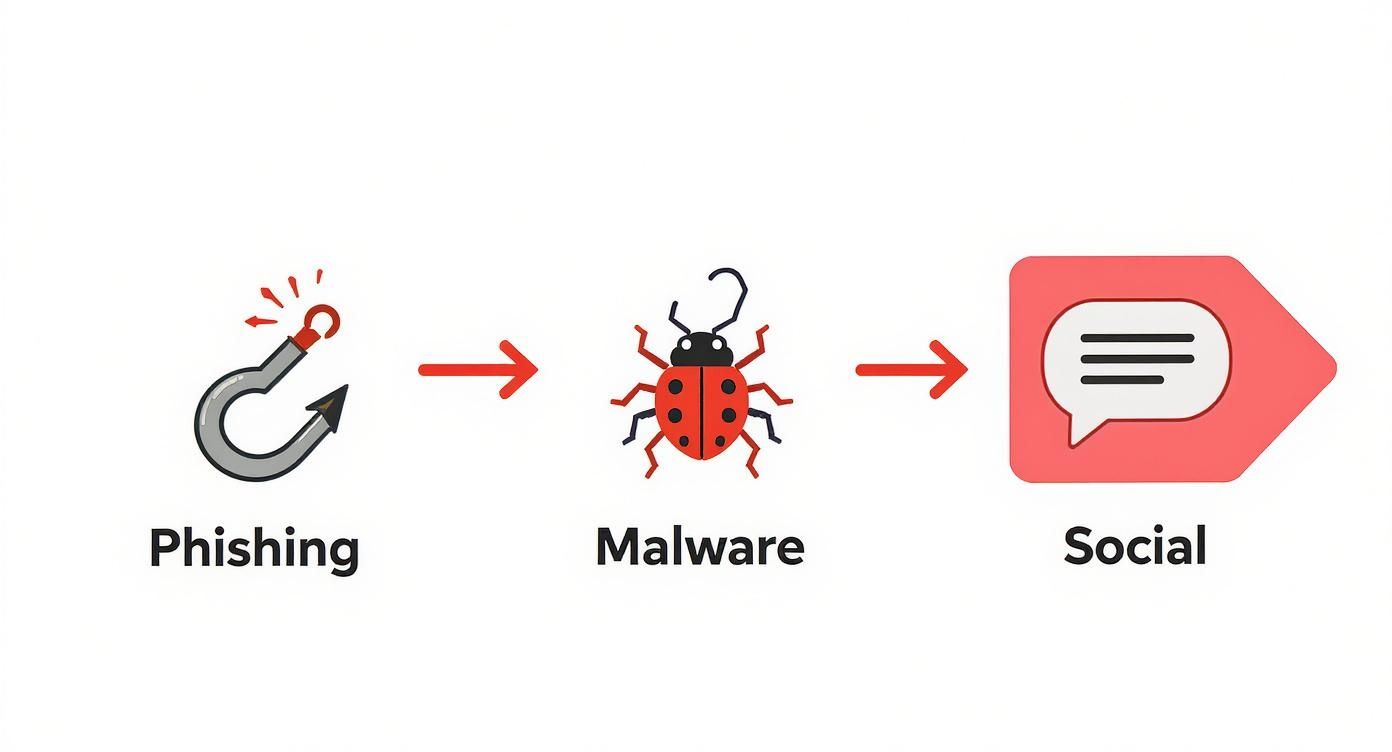
As you can see, phishing, malware, and social engineering are the top ways scammers try to get their hands on your master key.
Troubleshooting Common Recovery Issues
If you hit an error, don't panic. It's almost always a simple human error that's easy to fix.
- Check for Typos: Go back and carefully check the spelling of every single word. A simple slip-up like "legal" instead of "legacy" will cause it to fail.
- Verify the Order: Make sure the words are in the exact numbered order you wrote them down in. It's a common mistake to swap two words.
- No Extra Spaces: Check that there aren't any extra spaces before the very first word or after the very last one.
If your problem is a forgotten password and not a lost device, that's a different beast entirely. For a deeper dive on that topic, you can learn more about how to find lost passwords in our dedicated guide.
Once you successfully import your wallet, your accounts and balances should pop up just as you remember them. Congratulations—you’ve just experienced the power of true self-custody.
Frequently Asked Questions
Even after you get the hang of your MetaMask recovery phrase, a few specific questions always seem to pop up. Let's tackle the most common ones head-on to clear up any lingering confusion and sharpen your wallet security skills.
Can I Change My MetaMask Recovery Phrase?
No, you can't. Your recovery phrase is permanently burned into your wallet's DNA. It's generated one time—the moment you create the wallet—and it's fixed for life. This isn't a bug; it's a fundamental security feature.
If you even suspect your phrase has been compromised—maybe you screen-shared it by accident or saved it on a computer—that wallet is no longer safe. The only move is to abandon it. You need to create a brand new MetaMask wallet, which will give you a totally fresh 12-word recovery phrase. Then, move all your assets from the old, compromised wallet to the new one as quickly as you can, before anyone else does.
What Is the Difference Between a Password and a Recovery Phrase?
This is a big one. Your password and recovery phrase do completely different jobs, and mixing them up is a recipe for disaster.
- Your Password: Think of this as a local, device-specific lock. It simply encrypts the MetaMask data on your current computer or phone. It’s for daily convenience, letting you unlock the app. If you get a new laptop, that password means nothing.
- Your Recovery Phrase: This is the master key to your entire crypto life. It isn't tied to any device, browser, or password. It's the raw cryptographic blueprint that can bring your wallet and all its funds back to life on any machine, anywhere in the world.
A good analogy is your house key versus the deed to your house. The password is the key that gets you in the front door. The MetaMask recovery phrase is the deed that proves you own the property outright.
Your password is for daily access on one device. Your recovery phrase is for ultimate ownership and total recovery.
What Happens If I Enter My Recovery Phrase in the Wrong Order?
The order of your 12 words is everything. It's just as crucial as the words themselves. If you mix up the sequence, one of two things will happen.
Most of the time, MetaMask will just tell you the phrase is invalid. But sometimes, a different word order can accidentally generate a different, totally empty wallet. This is where people panic, thinking their funds have been stolen. Don't worry. It just means you need to try again, being extremely careful to get the order right. This is precisely why you should number your words from 1 to 12 when you first write them down.
Should I Use a Hardware Wallet with MetaMask?
If you're serious about security, absolutely. Pairing a hardware wallet like a Ledger or Trezor with MetaMask is the gold standard for anyone holding a meaningful amount of crypto. It gives you the slick, user-friendly interface of MetaMask for browsing DeFi and NFTs, but with the vault-like security of keeping your keys offline.
With this setup, your private keys and recovery phrase never touch your internet-connected computer. MetaMask acts as a go-between, but every single transaction has to be physically approved by you, pressing a button on the hardware device. This means a hacker could have complete control of your PC and still be unable to steal your funds.
Losing your MetaMask password or running into a more complex recovery issue can feel like hitting a brick wall. Wallet Recovery AI offers a specialized service to help you get back into your locked crypto assets. We use advanced, AI-driven methods to provide confidential assistance, putting you back in control of your funds with complete privacy and security. Learn more about our process at https://walletrecovery.ai.
Leave a Reply