
A bitcoin wallet backup is your only lifeline. It’s the master key that gets you back into your funds if your phone gets stolen, your laptop dies, or your house burns down. We're usually talking about a 12 or 24-word seed phrase that can regenerate your private keys and restore full access to your Bitcoin on a brand-new device.
Without that backup, your crypto is gone. Forever.
The High Stakes of Digital Sovereignty
If you forget your bank password, it’s a minor hassle. You make a quick call, maybe answer a security question, and you're back in. But if you lose your Bitcoin wallet backup, you’ve just experienced a catastrophic and totally irreversible financial loss.
This isn't hyperbole. It's the core trade-off for the freedom and absolute control that Bitcoin gives you.
In this world, you are your own bank. That personal sovereignty is powerful—no institution can freeze your funds or block a transaction. The flip side? There’s no customer service hotline to bail you out when you lose your keys. The weight of security falls squarely on your shoulders.
Why Bitcoin Losses Are Permanent
The scale of this problem is absolutely staggering. Current estimates suggest that by early 2025, somewhere between 2.3 million and 3.7 million Bitcoins will be permanently lost. That's a huge chunk of the total supply, just floating out there, inaccessible. The main reason is painfully simple: people lose their private keys because of failed or non-existent backups.
This is a brutal lesson in a core crypto principle. Without the keys, the coins are nothing more than unreachable data on the blockchain. You can learn more about the research behind lost Bitcoin on Ledger's site.
This unforgiving reality is exactly why a rock-solid backup strategy isn't just a good idea—it's a non-negotiable part of owning Bitcoin.
Understanding the Core Components
Before we get into the how, you need to understand what you’re actually protecting. It all boils down to two key concepts:
- Private Keys: These are the secret, individual keys that give you the authority to spend Bitcoin from a specific address. They are long, complex strings of characters and must be kept completely private, always.
- Seed Phrase (or Recovery Phrase): This is your master key, presented as a list of 12 to 24 simple words. Your wallet uses this phrase to mathematically generate every single private key you'll ever need. It’s the one thing that can restore your entire wallet.
Key Takeaway: You're not backing up the Bitcoin itself—you're backing up the keys that prove you own it. That seed phrase is the single most important piece of information you'll ever handle in the crypto world.
Common Backup Methods and Their Real-World Risks
To put this into perspective, here's a quick comparison of popular backup methods. This should help you instantly spot potential weaknesses in how you're currently securing your seed phrase.
| Backup Method | Primary Risk | Best For |
|---|---|---|
| Paper Wallet | Physical damage (fire, water), theft, accidental disposal. | A simple, offline starting point, but requires careful physical security. |
| Digital Text File (Unencrypted) | Malware, ransomware, phishing attacks, hardware failure. | Never recommended. This is one of the most insecure methods possible. |
| Password Manager | Central point of failure. If the manager is hacked, all secrets are exposed. | Storing encrypted notes, but not ideal for your primary seed phrase. |
| Photos on Phone/Cloud | Hacking of your cloud account (iCloud, Google Photos), device theft. | Highly discouraged. Your photo library is a prime target for attackers. |
| Metal Seed Plate | High initial cost, can be discovered during a home invasion. | Extreme durability against fire and flood; the gold standard for physical backups. |
| Multi-Location Storage | Increased risk of discovery if one location is compromised. | Redundancy. Splitting backups reduces the risk of a single point of loss. |
As you can see, every method comes with its own trade-offs. The goal isn't to find a "perfect" solution but to build a resilient system that protects you from the most likely threats you'll face.
The ways people lose their crypto are almost always disappointingly mundane. They jot down their seed phrase on a sticky note and it gets thrown away. They save it in a text file on a computer that gets hacked. Or they suffer a simple hard drive failure with no other copy. This guide is designed to walk you through a process that avoids these simple, yet devastating, mistakes.
Mastering Seed Phrase Security for Long-Term Safety
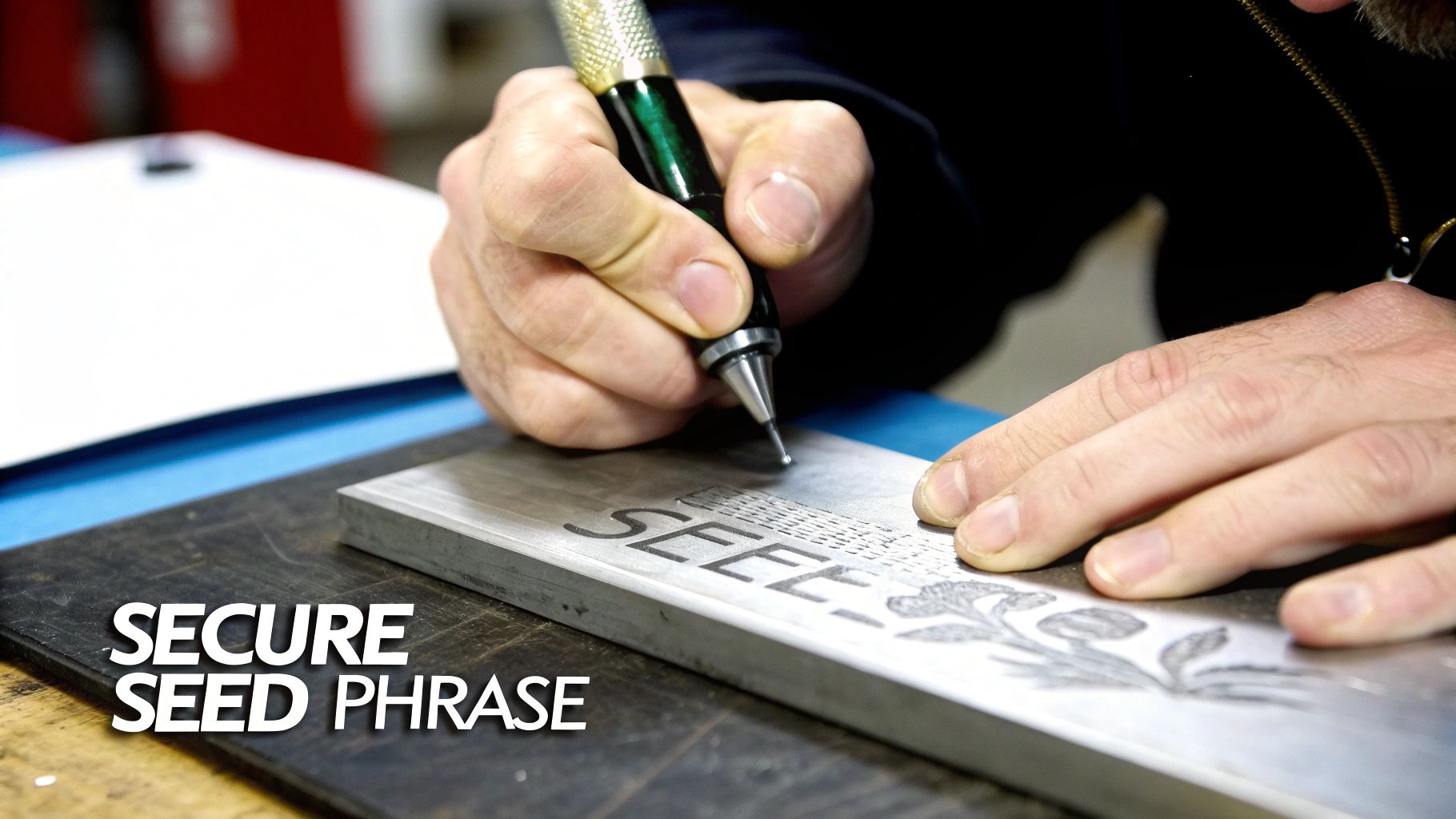
Let's be clear: your seed phrase is your Bitcoin. Getting this one part right is the most critical thing you will ever do to protect your crypto. This isn't just about jotting down some words; it’s about a deliberate, almost paranoid, process.
The single most vulnerable moment you have is when your wallet first flashes that seed phrase on the screen. From that second on, your only job is to get those words transcribed perfectly, without ever letting them touch a digital device.
The Right Way to Transcribe Your Phrase
The first rule is to create an "air gap." This is just a fancy way of saying there must be a physical separation between your seed phrase and anything connected to the internet. No photos with your phone. No typing it into a notes app. And for goodness sake, never email it to yourself.
Get a pen and a piece of paper. Go somewhere private where you know there are no cameras or nosy people. Write the words down carefully. Then, check every single word against the wallet's screen. When you're done, check it again. One typo, one misspelled word, and that backup is completely worthless.
Crucial Tip: Never, ever say your seed phrase out loud. Smart devices are always listening, and you have no idea what malware could be lurking. Treat those words like a silent, sacred secret from the moment you see them.
Physical Storage: Paper vs. Steel
Okay, you’ve got it written down. Now, where does it live? Paper is the most common starting point, but it's dangerously fragile.
- Paper Backups: These are vulnerable to just about everything—fire, floods, faded ink, or even being thrown out by mistake. Think of a paper backup as a temporary placeholder, not the final destination.
- Metal Backups: This is where you get serious. Stamping or engraving your seed phrase into a steel or titanium plate makes it virtually indestructible. It can survive fires, floods, and the test of time.
Upgrading from paper to metal is a massive leap in your bitcoin wallet backup plan. Metal plates are designed to withstand the very disasters that turn paper to ash or pulp. It’s about peace of mind. For a much deeper look into the specifics of seed phrases, our guide on the wallet seed phrase has you covered.
Smart Storage Strategies
Having a bulletproof backup is great, but where you hide it is just as important. It’s a classic balancing act between security and being able to get to it when you need it.
The age-old debate is the home safe versus a bank's safe deposit box. Let’s break it down.
| Storage Location | Pros | Cons |
|---|---|---|
| Home Safe | You have immediate access and total control. | A target for a home invasion; vulnerable to fire or flood. |
| Bank Safe Deposit Box | Excellent physical security, protected from home disasters. | Access is limited to banking hours; relies on a third party; potential for seizure. |
Honestly, a hybrid approach is usually best. Consider keeping one metal backup hidden in a high-quality home safe and another in a completely different location—maybe a safe deposit box or at a trusted relative's house. This way, you have redundancy. No single disaster can wipe you out.
Thinking Like an Adversary
To create a truly bulletproof plan, you need to start thinking like the bad guys. This is called threat modeling. You have to imagine the worst possible scenarios and build your defenses accordingly.
What could actually go wrong?
- Theft: A burglar breaks in and finds your metal plate. Game over. This is where a passphrase (often called the 25th word) becomes a lifesaver. It adds a password to your seed phrase, making the physical plate useless on its own.
- Natural Disaster: Is your backup in a basement that floods? Is your house in a wildfire zone? A fireproof safe or, even better, an off-site backup is non-negotiable.
- Coercion: The dreaded "wrench attack," where someone physically threatens you for your keys. A multisig wallet or having your backups stored in different cities can make it impossible for you to hand everything over at once, even if you wanted to.
- Accidental Loss: What if you are the threat? You simply forget where you hid your backup. You need a system. Maybe you leave a sealed letter with your lawyer that only contains the location of your backups, not the words themselves.
By thinking through these risks, you shift from just having a backup to having an active defense system. The goal is to protect your Bitcoin not just from hackers, but from the messy, unpredictable physical world. Your long-term security depends on it.
Practical Backup Steps for Hardware Wallets
Hardware wallets are a massive leap forward for anyone serious about crypto security, as they keep your private keys completely offline. But here’s the thing: the device itself is only half the story. Its security is only as good as the backup you create for it. A hardware wallet without a meticulously secured and tested backup is just a false sense of security.
This isn’t just my opinion; you can see the shift in the market. In 2025, we saw a 34% year-over-year jump in retail investors moving to cold wallets, and institutional adoption skyrocketed by 51%. People are finally getting serious about self-custody. You can dig into more of this trend at CoinLaw.io. That entire security model, however, starts and ends with your backup process.
The single most important moment in your bitcoin wallet backup journey is when your new Ledger or Trezor flashes that 24-word recovery seed on its screen. This is your one shot to get it right from the very beginning.
The Critical Moment of Securing the Seed Phrase
When your device displays that seed phrase, your only job is to copy it down perfectly, and to do it in a completely offline environment. No taking a picture with your phone. No typing it into a notes app. And please, don't speak it out loud to a smart assistant.
Use the little paper cards that come in the box or a fresh sheet of paper. Write down every word, numbering them as you go. Once you've written all 24, double-check them. Then triple-check them. A single misspelled word or one word out of order makes the entire backup completely worthless.
Expert Tip: Paper is a good start, but it’s not the end game. It burns, it gets wet, it tears. As soon as you can, transfer that phrase onto something far more durable, like a steel or titanium plate. That way, your seed phrase can survive just about anything life throws at it.
Adding an Advanced Security Layer with a Passphrase
If you're looking for another powerful layer of security, the passphrase—often called the "25th word"—is a game-changer. This is an extra word or a string of characters that you create yourself. It's never stored on the hardware device and must be memorized or backed up separately.
When you add a passphrase to your 24-word seed, it generates an entirely new, hidden wallet. If a thief somehow got their hands on your 24-word backup, it would be useless to them without the passphrase you created.
This is a powerful concept for a few reasons:
- Plausible Deniability: You can keep a small "decoy" amount of Bitcoin in your main wallet (accessed with just the 24 words) and the bulk of your funds in the hidden, passphrase-protected wallet.
- Physical Threat Protection: If you were ever physically threatened or coerced, you could give up the 24-word seed. The attacker would get the small decoy amount, while your primary stash remains safe and sound.
- Enhanced Security: It adds a "something you know" (the passphrase) layer to the "something you have" (the seed phrase), making a compromise exponentially harder.
CRITICAL: You absolutely must back up your passphrase separately from your 24-word seed. Never, ever store them in the same physical location. The best-case scenario is to memorize it, but you should also have a secure, offline backup of it hidden somewhere else. Losing your passphrase is exactly the same as losing your Bitcoin. Our guide on the best cold storage wallets can help you find a device that supports this powerful feature.
The Ultimate Test: A Simulated Recovery
You do not want the first time you try to use your backup to be during a high-stress, real-life emergency. The final, non-negotiable step is to run a simulated recovery. This is the only way to be 100% confident that your backup actually works.
The process is simple but so important. First, make sure you have a tiny, insignificant amount of Bitcoin in the wallet you're about to test. Then, follow the manufacturer's instructions to completely wipe your hardware wallet, resetting it to factory settings. This erases everything.
Now, start the recovery process. The device will ask you to enter your 24-word seed phrase. Carefully type each word in from the physical backup you made. If you set up a passphrase, it will ask for that, too.
Once you’re done, the device should restore your wallet, and you’ll see that small Bitcoin balance reappear. This simple test proves two critical things: you wrote down the seed phrase correctly, and you actually know how to perform a recovery. This dry run provides peace of mind that a theoretical safety net can't match. It proves your backup is a reliable tool you can count on.
The Right Way to Secure Your Software Wallets
Let's be honest, software wallets like Exodus, Electrum, or MetaMask are the workhorses of the crypto world. They're incredibly convenient for daily transactions and diving into DeFi. But that convenience comes with a trade-off. Their constant connection to the internet makes them "hot" wallets, and that puts a massive target on your back.
When you're dealing with a hot wallet, you have to adopt a completely different security mindset. Assume from day one that it's exposed to online threats. This makes your bitcoin wallet backup the absolute most critical piece of your defense.
Finding and Handling Your Secret Recovery Phrase
Your Secret Recovery Phrase (that 12 or 24-word list) is the master key to everything. Unlike a hardware wallet that shows the phrase on its own little trusted screen, software wallets make you dig for it within their settings.
- In Exodus, you'll find it under
Settings > Security > Backup. - With MetaMask, it's buried in
Settings > Security & Privacy > Reveal Secret Recovery Phrase. - Electrum shows you the phrase when you first set it up, but you also have the option of saving an encrypted wallet file.
The moment you display that phrase on your computer screen is a moment of pure vulnerability. You have no idea if spyware or a keylogger is lurking in the background. Before you even think about revealing it, make sure your device is clean. Have a pen and paper ready, and get those words offline immediately.
Seriously, Don't Do This: Never, ever, ever store your raw seed phrase in a password manager, a cloud drive like Google Drive or iCloud, or a plain text file on your desktop. Hackers live for this stuff. One breach of that service, and your funds will be gone in an instant. No do-overs.
Creating a Fortified Digital Backup
While a physical, offline backup is the gold standard, some people want a digital copy as a redundant measure. Just remember, saving it as a simple text file is financial suicide.
The smart way to do this is to create a heavily encrypted digital container—basically, a personal digital vault that's completely unreadable without the password.
A fantastic, open-source tool for this is VeraCrypt. It lets you create a file on your computer that acts like a virtual, encrypted hard drive.
Here’s the basic workflow:
- Build the Container: Fire up VeraCrypt and create a new, encrypted file container.
- Lock It Down: Protect this container with a long, unique, and randomly generated password. This password is now just as critical as your seed phrase.
- Store the Secret: Mount the container (it'll look like a new drive), drop a text file with your seed phrase inside, and then immediately dismount it. That file is now locked down and unreadable.
You've just transformed a highly vulnerable digital file into a hardened asset. But in doing so, you've created a new problem you need to solve.
The Password Paradox
Okay, so your seed phrase is safe inside an encrypted vault. But what about the password to that vault? If you lose it, you're locked out forever, just the same as if you'd lost the seed phrase itself. And writing the password on the same piece of paper as your seed phrase completely defeats the point.
This is where a strategy of deliberate separation is non-negotiable.
You have to back up this password completely separately from both the encrypted file and your primary physical seed phrase backup.
For instance, you could store the encrypted VeraCrypt file on a rugged USB drive locked in your home safe. Meanwhile, a physical copy of the password for that file gets stored somewhere else entirely—like a safe deposit box or with a trusted family member in another city.
By separating these components, you ensure that no single disaster—a fire, a burglary, or a computer hack—can compromise both pieces of the puzzle. This layering and physical separation is what elevates a backup plan from a hopeful wish to a truly resilient security system. It’s what separates the pros from those who are just waiting for a catastrophe.
Advanced Backup Strategies for Ultimate Protection
When a single point of failure is simply not an option, one backup isn't enough—no matter how tough you think it is. Real digital resilience means building layers of security that can withstand multiple, completely unrelated disasters. This is where we graduate from basic backups to creating a serious security system.
The name of the game is redundancy. This means having multiple backups, in different formats, stored in geographically separate places. Think about it: a steel plate in your home safe is great protection against a fire, but what about a thief who takes the whole safe? That's where a laminated paper copy stored with a trusted lawyer in another state comes in. If one backup gets destroyed or stolen, the others are safe and sound.
Most people think backing up a software wallet just means hiding one recovery phrase. But the pros add layers to that process.
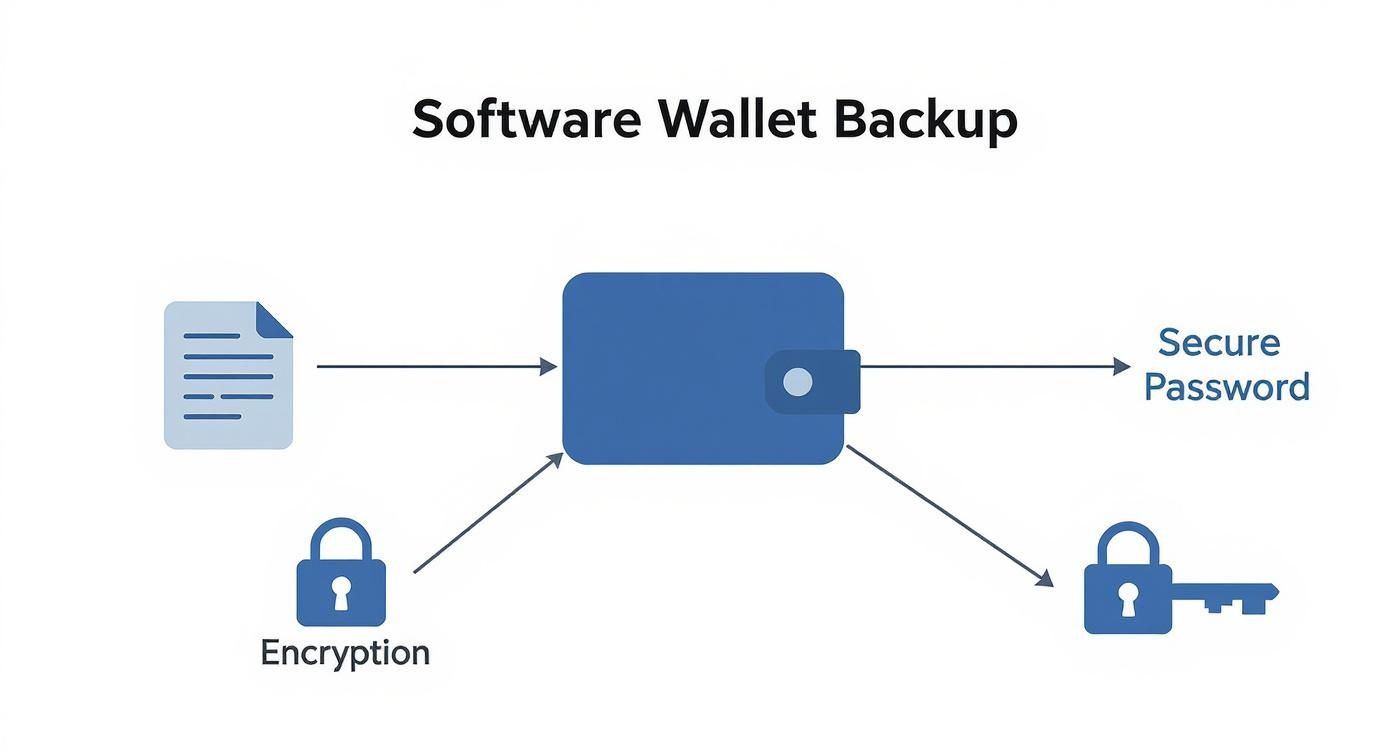
This diagram breaks down the basics of a software wallet backup—offline storage, strong encryption, and a solid password. The advanced strategies we're talking about build on this foundation by getting rid of any single point of failure in the entire system.
Introducing Multisignature Wallets
One of the most powerful ways to eliminate a single weak link is with a Multisignature (or "multisig") wallet. A multisig setup demands more than one key to approve a transaction, spreading control across multiple devices or even multiple people.
A classic setup is a "2-of-3" wallet. You create a wallet with three private keys, and to send any funds, you have to sign off with at least two of them.
The benefits here are huge:
- Theft Protection: A hacker who gets their hands on one of your keys still can't touch your funds. They'd have to compromise a second device, likely in a totally different location.
- Loss Prevention: If you accidentally lose one of your keys, you aren't locked out. You can still access your Bitcoin with the other two. One mistake doesn't cost you everything.
- Shared Custody: This is perfect for businesses or families. Partners can each hold a key, but a consensus is required to move any money.
You could keep one key on your laptop, another on a hardware wallet in your safe, and give the third to a trusted family member. That kind of setup creates a formidable defense against almost anything.
Splitting Your Secret with Shamir Backup
Another pro-level technique is Shamir's Secret Sharing (SSS). Instead of creating multiple independent keys, Shamir lets you split a single seed phrase into multiple pieces, called "shards."
Here’s how a "3-of-5" Shamir backup might work. You split your master seed into 5 unique shards, then set a rule that any 3 of those 5 shards are needed to put the original seed phrase back together.
The real magic of a Shamir backup is that finding one or even two shards is completely useless to an attacker. A thief would need to track down three separate, well-hidden shards to get anywhere—a task that's exponentially harder.
You could hide these shards in different locations across the country, or even the world. It provides an institutional-grade level of security that stands up to theft, accidental loss, and even coercion.
The Rise of Seedless Recovery
As the crypto world evolves, new tech is making all of this much simpler without cutting corners on security. For instance, modern wallets like Bitcoin.com Wallet—which has seen over 65 million wallets created and serves 5 million monthly active users in 2025—have integrated technologies like Multi-Party Computation (MPC). This cryptographic method allows users to restore wallet access without a traditional seed phrase, which dramatically cuts down on human error and loss. You can read more about these wallet advancements on news.bitcoin.com. These advanced backup strategies truly represent the frontier of self-custody.
Answering Your Top Bitcoin Backup Questions
Even with a solid plan, you're bound to run into some specific questions or tricky scenarios. Getting straight answers is the key to building real confidence in your bitcoin wallet backup strategy. Let's break down some of the most common things people ask.
Can I Just Store My Seed Phrase in a Password Manager or on Google Drive?
I hear this one all the time, and the answer is almost always a hard no.
Tossing your raw, unencrypted seed phrase into a password manager or any cloud service like Google Drive or iCloud is playing with fire. Think about it: those services are online 24/7 and are massive targets for hackers. If someone breaches your cloud account, they get a direct line to your Bitcoin, making all your other security measures pointless.
Sure, there are advanced ways to create heavily encrypted digital containers for your seed phrase, but that's a whole different ballgame with its own set of risks. For the overwhelming majority of people, the simplest and most robust approach is to keep that primary seed phrase backup completely offline—etched in steel or written on paper and hidden away safely.
What’s the Difference Between My Wallet Password and My Seed Phrase Anyway?
It’s incredibly easy to mix these two up, but they do completely different jobs. The best analogy is a safety deposit box at a bank.
- Your Wallet Password (or PIN): This is like the key the bank teller needs to open the main vault door. It just unlocks the wallet app on your phone or computer, letting you see your balance and send funds.
- Your Seed Phrase: This is the master key to your specific box inside that vault. It’s the ultimate proof of ownership over the funds themselves, recorded on the blockchain.
If you forget your wallet password, it's a pain, but it's not a disaster. You can just delete the wallet app, reinstall it, and use your seed phrase to restore everything. But if you lose that seed phrase? You've lost the key to your box for good. No one—not the wallet developers, not me, nobody—can get it back for you.
Key Takeaway: Losing a password is a temporary headache you can recover from. Losing your seed phrase means your Bitcoin is gone forever. Treat its security as your absolute top priority.
How Often Should I Actually Check on My Bitcoin Wallet Backup?
Your seed phrase itself doesn't change or expire. Once you have it, it's good for the life of that wallet. The real risk is what you stored it on. Physical materials can wear out, get damaged, or just get lost.
That's why it's smart to physically inspect your backups at least once a year.
What should you look for?
- Paper Backups: Is the ink fading? Any signs of water damage, mold, or tearing? Is it still perfectly readable?
- Metal Backups: Is it still legible? Any weird corrosion? (This is super unlikely with quality steel or titanium, but it costs nothing to check.)
A great feature on many hardware wallets like Ledger and Trezor is a built-in "recovery check." This lets you enter your seed phrase directly on the device just to confirm it's correct, all without the hassle of wiping and restoring your entire wallet. Running this check once a year is an amazing way to get peace of mind, knowing your backup is 100% accurate and ready if you ever need it.
Are Wallet Recovery Services Actually Safe to Use?
This is a really important question. Let's be clear: if you have completely lost your seed phrase, your funds are likely gone forever. But, if you have a partial seed phrase, a corrupted wallet file, or you’ve forgotten the password for an encrypted backup, a reputable recovery service might be your last hope.
You have to be incredibly careful here, though. The crypto world is full of scammers.
- Do your homework: Look for established services with a public history, transparent pricing, and real testimonials you can verify.
- Never share a complete seed phrase: A legitimate service will have methods to work with the partial or encrypted data you have. They should never ask you for all 12 or 24 words upfront.
A professional service can be a lifesaver in very specific, dire situations. But honestly, the best strategy is always preventing the loss in the first place with a bulletproof backup plan.
If you're in a tough spot with a corrupted wallet file or a forgotten password, getting professional help might be your only path forward. Wallet Recovery AI uses a secure, AI-assisted process to help users regain access to locked crypto assets without compromising privacy. You can explore your options on their website.
Leave a Reply