
If you’ve been in crypto for a while, you might still find yourself searching for “Coinbase Exchange GDAX.” It’s a name that brings back memories of a powerful, no-frills trading platform. The simple answer is that GDAX is gone, but its DNA lives on. It was first rebranded to Coinbase Pro, and now it’s fully baked into the main Coinbase app as Coinbase Advanced.
The Evolution From GDAX To Coinbase Advanced
Understanding this journey is key, especially if you're returning to the space and wondering where your old trading tools went. This wasn't just a series of name changes; it was a strategic move by Coinbase to consolidate its offerings and bring advanced trading to a wider audience.
For traders who cut their teeth on GDAX, the modern Coinbase platform can feel unfamiliar. Don't worry—the powerful features you relied on haven't disappeared. They’ve just been moved and, in many cases, improved.
The GDAX and Coinbase Pro Era
Coinbase launched GDAX (Global Digital Asset Exchange) back in 2016 to serve a more professional trading clientele. It was the complete opposite of the simple buy/sell interface on Coinbase.com, offering lower fees, real charting tools, and a variety of order types for serious traders.
In 2018, Coinbase decided to strengthen its brand identity by renaming GDAX to Coinbase Pro. For the most part, this was a cosmetic change. It kept the core functionality that made GDAX popular but brought the name under the main Coinbase umbrella. For years, the two existed as separate platforms with their own interfaces, which meant you had to manually transfer funds between your Coinbase and Coinbase Pro accounts.
The Bottom Line: The rebrand from GDAX to Coinbase Pro was the first major step toward integrating professional trading features into the primary Coinbase ecosystem, paving the way for a unified platform.
The Final Move to Coinbase Advanced
The final, most significant transition started in 2022. Coinbase announced it was sunsetting the standalone Coinbase Pro platform and migrating all its features directly into the main Coinbase app. This new home for advanced trading, completed in 2023, is called the "Advanced Trade" view.
This move finally eliminated the headache of managing two separate apps and wallets. Now, everything lives in one place.
Today, the Coinbase Exchange is a powerhouse built on the foundation GDAX laid. It currently supports over 302 coins and 446 trading pairs. The platform’s financial might is undeniable, with a recent 24-hour trading volume of $2.94 billion. The BTC/USD pair alone accounted for over $613 million of that volume.
This incredible liquidity results in a tight average bid-ask spread of just 0.212%, making it an extremely attractive venue for serious traders. You can find more up-to-date statistics about the exchange's trading volume and liquidity on CoinGecko.
Feature Deep Dive: Standard vs. Advanced Trade
While the GDAX name has been retired, its DNA is very much alive in what is now called Coinbase Advanced. For any serious trader, understanding the difference between the simple "Standard" Coinbase interface and the more powerful "Advanced" view isn't just a matter of preference—it's about your entire approach to the market.
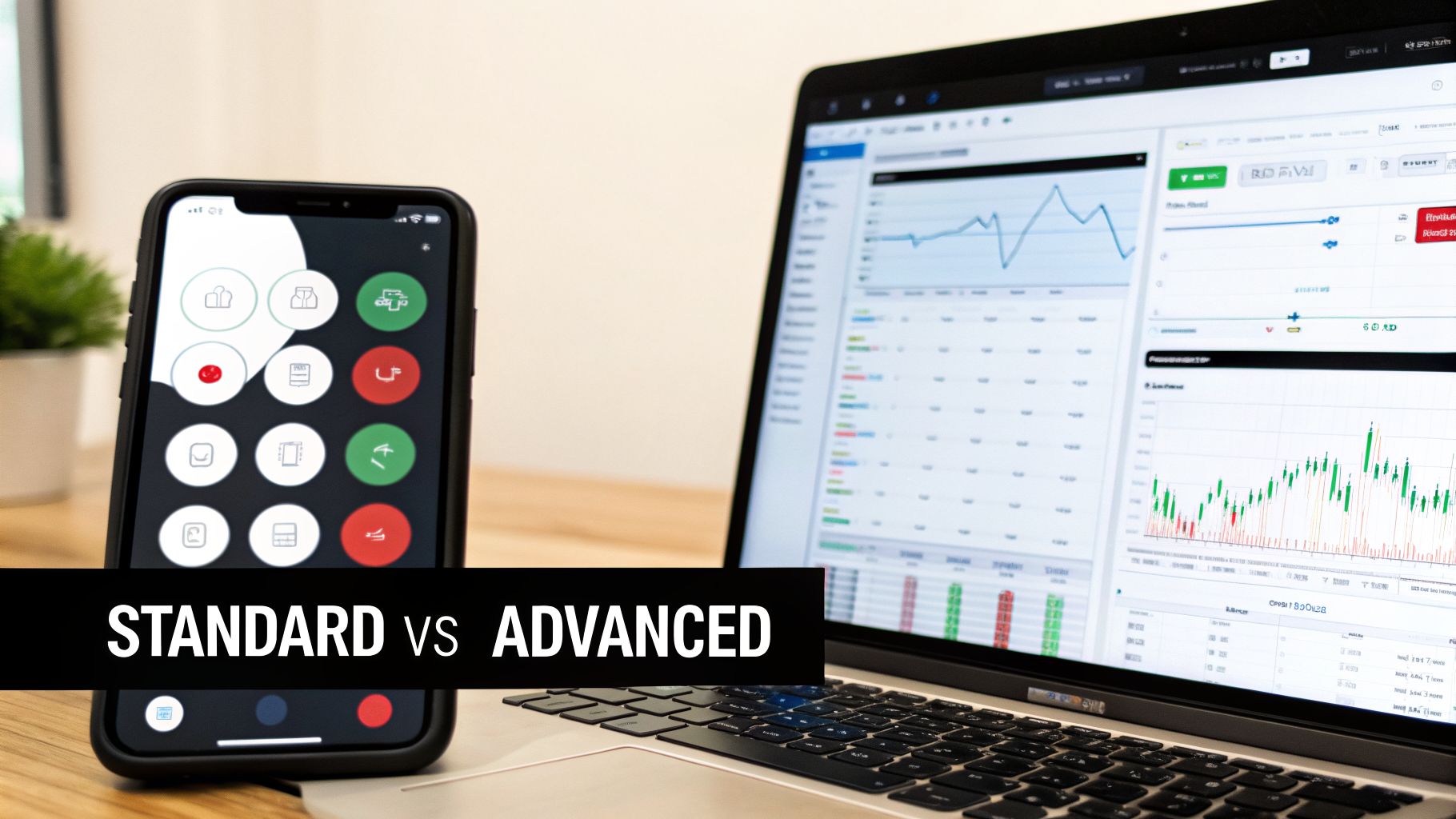
The real split between these two platforms comes down to how you place a trade and what you pay for it. Your choice directly impacts your costs, your precision, and ultimately, your strategy's effectiveness.
Comparing Core Trading Mechanics
Standard Coinbase is designed for one thing: simplicity. You decide how much crypto you want to buy or sell, and Coinbase gives you a single, all-inclusive price. That price bundles the market rate, a spread, and a separate Coinbase Fee. It's incredibly convenient, but that convenience comes at the cost of transparency—you don't see the true cost of your trade broken down.
Coinbase Advanced, the direct successor to the GDAX exchange, runs on a professional-grade maker-taker fee model. This system is specifically designed to encourage a healthy, liquid market. "Makers" are traders who place orders (like a limit order) that aren't filled right away, which adds liquidity to the order book. "Takers," on the other hand, place orders (like a market order) that execute instantly, removing liquidity.
By placing an order that doesn’t execute immediately, a "maker" contributes to the market's depth and is rewarded with a lower fee. This is the core principle that made GDAX and now Coinbase Advanced so cost-effective for strategic traders.
For anyone trading actively, the fee savings here are massive. Maker fees can drop to as low as 0.00% for high-volume traders, and taker fees are also far lower than the flat rates on the standard platform. It’s a crucial distinction, and you can explore the various pros and cons of using Coinbase to see just how much fees impact the overall experience.
User Interface and Available Tools
The difference in the user experience is stark and immediate. The Standard interface is clean and minimalist, built to do one thing quickly: buy or sell crypto.
In contrast, the Advanced Trade dashboard is a data-heavy environment that will feel right at home for any GDAX veteran. It's packed with professional tools:
- Real-Time Order Books: See every buy and sell order currently on the market for an asset. This gives you a clear view of market sentiment and where support or resistance levels are forming.
- Price and Depth Charts: Use advanced charting tools to visualize price history and analyze market depth to see how much liquidity is available at different price points.
- Advanced Order Types: Move beyond simple market buys. You can place limit orders to trade at a specific price or better, and stop-limit orders to automatically protect your profits or cap potential losses.
To see how this plays out, let's use a real-world example. A beginner looking to dollar-cost average by buying $50 of Bitcoin each week would find the Standard interface perfect. It's fast, straightforward, and doesn't require any deep market analysis.
However, an experienced trader who has analyzed the charts and thinks Bitcoin will hit a resistance wall at $65,000 would use Advanced Trade. There, they can place a limit sell order at that exact price point to automatically take profits. That level of precision is simply not available on the Standard platform.
Your choice of tool really comes down to your trading style and goals.
Let's break down the key differences in a simple table.
Coinbase vs. Coinbase Advanced Feature Breakdown
This table gives a direct, side-by-side look at what each platform offers, helping you decide which tool is right for your specific needs—whether you're making a quick purchase or executing a complex trading strategy.
| Feature | Standard Coinbase | Coinbase Advanced (Successor to GDAX) |
|---|---|---|
| User Interface | Simple, mobile-friendly, focused on quick buys/sells. | Complex, data-rich dashboard with charts and order books. |
| Primary Use Case | Best for beginners, one-time purchases, and simple DCA strategies. | Ideal for active traders, technical analysis, and strategy execution. |
| Fee Structure | Spread + Coinbase Fee (a fixed or variable percentage). | Maker-Taker model with significantly lower fees based on trading volume. |
| Order Types | Market Buy/Sell | Market, Limit, Stop-Limit orders. |
| Available Tools | Basic price charts. | Advanced charting tools, real-time order books, depth charts. |
| Price Execution | You get a quoted price that is held for a short time. | Trades execute directly against the live order book. |
Ultimately, while both platforms live under the Coinbase umbrella, they serve two very different types of users. Standard Coinbase is the on-ramp for newcomers, while Coinbase Advanced provides the powerful engine that experienced traders need to navigate the markets effectively.
A Look Under the Hood: Coinbase’s Financial Health
When you hand over your capital to an exchange, you're not just trusting its trading engine—you're trusting the entire company behind it. For the platform that grew out of the Coinbase Exchange GDAX, the clearest signal of its corporate health comes from its publicly traded stock, Coinbase Global (COIN). Think of it as a live report card on investor confidence in the business.
Coinbase’s revenue is deeply tied to trading volume and market sentiment. So, when the crypto market gets volatile, you can bet COIN's stock price will react in kind. For anyone trading with a serious amount of money, keeping an eye on this gives you a high-level view of the company’s ability to ride out the market’s wild swings. It’s a smart part of managing your risk.
What COIN Stock Tells Us
Watching COIN's performance gives you a surprisingly clear picture of the financial strength backing the entire Coinbase operation. Metrics like daily trading volume and OHLCV (open, high, low, close, volume) data show a direct link between what's happening in the crypto market and how investors feel about the company.
The stock is famously volatile, which really just mirrors the crypto industry itself. For example, recent sessions saw COIN shares leap from 327.01 to 345.27 on 15.16M in volume, only to drop -16.70% on 31.34M volume not long after. Looking back at its history, you can see peaks in the 413-436 range on 17M volume. These aren't random numbers; they almost always line up with big moves in crypto prices or major industry news. You can dig into this yourself and track COIN's performance on Investing.com.
When COIN’s stock stages a strong recovery, like a +2.92% gain on 14.66M volume, it’s a good sign. It shows that investors believe the exchange can keep pulling in revenue, which comes directly from its massive $2.94 billion in daily crypto trading.
Why This Should Matter to You
If you’re just buying a little crypto here and there, the daily jumps and dips of COIN stock probably don't mean much. But if you're an active trader, an institution, or just have a lot of capital on the platform, it’s a vital sign.
A financially strong exchange has the resources to do things right.
- Invest in Security: Healthy profits mean they can afford to constantly upgrade security, which is what keeps your funds safe from hackers.
- Guarantee Liquidity: A solid market reputation brings in more traders. More traders mean deeper liquidity and tighter spreads on pairs, which directly benefits anyone using Coinbase Advanced.
- Keep Innovating: Money fuels development. A stable company can build new tools and features, keeping the platform competitive and useful for you.
Watching COIN stock is like checking the pulse of the company holding your assets. Of course, past performance doesn't predict the future. But a stock that consistently holds its ground shows a company with a strong market position and the leadership to handle the unpredictable world of crypto. It’s one more piece of information to consider when you’re assessing the trustworthiness of the Coinbase exchange GDAX ecosystem.
Choosing the Right Tool for Your Trading Strategy
The right platform is the one that fits your goals, not the other way around. When you're looking at Coinbase, the choice between the standard version and its more powerful features (which grew out of the old Coinbase Exchange GDAX platform) really comes down to a single question: Are you here to invest, or are you here to trade?
Your answer changes everything.
If you’re a new investor just dipping your toes in, the simple interface of Standard Coinbase is your best starting point. It's designed to get you from A to B with minimal fuss, letting you buy crypto in just a few clicks without getting bogged down in order books or complex charts.
On the other hand, if you're an active trader looking to capitalize on market swings, the tools in Coinbase Advanced are non-negotiable. You need the lower fees, the detailed charting, and the specific order types to execute a real strategy.
The Investor vs The Trader
Let's look at two different approaches. First, we have an investor, "Sarah." She wants to dollar-cost average into Bitcoin, buying $100 worth every two weeks to build a long-term holding.
For her, Standard Coinbase is perfect. The platform's simple recurring buy feature lets her set it and forget it. The slightly higher fees are a small price to pay for the convenience and automation.
Now, think about "Alex," an active trader. He's spotted a critical support level for Ethereum at $3,450 and wants to buy at that exact price. If he used Standard Coinbase, the market order would fill at the current price, which includes a spread, and he’d lose his precise entry point.
Instead, Alex opens Coinbase Advanced and places a limit buy order right at $3,450. This order sits on the books and only executes if ETH hits his target price, giving him the control he needs. And because his order adds liquidity, he'll likely pay a lower "maker" fee—a key benefit inherited directly from the GDAX days.
If you’re trading frequently or with significant volume, the fee savings in Coinbase Advanced are huge. Over hundreds of trades, the difference between a simple conversion fee and a maker-taker fee can easily add up to thousands of dollars.
This decision tree can help you see which path makes the most sense for your own goals.
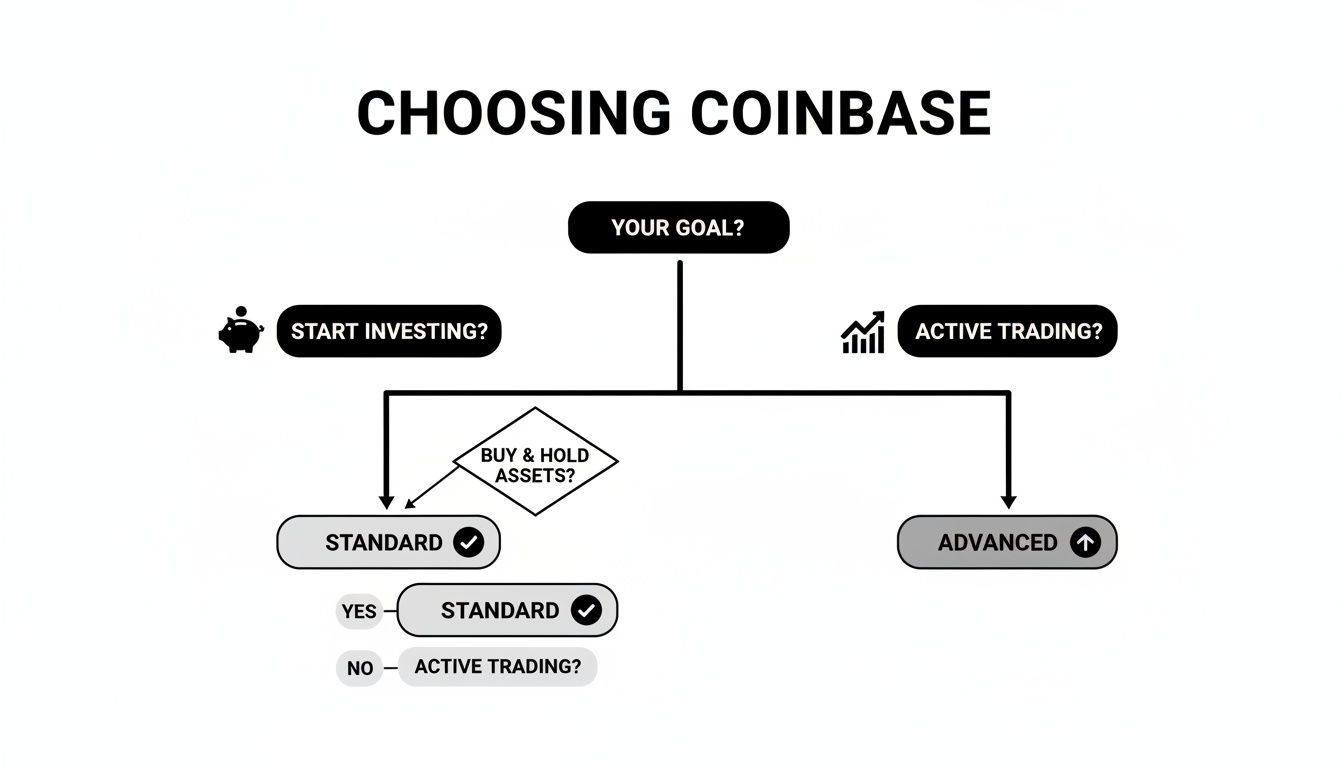
As you can see, your intention is what matters most. Are you just getting started with investing, or are you executing trades? Choosing the right environment for your style ensures you’re using the platform that actually serves your financial goals, not one that works against them.
Custody Security and Regaining Lost Access
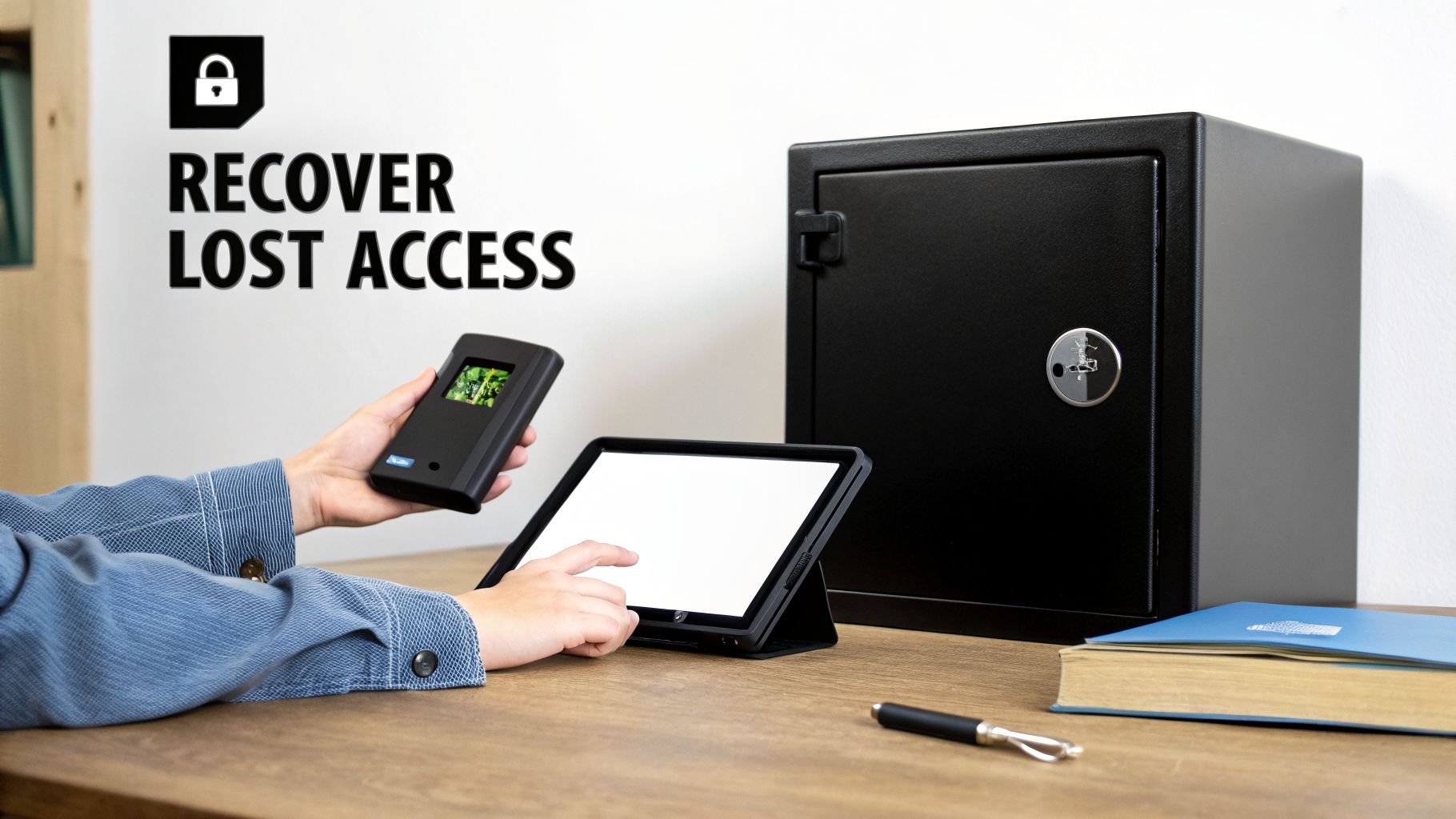
While the Coinbase Exchange GDAX ecosystem offers a secure, insured place to trade, every serious trader eventually hits a fork in the road on asset custody. The big question becomes: do you keep your funds on the exchange, or move them to a self-custody wallet where you hold all the power?
This isn't a small decision. When your assets are on Coinbase, they're in custodial storage. Think of it as Coinbase managing the keys to your vault. It’s convenient and protects you from certain mistakes, but you're ultimately trusting a third party with your crypto.
The Responsibility of Self-Custody
For many seasoned traders, moving funds off an exchange and into a non-custodial wallet like MetaMask or a hardware wallet like Ledger is standard practice. This gives you sole ownership of your private keys—the only thing that truly proves ownership of your crypto. It’s the old saying in action: "not your keys, not your coins."
But with that freedom comes a heavy dose of responsibility. If you lose access to that self-custody wallet—maybe you forget a password, misplace a seed phrase, or a hardware device fails—you're completely on your own. Coinbase support can't help you once those assets have left their platform.
This is a critical blind spot for many people. The support and security nets provided by Coinbase simply don't extend to your personal, non-custodial wallets. Once you withdraw your assets, the buck stops with you.
The nightmare of being locked out of a wallet holding funds you once had on the Coinbase Exchange GDAX platform is all too real. A forgotten password or a corrupted wallet file can instantly make thousands of dollars in crypto inaccessible, and there's no customer service hotline to call.
A Modern Solution for Lost Access
When you've forgotten a password or lost a seed phrase, it’s easy to feel like you’ve hit a dead end. This is where specialized crypto recovery services can offer a real lifeline. Instead of just guessing passwords randomly, these services use advanced, AI-driven methods to test millions of variations based on fragments of your own memory.
These intelligent techniques explore combinations of names, dates, and common patterns you might have used, massively increasing the chances of getting your wallet back. For anyone who’s lost access, it provides a structured, high-tech approach to a problem that simple guesswork will never solve.
- Forgetting a password is one of the most common ways users get locked out of their funds.
- Losing a seed phrase cuts off the main backup method for restoring a wallet.
- Hardware wallet failure can make keys impossible to retrieve without the correct recovery phrase.
These services create a path forward when all other options seem to be gone. It's vital to understand the difference between on-exchange security and the duties of self-custody, and you can learn more about the contrasts between blockchain and Coinbase custody in our detailed guide. Knowing your recovery options before a disaster happens is a core part of any smart crypto security plan.
Of course. Here is the rewritten section, adopting the expert, human-like voice and style from the provided examples.
Your GDAX and Coinbase Advanced Questions, Answered
If you’ve been trading for a while, you’ve probably seen the names change—from GDAX to Coinbase Pro, and now to Coinbase Advanced. It's left a lot of seasoned traders with some very practical questions.
Let’s clear up the confusion. The powerful trading tools you remember haven't vanished; they've just found a new home.
Why Can't I Find GDAX Anymore?
You're not going crazy—you won't find GDAX anywhere. It's gone, but not in the way you think. In 2018, Coinbase rebranded GDAX to Coinbase Pro. Then, in 2023, they retired Coinbase Pro entirely and merged all its features into the main Coinbase app under a new tab called "Advanced Trade."
The goal was to stop making users juggle two separate platforms and wallets. Now, everything you need is in one place.
The bottom line is that the spirit of GDAX never really left. It was just absorbed. You’re not looking for a dead platform; you’re just looking for it in a new spot inside the main Coinbase app.
Are the Fees on Advanced Trade the Same as GDAX?
The core principle is the same, but the exact numbers have shifted. Like GDAX, Coinbase Advanced still uses a maker-taker model. This model is standard on pro exchanges and is designed to reward traders who provide liquidity.
- Maker Fees: You pay these when you place an order (like a limit order) that doesn't fill instantly. It sits on the order book, adding depth, and you're rewarded with a lower fee for it.
- Taker Fees: You pay these when your order (like a market order) executes immediately. Because you're "taking" liquidity off the book, the fee is slightly higher.
Coinbase does adjust its fee tiers from time to time based on your trading volume. So while the model will feel familiar, you should always check the official Coinbase fee schedule to know exactly what you'll be paying.
How Do I Access My Old Trading History from GDAX and Coinbase Pro?
Don't worry, your entire trading history is safe and sound. Everything from the GDAX and Coinbase Pro days has been carried over.
You can find all your past activity right inside your main Coinbase account. Just head to the "Statements" or "Taxes" section. From there, you can generate and download reports detailing every trade, deposit, and withdrawal you've ever made. It’s a complete, unbroken record.
Is Coinbase Advanced as Secure as GDAX Was?
Yes, absolutely. Security has always been Coinbase's top priority, and that hasn't changed. Coinbase Advanced is protected by the same security infrastructure that always protected GDAX and Coinbase Pro.
That means the vast majority of customer funds are held in offline cold storage, they maintain a powerful crypto insurance policy, and they use the same strict protocols that have been in place for years. Your funds are secured under one roof with a single, high standard of safety.
If you've moved assets from the Coinbase ecosystem to a self-custody wallet and are now locked out, traditional support can't help. Wallet Recovery AI offers a specialized service using advanced techniques to help you regain access to your funds. Explore our secure and confidential recovery process at https://walletrecovery.ai.
Leave a Reply