
Choosing the right digital wallet isn't about finding a single "best" one. It's about matching the wallet's features—security, convenience, and who controls the keys—to what you actually need to do. Think of it as picking the right tool for the job. This guide will walk you through the key differences so you can make a smart choice.
Understanding Your Digital Wallet Options
Digital wallets are everywhere now, and they’re no longer just for crypto. We use them for everyday purchases, storing virtual cards, and even managing our identity. It's no surprise that the number of global users hit roughly 4.4 billion in 2025 and is on track to blow past 6 billion by 2030. This explosive growth is because wallets have become incredibly versatile tools, and you can learn more about the rapid growth of digital wallet adoption and how it’s changing finance.
But to pick the right one, you have to start with the two most fundamental distinctions in the wallet world. These two splits determine how your assets are stored and, most importantly, who’s in charge of them.
The Two Core Wallet Categories
Every digital wallet out there fits into two main classifications. Getting these straight is the first—and most critical—step.
- Hardware vs. Software: This is all about the physical form factor. Hardware wallets are small, physical devices that keep your keys completely offline, which is the gold standard for security. Software wallets are apps on your phone or computer, built for convenience and frequent use.
- Custodial vs. Non-Custodial: This one is all about control. With a non-custodial wallet, you hold your own private keys. You are your own bank. Full stop. With a custodial wallet, a third party (like a crypto exchange) holds the keys for you. It’s simpler, but you’re trusting them with your funds.
These categories aren't siloed; you can have a non-custodial software wallet or a non-custodial hardware wallet. Understanding this basic framework is essential before you even start looking at specific brands or features.
Quick Wallet Comparison Key Decision Factors
This table provides a high-level overview of the trade-offs between wallet types, helping you quickly identify which category aligns with your priorities.
| Wallet Type | Primary Use Case | Security Level | Convenience | Control Over Funds |
|---|---|---|---|---|
| Hardware (Non-Custodial) | Long-term holding of significant assets (cold storage) | Very High | Low | Complete User Control |
| Software (Non-Custodial) | Frequent DeFi/NFT transactions, daily use | Moderate | High | Complete User Control |
| Software (Custodial) | Easy onboarding, trading on exchanges, simple payments | Varies (Dependent on provider) | Very High | Provider Control |
Ultimately, this table shows the classic trade-off: security vs. convenience. The more control and security you want, the less convenient a wallet typically is for quick, everyday transactions. Your job is to find the right balance for your specific needs.
Hardware vs. Software Wallets: A Trade-Off Between Security and Access
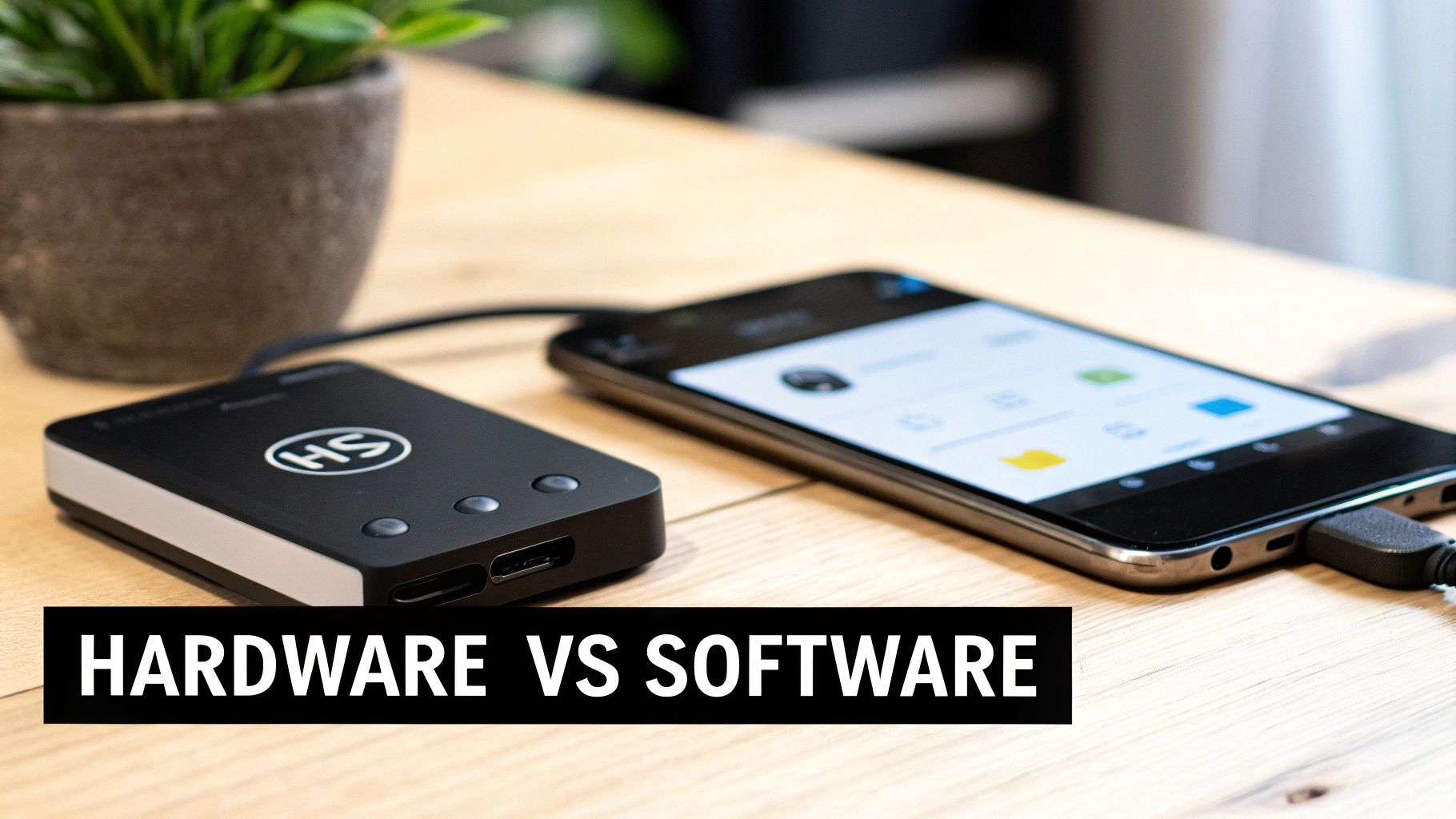
The biggest difference between a hardware and software wallet boils down to a single, critical factor: internet connectivity. This one detail creates a massive fork in the road, forcing a choice between iron-clad security and everyday convenience. Each path serves a very different crypto user.
A software wallet—often called a "hot wallet"—is just an app on your phone or computer. It's always online. This makes it perfect for quick, frequent transactions, but also leaves it constantly exposed.
On the other hand, a hardware wallet is a physical device that keeps your private keys completely offline. Think of it as a digital vault. You sign transactions on the device itself, so your keys never touch the internet where malware or phishing scams live. This offline approach is the entire basis for its superior security.
Understanding the Attack Vectors
The way each wallet can be compromised is night and day. A software wallet's biggest weakness is its internet connection. If your computer gets a virus, that malware could potentially sniff out your wallet files, log your keystrokes, and steal your password or seed phrase. It's a remote threat.
A hardware wallet is basically immune to that kind of online attack. To compromise it, a thief needs to physically get their hands on your device and figure out how to break its PIN protection. It’s a much taller order. This is why they’re the go-to for storing serious amounts of crypto long-term. Our guide goes deeper into what a hardware wallet is and why this physical security model is so tough to beat.
Key Takeaway: Software wallets are vulnerable to remote, digital attacks. Hardware wallets are primarily vulnerable to physical, in-person attacks. This single difference should guide your entire decision-making process when choosing where to store your assets.
Think of it this way: you wouldn't walk around with your entire life savings in your pocket, right? You shouldn't keep your whole crypto portfolio in a hot wallet, either.
Practical Scenarios: When Software Wallets Shine
Let’s say you’re active in DeFi or you’re always minting the latest NFTs. You’re constantly connecting to different dApps and signing transactions all day. In this situation, a software wallet like MetaMask is your best friend.
- Speed and Efficiency: You can approve transactions in seconds, right from your browser or phone.
- Seamless Integration: These wallets are built to play nicely with thousands of dApps, making the whole experience smooth.
- Accessibility: Your funds are available on any device where the wallet is installed, giving you the freedom to act fast.
For this kind of "spending" money, the convenience of a hot wallet far outweighs the security risk. The goal isn't Fort Knox; it's fluid interaction.
Practical Scenarios: When Hardware Wallets are a Must
Now, picture a different scenario. You just bought a large chunk of Bitcoin as a long-term investment. You don't plan on selling or trading it for years. Leaving it in a software wallet would be like leaving a vault door wide open—it's an unnecessary, constant risk.
This is exactly what hardware wallets from companies like Ledger or Trezor were made for. Your private keys never, ever leave the device. When you decide to send a transaction, it’s sent to the hardware wallet, you verify it on the device’s trusted screen, and you sign it securely offline. Only then is the signed transaction broadcast to the network.
This creates a critical "air gap" between your keys and your malware-prone, internet-connected computer. For any serious, long-term hodler, the peace of mind this provides is non-negotiable. It might take an extra minute to send a transaction, but the security it offers for your core holdings is simply unmatched. It's your digital safe deposit box.
Custodial vs Non-Custodial Wallets: Who Controls Your Keys?
Beyond the hardware or software, the single most important difference between crypto wallets is who actually controls your funds. This is the great divide between custodial and non-custodial wallets, and your choice here has massive implications for your security, freedom, and what happens when things go wrong.
A custodial wallet is one where a third party, usually a crypto exchange like Coinbase or Binance, holds your private keys for you. They act as a custodian, just like a bank holds your cash. The entire model is built around convenience.
In sharp contrast, a non-custodial wallet (think MetaMask or a Ledger) puts you—and only you—in charge. You hold the private keys. This is the heart of the crypto mantra, "not your keys, not your coins," giving you total control over your assets.
The Tradeoff: Convenience vs. Control
Opting for a custodial wallet means you're choosing simplicity. The experience feels familiar, especially for newcomers. You log in with a username and password, and if you forget it, you can just reset it through your email. It’s a very low barrier to entry.
But that convenience comes at a steep price: control. Because the exchange holds your keys, they have the final say over your funds. They can freeze your account, and if their platform gets hacked, your crypto is on the line. The history of crypto is littered with stories of exchange hacks that led to devastating losses for users.
A non-custodial wallet flips this on its head. You become your own bank, which is a powerful feeling. It gives you direct, permissionless access to the entire world of DeFi and NFTs.
The Fundamental Difference: With a custodial wallet, you are asking a company for permission to use your money. With a non-custodial wallet, you have direct, unconditional access. This is the most critical distinction to understand.
The responsibility, however, is all yours. If you lose your private keys or your 12-word seed phrase, there's no customer service desk to call. Your funds could be gone for good. For a more detailed breakdown, check out our guide on custodial and non-custodial wallets which explores the security models of each.
A Practical Side-by-Side Look
To make the differences crystal clear, let's see how each wallet type handles a few real-world scenarios.
| Scenario | Custodial Wallet (e.g., Coinbase) | Non-Custodial Wallet (e.g., Trust Wallet) |
|---|---|---|
| Password Loss | You can easily reset your password via email or SMS verification. Simple and straightforward. | If you lose your password and your seed phrase, your funds are permanently locked. There is no official recovery path. |
| Accessing DeFi | You have to withdraw your funds to a separate non-custodial wallet first, which adds extra steps and fees. | You can connect directly to any DeFi platform in seconds for seamless interaction. |
| Exchange Hack | Your funds are at risk. Some exchanges offer insurance, but it's rarely a guarantee it will cover 100% of losses. | You are completely safe from exchange hacks. Your keys are stored on your device, not their servers. |
| Account Freeze | The exchange can freeze your account at any time for regulatory reasons or for violating their terms. | No third party can ever freeze your account. You have absolute, unconditional control. |
When to Choose Each Type
There’s no "best" wallet—only the right tool for the job. Your choice should come down to your goals and how much risk you're comfortable with.
Consider a custodial wallet if:
- You're a total beginner who just wants to buy your first crypto and prioritizes ease of use.
- You primarily trade on one exchange and want the most streamlined experience for that.
- You prefer a familiar username/password system and want a support team to contact.
A non-custodial wallet is the right call if:
- You're a long-term investor holding a significant amount of crypto.
- You plan to actively use DeFi, stake your assets, or mint NFTs.
- You deeply value financial sovereignty and are prepared to be fully responsible for your own security.
In reality, most experienced users do both. They might keep a small amount on a custodial exchange for quick trades while storing the vast majority of their portfolio in a non-custodial wallet (ideally a hardware one). This hybrid approach gives you the best of both worlds: convenience for daily activity and true security for your long-term wealth.
A Head-to-Head Comparison of Top Digital Wallets
Alright, with the basics covered, let's get into the main event. We're putting four major players under the microscope, each representing a different approach to managing your crypto: Ledger for hardware security, MetaMask for DeFi access, PayPal for custodial convenience, and Exodus as a fantastic all-around software wallet.
We're going to skip the generic feature lists you see everywhere else. Instead, I want to focus on the real-world trade-offs you’ll face—security, what you can actually hold, user experience, and what it really costs to use them. This is about giving you the clarity to pick the right tool for your specific goals.
Security Models in Practice
Security isn't just a feature; it's the entire philosophy behind a wallet's design. The differences between these four couldn't be more stark.
-
Ledger (Hardware): The whole point of a Ledger is its Secure Element chip. This little piece of hardware keeps your private keys completely isolated from your computer and the internet. You sign transactions offline, right on the device itself. This makes it practically bulletproof against remote hacks like malware or phishing scams. It’s the gold standard for stashing your crypto long-term.
-
MetaMask (Software): As a browser extension, MetaMask's security is only as good as the device it's on. Your funds are protected by a password and that all-important secret recovery phrase, but if your computer gets compromised, your wallet is in the line of fire. It's built for action, not for locking away your life savings.
-
PayPal (Custodial): With PayPal, you're getting corporate-grade security—think 2FA, heavy encryption, and fraud monitoring. The catch? You're trusting their infrastructure entirely. The risk isn't someone hacking your PC; it's a breach of PayPal's own servers or, more commonly, having your account frozen for reasons outside your control.
-
Exodus (Software): Exodus finds a nice sweet spot. It’s a non-custodial software wallet, so you hold the keys, but it adds slick security features like biometric login (Face/Touch ID) on your phone. It manages to balance real user control with security that doesn't get in your way.
User Experience and Asset Support
How a wallet feels to use and what assets it supports will completely define its role in your crypto life. Each of these wallets serves a totally different master.
A Ledger, for example, makes you physically connect the device and press buttons to approve transactions. It’s a deliberately slow and methodical process. But it supports a staggering 5,500+ coins and tokens, making it the ultimate vault for a highly diversified portfolio.
MetaMask is the complete opposite. It delivers a near-frictionless experience for navigating the decentralized web. It’s laser-focused on Ethereum and EVM-compatible chains, which is why it's the undisputed king for anyone dabbling in DeFi and NFTs. The whole interface is designed to connect to dApps in a click, not for passively managing a big, static portfolio.
The best wallet experience depends entirely on your objective. For a DeFi trader, MetaMask's speed is essential. For a long-term Bitcoin holder, Ledger's deliberate, multi-step security process is a feature, not a bug.
Exodus absolutely nails the user interface—it's beautiful, intuitive, and supports over 300 crypto assets across multiple blockchains. It also packs in a built-in exchange and staking dashboards, turning it into a powerful all-in-one command center for anyone who wants to actively manage their own crypto.
PayPal keeps things dead simple, focusing on a handful of major cryptocurrencies like Bitcoin and Ethereum alongside regular fiat currency. The user experience is exactly what you’d expect from PayPal, making it a familiar entry point for people who just want a little crypto exposure without the headache of self-custody or DeFi.
Feature Breakdown of Top Digital Wallets
To help you see the differences at a glance, I've put together a table that breaks down the key features of these wallets and a few other popular options. This should make it easier to line them up against your own needs.
| Wallet Name | Type | Key Security Feature | Supported Assets (Examples) | Typical Fee Structure | Best For |
|---|---|---|---|---|---|
| Ledger Nano X | Hardware | Offline signing via Secure Element chip | 5,500+ (BTC, ETH, XRP, SOL, etc.) | Network fees only | Long-term HODLers, high-value portfolios |
| Trezor Model T | Hardware | Open-source firmware, offline signing | 1,400+ (BTC, ETH, LTC, etc.) | Network fees only | Security-conscious users who value transparency |
| MetaMask | Software (Browser/Mobile) | User-controlled keys, password protection | ETH & all EVM-compatible chains | Gas fees + swap service fee | DeFi users, NFT collectors, dApp interaction |
| Exodus | Software (Desktop/Mobile) | Non-custodial, biometric/password login | 300+ (BTC, ETH, SOL, ADA, etc.) | Network fees + spread on internal swaps | Beginners, active portfolio managers |
| Trust Wallet | Software (Mobile) | Non-custodial, secure enclave on device | 1M+ assets across 70+ chains | Gas fees + dApp-specific fees | Mobile-first users, multi-chain asset holders |
| Coinbase Wallet | Software (Browser/Mobile) | Non-custodial, Secure Enclave/Keystore | All ERC-20, BTC, DOGE, SOL, etc. | Gas fees + network-specific fees | Users in the Coinbase ecosystem |
| PayPal | Custodial | Corporate-grade security, 2FA, insurance | BTC, ETH, LTC, BCH | Spread + transaction fees | Casual buyers, users prioritizing convenience |
As you can see, the "best" wallet is completely situational. A hardware wallet offers fortress-like security but is cumbersome for daily trades, while a software wallet like MetaMask is perfect for DeFi but riskier for long-term storage.
Unpacking the Fee Structures
Fees can get tricky, and a direct comparison really highlights the differences. Swapping a token on MetaMask, for instance, means paying the network gas fee plus a 0.875% service fee to MetaMask. On the other hand, using a custodial service like PayPal involves spreads and transaction fees that aren't always transparent.
Let's break it down with a simple table:
| Wallet | Primary Fee Type | Example Scenario |
|---|---|---|
| Ledger | Network Transaction Fees | You only pay the blockchain's gas or transaction fee when sending assets. There are no wallet-specific fees for basic use. |
| MetaMask | Gas Fees + Service Fees | When swapping tokens, you pay the network gas fee plus a percentage-based fee to MetaMask for facilitating the swap. |
| Exodus | Network Fees + Spread | Swapping assets inside the wallet is convenient but includes a variable spread on top of the network fee, which is its primary revenue source. |
| PayPal | Spread + Transaction Fees | Buying or selling crypto includes a spread in the exchange rate plus a fixed or percentage-based transaction fee, which can be high for small amounts. |
The main takeaway here is that "free" wallets often have hidden costs baked into their services. As digital wallet adoption continues to explode—forecasted to grow from 52.6% to nearly 70% of the global population by 2029, or about 5.6 billion users—this competition is forcing platforms to get creative with their fees. You can find more fascinating stats about the rise of wallet-native payments on digitalsilk.com.
Matching a Wallet to Your User Profile
Picking the right digital wallet isn’t about finding a single "best" option. It's about matching your tools to your strategy. The perfect wallet for a long-term investor is a terrible, clunky choice for a daily DeFi trader, and what works for a trader is overkill for someone just buying a coffee.
Let's break down the ideal setups for three common user profiles. By figuring out which one best describes you, you can stop looking for a one-size-fits-all solution and start building a wallet ecosystem that actually works for you.
This decision tree can give you a quick visual starting point.
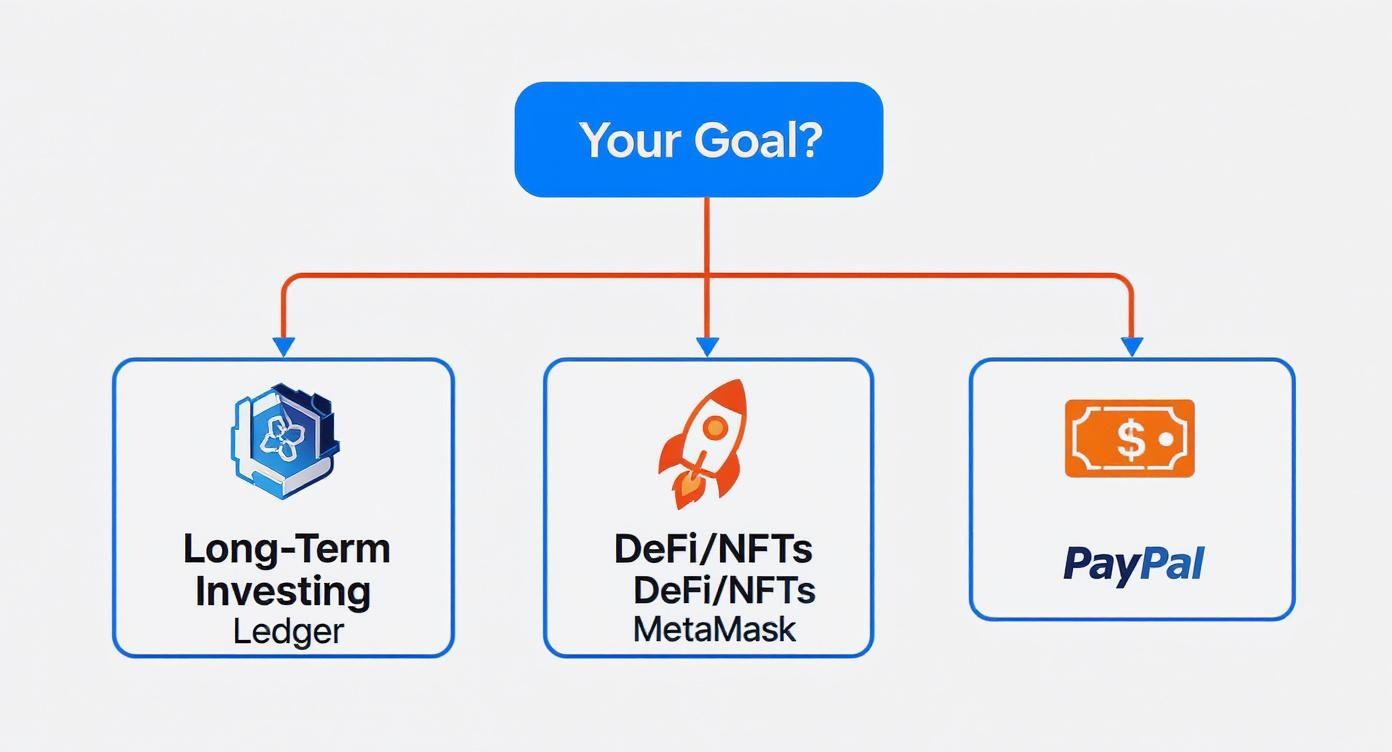
It connects common goals like long-term holding or DeFi trading to specific, well-suited wallet types.
The Long-Term Investor
If your plan is to "hodl"—buying assets to hold for years—then your one and only priority is hardcore security. You need to guard your portfolio against every conceivable online threat. Day-to-day convenience barely even registers as a concern.
For this profile, the choice is simple.
- Primary Wallet: A hardware wallet from a company like Ledger or Trezor is non-negotiable. It keeps your private keys completely offline, creating a physical "air gap" that makes your funds unreachable to hackers, malware, and phishing scams.
- Advanced Security: If you're protecting a serious amount of capital, look into a multi-signature (multi-sig) setup. This requires approvals from multiple keys to move funds, so even if one key is lost or stolen, your portfolio remains safe.
Think of it like putting gold bars in a Swiss vault instead of carrying cash in your pocket. It’s a deliberate, security-first strategy built for maximum protection.
The DeFi Trader and NFT Collector
This person lives on the blockchain’s cutting edge. They're constantly swapping tokens on decentralized exchanges, minting NFTs, and interacting with new dApps. For them, speed and seamless connectivity are everything. Having to plug in a hardware wallet for every minor transaction would be a complete workflow killer.
The best answer is a hybrid model that balances agility with security.
- Primary Wallet: A software wallet like MetaMask or Coinbase Wallet is the daily driver. These browser extensions and mobile apps are designed for fast, simple connections to the decentralized web.
- Security Layer: Pair your software wallet with a hardware wallet. This setup lets you browse and initiate transactions with the speed of MetaMask, but requires you to give final, physical approval on your offline device for any major action.
This hybrid model is the best of both worlds. You get the fluid, fast user experience needed for active trading, while ensuring your most critical transactions are signed with the gold-standard security of an offline device.
You're essentially separating your "browsing" wallet from your "signing" authority, drastically reducing your risk during frequent online activity.
The Everyday Spender
For people focused on daily payments—buying groceries, shopping online, or sending cash to a friend—the priorities flip again. Convenience, speed, and easy integration with the traditional banking system are what matter most.
The market for this is massive, with global digital payment spending hitting an incredible $41 trillion. The usage is split almost perfectly between in-store (51%) and online (49%) purchases, showing just how integrated these tools have become. The Asia-Pacific region is driving this trend, accounting for $36.8 trillion of that volume. You can see more data on the global impact of the digital wallet revolution on datos-insights.com.
This user benefits most from wallets that bridge the old world of fiat with the new world of crypto.
- Fiat-Focused: Services like Apple Pay or PayPal are perfect for this. They offer a secure and widely accepted way to make daily purchases with your standard currency. They are custodial, which means they are simple and familiar.
- Crypto-Enabled: If you want to spend your crypto, a wallet linked to a payment card (like the Coinbase Card) is an excellent solution. It lets you use your digital assets anywhere that takes Visa or Mastercard by converting them to fiat instantly at the point of sale.
This approach is all about seamless integration into the payments infrastructure we already use every day, making digital assets just as spendable as cash.
Digital Wallet FAQs: Your Questions Answered
Even with a solid comparison, a few questions always pop up. Let's tackle the most common ones so you can move forward with confidence.
What's the Single Most Important Thing to Look for?
Forget features and fancy interfaces for a second. The absolute most critical factor is the security model—specifically, who holds the private keys. This one detail changes everything about your experience and defines your level of financial freedom.
With a non-custodial wallet, you're in the driver's seat. You hold the keys, you call the shots. But that also means you're 100% responsible for keeping them safe. On the other hand, a custodial wallet has a company manage the keys for you. It's convenient, sure, but you're trusting them not to get hacked, go bankrupt, or freeze your account. This choice is the foundation of everything else.
Can I Have More Than One Wallet?
Not only can you, but you absolutely should. Spreading your assets across multiple wallets is a smart security strategy that pros use all the time. Think of it as asset segregation—you're building a "wallet ecosystem" to insulate your funds from a single point of failure.
By separating your crypto across different wallet types, you make sure that one mistake—like a compromised software wallet or a hacked exchange—doesn’t wipe out your entire portfolio.
Here’s a practical setup many people use:
- Hardware Wallet (like a Ledger or Trezor): This is your vault. It's for the bulk of your crypto that you plan to hold for the long term. Keep it offline and secure.
- Software Wallet (like MetaMask): Your "hot wallet" for daily DeFi activity or Web3 interactions. Keep a smaller, "spending" amount here that you're comfortable putting at risk.
- Custodial Wallet (like PayPal or Cash App): Perfect for quick, simple payments or cashing out to your bank account.
This layered approach gives you the best of both worlds: fortress-like security for your main stash and nimble flexibility for everything else.
How Do I Send Crypto From One Wallet to Another?
Moving crypto between wallets is pretty simple, but it demands your full attention because mistakes can be permanent. You're basically sending funds from your old wallet's address to the public "receive" address of your new one.
Follow these steps, and don't skip any:
- Get the New Address: Open your new wallet, pick the coin you want to receive (e.g., Bitcoin), and hit "Receive" or "Deposit." You'll see a long string of letters and numbers—that's your public address.
- Copy It Perfectly: Use the wallet's copy button. Never try to type it out by hand.
- Start the Send: Go back to your old wallet and find the "Send" or "Withdraw" function for that same crypto.
- Paste and Double-Check: Paste the address you just copied into the "recipient" field. Enter the amount you want to send.
- Send a Test First: This is non-negotiable. Always send a tiny amount first. Wait for it to show up safely in your new wallet before you even think about sending the rest. This one small step can save you from a catastrophic loss due to a simple copy-paste error.
Once you see the test amount land safely, you can send the remaining balance with peace of mind.
What Happens If I Lose My Non-Custodial Wallet?
Losing a non-custodial wallet is a gut-wrenching moment. What happens next hinges entirely on one thing: your seed phrase (also called a recovery phrase).
If you lose your phone or your computer dies, but you have that 12 or 24-word phrase written down somewhere safe, you're fine. Just grab a new device, download the same wallet software, and choose the "Restore" or "Import" option. Punch in your seed phrase, and your funds will reappear as if by magic. The seed phrase is your wallet, not the device.
Now, for the bad news. If you lose the seed phrase itself, your crypto is very likely gone for good. There's no one to call, no "forgot password" link, and no central company to help you. That's the harsh reality of self-custody: absolute control comes with absolute responsibility. Store your seed phrase offline, in multiple secure places, as if your entire financial future depends on it—because it does.
If you've lost your seed phrase or password and your digital assets seem out of reach, don't write them off just yet. Wallet Recovery AI uses advanced, secure techniques to help people get back into locked crypto wallets. You can learn more and request confidential help on our website.
Leave a Reply