
It's a feeling we all know too well. That moment of panic when a password you've typed a thousand times suddenly vanishes from your memory. Before you start questioning your sanity or thinking about more drastic measures, take a deep breath. Almost every single platform out there has a lifeline built for this exact scenario.
Your First Move When a Password Is Lost
This isn’t some rare technical glitch; it's a routine part of our digital lives. A global survey found that nearly 21% of people reset their passwords every single day or at least multiple times a week. That statistic, from the full password day report by Bitwarden, shows just how common this problem is and why the standard recovery process is so essential.
The "Forgot Password" Lifeline
Your first and most direct path to getting back into your account is always the "Forgot Password?" or "Need help signing in?" link. It's easy to overlook, but this feature is your best friend when you’re locked out. It kicks off a secure, automated workflow designed to verify you're really you without ever exposing your old password—not even to the platform's own support team.
Let's break it down with a familiar example, like a Gmail account:
- You go to the Google login page and pop in your email address.
- After a failed password attempt, you click that "Forgot password?" link.
- Google will then offer a few ways to prove your identity. This might be a prompt on your phone, a code sent via text, or a reset link to a secondary email you've set up.
- Once you've jumped through that hoop, you get to create a brand new password, and you're back in.
This entire process is designed to confirm it's you by using devices or accounts you've already linked, keeping imposters out.
Key Takeaway: Always, always use the official "Forgot Password" link directly on the service's website. Be extremely wary of unsolicited emails asking you to reset your password—they are often phishing scams designed to steal your credentials.
Before we dive into more advanced techniques, it's worth summarizing these foundational methods. They are the go-to solutions for most online accounts and should always be your starting point.
Standard Password Recovery Methods at a Glance
| Method | Common Use Case | Success Rate | Security Level |
|---|---|---|---|
| Email Reset Link | Most online services (Gmail, social media) | Very High | High |
| SMS/Text Code | Accounts linked to a phone number | Very High | High |
| Security Questions | Older accounts, some financial institutions | Moderate | Medium |
| Recovery Codes | Accounts with 2FA enabled | High (if saved) | Very High |
These methods are effective because they rely on things you already control. They're the industry standard for a reason.
Why This Method Is So Effective
The standard recovery flow isn't just a convenience; it's a security protocol. It works by balancing ease of access for you with strong protection against unauthorized users. It's fast, simple, and secure.
This approach relies on authentication "factors" you set up ages ago, proving your identity through:
- Something you have: Your phone for receiving a text, or access to your backup email.
- Something you know: The password to that backup email account.
By using these pre-verified signals, services can confidently grant you access without putting your account at risk. Think of it as the digital version of flashing your driver's license. Before you even think about brute-force attacks or complex recovery tools, always start here. More often than not, it's all you'll need.
What to Do When Standard Recovery Fails
So, you've hit the "Forgot Password" link, and it's led you nowhere. It happens more than you'd think. Maybe you lost access to your recovery email years ago or swapped your phone number and forgot to update your accounts. When the easy options are off the table, you need a different game plan.
This isn't about just clicking another button. It's about navigating a more manual, hands-on verification process to prove you're the rightful owner. Most services have these backup methods for exactly this scenario, and knowing how to handle them can mean the difference between getting back in and being locked out for good.
Digging Up Old Security Questions
One of the oldest tricks in the book is answering security questions. You might get asked for your first pet's name, the street you grew up on, or your favorite teacher. Honestly, most platforms are phasing these out because they're not super secure, but you'll still run into them, especially on older accounts.
The key here isn't just remembering the answer, but how you answered it. Did you capitalize the name? Did you use a weird spelling on purpose? If your memory is fuzzy, it’s probably time to move on to something more concrete.
Proving Your Identity
When automated systems have thrown their hands up, the next step usually involves proving who you are to a real person on a support team. This is pretty standard for accounts with a lot at stake—think social media, email, or financial services.
I had a friend go through this exact nightmare with an old social media account. She’d changed her phone number and couldn't get into her ancient recovery email. The platform’s support team kicked off a manual review, and she had to:
- Provide a Government-Issued ID: She had to send a crystal-clear photo of her driver's license. The name and picture had to line up perfectly with what was on her profile.
- Take a Verification Photo: They asked for a selfie of her holding a piece of paper with a specific code and that day's date written on it. This proves she's a real person holding her actual ID right now.
It can feel a little invasive, I know. But it’s a crucial security step to stop someone else from waltzing into your account. If you have these documents ready to go, it can make the whole process a lot faster.
Expert Tip: Before you even think about contacting support, get your story straight. Gather any shred of evidence you can find: the approximate date you created the account, old passwords you remember, or cities you often logged in from. The more details you provide, the more legitimate your claim will look.
Navigating Customer Support
Contacting customer support is often the last-ditch effort, but a necessary one. Just be ready for a potentially slow ride. These teams are swamped, so patience is your best friend. When you create that support ticket, be clear, be concise, and give them everything they need right from the start.
Now, it's critical to understand that this approach won't work for everything. If you're locked out of a locally stored encrypted file, for example, there’s no central company to appeal to. You're on your own. For those situations, you need a totally different strategy. If you're wrestling with encrypted archives, our guide on ZIP, RAR, and 7z password help provides specific tactics for those file types. The recovery path depends entirely on who holds the keys—a service, or just you.
Using a Password Manager to Dodge Lockouts for Good
The best way to handle password recovery is to build a system where you almost never need it. This is exactly where a password manager becomes your most valuable player. Forget juggling dozens of complex, unique passwords—now, you just have to remember a single, strong master password.
Think of it as your own digital Fort Knox. Tools like 1Password or Bitwarden securely store all your credentials, generating and filling in long, random passwords for every site and wallet you use. It’s a total shift from reactive panic to proactive protection.
The data backs this up. People who use password managers are far less likely to get hit by credential theft. In fact, only 17% of password manager users reported a breach in the past year, compared to 32% of those who go without. You can dig into more stats like this over on Panda Security's blog.
Setting Up Your Digital Safety Net
Of course, the first question everyone asks is, "But what if I forget my master password?" It’s a legitimate worry. Good password managers use zero-knowledge encryption, which means even they can't get it back for you. But they’ve built in some seriously clever safety nets for this exact situation.
Two of the most important are Emergency Access Kits and trusted contacts. An Emergency Access Kit is essentially a PDF with your secret key and account info. You download it, print it out, and stick it somewhere physically secure, like a safe deposit box. A trusted contact, on the other hand, is your digital lifeline.
Pro Tip: The moment you set up a password manager, configure these recovery options. Don't wait. Make it part of the initial setup process, and you’ll thank yourself later.
How an Emergency Contact Actually Works
Let's walk through a real-world example. Say you want to set up your spouse or a close friend as an emergency contact. It’s a feature that can literally save you from being permanently locked out of your digital life.
Here's the typical flow:
- From your password manager's settings, you send an invite to their email.
- They get the email and accept the request, which links your accounts.
- Crucially, you set a waiting period—anywhere from 24 hours to 30 days.
Now, if you ever forget your master password, you can request access through them. They get a notification, and once your pre-set waiting period is over, they can approve the request. This lets you reset your master password and get back in. That delay is a brilliant security feature, preventing an attacker from getting instant access if their account were ever compromised.
More Than Just Storage: A Proactive Security Tool
A password manager does so much more than just remember your logins. It actively cleans up your security habits and makes managing everything incredibly simple. Once you start using one, you’ll find you rarely even think about password recovery anymore.
Most modern password managers come packed with extra features:
- Password Health Audits: They'll scan your entire vault for weak, reused, or compromised passwords and nudge you to fix them.
- Secure Sharing: Need to share a Wi-Fi password or a Netflix login? You can do it securely without ever texting or emailing the actual password.
- Two-Factor Authentication (2FA) Storage: Many can also act as your authenticator app, keeping your logins and your 2FA codes all in one secure spot.
By centralizing everything in one fortified system, you eliminate the weak links that cause lockouts in the first place. You're no longer one forgotten password away from disaster. This is how you make the whole stressful ordeal of password recovery a thing of the past.
The Future of Recovery Is Passwordless
What if you never had to recover a forgotten password again? It sounds too good to be true, but that’s exactly where we’re headed. The whole song and dance of remembering complex passwords is being replaced by something much simpler and far more secure: proving you’re you, without a password in sight.
This push toward a passwordless world comes from a hard truth we’ve all learned—passwords are a broken system. They get forgotten, phished, and stolen, causing endless headaches and creating huge security risks. The alternative flips the script by relying on authentication methods tied directly to you.
Embracing a Simpler Reality
Passwordless tech uses things that are uniquely yours, turning the dreaded “forgot password” link into a thing of the past. It’s not about a single magic tool but a wave of new standards that make logging in both safer and smoother.
These new methods usually boil down to a couple of core ideas:
- Something you are (Biometrics): We're talking about your fingerprint or face. Tech like Apple's Face ID, Touch ID, or Windows Hello uses your own unique biology to confirm it’s really you.
- Something you have (Your Device): This could be your smartphone, laptop, or a physical hardware key. A simple push notification sent to your phone or a tap of a security key is all it takes.
This approach completely changes the game. Instead of guarding a secret (your password), you're just proving you have a trusted device or confirming your physical identity.
The demand for this shift is skyrocketing. A recent study found that 56% of people are excited about passwordless options. While 45% are already using passkeys, there's still work to be done—41% feel they don't know enough about the benefits. You can dig into the full details in the 2025 FIDO Alliance report.
Before we dive deeper into passkeys, it’s helpful to see just how different this new world is from the old way of doing things.
Traditional vs Passwordless Recovery
Here’s a quick comparison of old-school password recovery versus modern passwordless authentication, highlighting the key differences in security and convenience.
| Feature | Traditional Password Recovery | Passwordless Authentication |
|---|---|---|
| User Experience | Often clunky; requires email links, security questions, or SMS codes. | Seamless; usually just a fingerprint scan, face ID, or device tap. |
| Security Risk | Vulnerable to phishing, SIM swapping, and social engineering. | Highly resistant to phishing; no passwords to steal or leak. |
| Primary Method | Proving you know a secret (old password, mother's maiden name). | Proving you have something (your phone) or are someone (biometrics). |
| Convenience | Low. Can be frustrating and time-consuming if you forget answers. | High. Fast, effortless, and consistent across devices. |
| Device Dependency | Relies on access to a secondary account like an email inbox. | Relies on a trusted, registered device (phone, computer, hardware key). |
The table makes it pretty clear: passwordless isn't just a minor upgrade. It’s a fundamental rethinking of how we secure our digital lives, moving from flawed memory to tangible proof.
How Passkeys Are Making Passwords Obsolete
The biggest player in this password-free future is the passkey. Think of a passkey as a digital key stored securely on your device—like your phone or computer—that takes the place of your password. It’s built on a cryptographic standard that is nearly impossible to phish and worlds more secure than any password you could ever create.
When you sign into a site that supports them, your device simply uses your fingerprint or face to prove it's you, then authenticates with the passkey. That’s it. No password ever gets typed or sent across the internet.
Let's imagine you're setting one up with your Google account, which means you'll never need a password for it again.
- First, you’d head into your Google Account security settings and look for the option to “Create a passkey.”
- Next, Google will ask you to verify yourself with your device’s screen lock—your fingerprint, face, or even your PIN. This just proves you’re the one holding the phone.
- And… you’re done. A passkey is now created, linking your Google account to your device and saving it securely in your device’s keychain.
From that moment on, logging into Google on that device is as simple as a fingerprint scan. Need to log in on a new computer? No problem. You’ll just use your phone to scan a QR code on the screen, approve the login with your thumbprint, and you’re in. You never once had to remember or type a password.
This method completely removes the need for password recovery. You can't forget your fingerprint, and as long as you have your phone, you have access. It transforms the whole painful process of recovering a lost password into a simple, secure tap. By adopting these new standards, you can finally put account lockouts in the rearview mirror for good.
Advanced Tools for Crypto Wallet Recovery
When you’ve exhausted every standard option for recovering a crypto wallet, it’s easy to feel like you’ve hit a dead end. Unlike your bank account or email, there's no "Forgot Password" button to click. There’s no support team to call. The password is your sole responsibility, and if it's gone, your assets might be too.
This is the exact moment when advanced recovery tools become your last-ditch effort. Think of them as a technical lifeline. These aren't simple "click-and-go" solutions; they are seriously powerful programs that demand a careful and methodical approach. This is what you turn to when all other avenues are closed.
How Brute-Force and AI Tools Actually Work
Tools like BTRecover or the incredibly versatile Hashcat work on a surprisingly simple principle: they try thousands—or even millions—of password combinations against your locked wallet file until one works. The most common method is a brute-force attack, but the smarter approach is a dictionary attack. This is where your own memory becomes the most critical part of the process.
Instead of just guessing every random character combination possible, you feed the software a curated list of "ingredients" based on things you actually remember.
This could include bits and pieces like:
- Core words or phrases you use all the time.
- Important dates like birthdays or anniversaries, and all their likely variations (e.g.,
04121990,120490,April12). - Names of pets, family, or even favorite fictional characters.
- Old passwords you might have tweaked slightly for this wallet.
- Common patterns you follow, like always adding
!or#to the end.
The software, often boosted with AI, then intelligently mixes and matches these elements to create a highly targeted list of guesses. It’s like giving a detective a handful of solid clues instead of telling them to search an entire city. This drastically cuts down the search time and seriously boosts your odds of getting back in.
A Real-World Recovery Scenario
Let’s picture a real-life situation. Imagine someone—we'll call her Jane—has a wallet from 2017. She’s pretty sure her password was some variation of "MyCrypto!2017," but the exact details are fuzzy. Was the 'c' capitalized? Was the year at the beginning? Did she use a different symbol?
Instead of spending hours guessing by hand, Jane can turn to a recovery tool. She’d give it a ruleset based on her own habits:
- Base Words:
mycrypto,MyCrypto,mycrypto2017 - Special Characters:
!,@,#,$ - Capitalization Rules: Test variations like
myCryptoorMYCRYPTO. - Number Placement: Try the year
2017at the start and end of the phrase.
The software would then systematically start churning through combinations like MyCrypto!2017, mycrypto@2017, 2017MyCrypto!, and countless others based on the rules Jane provided. If the correct password is in that list, the tool will eventually crack it.
Here's the bottom line: The success of these tools hinges entirely on how good your hints are. The more accurately you can recall even small pieces of the password, the better your chances. If you have absolutely no memory of it, the odds of success are, frankly, almost zero.
This infographic does a great job of showing how we're moving from old-school, memory-based passwords to more secure access methods for the future.
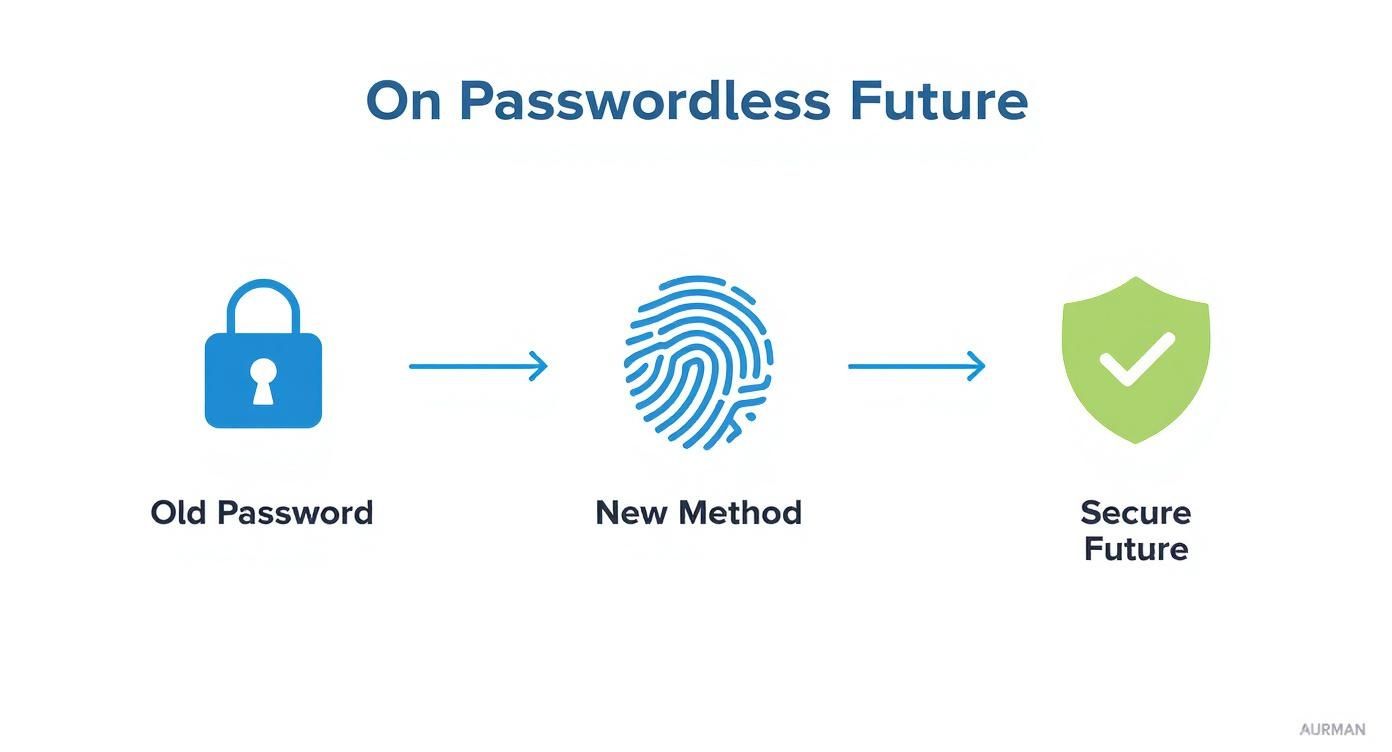
It really highlights the shift away from the exact kind of memory-based security that makes these advanced recovery tools so necessary in the first place.
Security First: Your Top Priority
Let’s be crystal clear: using these powerful tools to recover a password requires a non-negotiable security protocol. You're handling the keys to your financial kingdom, and one small mistake could be devastating.
Always run this kind of software on an offline, air-gapped computer. That means a machine completely disconnected from the internet, Wi-Fi, and any other network. Doing this makes it impossible for the software (or any malware pretending to be the software) to send your wallet file or potential passwords to anyone else.
The best practice is to use a spare laptop with a fresh, clean operating system installation. This creates a completely isolated environment for the recovery attempt. Never, ever do this on your main computer.
For those who want a more guided approach, you can explore professional crypto recovery software that is built around these strict security principles. This ensures you're using vetted tools designed specifically for this high-stakes job.
Frequently Asked Questions About Password Recovery
When you're trying to get a password back, a lot of questions pop up, especially when there's a lot on the line. Even with a good plan, you can hit a weird snag or just wonder what the best move is for staying safe down the road. This section is here to clear up some of the most common worries with straight, usable answers.
Think of this as your go-to guide for those "what if" moments. We’ll get into everything from whether you can trust third-party services to exactly what to do the second you think you've been hacked. The goal is to give you the confidence to handle any password headache that comes your way.
Are Third-Party Recovery Services Safe to Use?
This is a big one, and the answer really hinges on what you're trying to recover. For your everyday online accounts—think email, social media, banking—the answer is a firm no. Never, ever use a third-party service that says it can get your password back for you.
Frankly, most of them are scams built to swipe your personal info. The only secure and legitimate way to get back into those accounts is by going through the official recovery process offered by the service itself, whether that's Google, Meta, or your bank.
Now, things get a bit different for specialized situations like crypto wallets. Since there’s no central company to call for a password reset, reputable, open-source software that you run on your own offline computer can be a legitimate last resort. But—and this is critical—you must never upload your encrypted wallet files or hand over your seed phrase to an online service or anyone you don't trust completely. The risk is just way too high.
Key Takeaway: For standard online accounts, stick to the official recovery channels, no exceptions. For self-custodied assets like crypto, only use trusted, verifiable software on a secure, air-gapped machine to keep your funds under your control.
How Can I Create a Secure and Memorable Password?
Honestly, the best strategy is to take memory out of the equation entirely. Get a good password manager to generate and store long, complex, and totally unique passwords for all of your accounts. That way, you only have one single, strong master password to remember.
If you absolutely must create one from memory, the passphrase method is your best bet. Instead of trying to remember a random string of symbols, you just string together four or more unrelated words.
For instance:
OrangeBicycleRiverMagnetQuietMountainLoudOceanCorrectHorseBatteryStaple
This creates a password that's incredibly long and tough for a computer to brute-force, but it’s actually pretty simple for a person to recall. Just be sure to avoid obvious personal details like birthdays, pets' names, or your street address. And never, ever reuse passwords. That’s like having one key that unlocks your house, your car, and your office safe—a disaster waiting to happen.
What Should I Do After an Account Is Compromised?
If you get that sinking feeling that an account has been breached, you have to move fast. The first few minutes are absolutely crucial for kicking out the attacker and locking down your digital life.
Here’s your immediate action plan:
- Change the Password: If you can still get in, change the password on the spot. Make it something new, strong, and completely different from anything you've used before.
- Enable Two-Factor Authentication (2FA): If you didn't have 2FA on, turn it on now. It adds a powerful layer of security by requiring a code from your phone to log in, which the attacker almost certainly won't have.
- Review Account Activity: Go through your account with a fine-tooth comb. Check for emails you didn't send, posts you didn't make, or any changes to your profile information.
- Update Other Accounts: If you were reusing that compromised password anywhere else (we've all been tempted), go change those passwords immediately. Start with your most critical accounts, like email, banking, and your password manager.
- Notify Everyone: Report the breach to the service provider. It’s also a good idea to let your friends and contacts know, especially if the attacker was sending out spam or malicious links from your account. Give them a heads-up not to click anything suspicious.
Taking these steps decisively can stop a bad situation from getting much, much worse.
At Wallet Recovery AI, we know that losing access to your crypto wallet is a huge deal. Our team is focused on secure and discreet access restoration, using advanced methods to help you get back control of your assets. If you're locked out, don't assume all is lost. Visit us at https://walletrecovery.ai to learn how we can help.
Leave a Reply