
So, is Coinbase Wallet safe? Let's get right to it. The wallet itself is incredibly secure, but the real weak link in the chain could be you. Coinbase provides the high-tech vault, but you’re the one holding the only key—that all-important recovery phrase. Getting this distinction right is the first, and most important, step to understanding crypto security.
Your Personal Vault vs. A Bank's Safe Deposit Box
Before we dive deeper, we need to clear up a common point of confusion. A lot of people mix up a Coinbase Wallet with their regular Coinbase exchange account, but they are fundamentally different beasts when it comes to who’s in control.
Think of it like this: your Coinbase exchange account is like a safe deposit box at a bank. The bank—Coinbase, in this case—holds your stuff for you. They’ve got the master keys, they run the security for the whole building, and you're essentially trusting them to keep your valuables safe. It's convenient, sure, but it's trust-based.
Coinbase Wallet, on the other hand, is like having a military-grade vault installed in your own home. You're the only person on the planet who knows the combination. This is the whole idea behind self-custody—you, and only you, have absolute control over your crypto. Coinbase can't touch your funds, freeze your account, or do anything at all with your assets, even if they were forced to.
What Self-Custody Really Means for You
This direct ownership is incredibly empowering, but it also comes with serious responsibility. You gain true financial freedom, but the entire weight of securing your assets lands squarely on your shoulders. The wallet’s technology is built to be a fortress against hackers, but it can't protect you from yourself if you accidentally give away the key.
Self-custody means you are your own bank. The wallet is your vault, and your recovery phrase is the only key. You have to protect it like it's worth a fortune—because it is.
Grasping this concept is non-negotiable. The wallet is packed with powerful security features (which we'll get into next), but none of them matter if you lose or expose your secret recovery phrase. If that happens, the strongest digital locks in the world are useless. Security, then, is a partnership: it’s Coinbase’s tech combined with your diligence.
To make this crystal clear, here’s a quick breakdown of where the responsibility lies.
Coinbase Wallet Security at a Glance
| Security Aspect | How It Works | Your Responsibility |
|---|---|---|
| Private Key Control | Keys are generated and stored directly on your device using a Secure Enclave (or equivalent tech). Coinbase never sees them. | Never share your 12-word recovery phrase with anyone. Write it down and store it securely offline. |
| Biometric Security | Uses your device’s fingerprint or face ID for an extra layer of protection to authorize transactions. | Enable biometrics in your device settings and within the wallet app. Don't let others register their biometrics on your device. |
| Transaction Previews | The wallet shows you a clear summary of what you’re about to sign, helping you spot malicious smart contracts. | Carefully review every transaction detail before you approve it. If it looks sketchy, reject it. |
| Password/PIN Protection | A password or PIN is required to open the app and is separate from your device's main lock. | Choose a strong, unique password or PIN. Don't reuse passwords from other services. |
Ultimately, Coinbase has built a seriously robust piece of software. But just like a master craftsman can't be blamed if you leave their custom-built safe wide open, the wallet's security is only as strong as the person using it.
How Coinbase Wallet Builds Its Defenses
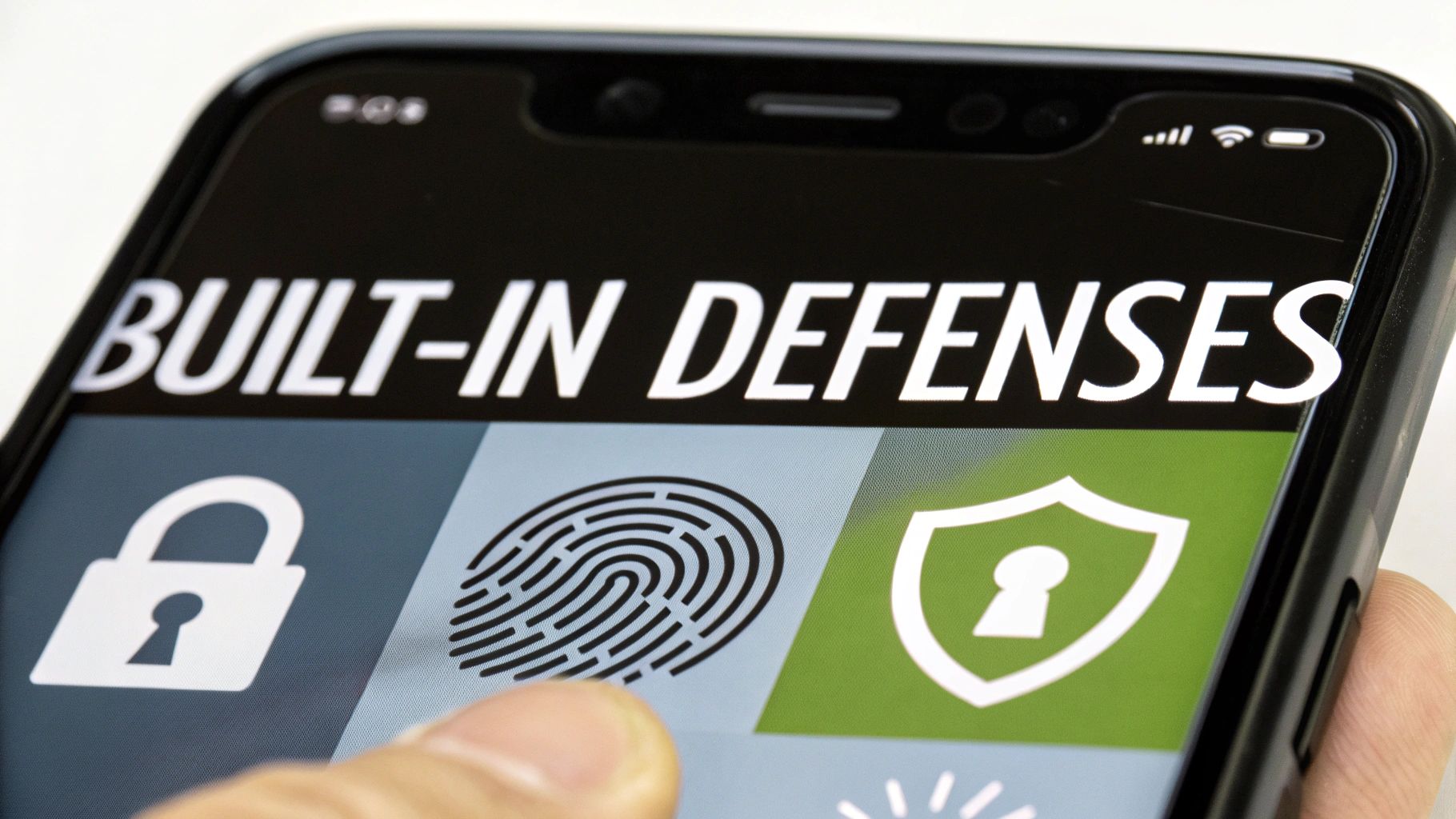
To really get a feel for Coinbase Wallet's security, you have to look under the hood. The entire defense strategy boils down to one simple, powerful idea: your private keys never leave your personal device. That’s the heart of self-custody and what makes it a different beast entirely.
Think of it like this: your private key is the actual deed to your digital property. Coinbase Wallet makes sure that deed stays locked in a safe inside your house (your phone), not in some shared filing cabinet at a central office. This design alone slashes the risk of those massive, centralized hacks you hear about on exchanges. Your assets are only as gettable as your physical device.
This on-device storage is made possible by something called a Secure Enclave, or similar hardware-level tech built right into modern smartphones. This isn't just software; it's a fortified, isolated part of the chip that walls off your keys from the rest of the phone's operating system. That makes it incredibly difficult for malware or a rogue app to even see them. For a deeper dive into these mechanics, our guide on how Coinbase Wallets work breaks it down even further.
Fortifying Your Physical and Digital Access
Coinbase Wallet then layers more security on top of that foundation. The goal is to make sure that even if someone snatches your phone, your crypto is still locked down tight. It’s like having multiple checkpoints at the door.
Your phone's own lock screen is the first line of defense, but the wallet doesn't stop there. It plugs directly into your phone’s built-in biometric systems.
- Face ID & Fingerprint Scans: Using your unique biological signature to open the wallet or approve a transaction is fast, easy, and incredibly secure. It's a quick way to prove you're really you.
- Custom PIN Code: You can also set a separate PIN just for the wallet. Make sure this is different from your phone's unlock code—it's one more hurdle for an intruder to clear.
This multi-pronged approach creates a seriously tough barrier. A thief who has your phone is still stuck on the outside looking in, unable to get past your face, fingerprint, or PIN.
Key Takeaway: The wallet’s security is layered. It starts with cryptographic protection on your device and is reinforced by physical access controls like biometrics, creating a comprehensive defense system.
Protecting Your Backups with Encryption
But what happens if you lose your phone for good? This is where backups come in.
Coinbase Wallet offers an optional cloud backup for your recovery phrase, and it’s built with security as the number one priority. If you choose to back up to Google Drive or iCloud, the data is first sealed with AES-256 encryption—a military-grade standard that’s considered practically unbreakable. This encrypted file is essentially a locked digital box; without your password, it's just a jumble of meaningless code.
Understanding the Real-World Security Threats
While Coinbase Wallet’s built-in defenses are solid, they’re designed to fend off technical attacks on the software itself. The real danger—the one you're most likely to face—doesn't involve some genius cracking complex encryption. It targets the person holding the phone: you. Attackers know it’s far easier to trick someone into opening the door than to break it down.
These risks aren't just theoretical. Even the biggest players have to deal with security issues that boil down to the human element. Look at the May 2025 incident where cybercriminals bribed their way to sensitive Coinbase customer data through overseas contractors. While it impacted less than 1% of monthly users (around 87,000 people), it exposed account details perfect for launching targeted attacks. You can read more about the Coinbase data breach and its aftermath.
This whole episode drives home a critical point: strong wallet tech doesn't make you invincible. The real threats often come from outside the app, with attackers trying to manipulate you into compromising your own security.
Social Engineering: The Art of Deception
Social engineering is the modern con artist's bread and butter. Scammers cook up situations that prey on your trust, fear, or a sense of urgency, all to get you to willingly hand over your recovery phrase or sign a bad transaction. This isn't hacking; it's psychological manipulation.
Here are a few common tactics to watch out for:
- Phishing Scams: These usually pop up as official-looking emails, DMs, or website alerts. They’ll claim there’s a problem with your wallet and link you to a fake "support" site that—surprise—asks for your recovery phrase to "fix" it.
- Malicious Dapps: You connect your wallet to a new decentralized app (dapp) that seems legit, but it has a nasty surprise hidden in the code. It might ask for broad permissions that allow it to "drain" your wallet, stealing every token you've approved.
- Impersonation: A scammer slides into your DMs posing as a Coinbase support agent, ready to "help" with your issue. Their version of help always involves asking for your recovery phrase or sending you to a compromised website.
Crucial Insight: No legitimate company, including Coinbase, will ever ask for your 12-word recovery phrase. That phrase is for your eyes only. Anyone who asks for it is a scammer. Period.
Malware and Compromised Devices
Another angle of attack is through malware hiding on your computer or phone. If your device gets infected, a keylogger could silently record everything you type—including your wallet password or recovery phrase.
Another sneaky trick is clipboard-hijacking malware. It waits for you to copy a crypto address, then secretly swaps it with the attacker's address before you paste. You think you're sending funds to the right place, but they get rerouted straight to the thief.
Ultimately, asking is Coinbase wallet secure means recognizing that security is a partnership. Coinbase built the fortified vault, but you're the one holding the keys. Your vigilance and skepticism are just as important as any line of code. You are the gatekeeper.
Here is the rewritten section, crafted to sound like it was written by an experienced human expert.
Your Part of the Deal: Protecting Your Crypto
Look, Coinbase Wallet can have all the high-tech defenses in the world, but it's all for nothing if you leave the front door wide open. Think of it like a bank vault—the thick steel door doesn't do much good if you hand the keys over to a stranger. When it comes to your crypto, you are the final line of defense.
This isn't about becoming a cybersecurity expert overnight. It's about changing your mindset from a casual user to an active guardian of your own assets. A few simple, powerful habits can shut down the most common ways people lose their crypto.
That 12-Word Phrase is Your Master Key
Let's get one thing straight: your 12-word recovery phrase is the most important piece of information you will ever handle in the crypto world. This isn't just another password. It's the master key that can rebuild your entire wallet from scratch on any device, anywhere on earth. If a scammer gets their hands on it, they can drain your funds in seconds. There's no customer support line to call, no "forgot password" link to click. It will be gone.
Protecting this phrase is non-negotiable. Here’s how you do it, no exceptions:
- Go Analog: Write it down on a piece of paper. Never, ever store it as a screenshot, a note on your phone, or in a password manager. Digital files are a magnet for malware.
- Lock It Up: Put that piece of paper somewhere safe and offline. A home safe or a bank's safe deposit box is perfect. Treat it with the same respect you'd give a stack of gold bars or the deed to your house.
- Never, Ever Share It: No one from Coinbase, no project developer, no friendly admin on Discord will ever ask for your recovery phrase. Anyone who does is a scammer. 100% of the time.
This phrase is your ultimate safety net. Lose your phone? No problem, you can restore everything. Give the phrase away? You will lose everything.
A Quick Analogy: Think of your Coinbase Wallet like a high-security checking account for your day-to-day Web3 activities. For the big stuff—your crypto life savings—you might want to look into a hardware wallet from companies like Ledger or Trezor. That’s your savings account, kept completely offline and disconnected from the daily risks of being online.
Learn to Spot a Phishing Trap from a Mile Away
Scammers love to play on your emotions, especially fear and urgency. They’ll blast you with an email or a direct message screaming that your wallet has been "compromised" and you need to "verify your identity" right now to save it. This is textbook phishing, designed to make you panic and hand over your keys without thinking.
Slow down. Always question where a message is coming from. Before you connect your wallet to any website, triple-check the URL. Get in the habit of being skeptical of every unsolicited offer, airdrop, or warning that lands in your inbox. A healthy dose of suspicion is your best friend in this space.
By making these habits second nature, you slam the door on the very loopholes attackers depend on, turning your Coinbase Wallet into the fortress it was designed to be.
Comparing Coinbase Wallet Security Models
To really get a handle on whether Coinbase Wallet is secure, you need a bit of context. Its security isn't a simple "yes" or "no" answer—it's a specific approach with its own set of trade-offs. The best way to understand it is to see how it stacks up against the other common ways people store their crypto.
Think of it like this: you wouldn't use a checking account, a savings account, and a safe deposit box for the same exact purpose. Each one offers a different blend of accessibility, security, and control. Crypto storage is no different.
Self-Custody vs. Custodial Control
The single biggest difference boils down to one concept: self-custody versus custodial storage.
Coinbase Wallet is a self-custody (or non-custodial) wallet. This means you, and only you, hold the private keys that control your funds. On the other hand, your account on the Coinbase Exchange is custodial—Coinbase holds those keys for you. If you want to dive deeper, we have a complete guide that breaks down the differences between custodial and non-custodial wallets.
This one distinction changes everything. With self-custody, you have absolute power and absolute responsibility. With a custodial account, you trade some of that control for convenience, trusting a third party to safeguard your assets.
This hierarchy shows the building blocks of a solid personal defense strategy when you're in charge of your own keys.
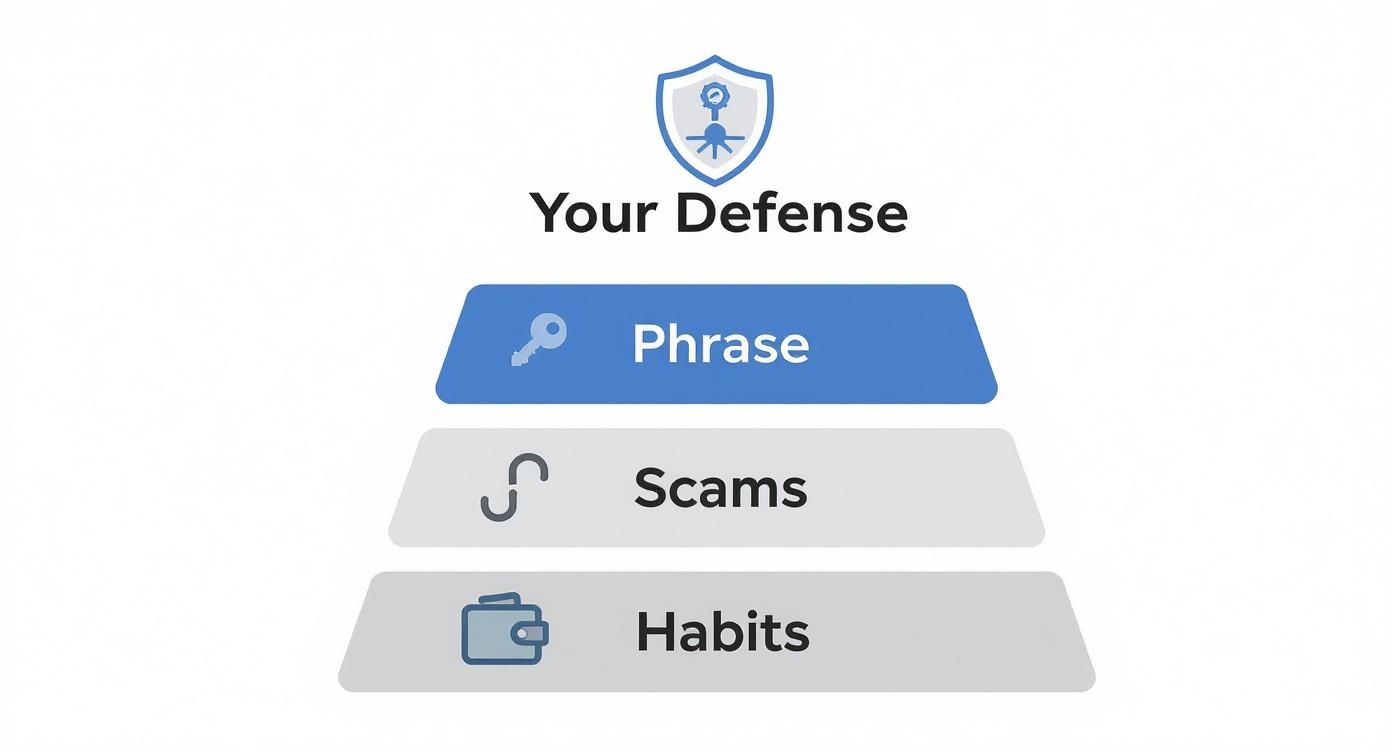
As you can see, your recovery phrase is the bedrock. Everything else—avoiding scams, using strong passwords, and general vigilance—is layered on top of that foundation.
Choosing Your Ideal Security Setup
So, which one is right for you? There’s no single answer, but this side-by-side comparison should make the decision a lot clearer.
Crypto Wallet Security Comparison
| Feature | Coinbase Wallet (Self-Custody) | Coinbase Exchange (Custodial) | Hardware Wallet (Cold Storage) |
|---|---|---|---|
| Key Control | You hold the private keys. | Coinbase holds the private keys. | You hold the keys on a physical device. |
| Primary Use | Daily Web3 activity, DeFi, NFTs. | Trading, buying, and selling crypto. | Long-term, secure storage ("hodling"). |
| Security Level | High (if you protect your phrase). | High (relies on Coinbase's security). | Highest (keys are always offline). |
| Convenience | High (easy access on your phone). | Highest (simple login and password reset). | Low (requires physical device for access). |
| Main Risk | User error (losing phrase, scams). | Centralized risk (exchange hack, account freeze). | Physical loss or damage to the device. |
Ultimately, there is no single "best" wallet, only the best wallet for a specific job.
Many seasoned crypto users actually take a hybrid approach. They might use their Coinbase Exchange account for active trading, a Coinbase Wallet for daily DeFi and NFT interactions, and a hardware wallet for the bulk of their long-term savings. This strategy gives them the best of all worlds—balancing easy access with fortress-like security where it matters most.
So, Is Coinbase Wallet Actually Secure?
After diving deep into its architecture and the threats lurking in the crypto space, what’s the final word? Here it is: Coinbase Wallet is an incredibly secure place to manage your crypto, but only if you recognize that you are the most important part of its security. This isn't a "set it and forget it" situation; it's a partnership between you and the technology.
The wallet’s built-in defenses are seriously impressive. It locks your private keys away on your device using the Secure Enclave and adds layers like biometric authentication on top. This self-custody approach puts you firmly in the driver's seat—no one but you can touch your funds. Think of it like this: Coinbase built a top-of-the-line bank vault for you.
But the biggest threats aren't a crew of hackers trying to blow the vault door off its hinges. The real danger comes from scammers trying to sweet-talk you into handing them the keys. Phishing schemes and clever social engineering tricks completely bypass the wallet's tech by going after the one weak point they can exploit: human error. Your personal vigilance is the final, and most critical, lock on that vault.
Should You Use Coinbase Wallet?
That really boils down to what you're doing in the crypto world. Your security setup should match your daily activity and how much risk you're comfortable with.
-
For the Active Web3 Explorer: If you're constantly jumping into DeFi protocols, minting the latest NFTs, or trying out new dapps, then yes, Coinbase Wallet is a fantastic choice. It hits that sweet spot between being easy to use for daily transactions and providing rock-solid protection.
-
For the Long-Term HODLer: If you're stacking sats or holding a significant crypto portfolio for the future, the smartest move is to pair Coinbase Wallet with a hardware wallet. Use Coinbase Wallet as your "checking account" for smaller, active funds, but keep the vast majority of your assets locked away in a hardware wallet—that’s your offline, untouchable savings vault.
At the end of the day, the question isn't just "is Coinbase Wallet secure?" but "how securely are you using it?" The wallet gives you all the tools you need for true financial freedom. It’s on you to use them wisely. Guard your recovery phrase like it's gold and treat every unsolicited message with a healthy dose of suspicion, and you'll be able to navigate the world of Web3 with confidence.
Common Questions, Answered
Even after getting the full picture of the wallet's security, a few practical questions always pop up. Let's tackle some of the most common ones head-on.
What Happens If I Lose My Phone?
This is a big one, but the answer is reassuring. If your phone gets lost or stolen, your crypto is still safe—as long as your device's PIN or biometric lock holds up.
The real key, though, is your 12-word recovery phrase. Think of it as the master key to your digital vault. All you need to do is download Coinbase Wallet on a new device and use that phrase to restore full access. This is exactly why keeping your recovery phrase offline and secret is so critical.
Can Coinbase Touch or Freeze My Funds?
No, they can't. Not now, not ever. This is the whole point of a self-custody wallet. Coinbase has zero technical ability to access your private keys or your recovery phrase, which means they can't move, manage, or freeze your funds.
You have 100% control. This is the fundamental line in the sand separating the Coinbase Wallet from holding assets on the centralized Coinbase exchange.
The Bottom Line: Your control is absolute. Because Coinbase never holds your keys, they physically cannot intervene with your assets. This principle is why people who value financial sovereignty trust wallets like this one.
Is It Safe to Back Up My Wallet to the Cloud?
It sounds a bit counterintuitive, but yes, the cloud backup feature was built with serious security in mind.
Before your recovery phrase ever leaves your device, it's locked down with military-grade AES-256 encryption. The encrypted file that gets sent to your iCloud or Google Drive is basically unreadable garbage to anyone without your unique password. It’s a convenient backup that adds another layer of security, just in case you misplace your handwritten phrase.
How Does the Wallet Protect Me From Scams?
Coinbase Wallet has a few built-in guardrails to help you out. It gives you clear transaction previews before you sign anything, flagging potentially sketchy smart contracts. It also keeps a running blocklist of known scam dapps and will throw up a warning if you try to connect to one.
But these are just tools, not an impenetrable force field. The reality is that phishing attacks and wallet theft are rampant, causing over $1.1 billion in global losses recently. That sobering number highlights just how important your own diligence is. While Coinbase is always adding new features like spam token filters and malicious site blocking, you are always the final line of defense. You can dig deeper into wallet security statistics and trends to see what you're up against.
Ultimately, staying vigilant is the most powerful weapon you have against the constantly evolving threat landscape.
If you've lost access to your wallet and are struggling to recover your funds, Wallet Recovery AI offers specialized, secure assistance. Using advanced, AI-driven techniques, we help individuals regain control of their digital assets with a focus on privacy and discretion. Find out how we can help at https://walletrecovery.ai.
Leave a Reply