

That gut-wrenching moment when you realize your crypto password is gone is something no hodler ever wants to face. It’s a feeling of pure panic—a simple string of characters is the only thing standing between you and your assets.
But before you start frantically mashing keys or trying every password you’ve ever used, take a deep breath. The first few minutes are critical, and what you do next can make all the difference. This isn’t about desperate guessing; it’s about a calm, methodical search.
Your First Moves After Forgetting a Crypto Password
The first thing we need to figure out is the type of problem we're dealing with. Are you truly locked out, or do you have a backup key you’ve forgotten about? This distinction is everything.
You're facing one of two scenarios:
- You forgot your password, but you have your seed phrase. This is a huge relief. The seed phrase (that list of 12 or 24 words) is the master key to your funds on the blockchain. You can simply import it into a new wallet instance, set a new password, and you’re back in business. It's an inconvenience, not a catastrophe.
- You've lost your seed phrase, and the password is all you have. Okay, this is the serious one. In this case, the password for your current wallet installation is the only thing that can unlock your funds. Your entire recovery effort will hinge on cracking that password.
Figuring out which situation you're in dictates your entire strategy from here on out.
Conducting a Thorough Search of Your Records
Now, let's start the hunt. Before you declare your password lost for good, you need to conduct a forensic-level search of your life. You’d be surprised where people jot down critical information, especially if they set up the wallet years ago.
Go through everything, and I mean everything:
- Password Managers: Check your 1Password, LastPass, Bitwarden, or any other manager. Search for "crypto," "wallet," "Bitcoin," "seed," or the specific wallet's name (e.g., "MetaMask," "Exodus").
- Physical Notebooks: Flip through old journals, planners, desk pads, or that "important stuff" notebook you threw in a drawer.
- Digital Notes: Scour your Apple Notes, Google Keep, Evernote, or any secure note-taking apps you use.
- Your Computer: Do a deep search on your local drive for files named "wallet," "keystore," "UTC," or anything that sounds crypto-related. Pay special attention to
.jsonor.datfiles.
The scale of lost cryptocurrency is staggering. Some estimates suggest that nearly 3.7 million Bitcoin—around 19% of the total supply—might be gone forever because of lost keys and forgotten passwords. This is exactly why a methodical process is so important. You can dig into the industry analysis on lost crypto assets to understand the scope of the problem.
Establish What You Have and What Is Missing
Once you’ve turned your records upside down, it’s time for a clear-headed inventory. Before we get into any technical recovery attempts, let's make a quick checklist of what you've found. This will guide your next steps.
The table below is your starting point. Use it to organize what you've located.
Initial Self-Recovery Checklist
| Action Item | Why It Matters | What to Look For |
|---|---|---|
| Locate the Seed Phrase | This is the master key. If you have it, you can almost always regain access. | A list of 12, 18, or 24 words written down on paper, in a text file, or saved in a password manager. |
| Find the Wallet File | This encrypted file holds your private keys and requires your password to unlock. | Files ending in .dat (Bitcoin Core), .json (Ethereum/MEW), or other wallet-specific formats. |
| Check Password Managers | The most obvious place to have stored a complex, unique password. | Search for your wallet's name or terms like "crypto password," "seed," etc. |
| Search Physical Notes | People often write down important info, thinking digital isn't safe. | Look in notebooks, on sticky notes, or in filing cabinets. |
| Review Old Emails | Some early services or exchanges might have sent clues or backup info via email. | Search your inbox and archives for the wallet provider's name. |
Having this inventory is a massive step forward. It transforms the problem from an insurmountable wall into a series of manageable, logical steps. Knowing whether you're trying to crack a password for a file or simply restore from a seed phrase is the foundational insight you need to move forward successfully.
Alright, you’ve done the initial sweep and haven’t found that password scribbled on a sticky note. Now it’s time to roll up your sleeves and get into the real work of recovery. This isn’t about panic-clicking or feeding your details into some sketchy website. We're going to be methodical, smart, and safe, working entirely on your own machine.
The whole point here is to build a personalized "dictionary" of potential passwords—a list based entirely on you. We're digging into your own habits and memories to coax out that forgotten combination. Think of it like being a detective, and you're both the investigator and the primary subject.
Before we start building that password list, let's make sure we've covered all the preliminary bases. This is the quick diagnostic check to run through first.
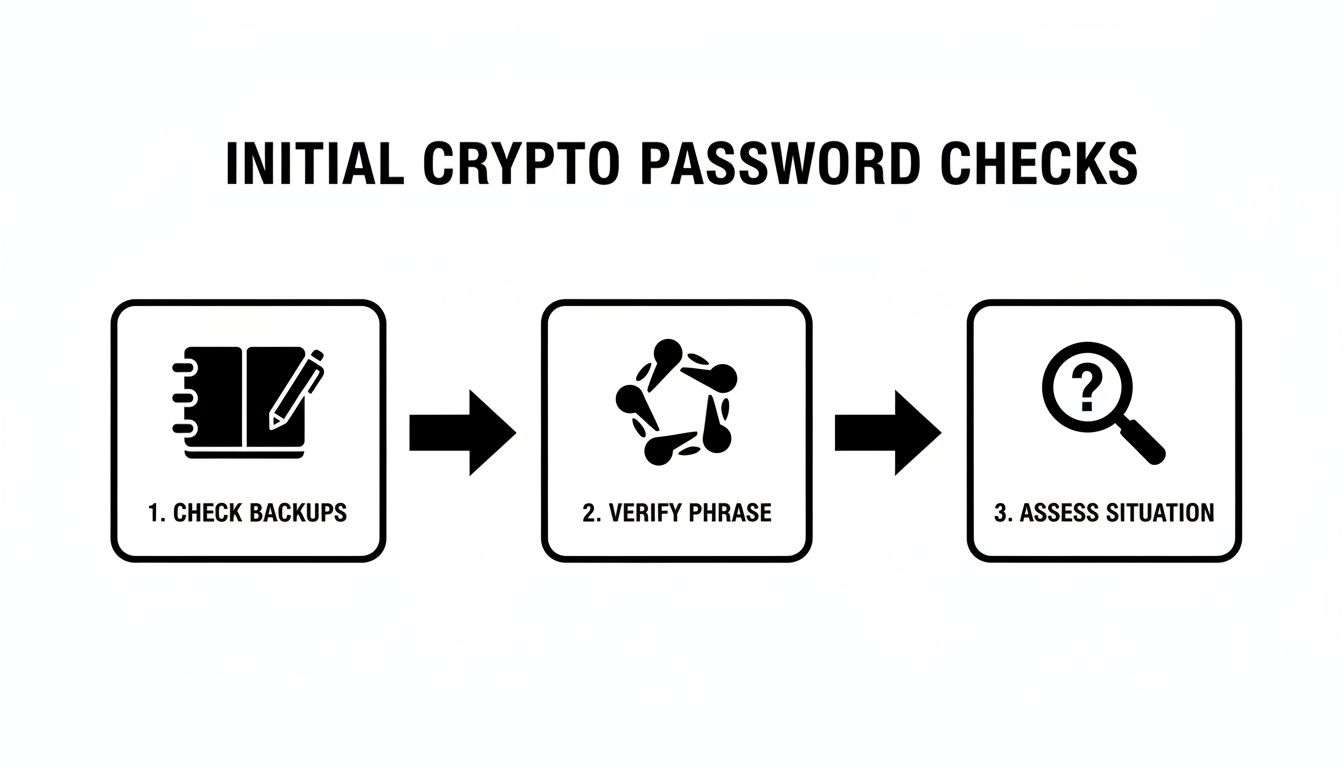
This simple flow—checking backups, verifying your seed phrase, and then assessing the situation—is the perfect lead-in to the controlled guessing we're about to dive into.
Create Your Personalized Password Dictionary
Your brain doesn’t just pluck passwords out of thin air. They’re built from patterns, memories, and personal quirks. That password you can’t remember? It’s almost certainly a variation of something you already know. The first step is to get all those raw ingredients down on paper.
Grab a notebook or open a secure, offline text editor and just start dumping ideas. Don't edit, don't second-guess—just write.
- Core Words & Phrases: Think names of pets, kids, partners, favorite bands, characters from movies, or places you've lived. What about that inside joke or personal motto you always fall back on?
- Significant Dates: Birthdays and anniversaries are the obvious ones. But what about the year you graduated, bought a house, or a parent's birth year? Jot them all down, and consider different formats like
MMDDYYYY,DDMMYY, orYYYYMMDD. - Go-To Numbers: Do you have a lucky number you always use? An old jersey number? The last four digits of a childhood phone number?
- Your Favorite Special Characters: We all have our habits. Are you a
!and@person, or do you lean towards$and*? List the symbols you use most frequently.
This list is your ammunition. The more comprehensive it is, the better your odds.
Structuring Your Guessing Strategy
Okay, you have your list of password components. Now it's time to assemble them systematically. The trick is to start simple and build up to more complex combinations. This keeps you from getting overwhelmed and makes sure you don’t overlook an easy win.
Here’s a logical way to tackle it:
- The Usual Suspects: Start with the basics. Try your common, go-to passwords that you’ve used for other accounts. It's a long shot, but it's the fastest thing to check.
- Simple Variations: Now, take a core word (like "jupiter") and start tacking on your typical numbers and symbols. Try
Jupiter1!,jupiter!2020, orJupiter99!. - Combine and Conquer: Begin mixing different elements from your list. Try a pet’s name with a significant year, like
Buddy2018!orVacation2012*France. - Common Substitutions: Think about how you might have modified a word. Do you often swap 'e' for '3', 'a' for '@', or 's' for '$'? Apply those rules to your core words to create things like
jup1t3ror$un$h1ne.
Critical Safety Note: Every single one of these attempts must happen in an offline environment. Disconnect your computer from the Wi-Fi before you even open your wallet software. This completely removes the risk of malware sniffing out your attempts or compromising your wallet.
What You Must Absolutely Avoid
Losing access to your crypto is stressful, and that’s when people make catastrophic mistakes. Sticking to a few hard-and-fast security rules here is non-negotiable.
Here’s what you should never, ever do:
- NEVER use online password crackers. Most are scams designed to steal your encrypted wallet file and the very password you’re trying to find.
- NEVER share your wallet file or password hints. Don't send fragments of your password ideas or your encrypted file to some stranger on Discord or Telegram who promises they can help.
- NEVER type your seed phrase into a website. Your 12 or 24-word seed phrase is the ultimate master key. It should only ever be entered directly into official, trusted wallet software to restore access.
By following this disciplined, offline approach, you give yourself the best possible shot at jogging your memory and cracking the code yourself. If you've exhausted your list and still come up empty, then it’s probably time to think about calling in a professional.
Using Your Seed Phrase and Keystore Files Correctly
Finding a seed phrase or keystore file in your old notes feels like striking gold. But hold on—this is where you need to be incredibly careful. Think of these as the master keys to your vault. A single misstep here could lock you out for good, just as effectively as not having them at all.
Your first job isn't to restore anything. It's to verify. You need to confirm you have a working key before you even think about putting it in the lock.
This entire process has to be handled offline. Exposing your backups to an internet-connected device is asking for trouble from malware or a sneaky phishing site. Let's walk through how to do this safely.
Verifying a Seed Phrase Safely
A seed phrase (or recovery phrase) is just a list of 12, 18, or 24 words that can bring your wallet back to life on a new device. The vast majority of modern wallets use the BIP39 standard, which pulls words from a very specific list of 2048 words. Your first job is to make sure every single word you wrote down is on that official list.
You can easily find the BIP39 wordlist online, but I can't stress this enough: never, ever type your full seed phrase into any website or online tool.
Instead, check it manually and safely with these steps:
- Count the Words: First, a simple count. Do you have exactly 12, 18, or 24 words? Anything else is an immediate problem.
- Check Spelling: Go through your list one word at a time, checking each against the official BIP39 list. I’ve seen cases where something as simple as "liberty" instead of "liberty" has thrown everything off.
- Use an Offline Tool: For a more technical check, you can use a trusted, open-source tool. The gold standard is Ian Coleman's BIP39 tool. The key is to download the complete tool from a reputable source (like its official GitHub page), then disconnect your computer entirely from the internet before you run the file and input your phrase. This lets you check the phrase's checksum without exposing it.
This manual process confirms the structure of your phrase is sound. It tells you that you're holding a potentially valid key, which is a massive leap forward. To get a better handle on how this all works, check out our deep dive into the mechanics of a 24-word seed phrase.
Handling Potential Seed Phrase Issues
Of course, sometimes what you find isn't perfect. Maybe you only have 23 words, the order is jumbled, or one word is illegible. These are common problems, and they require a methodical approach.
For example, if you're missing just one word from a 24-word phrase, blindly guessing from the 2048 possibilities is a non-starter. But if you have a hunch about what it might be (maybe it was a word you commonly misspelled), you could carefully test a handful of options. If you suspect the order is wrong, that's a much bigger problem, as the number of possible combinations is astronomical—that's usually where a professional service becomes necessary.
The integrity of your seed phrase is non-negotiable. Every word and its exact position are critical. The last word in a BIP39 phrase is actually a "checksum" that's mathematically calculated from all the previous words, acting as a built-in error check.
Checking the Integrity of Keystore Files
If you found a keystore file instead—often a .json or .utc file—your task is a bit different. This file is an encrypted copy of your private key, and it’s completely useless without the password you're trying to find.
Before you start brute-forcing passwords, you need to make sure the file itself isn't corrupted.
You can do this by loading it into an official, compatible wallet software (like MyEtherWallet or Geth for Ethereum files) while you are completely offline. The software won't give you access without the password, of course, but it will usually tell you if the file format is valid or if it's unreadable due to corruption.
If the software recognizes the file and asks you for a password, you're in business. You’ve just confirmed you have a legitimate, working keystore. Now you know that all your password-guessing efforts are aimed at a working lock, not a broken one.
You’ve hit a brick wall.
After hours of racking your brain, digging through old notebooks, and running through every password variation you can think of, your crypto wallet is still locked tight. This is that gut-wrenching moment where stubborn persistence can quickly turn into a costly mistake.
Continuing to hammer away with random guesses won't just frustrate you—it can actually corrupt the wallet file or, in a moment of desperation, lead you straight into the arms of a scammer. Knowing when to stop is just as important as knowing what to try.
Clear Signs It's Time to Call for Backup
Let's be honest, some problems are just too complex for manual guesswork. If any of the following situations sound familiar, it’s time to seriously consider passing the torch to a professional.
- You've Got a Corrupted Wallet File: You found the right file—your
wallet.dator keystore.json—but the software spits out an error. It won't even load, claiming it's corrupted or invalid. Professionals have specialized tools that can repair file headers and salvage data, getting the file into a recoverable state before the password cracking even begins. - You Only Remember Bits and Pieces: Maybe you know the first half of the password, or a core phrase, but the special characters and numbers at the end are a total blur. This is a perfect scenario for professional-grade algorithms that can take those fragments and intelligently blast through millions of logical permutations.
- You’re Dealing with an Obscure or Ancient Wallet: Trying to unlock a wallet from the early days of crypto? Many of those used non-standard or now-deprecated formats. Experts who have been in the game for years often have a deep knowledge of these legacy systems and the custom scripts needed to tackle them.
A Note From Experience: The second you realize your password involved a complex sequence you can only vaguely recall, your chances of guessing it plummet. A pro service takes that fuzzy memory and turns it into a structured, high-speed computational search. It’s a complete game-changer.
How Professionals Get the Job Done
When you hit a wall, it’s almost always because the password’s complexity is just too high for a human to guess. Professional crypto recovery services aren't just guessing faster; they're using a totally different playbook.
They bring massive computational power and sophisticated, AI-driven techniques to the table—resources that are simply out of reach for the average person. Instead of you typing passwords one by one, they use secure, offline servers to run algorithms that test millions or even billions of combinations per second.
These aren't just random shots in the dark. The software is programmed to follow logical patterns, common human substitutions, and variations built directly from the clues you provide. This approach is your best shot for recovering lost passwords that are just too tough to crack manually. If you're considering this route, you can dive into the details of how a professional wallet recovery service operates to see if it’s right for you.
DIY vs. Professional Recovery: When to Make the Call
Deciding whether to keep trying on your own or to call in an expert can be tough. This table breaks down common scenarios to help guide your decision.
| Your Situation | Recommended DIY Action | When to Call a Professional |
|---|---|---|
| Simple password variations (e.g., adding a number or symbol) | Use a simple script or a tool like BTRecover, but limit your attempts to avoid file lockouts. | When your simple list is exhausted after a few hours with no luck. |
| You remember password "fragments" | Try to combine the fragments manually in a text file. Test the most likely combinations first. | If you have more than two fragments or the password was long (15+ characters). The complexity grows exponentially. |
You have an uncorrupted, standard wallet file (e.g., wallet.dat) |
Use known open-source recovery tools, but follow their instructions carefully to avoid overwriting backups. | The moment any tool reports the file as corrupted, malformed, or unreadable. |
| You're dealing with a very old or obscure wallet | Check old forums (like BitcoinTalk) for legacy recovery advice. Proceed with extreme caution. | Immediately. Don't risk damaging a file that modern tools may not recognize. |
| You have significant value at stake | Your tolerance for risk should be very low. Limit your DIY attempts to the absolute basics. | If the locked funds represent a life-changing amount of money. The small success fee is worth the peace of mind. |
Ultimately, the decision comes down to balancing the potential reward against the risk of permanent loss.
Choosing a Partner You Can Actually Trust
Handing over a wallet file, even an encrypted one, requires a massive leap of faith. The recovery industry has exploded, and frankly, not all players are trustworthy. Your top priorities should be privacy, security, and transparency.
Here are the non-negotiables when vetting a service:
- A Crystal-Clear Fee Structure: Reputable services are upfront about their pricing. Most work on a success-fee basis—if they don't get your funds back, you don't pay. Simple as that.
- Rock-Solid Security Protocols: Ask them about their process. Do they work in an offline, air-gapped environment to protect your file from the internet? What’s their data destruction policy after the attempt?
- A Public Track Record: Look for real testimonials, detailed case studies, and a professional online presence. A history of proven, verifiable successes is the strongest signal you can get.
The crypto wallet recovery field is maturing fast, with specialized firms restoring access to staggering sums. In 2025 alone, one Netherlands-based company brought non-custodial wallets worth over $2.5 million back from the dead. As stories like the one covered by Business Insider on successful crypto restorations show, expert intervention often succeeds where individual efforts fall short.
Making the call to go professional isn't admitting defeat—it's about making a strategic decision to maximize your chance of success.
Preventing Future Lockouts with Better Wallet Security
Getting your wallet back is a huge relief, but that feeling of panic is something you’ll never want to experience again. It’s a harsh lesson in just how fragile digital security can be. Now that you've regained access, it's the perfect time to build a much stronger, more resilient security setup.
This is about more than just a longer password. It’s about creating layers of defense so that if one fails, others are standing by to protect your assets. Let's make sure you're never in that stressful situation again.
Rethinking Your Password Strategy
A strong, unique password is your first line of defense. The trouble is, our brains just aren't wired to remember the long, random strings of characters that make for truly secure passphrases. This is exactly why a password manager is an essential tool, not just a nice-to-have.
Using a solid manager like Bitwarden or 1Password lets you generate and store ridiculously complex passwords for every single wallet and exchange you use. The only thing you have to remember is the one master password for the manager itself.
Here's what a genuinely robust password looks like:
- Length is Strength: Don't settle for anything less than 16 characters. A longer phrase is exponentially tougher to crack.
- Embrace Complexity: Mix it all up—uppercase, lowercase, numbers, and symbols. The more random, the better.
- Avoid Personal Info: Steer clear of names, birthdays, or addresses. That's the first place attackers look.
- Uniqueness is Key: Every single wallet and account needs its own password. If one gets compromised, the others stay locked down tight.
Your password isn't just a gatekeeper; it's the primary encryption key for your wallet file. A weak password makes the sophisticated encryption underneath it almost meaningless against a determined attacker.
The Art of the Indestructible Backup
While your password protects the wallet file, your seed phrase is the ultimate master key. It's the one thing that can restore your funds on the blockchain, no matter what happens to your device. Protecting it is the single most important security measure you can take.
Your goal should be to create backups that can withstand theft, loss, and even physical disasters like a fire or flood. Just scribbling it on a piece of paper and tossing it in a drawer isn't going to cut it.
Physical Storage Solutions
Physical backups are completely immune to online hacks, making them the gold standard.
- Steel Wallets: These are metal plates designed for you to stamp or engrave your seed phrase onto. They’re fireproof, waterproof, and corrosion-resistant, offering incredible durability against just about anything.
- Fireproof Safes: Storing your paper or steel backups in a high-quality, fire-rated safe at home adds another serious layer of physical protection.
- Bank Safe Deposit Boxes: For an off-site solution, a safe deposit box removes the risk of a home disaster completely. The only trade-off is that you can't get to it 24/7.
Secure Digital Storage Methods
Digital backups are inherently riskier, but they can be done safely if you're incredibly careful.
- Encrypted USB Drives: Save your seed phrase in a text file, put it inside an encrypted container (using a tool like VeraCrypt), and store it on a password-protected USB. And whatever you do, don't label the drive "CRYPTO SEED."
- Dedicated Offline Devices: An old laptop or phone that will never again connect to the internet can work. Store your information on this "air-gapped" device for total isolation from online threats.
The threats out there are growing at an alarming rate. Personal cryptocurrency wallet compromises have exploded, with individual incidents hitting 158,000 in 2025 and costing victims $713 million. Experts project that over $2 billion will be stolen in 2026 alone. You can dig deeper into the data and see the sharp rise in crypto theft from personal wallets to understand just how high the stakes are.
By putting these robust backup and password practices in place, you build a fortress around your assets. This preparation is the best way to prevent the gut-wrenching experience of recovering lost passwords and secure your long-term peace of mind.
Got Questions? Here’s What You Need to Know
When you're trying to get back into a locked crypto wallet, a million questions probably race through your mind. It’s a stressful situation, and the tech can feel pretty intimidating. Let's walk through some of the most common—and critical—questions people ask during the recovery process.
"I Lost My Password and My Seed Phrase. Am I Screwed?"
This is the nightmare scenario for any crypto holder, and I won't sugarcoat it: it's incredibly serious. In most cases, a non-custodial wallet is impossible to access without either the password or the seed phrase. The whole point of the encryption is to be an unbreakable vault without one of those keys.
But "impossible" isn't always the end of the story.
If you still have the actual wallet file—like a keystore.json for an Ethereum wallet or a wallet.dat from Bitcoin Core—and you have any memory of the password, even just a piece of it, don't give up yet. A professional can use those fragments to run incredibly specific, high-powered cracking attempts.
Without the seed phrase or the original wallet file, though, the funds are almost certainly gone for good.
"How Can I Possibly Trust a Recovery Service with My Wallet?"
Trust is everything here. You’re being asked to hand over a file that holds your crypto, and you should be skeptical. Vetting a service isn't just a good idea; it's an absolute necessity.
A legitimate, professional service will operate with airtight security and transparent policies. Here’s what to look for as non-negotiables:
- A "No Win, No Fee" Model: The industry standard is a success-based fee. If anyone asks for money upfront or guarantees they can get in, walk away.
- Legally Binding Agreements: They should provide a clear contract or an NDA that spells out exactly what they will and won't do.
- A Secure, Offline Process: Ask them about their setup. All recovery work must happen in an "air-gapped" environment, meaning their machines are completely disconnected from the internet.
- A Public Track Record: Look for real testimonials, a professional presence, and a team that’s willing to answer tough questions about how they handle your data.
And one massive red flag: they should never ask for your seed phrase. Their job is to crack the password on your encrypted file, not to get the master key to your entire crypto life.
A trustworthy service is trying to pick the lock on your front door (the password), not demanding the blueprint and master key to the whole building (the seed phrase). Their entire process should reflect that clear boundary.
"What’s the Difference Between a Password and a Private Key?"
This is a point of confusion for so many people, but getting it straight is fundamental to crypto security. Mixing them up can lead to some painful mistakes.
Here's the simplest way to think about it:
A Password is something you create to protect the wallet file on your computer or phone. It’s the gatekeeper that encrypts the local data. You can lose it and still get your funds back if you have your seed phrase.
A Private Key is a long, complex string of characters that is mathematically generated for you. It’s not something you invent. This key is what gives you the power to actually spend crypto from your address on the blockchain. It is your ownership.
Your seed phrase is just a user-friendly backup of your private keys.
That’s why protecting your seed phrase is the single most important thing you can do. A forgotten password is often a solvable problem. A lost seed phrase (and therefore lost private keys) is almost always permanent.
If you've tried everything and need an expert hand, Wallet Recovery AI offers a secure and confidential way forward. We use advanced, AI-driven techniques to help people and businesses regain access to their locked crypto assets. Find out how we can help at https://walletrecovery.ai.
Leave a Reply