
If you're serious about securing your crypto, you've probably heard the term "cold storage." The best cold storage wallets are hardware devices designed to do one thing exceptionally well: keep your private keys completely offline. This is a world away from software-based "hot wallets" that live on your internet-connected phone or computer. Cold storage creates a physical "air gap," making it the undisputed champion for protecting your assets long-term.
Understanding Cold Storage Wallets and Why They Matter
A cold storage wallet is, at its core, a method for holding crypto where your private keys never, ever touch the internet. Think of it as a personal vault for your digital assets. It's built to be immune to the online threats—hackers, malware, and sophisticated phishing schemes—that constantly target internet-connected devices. This offline isolation is its superpower and the main reason it’s the go-to recommendation for anyone holding a significant amount of crypto.
The need for this level of security isn't just theoretical. The crypto world is rife with stories of exchange hacks and online theft. In 2024 alone, a staggering $2.2 billion in crypto was stolen, pushing more and more people to take control of their own funds with self-custody solutions. It's a clear signal that leaving your assets on an exchange is a risk many are no longer willing to take.
The Great Divide: Hot vs. Cold Wallets
To really get why cold storage is so important, you have to see it next to its counterpart: the hot wallet.
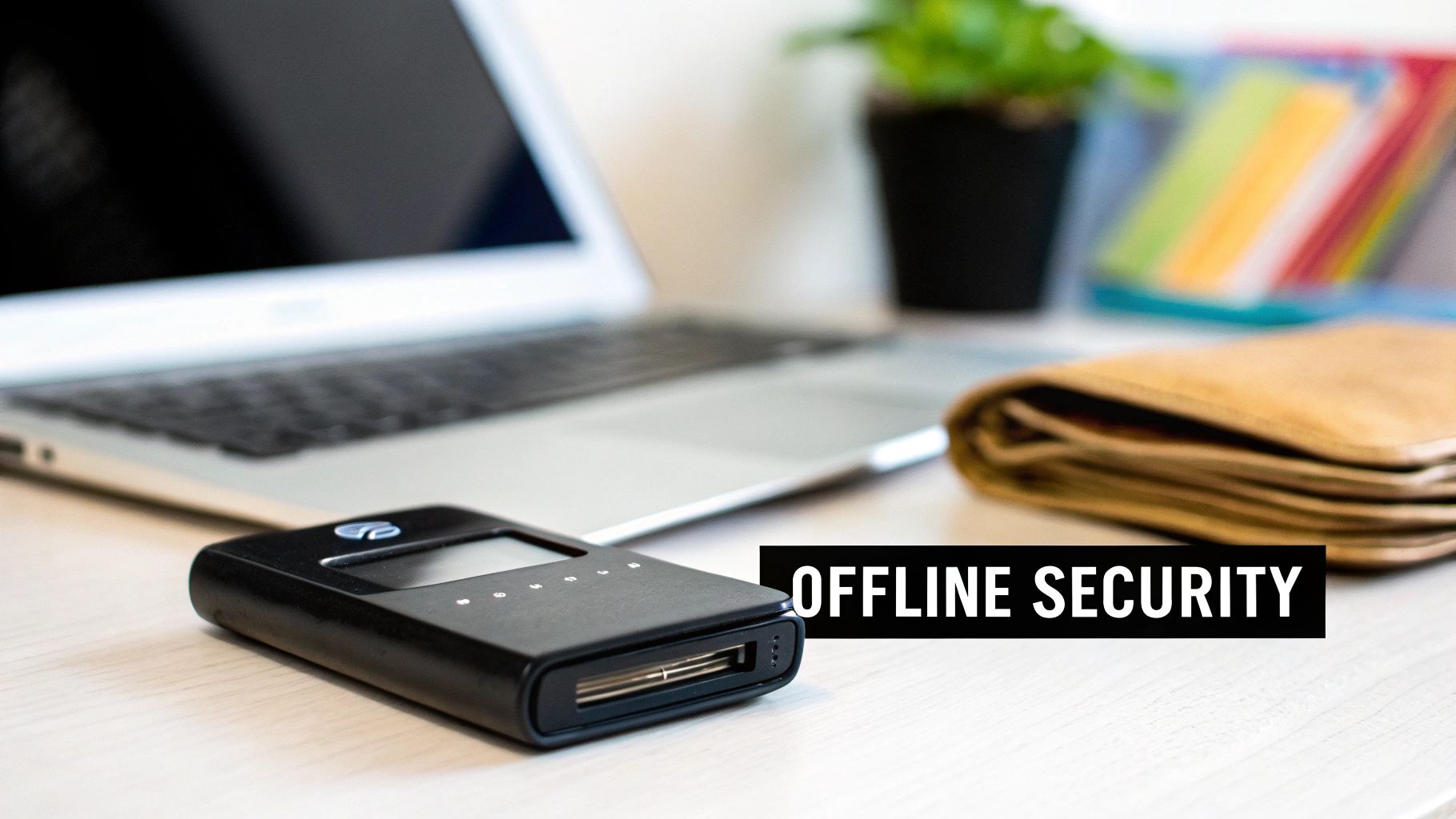
The image says it all. Hot wallets are online for quick and easy access, while cold wallets are kept offline for ironclad security.
- Hot Wallets: These are the software wallets you run on your desktop, phone, or in a browser. They’re great for day-to-day spending or frequent trading because they're always connected and ready to go. But that convenience is also their biggest weakness, leaving them open to online attacks.
- Cold Wallets: These are almost always physical devices—hardware wallets are the most common—that store your keys offline. They are designed for HODLing (long-term holding) and offer the best protection you can get against digital theft.
The heart of any crypto wallet is the private key. This is the secret code that gives you, and only you, access to your coins. A wallet's only job is to protect that key. A cold wallet generates and stores your private key on the device itself, ensuring it never makes contact with an internet-connected computer.
When you want to send crypto, the transaction is signed inside the secure, offline environment of the wallet. Only the signed transaction—not your private key—is broadcast to the network. This keeps your keys isolated, even during use. Your ultimate line of defense is your recovery phrase, which is why taking the time to understand your wallet seed phrase is the most important first step for any crypto owner.
What Really Matters When Choosing a Cold Wallet
Picking the right cold storage wallet is about more than just a slick website or a long list of supported coins. You need to look under the hood. A good evaluation framework helps you ignore the marketing hype and focus on what truly keeps your assets safe and accessible.
Let's be clear: not all offline wallets are built the same. The best one for you will be a careful balance between hardcore security, everyday usability, and the reputation of the company behind it. We're going to break down the critical pillars that separate the best cold storage wallets from the rest, giving you the know-how to judge any device out there.
Security Architecture and How It Manages Your Keys
This is the absolute bedrock of any cold wallet. Its entire job is to generate and guard your private keys, and the hero of this story is the secure element (SE). Think of it as a tiny, tamper-resistant vault on a chip, specifically built to fend off both sophisticated digital hacks and physical attacks.
These chips aren't just slapped in; they're independently certified through programs like Common Criteria EAL (Evaluation Assurance Level).
- EAL5+ or Higher: This is the benchmark for serious, financial-grade security. It means the chip has survived a barrage of intense penetration testing. When you see a wallet with an EAL5+ or EAL6+ certified chip, you can have a very high degree of confidence that no one is physically prying your keys out of it.
- Proprietary Security Modules: Some companies build their own security hardware. While this isn't automatically a red flag, it does mean they've skipped the independent, third-party validation that comes with an EAL rating. You're placing more trust in their internal engineering and less on a globally recognized standard.
The bottom line: The quality of the secure element is non-negotiable. Always favor wallets that are transparent about their chip’s certification. It’s an objective, third-party measure of their security claims.
Beyond the chip itself, look at how the wallet signs transactions. Air-gapped wallets are the pinnacle of security here. They never, ever connect directly to an online device. You sign transactions completely offline and transfer the data back to your computer using QR codes or a microSD card, slamming the door on malware and network-based attacks.
Usability and Ecosystem Integration
A wallet can be a fortress, but if it’s impossible to use, it's worthless. In fact, a confusing interface is a major security risk. User error is still one of the biggest reasons people lose their crypto.
Here’s what to look for when it comes to usability:
- The Onboarding Experience: How easy is it to set up? A clunky, confusing setup process is where people make critical mistakes, like improperly backing up their recovery phrase. It should feel simple and guided.
- Screen Size and Readability: A bigger, brighter screen isn't just a nice-to-have—it's a security feature. You need to be able to clearly verify every digit of the recipient's address and the transaction amount on the device itself. One wrong character can mean your funds are gone forever.
- The Companion App: The software you use to manage your portfolio is your daily driver. A good companion app should be intuitive, letting you easily check balances, build transactions, and connect to DeFi apps without creating security holes.
Coin Support and Firmware Philosophy
Most of us aren't just holding Bitcoin anymore. Your wallet needs to keep up with your portfolio. Coin and token support is a simple, practical check. Make sure the wallet natively supports all the assets you currently hold and any you plan on adding down the road.
Finally, you'll run into the great debate: open-source vs. closed-source firmware. This is a major fork in the road.
| Firmware Type | The Main Upside | The Main Trade-Off |
|---|---|---|
| Open-Source | Complete Transparency. Anyone can review the code for backdoors or flaws, building community trust. | Slower to Innovate. Development can be more methodical, often meaning slower support for the newest coins. |
| Closed-Source | Speed and Features. The company can innovate quickly, often supporting a wider range of assets much faster. | You Have to Trust Them. You are trusting the manufacturer's code is secure and free of malicious intent. |
Neither path is inherently right or wrong, but the one you choose says a lot about your personal security philosophy. Do you value the verifiable trust of open-source code, or do you prefer the wider functionality and faster pace of a closed-source system? Answering that question will dramatically shorten your list of potential wallets.
A Head-to-Head Comparison of Top Hardware Wallets
Picking the right cold storage wallet means looking past the slick marketing and getting into the nitty-gritty of how each device actually protects your crypto. On the surface, many hardware wallets look pretty similar, but their core philosophies on security, usability, and transparency are worlds apart. These differences create real advantages for different kinds of users.
Let's break down four top contenders—Cypherock, Ledger, Trezor, and Keystone—using the criteria we've already covered. This isn't just a list of pros and cons. It's a practical look at the trade-offs each one makes, so you can figure out which device best fits your needs, whether you're a long-term HODLer or a daily DeFi degen.
The demand for these devices is exploding for a reason. Projections show the crypto cold storage wallet market hitting roughly USD 3.5 billion by 2025, growing at a steady clip of around 15% each year through 2033. That growth tells you everything you need to know about how seriously people are taking self-custody. You can read the full research on the crypto cold storage market for a deeper dive.
Cypherock X1: The “No Single Point of Failure” Wallet
If you’ve ever worried about losing your seed phrase (or having it stolen), Cypherock is built for exactly that problem. Instead of placing all recovery power into one written backup, the Cypherock X1 uses a split-key architecture designed to remove the single biggest failure point in self-custody: a single seed stored in a single place.
How it works (high level): your wallet secret is split into multiple encrypted parts across the vault device and X1 cards, and you only need a subset to restore access. That means losing one component doesn’t automatically mean losing your funds — and no single piece gives an attacker everything.
- Best for: long-term holders, families, inheritance planning, and anyone who fears seed loss
- Core advantage: reduced single-point-of-failure risk compared to traditional seed-only backups
- Security mindset: designed to lower “human error” losses (misplaced seed, one-location backup, etc.)
Affiliate disclosure: The link above is an affiliate link and may earn a commission at no extra cost to you.
Ledger: The Ecosystem Champion
Ledger, especially with its popular Nano series, is often the first hardware wallet people buy. They've nailed the balance between high-grade security and a user-friendly experience, all wrapped up in a sleek design with massive coin support.
The heart of every Ledger device is a certified Secure Element (SE) chip, the kind you’d find in a high-security credit card, usually rated EAL5+. Think of it as a tiny, tamper-proof vault built specifically to guard your private keys against physical attacks. This certified hardware is the cornerstone of Ledger's security model.
The trade-off? Ledger's firmware is closed-source. While the hardware is independently certified, the software running on it isn't open for public review. This allows Ledger to move fast, add new features, and support new coins quickly, but it means you have to place your trust in their internal security team and their reputation.
Situational Use Case: Ledger
An active DeFi and NFT trader would feel right at home with the Ledger ecosystem. The Ledger Nano X offers seamless Bluetooth connectivity that pairs perfectly with the Ledger Live mobile app. This setup lets you manage your portfolio and sign transactions on the go, directly from your phone, without ever exposing your keys online. It’s convenience without compromise.
Trezor: The Open-Source Advocate
Trezor plays by a completely different set of rules, built on a foundation of radical transparency. As one of the original pioneers, their commitment is to 100% open-source software and hardware. Every single line of code and every hardware diagram is published for the world to see, inspect, and audit.
This open philosophy means you don't have to blindly trust Trezor; you can trust the global community of security experts who are constantly trying to poke holes in their work. Instead of a dedicated Secure Element, Trezor devices use general-purpose microcontrollers, with all security measures implemented in their publicly-vetted, open-source firmware.
Key Differentiator: Trezor's unwavering dedication to open-source is its identity. It’s for users who believe true security comes from verifiable transparency, not from trusting a single company's proprietary black box.
The flip side of this approach can be a slower development cycle. While Trezor supports a huge number of assets, you might wait a bit longer for support for the newest, hottest blockchain. And physically, the plastic casings on models like the Trezor Model T feel less premium than the metal designs of some competitors, which matters to some users.
Situational Use Case: Trezor
A long-term HODLer or a security purist will almost always lean towards a Trezor. For this type of user, the verifiable security of open-source code is far more important than Bluetooth or instant support for a brand-new memecoin. They value the peace of mind that comes from knowing there are no hidden backdoors, preferring a device that has been battle-tested in the public square for years.
Keystone: The Air-Gapped Innovator
Keystone carves out its own unique space by focusing obsessively on a fully air-gapped signing process. Unlike wallets that plug in via USB or connect over Bluetooth, Keystone devices are designed to have zero physical or wireless contact with an online machine. Ever.
How? Everything is done with QR codes. The companion app on your phone generates an unsigned transaction as a QR code. You scan it with the Keystone's built-in camera, review the details on its big, clear touchscreen, and sign it offline. The device then displays a signed transaction as a new QR code, which you scan with your phone to broadcast it to the network.
This QR-code-only system completely eliminates entire classes of attack vectors tied to USB and Bluetooth. The Keystone 3 Pro also packs a Secure Element for key storage and even offers a fingerprint sensor for an extra layer of biometric security.
Situational Use Case: Keystone
Someone managing a substantial portfolio or a user who is extremely security-conscious would be the ideal fit for a Keystone. It’s for the person who wants the ultimate peace of mind that comes from a truly air-gapped workflow. That large screen also makes a huge difference when verifying complex smart contract details, drastically reducing the risk of "blind signing" a malicious transaction.
Hardware Wallet Feature Comparison
To make the choice even clearer, here's a direct comparison of the devices based on the features that matter most. Each one excels in its own way, but seeing them side-by-side helps highlight the trade-offs you're making.
| Feature | Cypherock X1 | Ledger Nano X | Trezor Model T | Keystone 3 Pro |
|---|---|---|---|---|
| Security Philosophy | Split-key, reduced single point of failure (multi-component recovery) | Closed-Source Firmware, Certified SE (EAL5+) | 100% Open-Source Firmware and Hardware | Air-Gapped (QR Codes), Certified SE |
| Connectivity | Vault + cards workflow | USB-C, Bluetooth | USB-C | None (QR Code communication only) |
| User Interface | Vault device + card-based setup | Small Screen, Two-Button Navigation | Color Touchscreen | Large Color Touchscreen, Fingerprint Sensor |
| Ideal User Profile | Long-term holders, inheritance planning, seed-loss risk reduction | Active DeFi/NFT Trader, Mobile-First User | Security Purist, Long-Term HODLer | Ultimate Security Seeker, Large Holder |
At the end of the day, the "best" cold storage wallet isn't the one with the longest feature list. It's the one whose security model and user experience align perfectly with your risk tolerance and how you actually plan to use your crypto. Each of these contenders makes deliberate choices to serve a specific type of user, and they all do it exceptionally well.
Choosing the Right Cold Storage Wallet for You
Picking the right cold storage wallet isn't about finding one "best" device. It’s about figuring out what you need. Your personal risk tolerance, how often you transact, and your long-term goals will all point you toward the right hardware. The perfect wallet for a set-it-and-forget-it investor is almost always the wrong choice for a daily DeFi trader.
So, let's skip the generic feature lists and get straight to practical, real-world recommendations. We'll look at three common crypto user profiles and match them with the hardware best suited for their needs. This should help you find the perfect fit for your own journey.
This decision tree gives you a quick visual on the core trade-offs between some of the most popular hardware wallets out there.
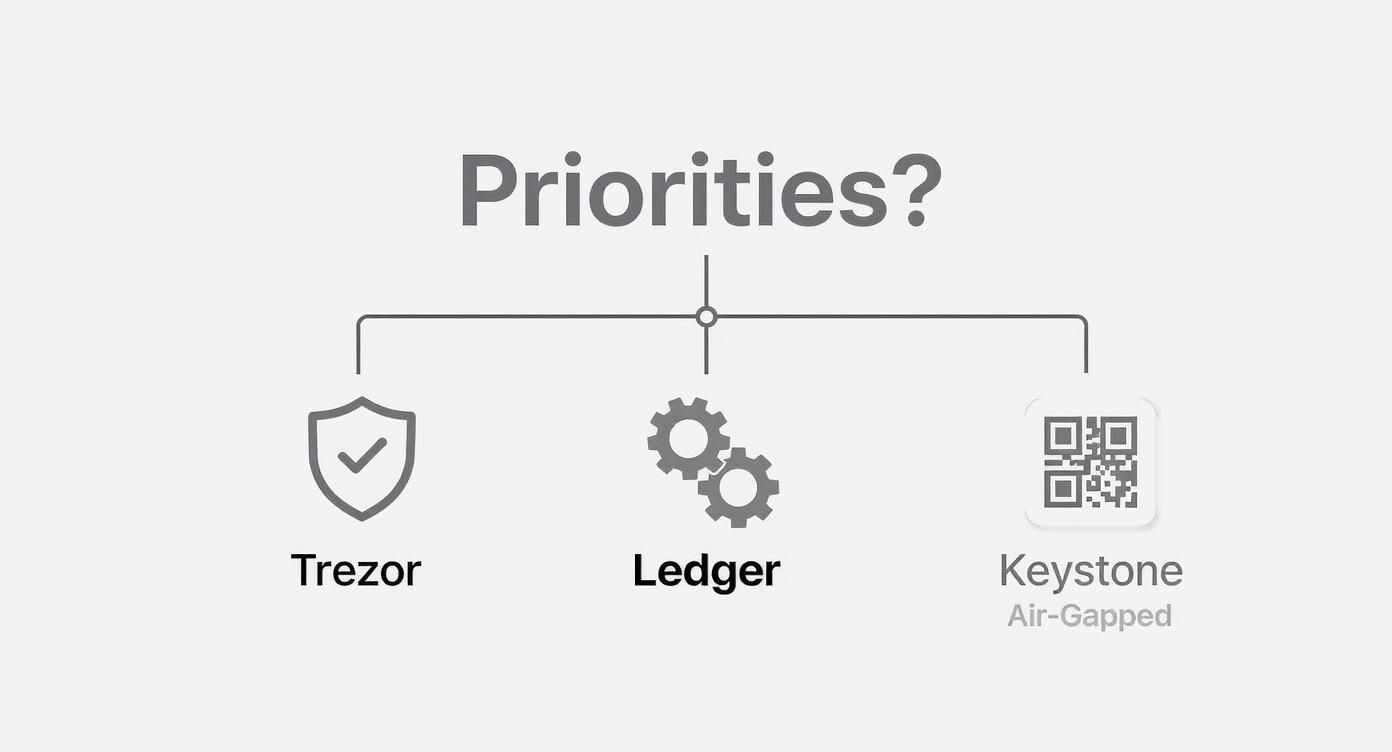
It really boils down to your main priority: are you focused on maximum security, a rich feature set, or a completely air-gapped setup?
The Long-Term Investor (The HODLer)
For the HODLer, security is everything. This is someone buying crypto to hold for years, maybe even decades, with little to no intention of moving it. The primary mission is simple: protect those assets from every possible threat and sleep well at night.
- Top Priority: Verifiable, uncompromising security.
- Secondary Needs: Simplicity and durability for long-term vaulting.
- Dealbreakers: Any unnecessary features that could introduce attack vectors.
Best fit: Trezor Model T for open-source transparency — or Cypherock X1 if your biggest worry is seed phrase loss and you want to reduce single-point-of-failure risk.
The Active DeFi and NFT Trader
An active trader operates in a totally different universe. Security is still critical, but so is usability. They need to connect to dApps, mint NFTs, and hop between blockchains daily. A clunky wallet that slows them down is a non-starter.
- Top Priority: A slick combination of strong security and everyday convenience.
- Secondary Needs: Wide-ranging coin support and mobile access.
- Dealbreakers: A poor user interface or spotty integration with Web3 platforms.
This is where the Ledger Nano X shines. It was practically built for this user. The certified Secure Element chip gives you a solid security anchor, while the Bluetooth connectivity and the slick Ledger Live mobile app deliver unmatched convenience.
The Security-Focused Professional
This user might be managing a large personal portfolio, a family office fund, or a small business treasury. Their needs go way beyond standard consumer protection. They're looking for advanced features like multi-signature setups or, ideally, a completely air-gapped workflow to eliminate online threats entirely.
- Top Priority: Total isolation from any online connection.
- Secondary Needs: Advanced features like multi-sig support and a large, clear screen to verify complex transactions.
- Dealbreakers: Any workflow that requires a direct physical connection to an online device.
The Keystone 3 Pro is the undisputed champion for this demanding user. Its fully air-gapped design uses QR codes to communicate, meaning the device never touches a computer or network.
The hardware wallet market is booming, with a projected value of USD 1.53 billion by 2032. This isn't just retail enthusiasm; institutional clients now drive around 35% of the demand, cementing these devices as the gold standard for offline key storage. You can dig deeper into these hardware wallet market findings and see where the industry is headed.
At the end of the day, picking the right wallet is an exercise in self-assessment. Be honest about what you value most—verifiable transparency, on-the-go convenience, or absolute network isolation. Once you know your priority, the right device becomes obvious.
Essential Security Practices for Your Hardware Wallet
Getting your hands on a top-tier cold storage wallet is a fantastic first step, but the device itself is only half the story. Your real, long-term security hinges on the habits you build around it. A hardware wallet is a tool, and like any powerful tool, its effectiveness comes down to how you use it.
Master Your Recovery Seed Phrase
Your recovery seed phrase—those 12 or 24 words you get during setup—is the master key to your entire crypto life. If your device is ever lost, stolen, or just stops working, this phrase is the one and only thing that can restore your funds on a new wallet. Protecting it is, without a doubt, your most important job.
There's one golden rule here: never, ever let your seed phrase touch anything digital. No screenshots. No photos. Don't save it in a password manager or a text file on your computer, and absolutely do not store it in the cloud. The second it exists on an internet-connected device, it's exposed to hackers.
Instead, stick to the physical world:
- Write It Down By Hand: Use the paper card that came in the box. Write every word down clearly and then double-check the spelling and the order.
- Go Metal for Durability: For serious, long-term protection, get a metal storage plate. These things are designed to be fireproof, waterproof, and corrosion-resistant, protecting your phrase from physical disasters.
- Store It Securely and Separately: Tuck your written phrase away somewhere safe and private, like a home safe or a bank's safety deposit box. Even better, consider making a couple of copies and storing them in different secure locations to avoid a single point of failure.
Your hardware wallet shields your keys from online attacks. How you manage your seed phrase protects them from real-world disasters. If you neglect the second part, you completely undermine the first.
Add Another Layer with a Passphrase
Most of the best hardware wallets, like Trezor and Ledger, offer an advanced feature called a passphrase. You can think of it as a "25th word" that you create yourself. It's an optional, custom word or phrase that adds a powerful layer of security on top of your 24-word seed.
When you enable it, your seed phrase and your passphrase combine to create a totally new, hidden wallet. This is your ultimate defense against physical threats. Even if a thief somehow gets their hands on your physical seed phrase backup, they still can't access your funds without also knowing the secret passphrase you created. You can dive deeper into these advanced strategies in our complete guide on how to secure your crypto wallet.
Always Buy from an Official Source
Finally, where you buy your hardware wallet from is a critical security decision. Only buy your device directly from the official manufacturer (like Ledger.com or Trezor.io) or a verified authorized reseller.
Stay away from third-party marketplaces like eBay or a random seller on Amazon. The risk of a supply chain attack—where a bad actor tampers with a device before it even gets to you—is very real. A compromised wallet could be rigged to leak your private keys the moment you set it up. Saving a few bucks just isn't worth risking your entire portfolio.
Common Questions About Cold Wallets
Even after you get the hang of the tech, some practical questions always pop up once you start using a cold wallet. Let's tackle some of the most common worries and what-ifs so you can use your device with total confidence.
What Happens If My Hardware Wallet Is Lost or Destroyed?
If your hardware wallet gets lost, stolen, or smashed to bits, your crypto is still completely safe—as long as you have your recovery seed phrase. Think of the physical device as just a tool; the seed phrase is the master key to all your funds.
All you have to do is get a new hardware wallet (it can even be a different compatible brand) and use your seed phrase to restore full access. This is exactly why protecting that phrase is the single most important part of your entire security setup.
Never, ever store your seed phrase digitally. A small investment in a fireproof and waterproof metal storage device is one of the smartest moves you can make to protect your whole portfolio from real-world disasters.
Are Air-Gapped Wallets Completely Secure?
Air-gapped wallets offer an incredibly high level of security because the device holding your private keys never connects directly to the internet. You typically sign transactions offline and then move the signed data to an online device using something like a QR code or microSD card.
This separation drastically slashes your exposure to online threats like malware, phishing, and remote attacks. While no system can ever be called 100% infallible, a well-designed air-gapped wallet is the industry's gold standard for stopping online theft. The leftover risks, like someone physically tampering with the device, are extremely unlikely to affect the average user.
Can I Use a Cold Wallet for NFTs and DeFi?
Absolutely. Modern hardware wallets are built to handle NFTs and interact smoothly with DeFi platforms. Top-tier wallets like Ledger and Trezor work directly with web interfaces like MetaMask, letting you securely approve transactions without your private keys ever touching the internet.
- You start a transaction on a dApp (like Uniswap or OpenSea) in your browser.
- The transaction details get sent over to your connected hardware wallet.
- You check everything—the amount, the recipient, the contract data—on your wallet's trusted screen.
- Only after you physically press the button to approve it on the device is the transaction signed and broadcast to the network.
This process lets you dive into the entire Web3 world while keeping the iron-clad security of cold storage. It’s the best of both worlds: the convenience of a hot wallet with the protection of cold hardware. Just remember to always double-check every single detail on your device’s screen before you confirm. That screen is your final line of defense against a malicious smart contract.
If you've lost access to a wallet because of a forgotten password or a misplaced seed phrase, specialized help is out there. Wallet Recovery AI uses advanced, secure methods to help you get back into your accounts without ever compromising your privacy. Find out more about our AI-powered recovery services.
Leave a Reply