
The most fundamental thing to grasp is the role each key plays. Think of your public key like a secure, public-facing mail slot—anyone can use it to send you something securely. Your private key, on the other hand, is the only key in existence that can unlock that mailbox and access what's inside.
They are generated together as a mathematically linked pair, but here's the magic: it's impossible to figure out the private key just by looking at the public one. This clever one-way relationship is the bedrock of modern digital security.
Public vs Private Keys: A Quick Comparison

This whole system is called a key pair, and it's the engine behind what's known as asymmetric cryptography. This field really took off back in 1977 with the development of the RSA algorithm, which completely changed how secure communication works. Suddenly, two parties could establish a secure connection over a public network without ever having to share a secret password beforehand. You can get a deeper dive into the history of public key cryptography from Veracode's excellent resources.
Let's break it down into simple terms:
- The public key is meant to be shared. You can post it anywhere, give it to anyone. Its job is to act as a lock or a verifier. People use it to encrypt information meant only for your eyes or to confirm that a digital signature truly came from you.
- The private key is your secret. It never, ever leaves your possession. It’s the tool you use to unlock messages encrypted with your public key or to create a digital signature that proves you are who you say you are.
The core idea is brilliantly simple: what one key locks, only its matching partner can unlock. This dual-key setup is what provides the confidentiality and authenticity we rely on for everything from sending secure emails to authorizing crypto transactions.
To make the distinction crystal clear, here’s a quick side-by-side breakdown.
Public Key vs Private Key At a Glance
This table cuts right to the chase, highlighting the core differences in how each key is used and protected.
| Attribute | Public Key | Private Key |
|---|---|---|
| Purpose | To encrypt data and verify digital signatures. | To decrypt data and create digital signatures. |
| Accessibility | Shared openly and freely with anyone. | Kept completely secret and secure by the owner. |
| Analogy | A public mailbox address or a bank account number. | The physical key to your mailbox or your bank PIN. |
| Function | Acts as the "lock" in the cryptographic pair. | Acts as the "key" in the cryptographic pair. |
At the end of the day, understanding this relationship is key (pun intended) to managing your digital assets safely. One is for sharing, the other is for safekeeping. Mix them up, and you’re in for a world of trouble.
How Your Key Pair Is Born
Creating a public and private key pair isn't like picking two random numbers out of a hat and calling them a team. They are generated together, linked by an unbreakable mathematical bond right from the start. This cryptographic birth is what makes the whole system tick.
It all starts with a big dose of pure randomness. A cryptographic algorithm takes this random data and crunches it through some heavy-duty math to create your private key. Think of the private key as an astronomically large, completely unpredictable number. This is your master secret.
Once that private key exists, a second, related algorithm gets to work.
A One-Way Street
This is where the real magic happens. The algorithm takes your private key and uses it to derive its matching public key. The whole process is designed to be a one-way street: it's incredibly easy to go from the private key to the public key, but it's virtually impossible to go backward.
Imagine you have a secret recipe for a unique paint color.
- Your secret ingredients and their exact amounts are the private key—only you know them.
- The final, mixed paint color is the public key—you can show this to everyone.
No matter how closely someone analyzes that final paint color, they’ll never be able to figure out your secret recipe. That's the core of their relationship. The math behind it, like Elliptic Curve Cryptography (ECC), is so solid that even the world’s most powerful supercomputers would take billions of years to crack your private key just by looking at the public one.
This one-way function is the single most important security guarantee in asymmetric cryptography. It’s what lets you hand out your public key to anyone without ever worrying they can reverse-engineer your private key.
From Keys to Your Wallet Address
In the crypto world, we take it one step further. Your public key is usually put through another one-way process called "hashing" to create your wallet address. This is the address you give people to send you funds. Your private key, however, remains the only thing that can authorize sending funds out of that address.
This entire sequence—from generating the private key to deriving the public key, and finally the wallet address—is a chain of one-way cryptographic steps.
This is also how mnemonic or seed phrases work. That 12 or 24-word phrase is the initial randomness used to generate a master private key, which then derives every other key and address in your wallet. If you want to see this in action, you can play around with a mnemonic code converter to get a better feel for this foundational process. It's this unbreakable chain that ensures as long as you have the private key, you have absolute control over your assets.
Encryption vs. Digital Signatures: A Functional Showdown
Even though they're born as a pair, public and private keys have two very different—almost opposite—jobs. You really see this contrast when you put their roles in encryption and digital signatures side-by-side. One is all about keeping secrets, while the other is about proving something is real.
Let's break down how these two core security functions work by giving each key a distinct assignment.
Using Keys for Encryption
Encryption is just a fancy word for scrambling data so only the right person can unscramble it. With asymmetric cryptography, the key pair creates a secure, one-way street for information. The main goal here? Confidentiality.
Think about it like this: you need to send a sensitive financial document to your accountant. You absolutely cannot have anyone who might intercept the email read what's inside.
Here’s how that plays out:
- Get your accountant's public key. This is the easy part. Since public keys are made to be shared, they might have it on their website or just email it to you.
- Use their public key to encrypt the document. Picture their public key as an open padlock. Only they have the key to this specific lock. You snap it shut on your document.
- Send the encrypted file. At this point, the document is just gibberish to anyone else. It's completely unreadable.
- Your accountant uses their private key to decrypt it. That private key is the one and only thing that can open the padlock you used.
In this setup, the public key locks (encrypts), and the private key unlocks (decrypts). It’s a simple but powerful system that guarantees only the intended recipient—the person holding the private key—can get to the sensitive information.
This process is a perfect illustration of how a private key (the secret) gives the public key (the shared one) its power.
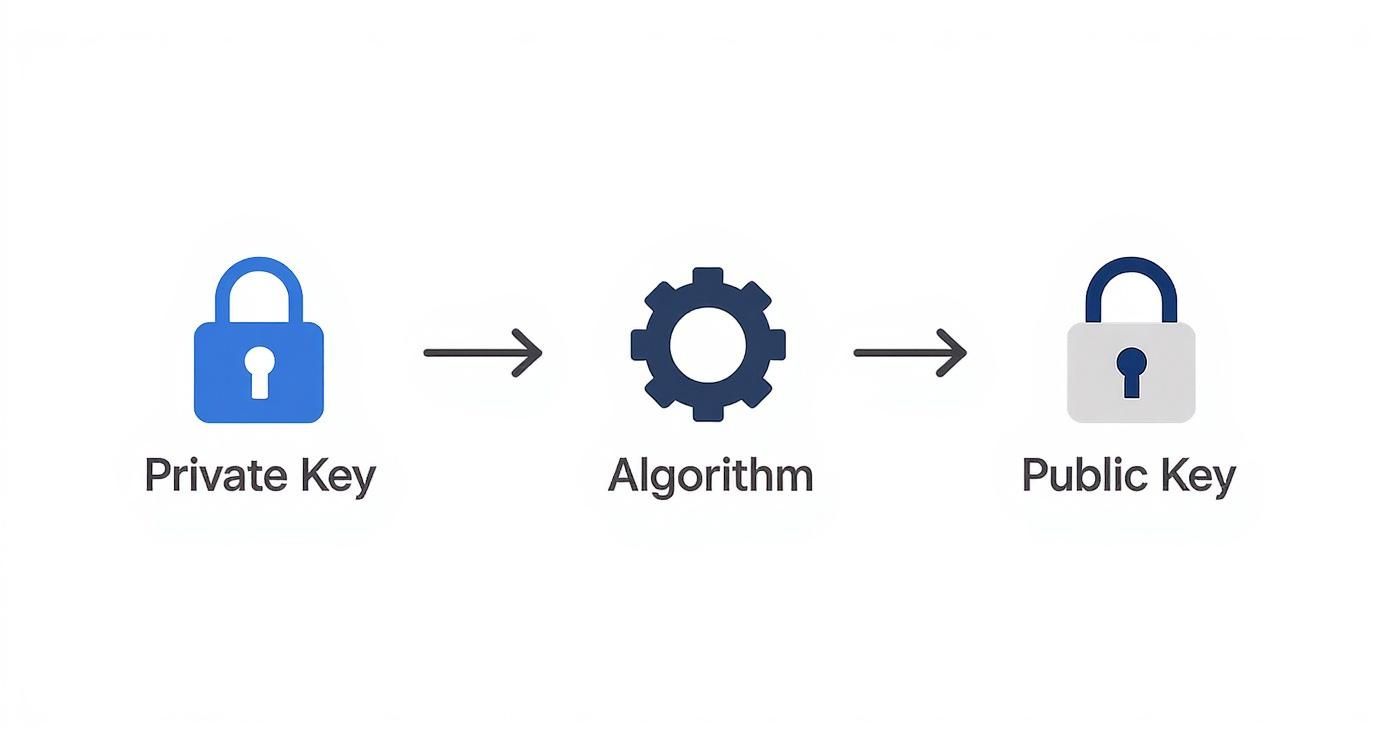
This one-way relationship is the bedrock of modern digital security, running silently in the background millions of times a day.
Using Keys for Digital Signatures
Digital signatures have a totally different mission. They aren't about hiding information; they're about proving who sent it and confirming that the information hasn't been messed with. Here, the goals are authenticity and integrity.
Let's flip the scenario around. This time, your accountant sends you the finalized tax return. You need to be 100% sure it actually came from them and that no numbers were changed along the way.
Now, the keys switch jobs:
- Your accountant creates a digital signature. To do this, they use their private key to "sign" the document. This generates a unique cryptographic fingerprint (a hash) that gets attached to the file.
- They send you the signed document. The document itself isn't encrypted, so you can still read it.
- You use their public key to verify the signature. Your email client or software takes their public key and checks the signature. If it’s a match, you know two crucial things: the document was definitely signed by the owner of that private key, and it hasn't been altered one bit since it was signed.
To show how fundamental these concepts are, consider this: by 2021, around 95% of websites indexed by Google used HTTPS, a protocol that leans heavily on public key cryptography. On the corporate side, over 72% of tech firms were using encryption to shield sensitive data in 2022, a significant jump from 55% in 2020. These numbers highlight a massive shift toward using the distinct powers of public and private keys to secure our digital lives. You can dig into more numbers by checking out further encryption statistics from this comprehensive report.
To make this crystal clear, here’s a quick table showing how the keys swap roles depending on the job.
Functional Roles of Public and Private Keys
This table illustrates the distinct roles each key plays in the two main cryptographic processes, showing how their functions are inverted depending on the task.
| Process | Role of Public Key | Role of Private Key | Example Use Case |
|---|---|---|---|
| Encryption | Locks data | Unlocks data | Sending a confidential email that only the recipient can read. |
| Digital Signature | Verifies a signature | Creates a signature | Signing a legal contract to prove its authenticity and integrity. |
As you can see, the keys work as a complementary pair—what one does, the other undoes. It's this elegant, mirrored relationship that makes the whole system work so well.
Here’s how those abstract concepts of public and private keys actually play out in the technology you use every single day. The difference isn't just theoretical; it's the bedrock that secures your digital life, from browsing the web to sending crypto.
These systems are so beautifully integrated that you probably never even notice them working. But under the hood, this cryptographic pairing is constantly solving real-world security challenges on your behalf.
Securing Your Web Browsing with HTTPS
Ever noticed that little padlock icon in your browser's address bar? That's public key cryptography in action. It's the visual cue for HTTPS (Hypertext Transfer Protocol Secure), a protocol that uses TLS (Transport Layer Security) to shield your data from prying eyes.
When you connect to a secure site like https://walletrecovery.ai, your browser and the website's server perform a quick "handshake." The server hands over its public key, which is neatly bundled inside its SSL/TLS certificate. Your browser then uses that key to encrypt a secret message and sends it back. Here’s the magic: only the server, with its matching private key, can decrypt that message.
Once that happens, a secure channel is established. Anything you send—passwords, credit card numbers, you name it—is completely scrambled and unreadable to anyone trying to eavesdrop. The public key locks the door, and only the private key has the power to unlock it.
Keeping Conversations Private with End-to-End Encryption
Modern messaging apps like Signal or WhatsApp are built on this very same foundation to deliver end-to-end encryption. The moment you start a chat with someone, your devices quietly exchange public keys behind the scenes.
When you type and send a message, it’s instantly encrypted using your friend's public key. That means the message is a jumbled mess before it even leaves your phone. Only their device, holding the one-and-only corresponding private key, can unscramble and read it.
This process is a privacy game-changer. It guarantees that no one in the middle—not even the company running the app—can snoop on your conversations. Your private key becomes the ultimate gatekeeper for your personal messages.
Authorizing Cryptocurrency Transactions
In the world of crypto, the separation between public and private keys is everything. Your public key is what generates your wallet address—the string of characters you share to receive funds. Think of it like your bank account number; it’s safe to give out.
But sending funds is a different story. To do that, you have to prove you own the wallet, and you do this by signing the transaction with your private key. This signature is a unique, unforgeable cryptographic proof that you authorized the transfer.
The network then takes your public key to verify that the signature is legit. If it all checks out, the transaction is confirmed and added to the blockchain. This is why the warnings are so stark: if you lose your private key, you lose your ability to sign. Your funds are locked away forever.
Enabling Secure Server Access with SSH
For developers and sysadmins, Secure Shell (SSH) is the go-to tool for logging into remote servers. Instead of relying on a simple password that can be guessed or stolen, they use a much more robust SSH key pair.
A developer plants their public key on any server they need to manage. When they try to connect, the server sees the key and issues a unique challenge—a sort of cryptographic puzzle. Their computer automatically uses its private key to solve the puzzle and generate a signature, proving its identity without ever exposing the secret key itself. It's a far more secure way to manage critical infrastructure.
Protecting Your Keys: Essential Security Practices
Understanding the theory behind public and private keys is just the starting point. The real test is how you manage them. This is what truly secures your digital life, and the rules for handling each key are worlds apart. Get it wrong, and the consequences can be catastrophic.
Your public key is made to be shared. Feel free to post it, email it, or hand it out—that’s its entire purpose. It’s how people send you encrypted messages or verify that a digital signature actually came from you. There's zero risk in letting your public key out into the wild.
The private key, however, is your secret. It’s the one thing that gives you absolute control over your assets and data. Protecting it isn't just a good idea; it's the most critical responsibility you have in the entire system.
Best Practices for Private Key Storage
The goal is simple: keep your private key completely offline and away from anyone who shouldn't have it. Your storage method will probably change depending on what you're using the key for, but the core principle of isolation never does.
When it comes to cryptocurrency, a hardware wallet is the undisputed champion of security. These are small, physical devices built for one job: storing your private keys in a sealed, offline vault. Any transaction requires you to physically approve it on the device itself. To get a better sense of how they work, check out our guide on what is a hardware wallet.
For other uses, like SSH access for servers, keys should be stored in files that are encrypted with a strong password and have their permissions locked down tight.
The rule of thumb is this: never, ever store a private key somewhere that can be reached from the internet. Treat it like the master key to your entire digital identity—because that’s exactly what it is.
Common Mistakes and Their Severe Consequences
A tiny slip-up can lead to a total disaster. Here are some of the most common—and costly—mistakes people make:
- Sharing via insecure channels: Never send a private key through email, a chat app, or a cloud drive like Google Drive. These services are prime targets for hackers and are often not secure enough for something this sensitive.
- Public code repositories: Developers have accidentally uploaded code to public sites like GitHub with private keys still embedded in the files. Automated bots are constantly scanning for exactly this mistake and will drain any associated funds in minutes.
- Forgetting about backups: A hardware wallet is great, but if it fails and you don't have a secure, offline backup of your private key or seed phrase, your access is gone forever.
Losing control of a private key means immediate and irreversible damage. It could be the total loss of your crypto, identity theft, or someone gaining access to critical systems you control. This is becoming even more important in the corporate world. Gartner predicts that by 2025, over 60% of large companies will move to Zero Trust security models, which lean heavily on this kind of key infrastructure. You can read more about the future of PKI and how it’s changing enterprise security.
A Few Common Questions About Key Pairs
Even after you get the basics down, you'll probably run into some specific questions when you start working with public and private keys. Let's clear up some of the most common points of confusion to make sure you're managing your keys safely and effectively.
What Happens If I Lose My Private Key?
Losing your private key is, unfortunately, a catastrophic event. You permanently lose access to whatever it was protecting. Because of the one-way street math that connects the keys, you simply can't reverse-engineer a private key from its public half. It's computationally impossible.
The fallout from this is serious and there are no do-overs:
- Encrypted Data: Any data locked with the public key is gone for good. It will be unreadable forever, as there's no backdoor or workaround to decrypt it.
- Cryptocurrency: If that key controlled a crypto wallet, the funds are effectively burned. You can still see the balance on the blockchain via the public address, but you'll never be able to sign a transaction to move it.
- Digital Identity: You’ve lost the ability to prove you are you. That means you can no longer create digital signatures, which will lock you out of secure systems you might have been using, like an SSH-protected server.
Think of your private key as the only physical key to an unbreakable vault. If you lose it, everything inside is still there, but it's sealed off from you and everyone else for good.
Can I Change My Public or Private Key?
No, you can't edit or "change" an existing key. Public and private keys are born together as a mathematically inseparable pair. If you ever need to update your credentials—maybe because your old key was compromised or you're just following a good security policy for key rotation—you have to generate a completely new key pair.
This means you get a brand new private key and its corresponding new public key. Your next step is to distribute that new public key to anyone who needs it and securely get the new private key into place. And just as important, make sure you securely destroy the old key pair.
Is a Longer Key Always More Secure?
Generally, yes. A longer key brings more cryptographic muscle to the table, making it exponentially harder for an attacker to crack it with brute-force attacks. An RSA-2048 key, for example, is light-years more secure than an old RSA-1024 key.
But there’s a trade-off: security versus performance. Longer keys demand more computational horsepower to perform cryptographic tasks like signing and encrypting. This can slow down applications, especially on devices that don't have a lot of processing power to spare.
The trick is to find the right balance. Modern standards, like those laid out by NIST, give us solid guidance on key lengths that are tough enough for current and near-future threats without being needlessly sluggish. For most uses today, an RSA key of 2048 bits or an ECC key of 256 bits hits that sweet spot of strong and efficient.
How Are Public Keys Verified?
So, you have to share your public key. But how does anyone know the key they just got is really yours and not from some imposter trying to pull a fast one? This is where a trusted third party called a Certificate Authority (CA) steps in.
Think of a CA as a digital notary public. They put you through a vetting process to confirm your identity. Once they’re satisfied, they issue a digital certificate that officially binds your identity to your public key. To seal the deal, this certificate is signed by the CA’s own private key.
When you send your public key to someone, it comes wrapped in this certificate. Their system can then use the CA’s public key—which is already widely trusted and built into most browsers and operating systems—to check the signature on your certificate. This creates a chain of trust, confirming that a reputable authority has vouched for you.
Are you struggling to access a cryptocurrency wallet due to a lost password or corrupted file? Wallet Recovery AI offers specialized, AI-enhanced services to help you securely and discreetly regain control of your digital assets. Find out how we can help.
Leave a Reply