When you hear about safely storing cryptocurrency, it really boils down to one thing: taking full control of your private keys. The best way to do this is by using a mix of hardware wallets for your long-term stash and a secure software wallet for the smaller amounts you actively use. This strategy is called self-custody, and it’s all about cutting out your reliance on third-party exchanges, protecting you from those massive, headline-grabbing hacks and asset freezes.

The old saying in this space is simple but powerful: Not your keys, not your crypto.

Why Your Crypto Storage Strategy Matters More Than Ever
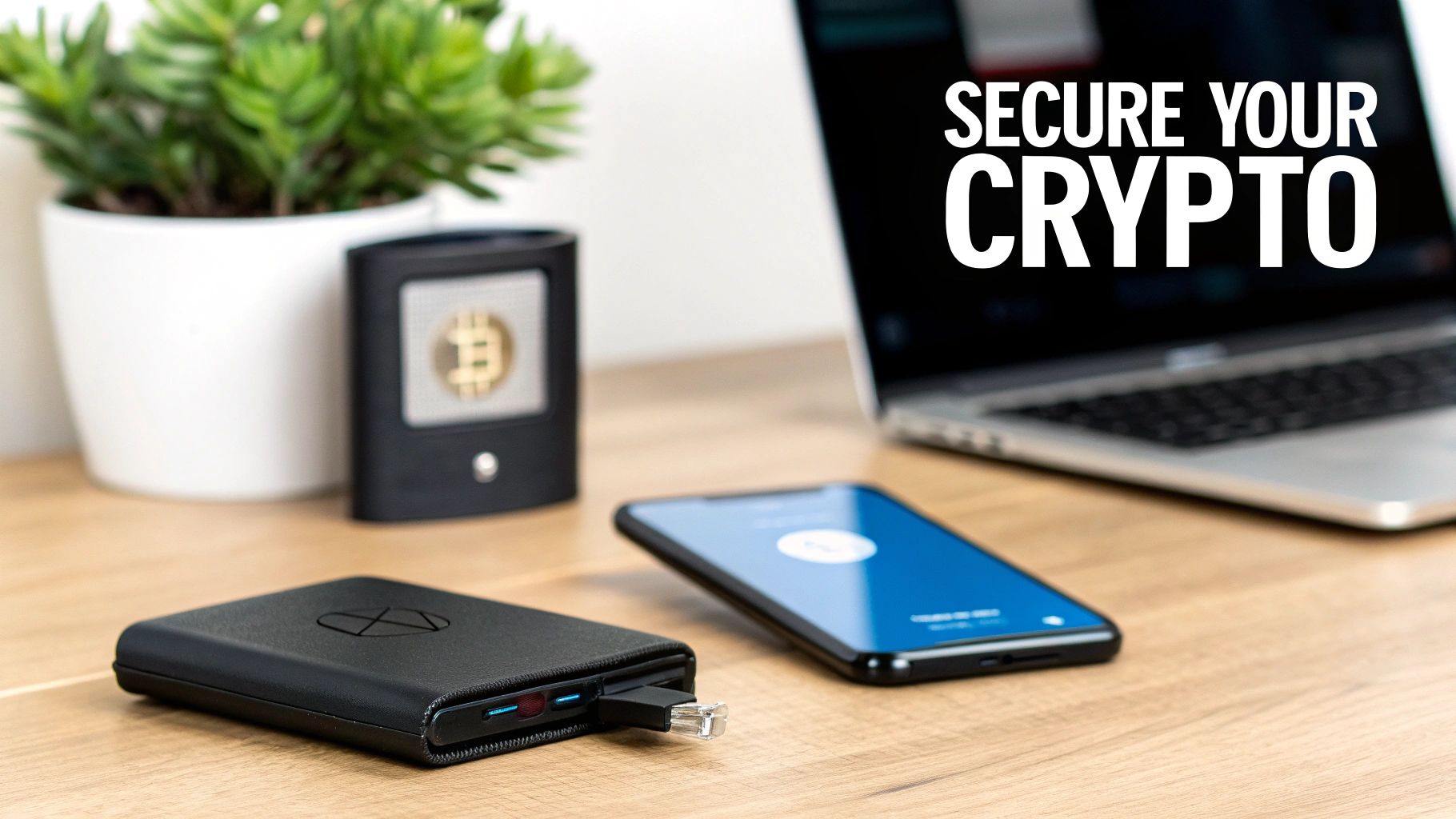
A cryptocurrency hardware wallet connected to an Ethernet cable, a smartphone, and a laptop, emphasizing crypto security.

The potential of crypto is huge, but so are the risks. Everyone talks about market swings, but the real silent killer that can wipe you out overnight is bad security. Learning how to store your crypto safely isn't just a "best practice"—it’s an absolute necessity for anyone serious about this. Just leaving your coins on an exchange is like leaving a wad of cash on a park bench. It’s easy, sure, but it's dangerously exposed.

The Rising Tide of Digital Asset Theft

The numbers here don't lie, and they paint a pretty grim picture. In a single year, the crypto world lost around $4 billion to security breaches. That’s a staggering 39% jump from the $2.85 billion lost the year before.

North Korea-linked hacking groups were behind more than half of those thefts, usually by exploiting weak private key management on exchanges and poorly secured hot wallets. What’s even more worrying for individuals is that attacks targeting private keys and seed phrases made up nearly 70% of all stolen funds in the prior year. If you want to see just how common this is, you can explore more data on these security incidents. It really drives home why self-custody is non-negotiable.

This isn’t just a problem for big companies. It’s a direct threat to everyday investors who might not realize they’re leaving the keys to their entire portfolio out in the open.

The Core Principle of Self-Custody

At its heart, crypto gives you something incredible: the ability to be your own bank. This is what we call self-custody. It means that you, and only you, hold the private keys that control your funds. When you keep crypto on an exchange, you’re trusting them to do it for you, creating a single point of failure that can (and does) break.

Self-custody puts the responsibility for security squarely on your shoulders. While that sounds intimidating, it’s the only path to true financial sovereignty and the only way to protect your assets from third-party disasters like exchange hacks, bankruptcies, or sudden account freezes.

When you embrace self-custody, you’re in complete command. It just takes understanding a few key tools and ideas, which is exactly what this guide is for. The point isn’t to scare you; it’s to give you the knowledge you need to build a fortress around your assets.

Key Security Concepts to Grasp

Before we get into the "how-to," let's make sure we're on the same page with the basic building blocks of crypto security. Getting these concepts down now will make everything else click into place.

  • Private Keys: Think of this as the master password for your crypto. It's a long, cryptographic string of characters that signs transactions and proves you own the assets. If someone gets your private key, they get your crypto. Period.
  • Public Keys (Addresses): This is what you share with people to receive crypto. It’s generated from your private key, but it’s impossible to reverse-engineer it to find the private key. It's safe to share.
  • Seed Phrase (Recovery Phrase): This is your ultimate backup. It’s a list of 12 to 24 simple words that can restore your entire wallet if your device is lost, stolen, or broken. Guard this with your life—it’s just as powerful as your private key.

Protecting these three things is the entire game. In the next sections, we’ll show you exactly how to do it right.

2. Choose Your Wallet: Hardware vs. Software

Alright, this is your first big decision, and it’s a crucial one. Picking the right wallet isn't about finding the "best" one, but the one that fits what you're trying to do. It really boils down to two main camps: hardware wallets (cold storage) and software wallets (hot storage). Getting this right from the start is fundamental to keeping your crypto safe.

Think of it this way: a software wallet is like the cash in your pocket. It's great for daily spending and quick access. A hardware wallet, on the other hand, is your personal vault—built from the ground up to secure the serious money you don't plan on touching for a long time.

Why Hardware Wallets Are the Gold Standard

Hardware wallets are small, physical devices that look a bit like a USB drive. Their entire existence is dedicated to one thing: keeping your private keys completely and totally offline.

Here’s how it works. When you need to send a transaction, the details are sent over to the device. You physically confirm it on the device's screen, it signs the transaction internally with your private key, and then it sends the signed transaction back to your computer to be broadcast. The magic is that your private key never, ever leaves that little device.

This physical separation is everything. Your computer could be a cesspool of malware and keyloggers, and it wouldn't matter. Your keys are safe because they are physically isolated. If you’re a long-term holder or have any amount of crypto you'd be devastated to lose, a hardware wallet is simply non-negotiable.

You've probably heard of the big names like Ledger and Trezor. A critical piece of advice: always buy directly from the manufacturer's official website. Never, ever buy from Amazon, eBay, or a third-party seller. The risk of receiving a tampered-with device is just too high. For a deeper look into the tech, our guide on what is a hardware wallet breaks down their security model in more detail.

When Software Wallets Make Sense

Software wallets (or "hot wallets") are exactly what they sound like—apps on your phone or computer. Wallets like MetaMask or Trust Wallet are incredibly popular because they're convenient for jumping into DeFi, minting NFTs, or just making frequent transactions. Their big win is seamless accessibility.

But that convenience comes at a cost. Because they live on internet-connected devices, they’re inherently exposed to online threats—phishing scams, viruses, you name it. A hacked computer can easily mean a drained software wallet.

Treat a software wallet like you would petty cash. It should only hold what you're actively using and can afford to lose. Your life savings have no business being in a hot wallet.

The smartest approach is often a hybrid one. Lock down your main stash in a hardware wallet and use a software wallet for your "walking around" money, topping it up from your cold storage as needed.

Hardware Wallets vs Software Wallets: A Head-to-Head Comparison

To help you visualize the trade-offs, let's put these two wallet types side-by-side. Seeing the differences in black and white makes the choice much clearer.

Feature Hardware Wallets (Cold Storage) Software Wallets (Hot Storage)
Security Maximum. Private keys are stored offline and never exposed to the internet, providing superior protection against remote attacks. Lower. Private keys are stored on an internet-connected device, making them vulnerable to malware, viruses, and phishing.
Convenience Lower. Requires a physical device to authorize transactions, making it less ideal for quick, on-the-go payments or DeFi. High. Excellent for daily use, quick transactions, and seamless interaction with dApps and Web3 platforms.
Cost One-time purchase ranging from $60 to $200+ depending on the model and its features. Usually free to download and use, with no upfront cost.
Best For Long-term holding (HODLing), storing large amounts of crypto, and prioritizing maximum asset security. Active trading, small daily transactions, interacting with DeFi, and managing small, spendable balances.

Ultimately, there's no single right answer, only the right answer for you. If you're accumulating for the long haul, your security strategy must be built on the foundation of a hardware wallet. If you're an active user in the crypto space, a software wallet is an indispensable tool—as long as you understand its limitations and manage the risks properly.

Mastering Your Seed Phrase: The Only Backup That Counts

Think of your crypto wallet as the vault. If that's the case, your seed phrase is the one and only master key—the one that can open that vault from anywhere on the planet. This simple list of 12 or 24 words is the only backup that truly matters.

If you lose it, your crypto is gone. Forever. If it falls into the wrong hands, you can bet your assets will be drained in seconds.

Learning how to handle this phrase correctly is a non-negotiable skill for anyone serious about self-custody. This is the one area where you don't get second chances.

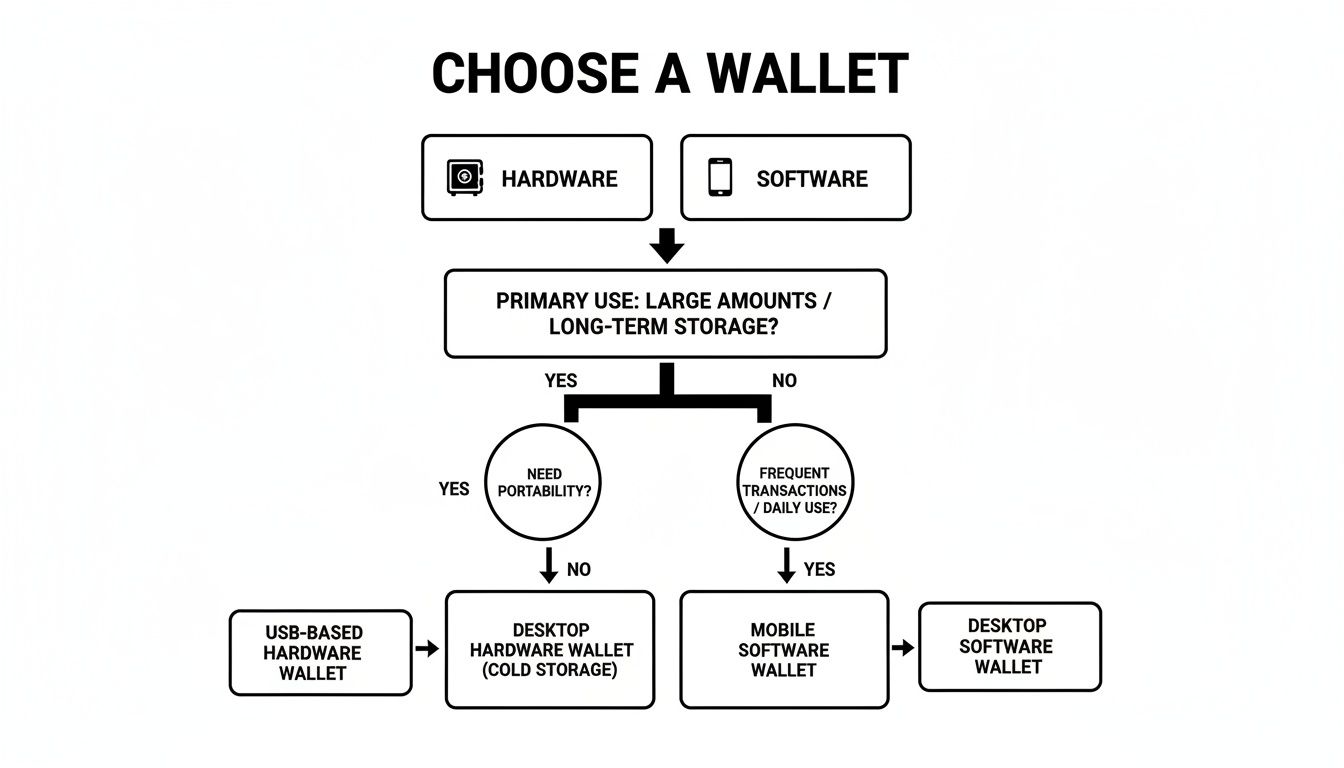
This quick decision tree can help you decide between a hardware or software wallet, a choice that directly shapes how you'll manage your seed phrase from day one.

A flowchart guiding the user on how to choose a cryptocurrency wallet based on usage and storage needs.

As you can see, for any serious long-term storage or high-value hodling, an offline hardware wallet is the only way to go. And that’s where pristine seed phrase management becomes absolutely critical.

The Most Common—And Dangerous—Mistakes

Before we dive into best practices, let's get the big mistakes out of the way. These are the "shortcuts" that are a hacker's dream come true. Your first line of defense is simply not doing any of these things.

  • Taking a screenshot: This is a catastrophic error. Storing your seed as an image on your phone or computer puts it at immediate risk from malware that's literally built to scan your files for exactly this.
  • Saving it in a text file or notes app: It doesn’t matter if it's a note on your phone, a Word doc, or even a password manager—any digital copy is a liability. If that device or account gets compromised, your phrase is as good as gone.
  • Emailing it to yourself or storing it in the cloud: Cloud services like Google Drive, iCloud, or Dropbox are massive targets for hackers. A breach of your cloud account would hand an attacker the keys to your kingdom.

The core principle is simple but absolute: your seed phrase must never, under any circumstances, touch an internet-connected device after its initial generation. Any digital record of it creates an attack vector.

Creating and Recording Your Phrase Securely

When you first set up a new wallet, it will generate your seed phrase. This is the moment of truth. How you record it sets the stage for everything that follows.

First, make sure you're in a private, secure space. No prying eyes, no security cameras overhead, and zero distractions. Use a pen and the blank card that came with your hardware wallet or, failing that, a fresh sheet of paper.

Write down each word carefully. Double-check the spelling and the number next to it. Most phrases are numbered 1 through 12 or 24, and it's critical you record the words in the exact order they're given. The sequence is just as important as the words themselves.

Physical Storage Solutions That Last

Okay, so you have your phrase written on paper. Now what? A piece of paper shoved in a desk drawer isn't a long-term plan. It’s vulnerable to fire, water, or just getting lost.

Your best options are a high-quality fireproof safe or, even better, a specialized metal storage device. A home safe protects against fire and theft, but for ultimate peace of mind, consider a steel plate backup. These tools let you stamp or engrave your seed phrase into solid metal, making it resistant to just about any physical disaster you can imagine. If you're looking for robust options, exploring a guide on the best metal seed phrase storage solutions can point you to some excellent, battle-tested products.

Advanced Protection: The "25th Word"

For an even higher level of security, many hardware wallets support a passphrase feature—often called the "25th word." This is an extra word or phrase that you create and add to your standard 24-word seed.

Here’s the brilliant part: this passphrase is never stored on the device itself. It acts as a second-factor password for your entire recovery phrase. Even if an attacker finds your physical 24-word backup, they can't access your funds without also knowing your secret 25th word.

This also gives you plausible deniability. You can set up a "decoy" wallet with a small amount of crypto tied only to the 24-word phrase, while your real stash is in a hidden wallet that's only accessible when you add your passphrase. It's an incredibly powerful tool for protecting against physical threats and coercion.

Advanced Strategies for Maximum Asset Protection
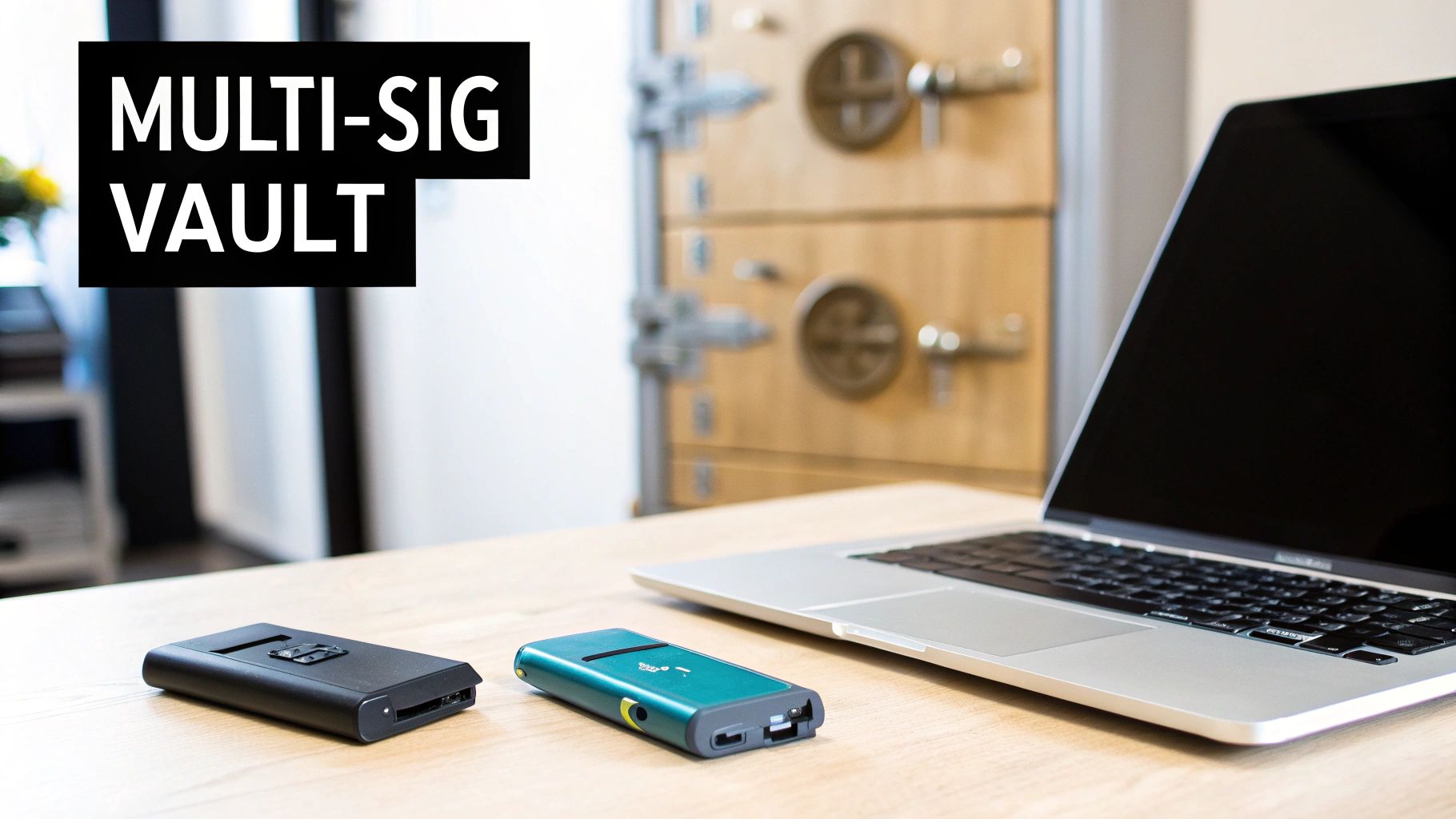
Two hardware wallets and a laptop on a desk, featuring 'MULTI-SIG VAULT' text and a safe.

Once you've built a significant portfolio, the standard security measures just might not cut it anymore. For serious investors holding life-changing amounts, it's time to start thinking like an institution. This means exploring strategies that eliminate single points of failure and protect you from everything from sophisticated hackers to simple, costly mistakes.

These are the techniques that take you from just owning crypto to truly safeguarding it for the long haul. We're moving beyond a single hardware wallet and into systems that are resilient by design.

Securing Your Funds with Multi-Signature Wallets

One of the most powerful tools in your security arsenal is a multi-signature wallet, often called "multi-sig." Think of it as a digital safe that requires more than one key to open. A transaction can only be broadcast to the network if a minimum number of keys—held by different people or stored in different places—are used to sign it.

This setup is brilliant because it solves several critical problems at once. It protects you if a single device is stolen, if one seed phrase is compromised, or even if you're ever under duress to move your funds.

A multi-sig wallet fundamentally distributes trust and control, making it exponentially harder for anyone to steal your crypto. An attacker would need to compromise multiple devices and multiple seed phrase backups, which are hopefully stored in entirely different geographic locations.

A common and highly effective setup is a 2-of-3 multi-sig. This configuration creates three private keys but only requires any two of them to approve a transaction. Here’s how you might arrange it:

  • Key 1: Your main hardware wallet, used for initiating transactions.
  • Key 2: A backup hardware wallet, kept in a secure offsite location like a bank's safe deposit box.
  • Key 3: A third hardware wallet, perhaps held by a trusted family member, a lawyer, or a specialized custody service.

With this structure, a thief could steal your primary wallet and its seed phrase (Key 1), and they still couldn't move a cent. If you lose your backup wallet in the safe deposit box (Key 2), you can still access your funds with Key 1 and Key 3. It's an incredible balance of security and redundancy.

Implementing a True Air-Gapped System

For the absolute highest level of security, you can build a truly air-gapped cold storage system. This involves using a computer that has never, and will never, be connected to the internet or any other network. Its sole purpose is to sign transactions in a completely sterile, offline environment, isolating your private keys from every conceivable online threat.

This method shields your keys from malware, remote hacks, and phishing attacks in a way that even a standard hardware wallet plugged into an online computer can't fully guarantee.

How an Air-Gapped Setup Works

The process requires a few pieces of hardware: an offline signing computer, your regular online computer (acting as a "watch-only" wallet), and a way to ferry data between them without a network, like a USB drive or microSD card.

  1. Create the Transaction: On your normal, internet-connected machine, you use your wallet software to create an unsigned transaction. This is just the "intent" to send funds—it contains the recipient's address and the amount but isn't yet valid.
  2. Transfer and Sign Offline: You save this unsigned transaction file to a USB drive and physically walk it over to your air-gapped computer. There, you load the file, sign it with the private keys that live only on that machine, and save the newly signed transaction back to the USB.
  3. Broadcast the Transaction: Finally, you take the USB back to your online computer, load the signed transaction, and broadcast it to the network.

Your private keys never, ever touch an internet-connected device. This method is the ultimate defense for storing large crypto holdings, as it physically severs the connection between your keys and the online world. It’s more complex, for sure, but the peace of mind it offers is unparalleled.

7. Build Rock-Solid Daily Security Habits

Let’s be honest. You can have the fanciest hardware wallet and the most complex multisig setup on the planet, but it all means nothing if your day-to-day habits are sloppy. This is where operational security—OpSec—comes in. It's the human element, the constant discipline that acts as the real front line for your crypto fortress.

The hard truth is that most crypto losses aren’t some high-tech, Hollywood-style hack. They’re the result of simple human error, clever phishing scams, and just plain bad digital hygiene. Nailing down a few key habits is probably the single most powerful thing you can do to keep your crypto safe for the long haul.

Fortify Your Digital Identity

Your first layer of defense has nothing to do with your crypto wallet itself. It’s all about locking down the accounts and devices you use every single day. Attackers love going after this low-hanging fruit because, frankly, most people overlook it.

Start with your passwords. I mean all of them. Every crypto exchange, portfolio tracker, and especially your email account needs a strong, unique password. Reusing passwords is like having one key for your house, your car, and your safe deposit box. If a thief gets that one key, you lose everything. Get a good password manager and let it do the heavy lifting.

Next, turn on two-factor authentication (2FA) everywhere you can. While getting a code via SMS is better than nothing, it's vulnerable to SIM-swap attacks. Your best bet is to use an authenticator app like Google Authenticator or Authy. This one simple step creates a massive headache for anyone trying to brute-force their way into your accounts.

Dodge the Phishing and Social Engineering Traps

Crypto holders are prime targets for incredibly sophisticated phishing scams. These are designed to trick you into handing over your seed phrase or private keys, often by disguising themselves as urgent security alerts or too-good-to-be-true airdrop offers.

  • Bookmark Everything Important: Never, ever click on links in emails, DMs, or social media posts to access your wallets or exchanges. Always go to these sites directly using bookmarks you've saved yourself. This simple habit completely neuters fake login pages designed to look just like the real thing.
  • Trust No One (Seriously): Be extremely skeptical of any unsolicited message. If you get an "urgent" email from an exchange, don't click anything in it. Open a new browser tab, go to the official site via your bookmark, and check for notifications there. If a "helpful" stranger in Discord or Telegram offers to fix a problem for you, just assume it's a scam.
  • Spot the Urgency Ploy: Scammers love to create a false sense of panic ("Your funds are at risk! Act now!"). This is a huge red flag designed to make you act before you have time to think. Slow down, take a breath, and verify everything independently.

The threat landscape here is massive and always changing. Theft of private keys and seed phrases is now the dominant form of crypto crime. According to the latest crypto crime report from TRM Labs, poor OpSec—like falling for phishing scams or saving your seed phrase on a cloud drive—is a leading cause of these breaches.

Master Your Transaction Hygiene

Sending crypto is irreversible. There's no "undo" button. There's no bank to call to reverse the charge. This is why you absolutely must develop a meticulous, almost paranoid, routine for every single transaction.

A particularly nasty scam to watch out for is address poisoning. Here's how it works: an attacker sends a tiny, almost worthless amount of crypto to your wallet. Their sending address is crafted to look almost identical to an address you've used before. The hope is that the next time you send funds, you'll carelessly copy their "poisoned" address from your transaction history instead of the real one.

To defeat this and other common mistakes, make this your golden rule: Always send a small test transaction first. Send a tiny amount, wait for it to confirm, and then check with the recipient that they got it at the correct address. Only then do you send the full amount.

This little ritual takes an extra minute but can save you from a gut-wrenching, catastrophic loss.

On top of that, double- and triple-check the recipient's address every time you send. Compare the first few and last few characters on your computer screen with what’s displayed on your hardware wallet. This diligence is your best defense against both address poisoning and a simple copy-paste error. And finally, just avoid making transactions on public Wi-Fi. If you absolutely have to, use a trusted VPN to encrypt your connection first.

Answering Your Top Crypto Security Questions

Getting the hang of crypto security often brings up some very specific, practical questions. Let's dig into a few of the most common ones I hear, with real-world answers to help you lock down your assets.

How Many Wallets Should I Actually Use?

There's no single "right" answer here, but for almost everyone, the answer is at least two. The goal is to separate your crypto based on how you use it, which dramatically reduces your risk.

Think of it like you would your traditional bank accounts: you have a checking account for daily spending and a savings account you don't touch.

  • The "Checking Account" (Hot Wallet): This is your day-to-day wallet, usually a software wallet on your phone or a browser extension. Keep only a small amount of crypto here—just what you need for trading, buying an NFT, or interacting with a DeFi app.
  • The "Savings Vault" (Cold Wallet): This is where the bulk of your crypto lives. It should be a hardware wallet, kept offline and stored securely. This is your long-term HODL stash, and it should rarely, if ever, be connected to the internet.

Segregating your funds this way is a huge security win. If your hot wallet ever gets hit by malware, the thief only makes off with your "pocket money," while your life savings stay safe and sound in your offline vault.

What Happens If My Hardware Wallet Breaks or Gets Stolen?

This is a classic fear, but it's exactly what hardware wallets are built to handle. Remember, the little device itself is just a key; it's the seed phrase that truly holds the power.

If your Ledger, Trezor, or another hardware wallet gets lost, fried, or stolen, don't panic. The recovery process is surprisingly simple:

  1. Get a new hardware wallet. It could be the same brand or any other wallet that supports the same backup standard (most use BIP39).
  2. When setting up the new device, select the option to "Restore from backup" or "Recover wallet."
  3. You'll then be prompted to carefully type in the 12 or 24 words from your seed phrase backup, in the exact original order.

That's it. Once you confirm the phrase, your new device will have full access to all your funds again. This is precisely why protecting that physical paper or metal backup of your seed phrase is the most important thing you can do. The hardware is replaceable; the seed phrase is not.

A critical concept to grasp: Your crypto isn't on the hardware wallet. It's on the blockchain. The wallet just holds the private keys that prove you own the funds, and your seed phrase is the master key to recreate those keys on any compatible device.

Can I Store Different Cryptocurrencies in One Wallet?

Absolutely, though there are some nuances. Most modern wallets are multi-currency. For example, a wallet like MetaMask is a rockstar for managing Ethereum and any EVM-compatible chain (think Polygon, Avalanche, BSC, etc.).

Hardware wallets take this a step further. A single Ledger or Trezor device, managed through its software like Ledger Live or Trezor Suite, can secure hundreds of entirely different cryptocurrencies across different blockchains—Bitcoin, Ethereum, Solana, you name it.

Even though you're managing a diverse portfolio, it's all protected by that single master seed phrase. This makes things incredibly convenient without forcing you to compromise on security.

Is It Safe to Use a Mobile Wallet?

Mobile wallets can be safe, but you have to treat them for what they are: hot wallets. Because your phone is always connected to the internet, it’s a much bigger target for hackers than an offline hardware device.

So, are they safe? Yes, for small amounts. Think of it as the cash you'd carry in your physical wallet. It's great for convenience—making a quick payment or a trade on the go—but you wouldn't carry your life savings around in your back pocket. Storing a large portfolio on a mobile wallet is asking for trouble.

If you're going to use a mobile wallet, follow these rules religiously:

  • Always use a strong PIN and enable Face ID or fingerprint authentication.
  • Only download official apps from the real Apple App Store or Google Play Store—watch out for fakes!
  • Never, ever store your seed phrase on the same phone (not in notes, photos, or cloud storage).
  • Keep your phone's OS and all your apps constantly updated to patch security holes.

Are you worried you've lost access to your crypto wallet due to a forgotten password or a corrupted file? The team at Wallet Recovery AI uses specialized, secure methods to help you regain control of your assets. Learn how our AI-enhanced recovery service works and request a confidential consultation.


Leave a Reply

Your email address will not be published. Required fields are marked *