

Here’s the first thing you need to get straight about your MetaMask password: it only protects your wallet on the one device you're currently using.
That’s right. It doesn't live on the blockchain, it can't be reset by a support team, and it won't help you get your funds back if you switch to a new computer. Think of it less like a bank password and more like the key to a specific app on your phone.
Your MetaMask Password Is Not What You Think
It's a common and very risky mistake to believe your MetaMask password works like your online banking login. It doesn't. In reality, your password has one simple, local job: it encrypts and decrypts the small file on your computer or phone where your wallet's private keys are stored.
When you lock MetaMask, your password scrambles that file. When you type it in to unlock it, the password unscrambles the data so you can access your accounts. That's the beginning and end of its duties. It never touches the blockchain. This is why MetaMask's official requirement is a surprisingly short eight characters—its role is for convenience and local security, not for bulletproof, cross-platform protection.
The Real Keeper of Your Crypto
So, if the password is just a local key, what actually controls your crypto? That would be your Secret Recovery Phrase (SRP).
You know, that string of 12 words MetaMask made you write down and hide somewhere safe during setup? That is the master key to your entire crypto life. It can restore your wallet and all of its assets on any device, anywhere in the world.
Here's the most critical distinction: Your password unlocks the MetaMask app on one device. Your Secret Recovery Phrase gives you (or anyone who has it) full access to your funds from any device.
This diagram breaks down the relationship perfectly. Your password is a simple key that opens the MetaMask application, but the SRP is the foundational blueprint that can rebuild the entire wallet from scratch.
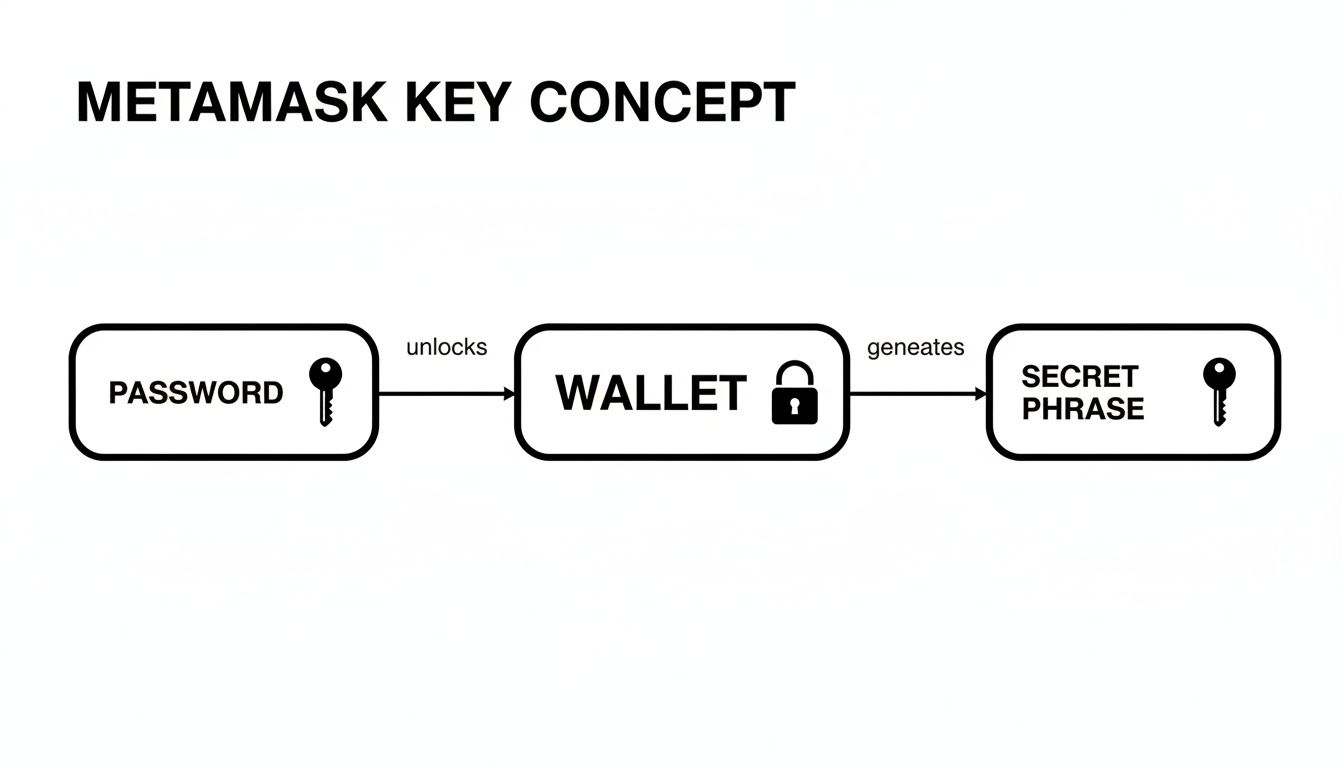
This setup is exactly why MetaMask has zero ability to help you if you forget your password. They don't have it, and they can't reset it. This decentralized design puts all the power—and all the responsibility—in your hands. Understanding this difference isn't just a fun fact; it's absolutely fundamental to keeping your crypto safe.
Password vs Secret Recovery Phrase: The Real Difference
To really nail this down, let's compare the two side-by-side. It’s crucial to understand their distinct roles.
| Feature | MetaMask Password | Secret Recovery Phrase (SRP) |
|---|---|---|
| Primary Purpose | Unlocks the MetaMask app on a single device. | Restores your entire wallet on any new device. |
| Format | User-created string (min. 8 characters). | 12-word phrase generated by the wallet. |
| Where It's Stored | Encrypted locally on your browser/phone. | Should be stored offline by you, NEVER digitally. |
| Can It Be Changed? | Yes, anytime you're logged into the wallet. | No, it is permanently tied to your wallet. |
| What if You Lose It? | You can reset it if you have your SRP. | Your funds are permanently lost. There is no backup. |
Seeing them laid out like this makes it crystal clear. The password is for daily convenience, while the SRP is your ultimate lifeline for disaster recovery. Never, ever mix them up.
How to Create a Truly Secure MetaMask Password
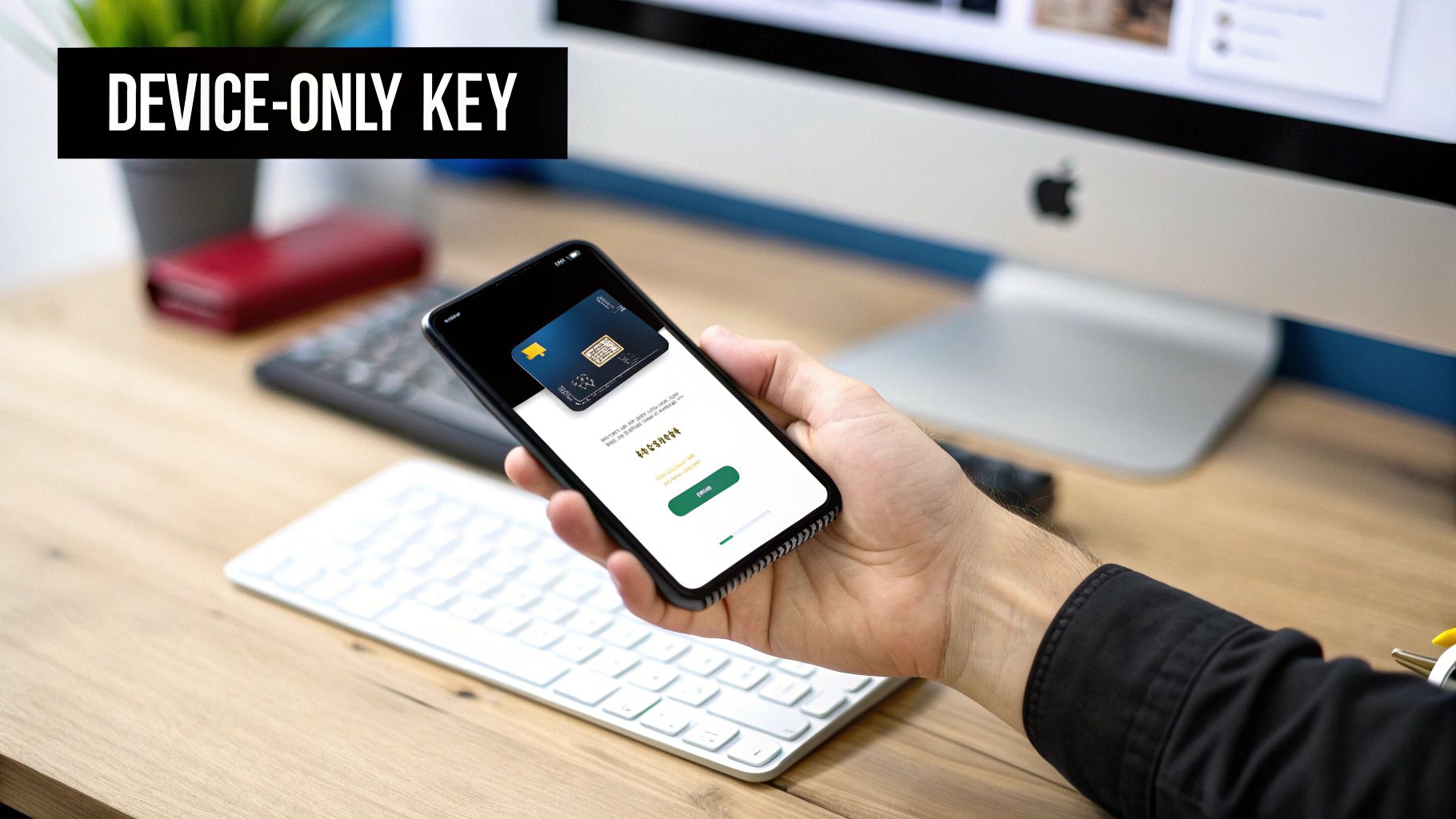
Now that you know your password is the key to your local vault, let’s talk about forging one that actually works. Sure, MetaMask only asks for a minimum of eight characters, but relying on that is like putting a flimsy screen door on a bank vault. We need to aim higher.
Security experts have moved on from the old advice of using impossible-to-remember strings like P@ssw0rd!123. The modern approach, and the one that truly works, is the passphrase: a long, unique, and memorable sentence that is exponentially harder for a computer to crack.
A good passphrase takes all the principles of strong security—length, complexity, and uniqueness—and wraps them into something you can actually remember without needing a sticky note.
Building Your Fortress Passphrase
Creating a strong passphrase is more art than science. It should be deeply personal, almost nonsensical to anyone else, and combine memorable words with unique twists.
Here’s a simple framework to get you started:
- Pick a memorable sentence: This could be an inside joke, a line from a movie, or a vivid memory. Something like, "My cat Barnaby loves chasing green laser dots at 3am."
- Shorten and tweak it: Condense that sentence and pepper in some complexity. It could become something like
McB-l_gld@3am!. - Make it exclusive: This is the most important part. This passphrase must be used only for MetaMask. Reusing passwords, especially in the crypto world, is a recipe for disaster.
Your password's real strength is a combination of its length and randomness. A 12-character password can be broken almost instantly by modern tools. A 20+ character passphrase? That could take centuries for a brute-force attack to solve.
Why Cloud-Based Password Managers Are a Bad Idea
It might seem smart to store your MetaMask password in a cloud-based manager, but this introduces a huge single point of failure. The risk became crystal clear after a major LastPass breach, where hackers got into encrypted user vaults and went straight for the crypto users who had stored their private keys or Secret Recovery Phrases.
Security pros now almost universally recommend the passphrase method instead. It gives you incredible security without relying on a third-party service that could get compromised. You can read the full MetaMask security report to get the details on that incident.
At the end of the day, your MetaMask password is the first line of defense for the wallet on your device. By creating a strong, unique passphrase that only you know, you’re securing the digital front door to your assets.
Changing or Resetting Your MetaMask Password
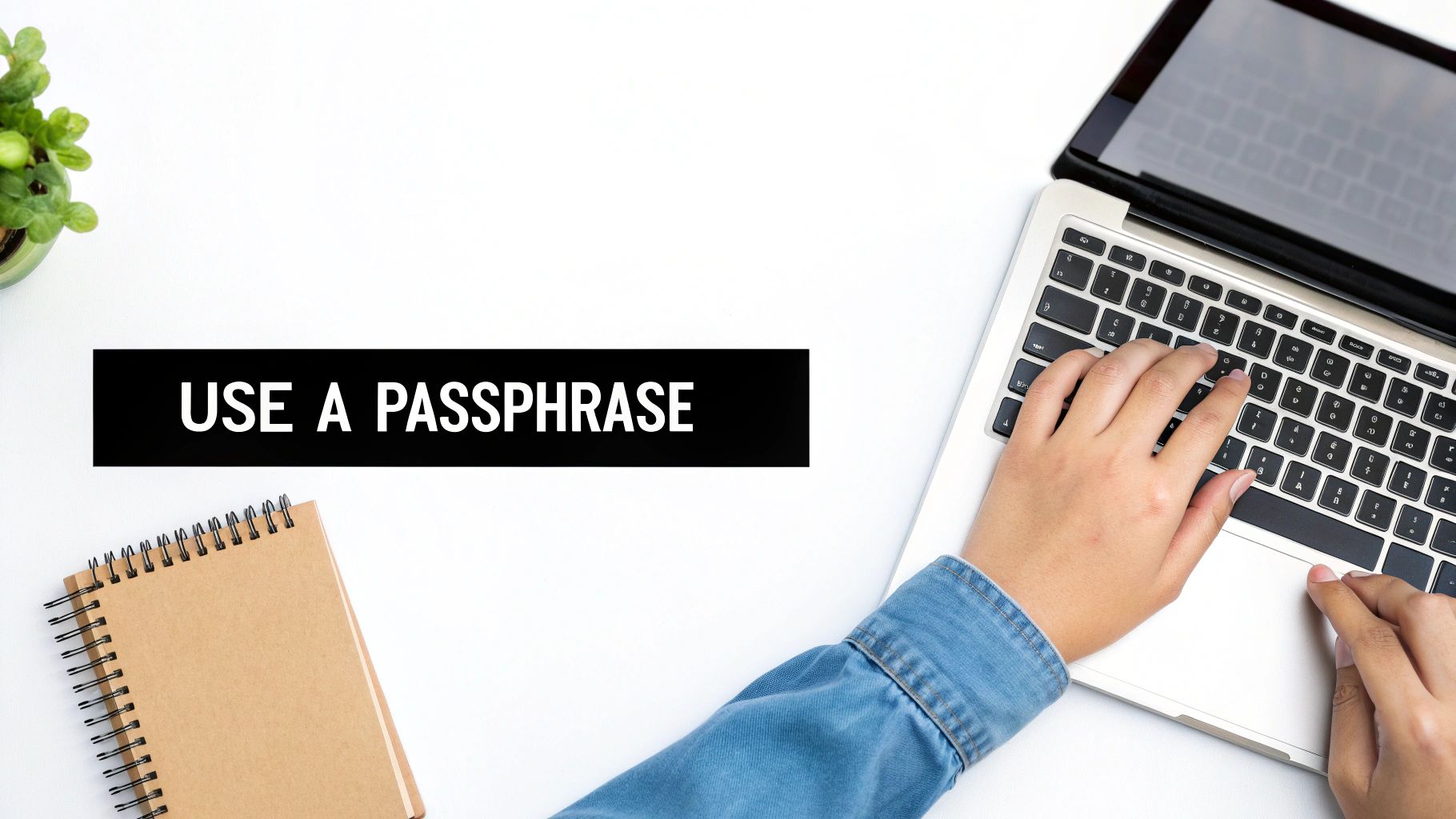
Whether you’re just tightening up security or you’ve completely blanked on your password, the path forward is pretty simple. But it all depends on one thing: whether you know your current password. If you do, changing it is a quick trip into the settings menu.
But if you’ve forgotten it, you won't find a "Forgot Password?" link to click. That doesn't exist here. Your only way back in is to restore your entire wallet using your Secret Recovery Phrase (SRP). Think of this less as a password reset and more like a complete reinstall—you're wiping the old, locked wallet from your device and using your master key to import a fresh, accessible copy.
Restoring Your Wallet to Set a New Password
Let's be crystal clear: before you even think about starting this process, you must have your 12-word SRP written down and ready to go. Without it, you're at a dead end, and your funds could be lost for good.
Got your SRP in hand? Great. Here's what to do:
- Start Fresh: The cleanest approach is to completely uninstall the MetaMask extension from your browser. Once it's gone, reinstall it from the official source. This wipes the slate clean.
- Choose to Import: When you first open the newly installed extension, it will ask if you want to create a new wallet or import one. Choose the option to “Import an existing wallet.”
- Enter Your Secret Recovery Phrase: This is the most important step. Carefully type in your 12-word SRP, making sure every word is spelled correctly and in the exact right order.
- Create a New Password: After MetaMask verifies your SRP is correct, it will ask you to set a new password. This new, strong password will now be the key to unlocking this installation of your wallet.
This whole process works because your password is just a local key for your device. Your Secret Recovery Phrase, on the other hand, is the universal master key to your funds on the blockchain itself. It lets you bypass a forgotten local password completely.
If you're facing a more complicated situation—maybe you don't have your full SRP but have other clues—it's good to know all your options. For those stuck with a forgotten password and partial information, you can learn more about how to recover forgotten passwords from professional recovery services.
Protecting Your Crypto Beyond the Password
A strong password is a great start, but it really only protects the front door. The most clever scammers have figured out how to get you to just open the door and invite them in yourself. This is where the real danger is—social engineering.
Scammers are experts at creating phishing scams and malicious signature requests to trick you into approving transactions that drain your wallet. They'll whip up deceptive websites or shoot you urgent-looking emails designed to get you to react emotionally, connect your wallet, and sign something before you have a chance to think it through.
The Power of a Signature
In the crypto world, a transaction signature is basically your digital autograph. When you sign something, you're giving a smart contract explicit permission to do something on your behalf. That "something" could be sending your funds, approving token spending, or interacting with a decentralized app.
That signature is just as powerful as your password—and sometimes, it's even more so. Once you sign a malicious request, the scammer doesn't need your password anymore. You've already handed them the keys to that specific part of your kingdom.
Scammers don’t hack their way in; they knock on your door and trick you into letting them in. Understanding what you are signing is your most important defense against these social engineering attacks.
MetaMask’s Built-In Defenses
Thankfully, MetaMask comes with some built-in security features that act as your last line of defense against these kinds of tricks. These tools are designed to help you see exactly what you’re being asked to approve before you click that button.
Here are a few key security measures:
- Transaction Simulations: Before you confirm, MetaMask can run a quick simulation of the transaction's outcome. It'll throw up a red flag if it looks like you'll lose funds or if you're about to interact with a known malicious contract.
- Readable Signature Requests: Using a standard called EIP-712, MetaMask translates complex, code-heavy signature requests into plain, human-readable English. This shows you exactly what permissions you’re granting and who you're granting them to.
These features were developed as a direct response to the explosion of approval-based phishing, a nasty tactic that has caused over $600 million in damages since 2021. By turning cryptographic "gibberish" into something you can actually understand, MetaMask gives you the power to spot a scam before it's too late. You can learn more about these security upgrades directly from MetaMask’s security team.
What to Do When Your Secret Recovery Phrase Is Lost
Losing both your password and your Secret Recovery Phrase is pretty much the worst-case scenario for any crypto holder. It’s a gut-wrenching moment because, without that phrase, there's no official "forgot my password" button to click. Your funds can feel gone forever.
But don't give up just yet. There’s still a potential lifeline if you have the original device where MetaMask was installed: professional wallet recovery.
How Expert Recovery Works
This is where specialized services come into play. Using advanced computational techniques, these experts essentially try to "guess" your password by running through millions of possibilities at high speed—a process often called a brute-force attack. They target the encrypted vault file stored locally on your computer, which holds your private keys.
It’s a complex and intensive process, but the odds of success go way up if you can give them some clues. Even tiny fragments of what you remember can dramatically cut down the search time.
Think of it like a massive digital search party. With no clues, they're searching an entire continent. But if you can give them hints—like old passwords or common patterns you use—they can narrow their search down to a single city, massively increasing the chances of finding what they need.
The more information you can provide, the better. Any detail, no matter how small it seems, could be the missing piece of the puzzle.
- Partial Passwords: Any bits and pieces you recall, even just a few characters.
- Common Patterns: Do you always start with a capital letter or end with a specific number?
- Old Passwords: A list of passwords you've used for other accounts can reveal your habits.
- Important Words: Think about names, dates, or personal phrases you might have included.
When you're completely locked out, this kind of expert help is often the only realistic path forward. For those struggling with a lost MetaMask recovery phrase and password, professional services offer a structured last resort to get back into your wallet.
Frequently Asked Questions About MetaMask Passwords
When you're dealing with something as important as your crypto wallet, it's natural to have questions. Let's clear up some of the most common ones about MetaMask passwords so you can feel confident about your security.
Does MetaMask's 8-Character Minimum Make It Insecure?
On its own, no. An 8-character password might sound short, but you have to remember what this password actually does. Its only job is to lock down the MetaMask app on the specific device you're using. It's not the ultimate key to your funds across the entire crypto universe.
The real security, the master key to your kingdom, is your Secret Recovery Phrase (SRP). This is a deliberate design choice. The password is for convenient, local security, while the SRP is what truly protects your assets. This separation is a core part of the MetaMask password requirements philosophy.
If I Restore My Wallet On a New Computer, Do I Need My Old Password?
Nope, not at all. When you punch in your 12-word SRP to restore your wallet on a new machine or a fresh browser install, that old password becomes completely useless.
The restoration process will actually make you create a new password just for that new setup. This hammers home a crucial point: the password belongs to the device, not to your wallet on the blockchain.
Can My Password Be Recovered If I Remember Absolutely Nothing?
Trying to recover a password you have zero memory of is next to impossible, even for the pros. The odds shoot up dramatically if you can provide just a few hints or fragments.
Think of it like this: a full recovery is like finding a single grain of sand on a massive beach. But a small clue—like knowing the beach is in Florida—narrows the search enough to make it possible.
Any little detail can be the key:
- Common words or phrases you fall back on.
- Password habits or patterns (e.g., "I always end with
!23"). - A list of old passwords you've used for other accounts.
These breadcrumbs give recovery systems a trail to follow, turning an impossible search into a solvable puzzle.
Why Shouldn't I Use a Password Manager for My MetaMask Password?
Password managers are fantastic for most websites, but for crypto, they introduce a single point of failure. If someone ever got into your password manager account, they could potentially find the key to your local MetaMask vault.
Since this password directly unlocks the private keys on that one device, security experts strongly advise against storing it in any cloud-based service. It's much safer to create a strong, memorable passphrase that you keep completely offline.
If you've lost access to your wallet and need an expert hand, Wallet Recovery AI offers a secure and confidential path forward. We use advanced techniques to help users get back into their digital assets. You can learn more at https://walletrecovery.ai.
Leave a Reply