
At its core, two-factor authentication (2FA) is a security system that demands two separate forms of proof—or 'factors'—to verify your identity before it grants access. Think of it like a high-security door with two different locks, each needing its own unique key to open.
What Is Two-Factor Authentication, Really?
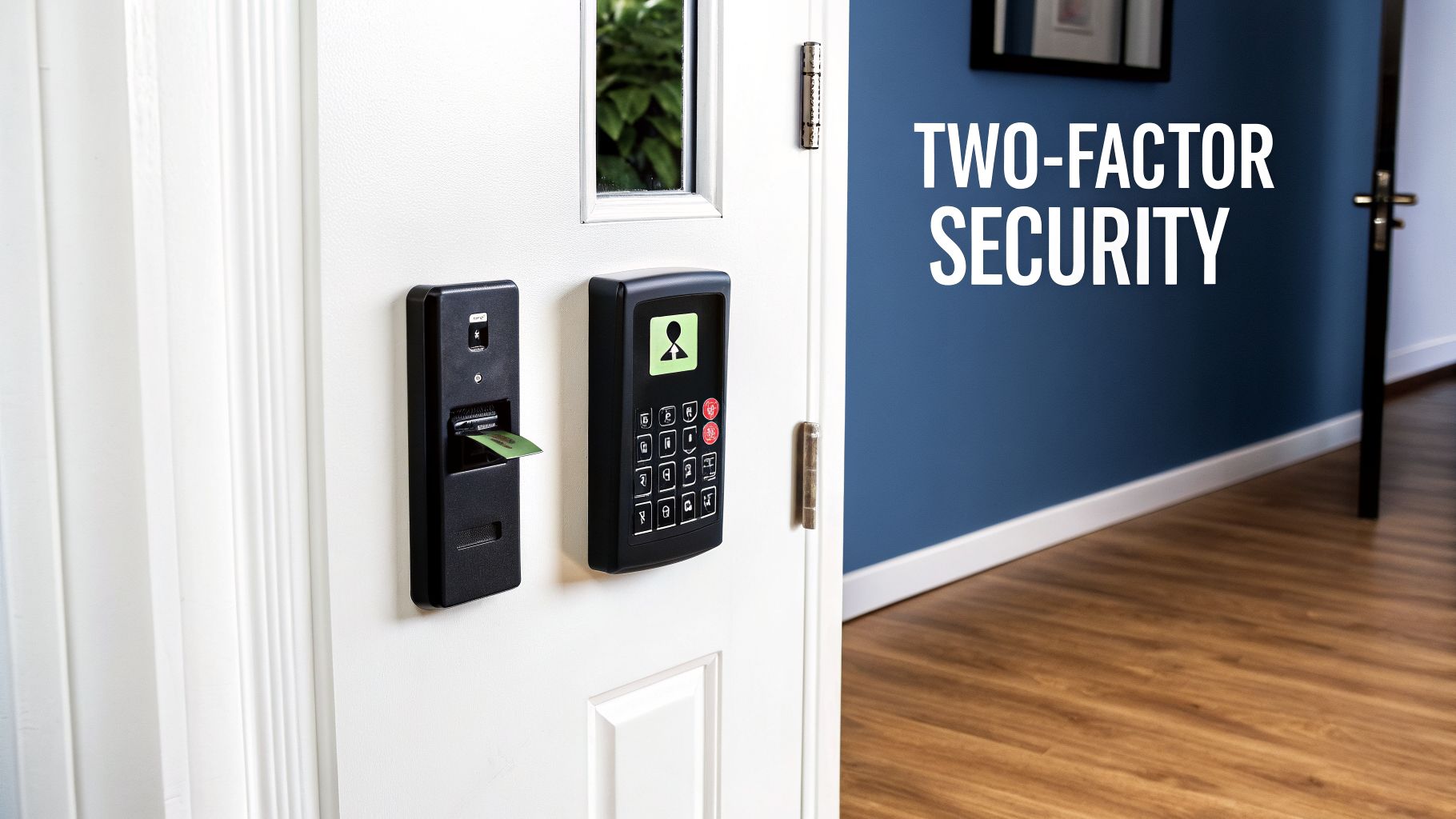
Let's say you're logging into your crypto exchange. You type in your password, but instead of seeing your portfolio, the site asks for something else. It might be a 6-digit code from an app on your phone, a tap on a physical security key, or even your fingerprint.
That extra step is the essence of 2FA.
It’s a deliberate move away from relying on just a password. A password alone is like leaving your house key under the doormat—it feels hidden, but it’s the first place a motivated thief will look. With 2FA, even if someone steals your password, they're stopped cold. They don't have that second key.
The Three Pillars of Authentication
Digging a little deeper, 2FA works by combining two distinct factors from three basic categories. To prove you are who you say you are, you must provide a combination of two of the following:
- Something You Know: This is the classic factor. It’s a piece of secret information like a password, a PIN, or the answer to a security question.
- Something You Have: This refers to a physical item you possess. Common examples include your smartphone (for an authenticator app code), a dedicated hardware token like a YubiKey, or a smart card.
- Something You Are: This category is all about biometrics—your unique biological traits. Think fingerprint scans, facial recognition, or iris scans. These are tied directly to you as a person.
The real strength of two-factor authentication lies in mixing these categories. A hacker might be able to phish your password ("something you know"), but it’s vastly more difficult for them to also have your physical phone ("something you have") or your actual fingerprint ("something you are").
This layered approach is precisely why 2FA has become the absolute baseline for securing anything of value online. It’s especially critical in the world of cryptocurrency, where transactions are irreversible and protecting your own assets is entirely up to you.
How 2FA Actually Protects Your Accounts
To get a real feel for what two-factor authentication is and why it's so good at its job, let’s walk through a common scenario. Picture yourself logging into your favorite crypto exchange.
First, you type in your password. That’s your first factor of authentication—the classic "something you know."
But you’re not in yet. The site asks for a second piece of information: a 6-digit code from an app on your phone. This is your second factor, "something you have," and it’s the roadblock that stops attackers cold.
The Secret Handshake Behind the Scenes
Think of this process as a secret, time-sensitive handshake. When you first set up 2FA, the exchange and your authenticator app share a secret key, usually by scanning a QR code. This key is now stored on both the exchange’s server and your device.
From then on, the server and your app use that shared secret, along with the current time, to generate the exact same short-lived code independently. These codes typically reset every 30 to 60 seconds.
When you go to log in, you enter your password and the code from your app. The server quickly checks two things:
- Does the password match the one on file?
- Does the 2FA code you entered match the one it just generated for this specific time window?
If both are a "yes," the doors open. If not, access is denied. It's this dual-check system that makes the whole thing so secure.
Why This Stops Password Thieves
The real magic of 2FA is that the codes are temporary. Even if a hacker manages to steal your password from a data breach or a clever phishing email, they immediately run into a brick wall.
Without physical access to your phone or hardware key, a stolen password becomes useless. By the time an attacker could even attempt to use it, the temporary code they would also need has already expired and been replaced by a new one.
This turns what could have been a catastrophic account takeover into nothing more than a failed login. The hacker has one key, but they need two. And the second key is constantly changing, safe in your possession. This simple but powerful system is exactly why 2FA is a non-negotiable defense for protecting your crypto.
Choosing Your Best 2FA Method
When it comes to two-factor authentication, not all methods are created equal. The right choice for your crypto assets always involves a trade-off between everyday convenience and outright security. Picking the best strategy means you need to understand the real-world strengths and weaknesses of each option.
This chart gives you a quick look at how a 2FA login works, from the moment you type your password to the final step that grants you access.
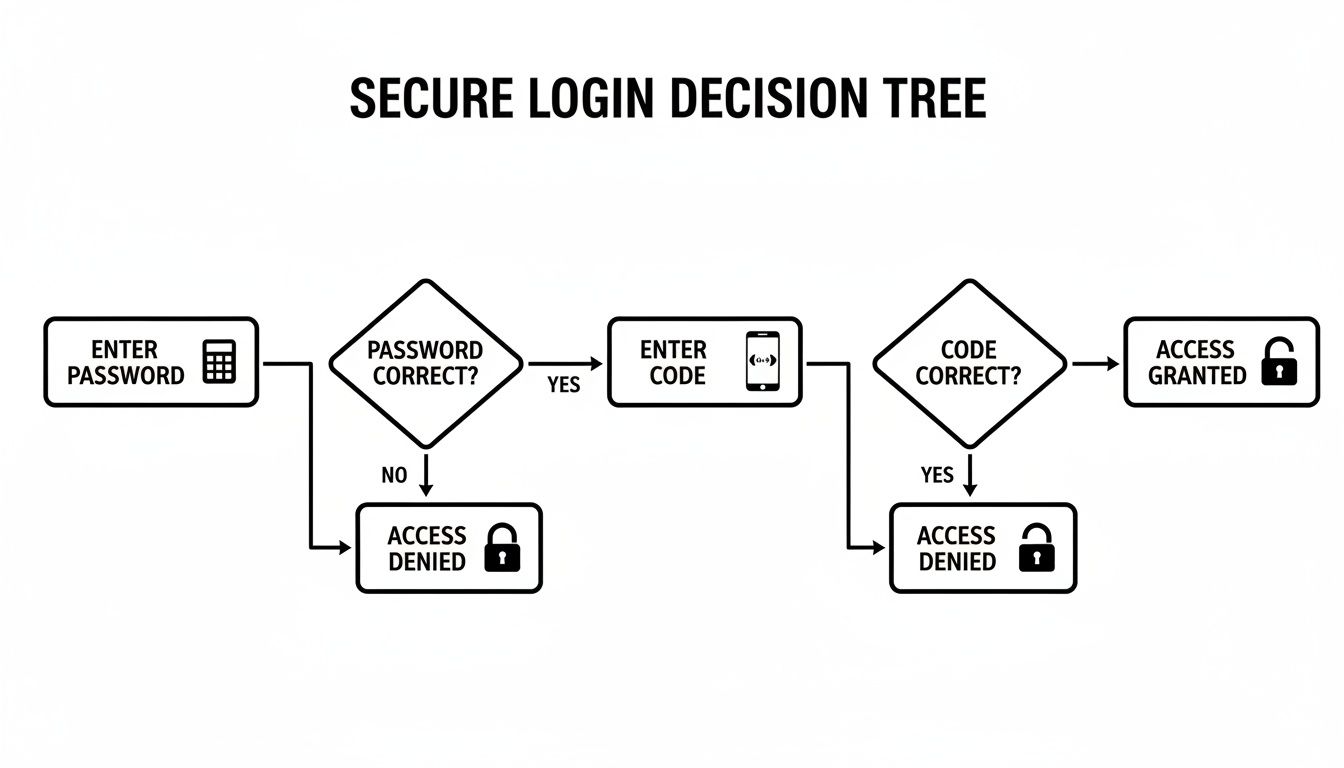
That second check is the crucial part, acting as a digital gatekeeper that stops an attacker even if they’ve stolen your password. So, let's get into the different ways to set up that gatekeeper.
SMS and Email Codes: The Convenient Entry Point
Getting codes sent by SMS text message or email is usually the first kind of 2FA anyone uses. It’s undeniably easy because it works with the phone you already carry. When you try to log in, the service just texts or emails you a temporary code to prove it’s you.
Simple, right? But that convenience comes with a serious security risk. SMS-based 2FA is wide open to an attack called a SIM-swapping scam. A thief can trick your mobile provider into moving your phone number to a new SIM card they control. Once they have your number, they start getting your 2FA codes and can walk right into your accounts.
Authenticator Apps: A Major Security Upgrade
A significantly better approach is to use a dedicated authenticator app. You’ve probably heard of them: Google Authenticator, Authy, or Microsoft Authenticator are popular choices. These apps generate Time-based One-Time Passwords (TOTP) right on your device, completely cutting your phone number out of the process.
Setup involves scanning a QR code, which securely links your account to the app. After that, the app produces a new 6-digit code every 30-60 seconds, all without needing a cell signal. This completely shuts down SIM-swapping attacks because the codes are never sent over the weak SMS network.
Authenticator apps are the perfect middle ground, offering a huge security improvement over SMS without much hassle. For most people holding crypto, an authenticator app should be the absolute minimum for securing exchange accounts.
Hardware Tokens: The Gold Standard
For the highest level of security available, nothing comes close to a physical hardware token. These are small, purpose-built devices like a YubiKey or even a hardware wallet like a Ledger. They represent the "something you have" factor in its most bulletproof form.
To log in, you simply plug the device into your computer and physically tap it. This tap confirms you are physically present and sends a cryptographic signature to approve the login. It’s simple, but incredibly powerful.
The advantages of hardware tokens are clear:
- Offline Security: The secret keys that confirm your identity never, ever leave the device. This makes them immune to online threats like malware or phishing attacks that might infect your computer.
- Phishing Resistance: Most modern tokens are smart enough to only work on the real websites they’re registered with. If a phishing scam sends you to a convincing fake login page, the token simply won't work, stopping the attack cold.
Yes, they require a small investment and you have to keep them safe, but hardware tokens are the undisputed best option for protecting high-value crypto portfolios. They are the pinnacle of personal account security.
Comparing 2FA Methods: Security vs. Convenience
Choosing the right 2FA method is about matching the security level to the value of the assets you're protecting. This table breaks down the pros and cons of the most common options to help you decide.
| 2FA Method | Security Level | Convenience | Best For |
|---|---|---|---|
| SMS/Email Codes | Low | Very High | Low-value accounts or services where no other option is available. |
| Authenticator App | High | High | Securing most crypto exchange accounts and other important online services. |
| Hardware Token | Very High | Medium | Protecting high-value exchange accounts and long-term crypto holdings. |
As you can see, authenticator apps offer a fantastic balance for most users. However, for anyone managing significant funds, the small cost and extra step of using a hardware token provide security that is simply unmatched.
Why 2FA Is Non-Negotiable for Crypto Investors
If someone makes a fraudulent charge on your credit card, you can call the bank and get it reversed. In the world of crypto, there is no one to call. Blockchain transactions are final, which means proactive security is the only kind that actually works.
This is exactly why two-factor authentication isn't just a "nice-to-have" feature—it's a mandatory layer of defense for anyone holding crypto.
Think of 2FA as the digital deadbolt on your vault. Even if a thief manages to pick the first lock (your password), they're stopped cold by the second, much tougher mechanism. This second layer is what stands between you and the most common attacks that drain wallets every day.
Your Shield Against Modern Crypto Threats
Hackers usually rely on two primary methods to get at your crypto: phishing schemes and credential stuffing. A phishing attack might lure you into typing your password on a convincing but fake exchange website. Credential stuffing is when attackers use passwords stolen from other website breaches to try their luck on your crypto accounts.
In both of those cases, a simple password is the only thing standing between an attacker and your funds. But when you have 2FA turned on, those attacks become almost completely useless.
Even if a thief has your correct password, they are still blocked. Without the time-sensitive code from your authenticator app or your physical hardware key, they can't get in. A potential financial disaster becomes nothing more than a failed login alert.
Time and time again, we’ve seen major exchange hacks where the accounts protected by strong 2FA were left completely untouched. It is the single most effective step you can take to secure your digital assets. You can find more strategies for protecting your funds in our detailed guide on how to secure your crypto wallet.
A Non-Negotiable Step for Serious Investors
The market itself shows how crucial this technology has become. The multi-factor authentication market, which includes 2FA, was valued at over $23.68 billion in 2026 and is projected to explode to $47.63 billion by 2030. This rapid growth is a direct response to the need for better security in fields like crypto.
For anyone serious about protecting their Bitcoin, Ethereum, or other digital currencies, enabling 2FA is not optional. It’s the difference between being a vulnerable target and having a robust defense system that works for you 24/7.
How to Set Up 2FA on Your Crypto Accounts
Knowing what 2FA is doesn't help until you actually turn it on. The good news is that enabling this protection on your crypto accounts only takes a few minutes.
The process is nearly identical across the board, whether you're securing a major exchange like Coinbase or a software wallet on your desktop. It always begins in your account's security settings.
Your Step-by-Step Setup Guide
We'll walk through the most common setup using a mobile authenticator app. It’s the best mix of strong security and everyday convenience.
Go to Security Settings: Log into your exchange or wallet and find the "Security" or "Account" area. You're looking for an option called "Two-Factor Authentication," "2FA," or "MFA."
Pick Your 2FA Method: Most platforms give you a few choices. You want to select "Authenticator App" or something similar (it might mention Google Authenticator). Always choose this over SMS if you can—it's far more secure.
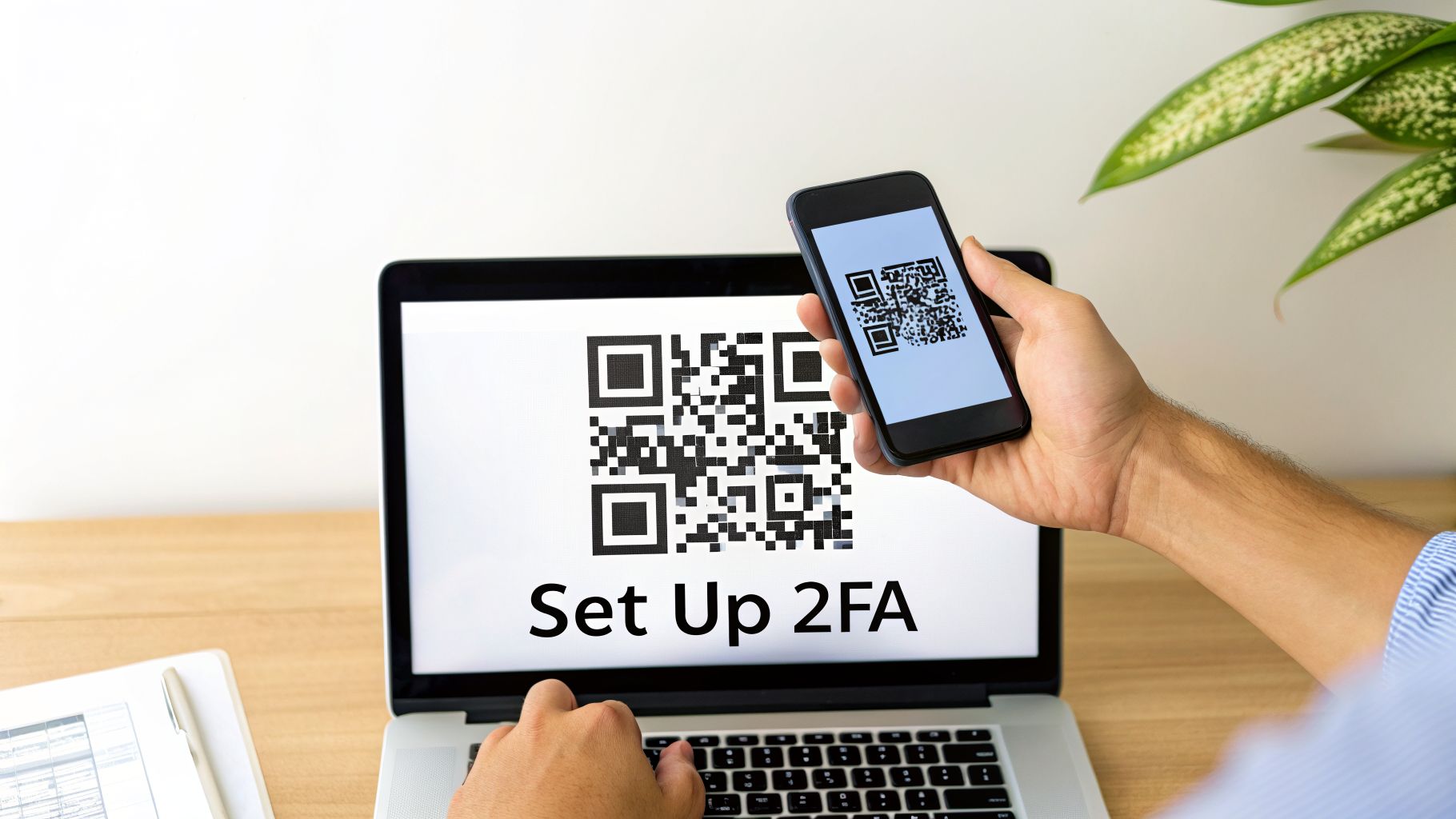
Scan the QR Code: The website will now show you a unique QR code. Open your authenticator app (like Authy or Google Authenticator) and simply point your phone's camera at the screen to scan it. This securely pairs your account with the app.
Verify the Connection: Your app is now generating new 6-digit codes every 30 seconds. To finish the setup, the website will ask you to type in the code you see on your phone. This confirms the link is working correctly.
Warning: Do Not Skip This Step
The service will now give you a list of one-time-use backup codes. This is the single most important part of the process. Write them down on a piece of paper and store them in at least two different, safe, offline places. If you lose your phone, these codes are your only way to get back into your account.
The data shows just how powerful this is. Proper MFA can cut down credential-based attacks by 80-90% and reduce password reset tickets by 30-50%, as detailed in the latest multi-factor authentication statistics. Following these steps is the fastest way to add a serious layer of real-world protection to your crypto.
What to Do When 2FA Goes Wrong
Two-factor authentication is an incredible security tool, but when you lose your second factor, it can feel like you’ve been locked out of your own house. Whether it's a lost phone, a dead hardware key, or simply misplaced backup codes, that initial moment of panic is real.
Don't panic. The first thing you should always reach for is your set of backup codes. These are the single-use passwords you were given when you first set up 2FA. They are designed specifically for this situation, allowing you to get back into your account and register a new device.
Preventing Lockouts Before They Happen
The best way to fix a 2FA lockout is to make sure it never happens in the first place. A little preparation now can save you a massive headache later.
Your main task is to store your backup codes securely. Simply saving them to your desktop or in your phone's notes is a recipe for disaster.
The gold standard is to keep your backup codes offline and in more than one safe location. Think of it like this: keep one printed copy in a fireproof safe at home and maybe another copy with a trusted family member. The key is redundancy.
If you use a hardware wallet like a Ledger, this mindset of offline, redundant storage is even more vital. Treating your 2FA backup codes with the same seriousness as your seed phrase is a smart move. For more on this, check out our guide on Ledger seed phrase storage solutions.
Navigating Account Recovery
So, what happens if your backup codes are gone and you're locked out? Your only remaining path is the official account recovery process offered by the exchange or service. Be warned: this is almost always a slow and frustrating journey.
Most platforms will put you through a rigorous identity verification process to make sure you are who you say you are. This usually involves:
- Uploading a photo of your government-issued ID.
- Taking a selfie while holding your ID and a handwritten note with the current date.
- Answering very specific security questions about your account's history.
Expect this process to take anywhere from a few days to several weeks. During this time, your account will be completely frozen. While it’s a pain, it’s a crucial security step that stops a thief from simply talking their way into your funds. For truly complex situations where even this fails, professional help from a dedicated wallet recovery service may be your last resort.
Clearing Up Common 2FA Questions
Let's tackle some of the most common questions people have when they start using two-factor authentication for their crypto.
Is 2FA Completely Foolproof?
No security method is 100% foolproof, and that includes 2FA. While it dramatically boosts your security, determined attackers can sometimes find a way around weaker forms, like SMS codes. A common attack is a "SIM swap," where a scammer convinces your mobile provider to transfer your phone number to their own device, letting them intercept your 2FA texts.
This is exactly why stronger methods are critical for high-value crypto accounts. Authenticator apps and hardware keys aren't vulnerable to SIM swapping, making them a much tougher defense. But no matter what method you use, always stay on guard for phishing emails and other social engineering tricks.
What Happens If I Lose My Authenticator Device?
Losing your phone or hardware key is stressful, but it doesn't have to mean you've lost your assets. The first time you enable 2FA on an exchange or wallet, you're always given a set of single-use backup codes. These codes are your emergency key.
You absolutely must write these backup codes down and store them somewhere safe and offline—never on the same device you use for authentication. These codes let you access your account and set up 2FA on a new device. Without them, you're stuck with the platform's account recovery process, which can be long and painful.
Can I Use One Authenticator App for Everything?
Yes, and most people do. Apps like Authy or Google Authenticator are built to manage 2FA codes for all your different accounts in one place. Each time you secure a new service, you just scan its QR code to add it to your app.
This is incredibly convenient, but it also means your smartphone effectively becomes a master key to your entire digital life. You have to protect it. Make sure your phone is secured with a strong, unique passcode and enable biometrics like a fingerprint or face scan.
If you've lost access to a crypto wallet because of a forgotten password or a lost 2FA device, expert help might be the only way forward. At Wallet Recovery AI, we use advanced, proprietary techniques to help you securely and confidentially get your assets back. See how we can help by exploring our AI-powered wallet recovery services.
Leave a Reply