

A Trust Wallet seed phrase is, quite simply, the master key to your entire crypto world. It's the one and only backup you have for all your digital assets. Think of it as the ultimate failsafe—a 12 or 24-word phrase that lets you get your entire wallet back if you ever lose your phone, forget your password, or need to switch devices.
Your Seed Phrase: The Master Key to Your Crypto
Let’s use an analogy. Imagine all your crypto is tucked away in a personal safe deposit box inside a high-security bank. The Trust Wallet app on your phone is like the bank building itself. To get through the front door of the bank each day, you use a simple key—your PIN or password. It’s convenient for daily access, but it can't open your specific box.
The Trust Wallet seed phrase, on the other hand, is the actual, physical key to that personal safe deposit box. It doesn't matter if you lose the key to the bank's front door (your password). It doesn't even matter if the bank building itself is replaced (you get a new phone). As long as you have the key to your box, you can walk into any branch—any new device with Trust Wallet installed—and unlock everything inside.
This is a critical distinction to grasp. Your password protects the app, but your seed phrase protects your assets on the blockchain.
Why This Phrase Holds So Much Power
Unlike your traditional bank account, there’s no customer service hotline to call if you get locked out. In the world of decentralized finance, you are your own bank. That freedom is empowering, but it also comes with absolute responsibility.
The power of your seed phrase comes from its ability to mathematically generate every single private key for every crypto asset you own in that wallet. It's the single source of truth for your ownership.
Your seed phrase isn't just a backup; it's the cryptographic proof that your assets belong to you. Anyone who gets their hands on it has complete and irreversible control over your funds.
This is the bedrock of security for non-custodial wallets like Trust Wallet. With this phrase, you have the power for:
- Complete wallet restoration: Instantly recover all your coins and tokens on a brand-new device.
- Cross-platform compatibility: Import your wallet into other compatible crypto wallet apps.
- Total asset control: Authorize transactions and manage your entire portfolio from anywhere in the world.
Throughout this guide, we'll dive into how this powerful phrase is created, the unbreakable rules for keeping it safe, and the common scams criminals use to trick you into giving it up. Mastering the security of your seed phrase is the most important skill you can learn in crypto. Protecting it isn't just a good idea—it's the only thing standing between you and losing everything.
How Your Seed Phrase Is Created
Ever wonder where those 12 magic words actually come from? Your Trust Wallet seed phrase isn't just a random string of words someone dreamed up. It's the product of a brilliant and rock-solid cryptographic process that happens entirely on your own device—no central servers, no human intervention.
The whole show runs on an industry standard called BIP39. Think of BIP39 as a special dictionary containing 2,048 carefully selected, unambiguous words. When you first create a wallet, the app generates an enormous, truly random number right there on your phone. This number, called entropy, is the unique fingerprint of your new wallet.
This entropy is then sliced up and mapped to words from that BIP39 list. Each word in your 12-word phrase represents a specific piece of that original number, turning a mind-bogglingly complex code into something a human can actually write down and secure. It’s simple to record, but for a computer trying to guess it? Statistically impossible.
The diagram below really simplifies the chain of command. You have your phone, which runs the Trust Wallet app. The app manages your crypto. But the seed phrase? That’s the master key that can bypass both the phone and the app to control your funds directly.
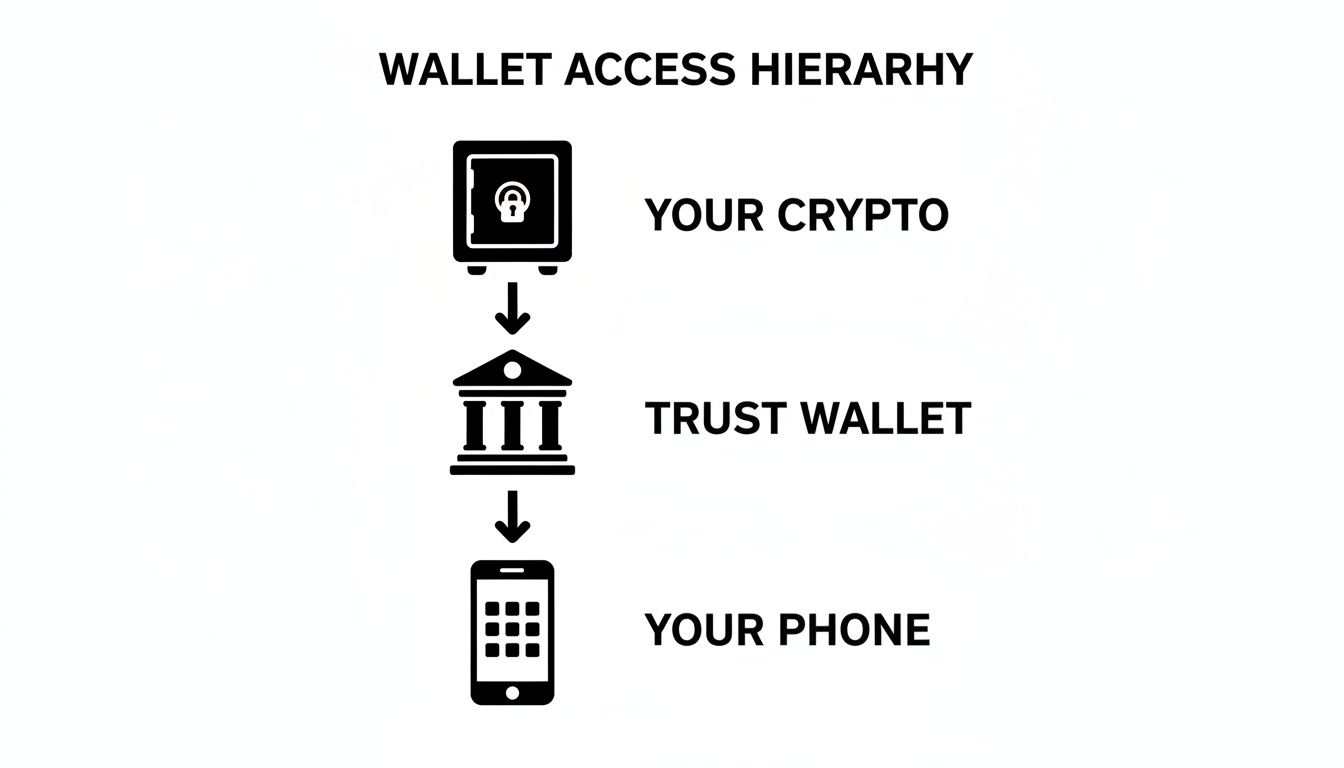
This makes it crystal clear: while the app and your phone are convenient tools for day-to-day access, your seed phrase is the ultimate source of truth and ownership.
From a Single Seed to a Tree of Keys
But the real genius of the system doesn't stop there. Your 12-word phrase is more than just a backup; it’s a "master seed" for what’s known as a Hierarchical Deterministic (HD) wallet. This framework is defined by another standard, BIP32.
Picture your seed phrase as the single seed of a massive tree. From that one seed, a whole tree of private keys can grow deterministically. The tree has countless branches, and each branch has countless leaves. Every single leaf represents a unique private key and its corresponding public address for a specific cryptocurrency.
This is why your one Trust Wallet seed phrase can secure Bitcoin, Ethereum, Solana, and thousands of other assets all at once. No need to juggle a different phrase for every coin you own.
Your seed phrase is the common ancestor of every single key in your wallet. It mathematically generates a predictable (but secure) sequence of keys and addresses, allowing you to manage a diverse crypto portfolio from one single backup.
This structure also lets your wallet generate fresh addresses for new transactions, which is a huge plus for privacy. And because everything always traces back to that original seed, you never need to back up anything new.
Organizing Your Crypto Portfolio Automatically
So, if all your keys grow from one seed, how does your wallet know which "branch" holds your Bitcoin and which holds your Ethereum? That’s where a third standard, BIP44, steps in. It acts like a universal filing system for your crypto tree.
BIP44 defines a standardized path structure, like a set of GPS coordinates, so that any compatible wallet can find the right keys for the right coins. It organizes your assets into different "accounts" on separate branches, making sure nothing gets mixed up. This is the reason you can take your Trust Wallet seed phrase, import it into a totally different wallet app, and watch as all your coins appear, perfectly organized.
These three standards work together to create an elegant, secure, and incredibly interoperable system. Let's break down the key concepts that make your seed phrase work.
Key Concepts in Seed Phrase Generation
| Standard | Purpose | Analogy |
|---|---|---|
| BIP39 | Creates the human-readable 12-word phrase. | The "Master Blueprint" for your wallet. |
| BIP32 | Grows a "tree" of all possible keys from the phrase. | The "Family Tree" of your crypto addresses. |
| BIP44 | Organizes the tree by coin type. | The "Filing System" for your portfolio. |
This powerful cryptographic foundation is what makes your Trust Wallet seed phrase so much more than a password. It’s the architectural plan for your entire crypto portfolio, built from the ground up for maximum security and universal compatibility.
The Unbreakable Rules of Seed Phrase Storage
Once you understand what your Trust Wallet seed phrase really is, protecting it becomes your single most important job. The moment those 12 or 24 words appear on your screen, they become the master key to your entire crypto portfolio. Storing them safely requires a total mental shift—away from the digital convenience we're all used to and toward old-school, physical security.
There's one golden rule that trumps all others: never, ever store your seed phrase in any digital format. That means no screenshots, no text files in a "secret" folder, no emailing it to yourself, and definitely no saving it to cloud storage. The instant your phrase touches a device connected to the internet, it's vulnerable to a whole world of threats, from malware sniffing your files to sophisticated phishing attacks.
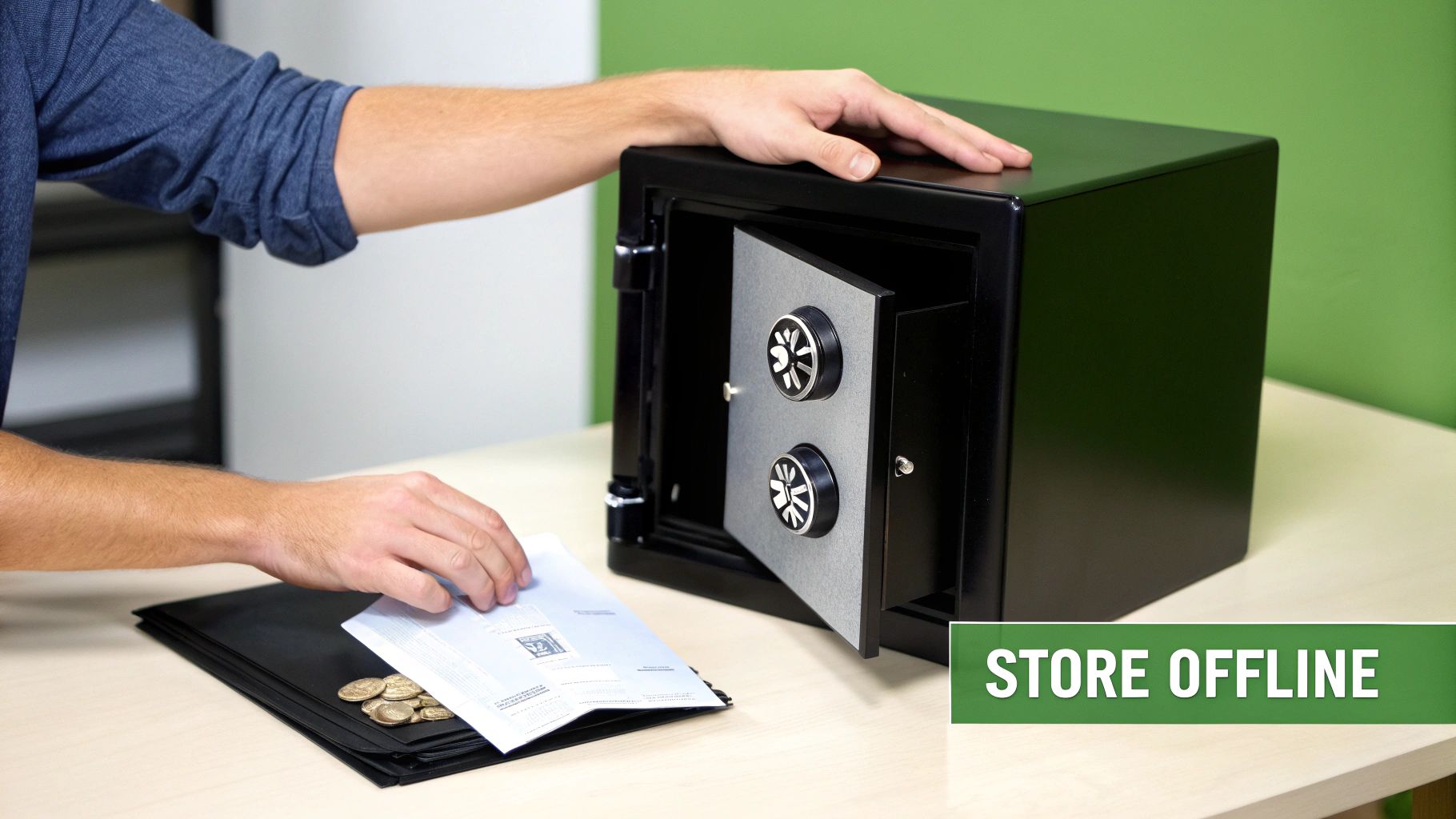
This isn't a suggestion; it's a hard and fast rule. Digital storage is like leaving a key to your bank vault lying on the sidewalk. Your entire crypto security strategy rests on keeping this one piece of information completely disconnected—or "air-gapped"—from the online world.
The Right Way: Secure Physical Storage
Since digital is off the table, physical storage is the only safe way to go. The goal here is to create a backup that’s durable, private, and can withstand not just prying eyes but also disasters like fire or flooding.
Here are the most battle-tested methods for storing your seed phrase offline:
-
Pen and Paper: It doesn't get simpler than this. Carefully write your 12 or 24 words on a good piece of paper. Go back and double-check every single word for spelling and make absolutely sure the order is 100% correct. Tuck this paper away somewhere secure and private, like a fireproof home safe or a bank's safety deposit box.
-
Metal Plate Storage: For the ultimate in durability, etching your phrase onto a steel or titanium plate is the gold standard. These things are built to survive conditions that would turn paper to ash or pulp—think house fires, floods, and corrosion. If you want to see what's out there, check out our guide to the best metal seed phrase storage solutions.
-
Geographic Distribution (Advanced): If you want to add another layer of security, you can split your seed phrase into multiple pieces and store them in different, secure locations. For instance, words 1-6 go in your safe at home, and words 7-12 go in a safety deposit box at the bank. This method eliminates a single point of failure; a thief would need to find and access multiple locations just to piece your key together.
Think like you're designing a vault. You're protecting the one and only key that opens everything. Convenience has to take a backseat to bulletproof, long-term security.
The Wrong Way: Common and Dangerous Mistakes
The siren song of "just a quick backup" has led countless people to make mistakes that cost them everything. These actions might seem harmless at the moment, but they're the digital equivalent of taping your vault key to the front door.
Never trade security for convenience. The few seconds you save taking a screenshot could lead to a lifetime of regret when your assets disappear forever.
Here is a simple list of what you must absolutely never do with your Trust Wallet seed phrase:
-
Take a screenshot or photo: Your phone's camera roll is almost certainly being backed up to the cloud automatically. That makes it a juicy target for hackers who breach services like Google Photos or iCloud.
-
Save it in cloud storage: Putting your phrase in Google Drive, Dropbox, or a similar service is a massive risk. A single account compromise gives an attacker a direct line to your master key.
-
Email it to yourself: Your email is one of the most targeted accounts you have. Sending your seed phrase through email creates a permanent, searchable trail for anyone who manages to get into your inbox.
-
Store it in a password manager: While they're great for website logins, password managers are online services and can be a single point of failure. If your manager is breached, the attacker gets the keys to your entire crypto kingdom.
-
Save it in a text file on your computer: Malware, keyloggers, and remote access trojans are designed to scan your computer's files for anything that looks like a seed phrase. If they find it, your funds can be drained instantly and silently.
Avoiding these digital traps is the single most important step you can take. Every one of these methods has led to real-world, heartbreaking financial losses. Your seed phrase belongs offline. Period.
Recognizing Scams That Target Your Seed Phrase
Your Trust Wallet seed phrase is the holy grail for crypto thieves. The moment they get their hands on it, they have everything. This has spawned a grim cottage industry of sophisticated scams, all laser-focused on one goal: tricking you into revealing your master key.
Knowing how to spot these threats is just as crucial as how you physically store your phrase. Scammers are experts in psychological manipulation. They cook up situations that feel urgent, official, or incredibly helpful, preying on your instincts to bypass your rational judgment. Learning their playbook is your best defense against an attack that can drain your wallet in seconds.
These criminals lurk where crypto users gather—think Telegram, Discord, and X. They blend in, impersonate people you’d trust, and build a false sense of security right before they strike.
Common Tactics Used By Scammers
Scammers don't reinvent the wheel; they just slap a crypto sticker on old, proven tactics. If you can learn to identify these core strategies, you'll be able to spot a scam from a mile off, no matter how it’s dressed up.
-
Impersonation and Social Engineering: This is by far the most common attack. A scammer will pop up on Telegram, Discord, or X, posing as a "Trust Wallet Support Admin" or a "Help Desk Technician." They usually slide into your DMs right after you've asked a question in a public channel, offering to help. Their "solution" always, without fail, involves you entering your seed phrase into some fake website or Google Form to "validate your wallet" or "resynchronize your assets."
-
Phishing Websites and Emails: You get an email that looks 100% legitimate, like it's straight from Trust Wallet. It might warn you about a security breach or an urgent account upgrade. Inside is a link that takes you to a pixel-perfect clone of the real Trust Wallet site. The moment you type your seed phrase into that fake login box, it's game over. The scammer has it.
-
Malicious Software (Malware): This one is sneakier. You might download what you think is a useful app or a browser extension, but it’s actually a trojan horse. This malware can act as a keylogger, recording every single thing you type, or it might just sit quietly and monitor your computer's clipboard, waiting for the exact moment you copy your seed phrase.
Often, these tactics are layered together to create a convincing story that pressures you into acting before you have a chance to think.
Crucial Reminder: No legitimate support team, administrator, or developer from Trust Wallet—or any other wallet service—will ever ask you for your 12 or 24-word seed phrase. There are absolutely zero exceptions to this rule. Your phrase is for your eyes and your eyes only.
A Real-World Example of a Sophisticated Attack
The attacks aren't always so direct. Sometimes, criminals go after the very software we trust, creating a widespread and devastating ripple effect.
In late 2025, a stark example hit home when Trust Wallet's Chrome browser extension was hit by a supply-chain attack. Scammers used a leaked key to push a malicious update, which ultimately led to the theft of around $8.5 million from over 2,500 users. The malicious code was brilliantly hidden. It activated whenever a user unlocked their wallet, secretly sending their seed phrase back to the attackers disguised as routine error data. You can discover more about how this supply-chain attack unfolded and see the technical breakdown. This case is a chilling reminder that even the most careful users can be victimized when the tools themselves are compromised.
How to Spot the Red Flags
Protecting yourself comes down to pattern recognition—learning to see the warning signs of a scam before you're in too deep. These red flags should set off alarm bells immediately:
- Unsolicited Contact: Someone claiming to be "support" sends you a direct message (DM) out of the blue. It’s a scam. 99.9% of the time.
- A Sense of Urgency: They create fake deadlines or crises. You're told your funds are "at risk" or you must act "immediately" to avoid losing everything.
- Requests for Your Seed Phrase: This is the ultimate, non-negotiable red flag. Anyone asking for your phrase is trying to rob you. Period.
- Suspicious Links: Always hover over a link before you click. Check the real URL. Look for subtle misspellings (
trust-wallett.com) or weird domain endings. - "Wallet Validation" or "Synchronization" Tools: These simply do not exist in the way scammers describe them. They are fake tools built for one purpose: to steal your recovery phrase.
By staying skeptical and treating your Trust Wallet seed phrase with the absolute secrecy it demands, you can neutralize the vast majority of threats you'll ever face.
It's a heart-stopping moment: you open your phone, and for some reason, you can't get into your Trust Wallet. Panic sets in. Before you do anything else, take a breath. What you do next depends entirely on what you've lost and what you still have.
Let’s get one thing straight right away. If you’ve permanently lost your 12 or 24-word Trust Wallet seed phrase, there is no way to get your funds back. That phrase is the absolute master key to your crypto, and without it, those assets are locked away on the blockchain for good. This is the harsh, non-negotiable reality of self-custody—no one can reset it for you.

But what if your phone is just broken, lost, or stolen? If you have your seed phrase stored safely somewhere else, you're in a great position. Your crypto isn't gone; it's just waiting for you to access it from a new device.
How to Restore Your Wallet With a Seed Phrase
When you have your recovery phrase, getting back into your wallet is surprisingly simple. Your funds don't actually live on your phone—they live on the blockchain. Your phrase is just the key to unlock them.
Here's how it works:
- Grab a new device and download the official Trust Wallet app from the Apple App Store or Google Play Store.
- When you first open it, don't tap "Create a New Wallet." Instead, look for the option that says, "I Already Have a Wallet."
- Carefully type in your seed phrase, making sure every word is spelled correctly and in the exact right order.
- That's it. The app will use your phrase to regenerate all your private keys, and your entire portfolio will pop up, just as you left it.
This is exactly why that offline backup is so critical. A totally destroyed phone becomes little more than a minor annoyance when your seed phrase is safe.
When a Standard Restore Isn't Enough
But what if your situation is messier? Maybe your paper backup is water-damaged and some words are illegible. Or maybe you think you remember most of the phrase, but you’re not 100% sure of the order. In these tricky edge cases, a simple restore won't work.
This is where you might consider bringing in a professional. Legitimate recovery services are a last-ditch option for complex situations. These aren't scammers who demand your full seed phrase—they're specialists who use powerful computers and algorithms to try and fill in the blanks from partial or corrupted information.
Key Takeaway: A real recovery expert will never ask for your complete seed phrase. Their job is to use computational power to brute-force the missing pieces or repair damaged data, bridging the gap left by your incomplete information.
Scenarios where professional help might be the only answer often arise from unexpected security breaches or data corruption. For example, the Trust Wallet Chrome extension hack of December 2025 saw attackers drain an estimated $7-8.5 million from over 2,500 wallets. The situation was made worse by phishing schemes that tricked even more users into handing over their phrases. You can read more about how the Trust Wallet extension hack and related phishing campaigns unfolded to understand the risks.
Whether you're dealing with a corrupted backup from a Ledger or Trezor, or you have a partially correct seed phrase, a standard restore is off the table. In these cases, a professional Trust Wallet recovery service can sometimes be the only viable path forward. They use specialized tools to reconstruct access without ever needing your full credentials, offering a lifeline when all other options have been exhausted.
Deciding between trying to recover your wallet yourself and seeking professional help depends entirely on your specific situation. Here’s a quick breakdown to help you choose the right path.
Recovery Options When Wallet Access Is Lost
| Scenario | Self-Recovery Action | When to Consider Professional Help |
|---|---|---|
| Lost or broken phone (have full seed phrase) | Install Trust Wallet on a new device and use the "I already have a wallet" option to restore. | Not needed. This is a straightforward self-recovery process. |
| Forgotten passcode (have full seed phrase) | Uninstall and reinstall the app, then restore using your seed phrase. | Not needed. The seed phrase bypasses the passcode. |
| Partial or incomplete seed phrase | Try guessing the missing words if you have a strong idea of what they might be. | If guessing fails, a professional service can brute-force the missing words. |
| Damaged or corrupted backup | Attempt to decipher the unreadable parts of your physical or digital backup. | If the data is truly unrecoverable on your own, specialists may be able to repair it. |
| Completely lost seed phrase | None. Unfortunately, recovery is impossible in this scenario. | A professional service cannot help. Be wary of anyone who claims they can. |
Ultimately, having your complete and correct seed phrase gives you total control. But if you find yourself in a more complicated jam, knowing that legitimate, specialized help exists can provide a crucial last resort.
Got Questions About Your Seed Phrase? We've Got Answers.
Even after you grasp the basics, it's natural to have a few lingering questions about your Trust Wallet seed phrase. Let's clear up some of the most common ones so you can manage your crypto with total confidence.
What's the Difference Between a Seed Phrase and a Password?
This is a big one, so let's use an analogy.
Think of your password (or PIN) as the key to your front door. It’s for daily use and keeps casual intruders out of your house (the Trust Wallet app on your phone).
Your seed phrase, on the other hand, is the master deed to the entire property. If you lose your front door key, no big deal—you can use the deed to prove you're the owner and get a new key made. But if you lose the deed itself? You've effectively lost ownership of the house. That’s how critical your seed phrase is.
Crucial Distinction: Forgetting your app's password is an inconvenience you can easily fix with your seed phrase. Losing your seed phrase is a permanent, irreversible loss of your crypto.
The password protects the app on your device. The seed phrase is the wallet.
Can I Change My Trust Wallet Seed Phrase?
No, you can't. A seed phrase is permanent and cryptographically tied to the wallet addresses it creates. Once it's generated, it's set in stone forever. This is a fundamental security feature, not a flaw. It ensures the master key to your funds can't be tampered with by anyone—not even you.
So, what do you do if you think your phrase has been compromised? Maybe you accidentally screenshotted it, or you're worried someone saw you write it down. You need to act fast.
The only safe move is to:
- Create a brand-new Trust Wallet. This generates a completely new, secure seed phrase.
- Immediately transfer all your assets from the old, compromised wallet to your new one.
Think of it like moving your valuables from a safe with a known combination to a brand-new, high-security vault. Once everything is moved, abandon the old wallet for good.
Do I Need a Separate Seed Phrase for Each Cryptocurrency?
Nope! This is one of the best things about modern crypto wallets like Trust Wallet. That single 12 or 24-word phrase is the master key for every single asset you hold in that wallet.
It's all thanks to clever industry standards (like BIP39 and BIP44) that allow one phrase to generate a nearly infinite number of private keys for different coins. It secures your Bitcoin, Ethereum, Solana, and thousands of other tokens all at once. This makes your life way easier, since you only have one master key to protect instead of juggling dozens of them.
Will Trust Wallet Support Ever Ask Me for My Seed Phrase?
Never. Absolutely, unequivocally, 100% never.
No legitimate employee, support agent, or developer from Trust Wallet will ever ask for your seed phrase. There isn't a single valid reason for them to need it.
Anyone asking you for your seed phrase—whether through a pop-up, email, or direct message—is a scammer trying to drain your wallet. They'll create a false sense of urgency, claiming your wallet needs to be "validated," "synchronized," or "re-secured." It's all a lie.
The only time you should ever type your seed phrase is when you are personally restoring your wallet on a new device using the official Trust Wallet app. Anyone asking for it elsewhere is a thief. Period.
If you're facing a complex problem where a standard restore won't work—like a corrupted backup or a partially forgotten phrase—you’re not out of options. In these specific, high-stakes situations, Wallet Recovery AI offers a secure, last-resort service. We use advanced computational methods to help reconstruct access from incomplete data, and we will never ask for your complete seed phrase. Explore our secure recovery services for Trust Wallet and other major wallets.
Leave a Reply